How to pick a giveaway winner from your Instagram comments
Choose your giveaway posts, load every comment, set the rules, film the draw on the full-screen stage and pin the proof link under your post.
The steps for one draw, in order. What each screen does is in the giveaway picker reference.
Where it's on: every workspace, on every plan. Free draws one winner; Starter and up add more winners, the paid rules and themes.
Before you start
- Connect Instagram, on a Creator or Business account: connect Instagram. On a personal account, switch to a professional account first.
- Post your giveaway on Instagram. Only your own posts can be used.
Choose the posts
- In the sidebar, open Automate → Growth tools, and on the Giveaway picker card click Configure.
- Click New draw. If Instagram isn't connected yet, click Connect Instagram; you come back here afterwards.
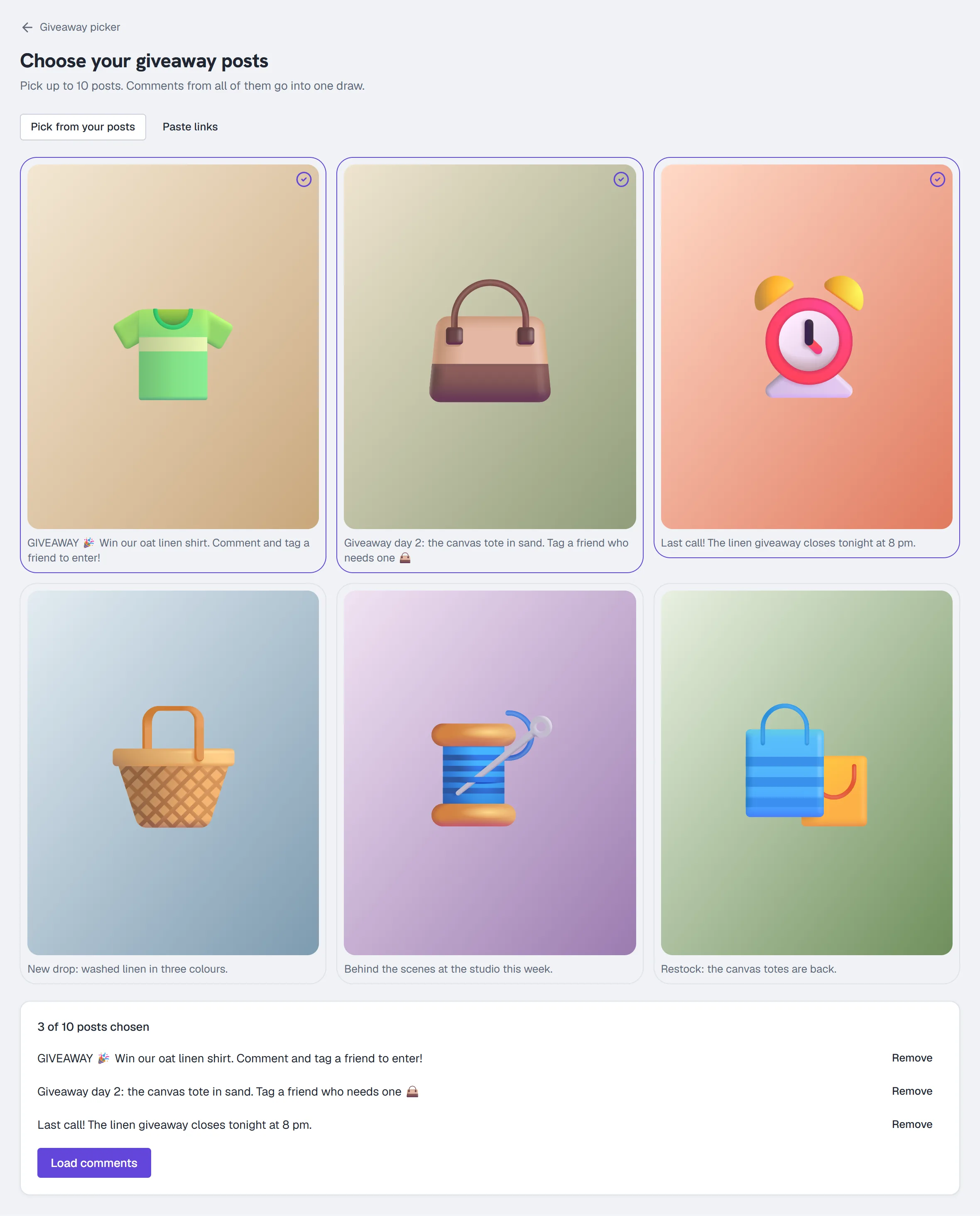
- Tick your giveaway posts under Pick from your posts (up to 10), or open Paste links, paste one link per line and click Find these posts. Check the posts listed under "posts chosen".
- Click Load comments. Wait for every post to load. If a post didn't finish, click Retry this post (it reloads only that post) or Remove it. If the post is no longer on Instagram, click Remove it.
Set the rules
- Click Set the rules.
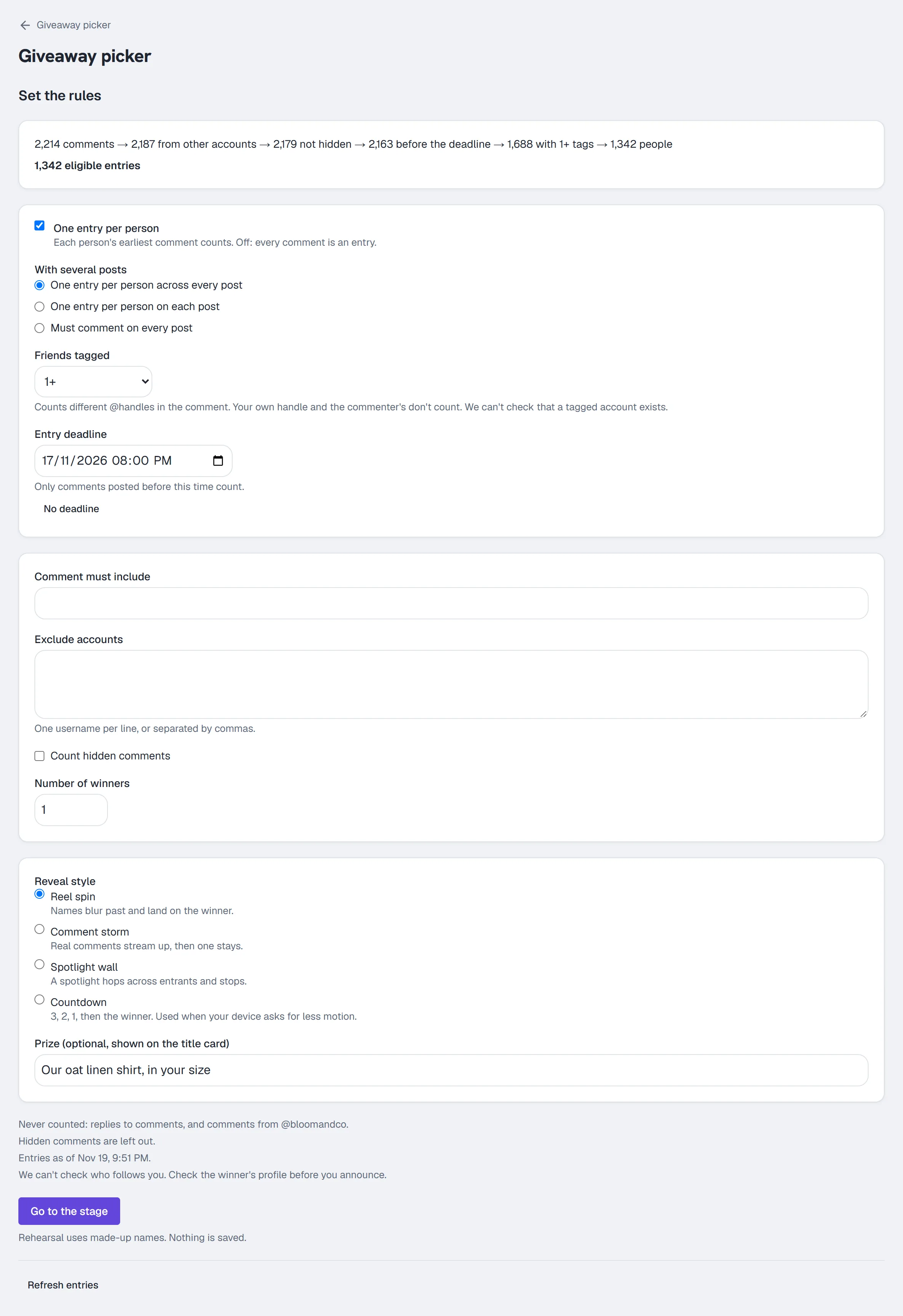
- Set One entry per person, Friends tagged and Entry deadline (and, on Starter and up, Comment must include, Exclude accounts (one username per line, or separated by commas), Count hidden comments and Number of winners). Watch the line above them: it shows how many entries each rule leaves.
- Pick a Reveal style and, if you like, type the Prize shown on the title card.
- Click Go to the stage once your last change has saved. If your deadline hasn't passed, choose Draw anyway or Wait.
Draw the winner
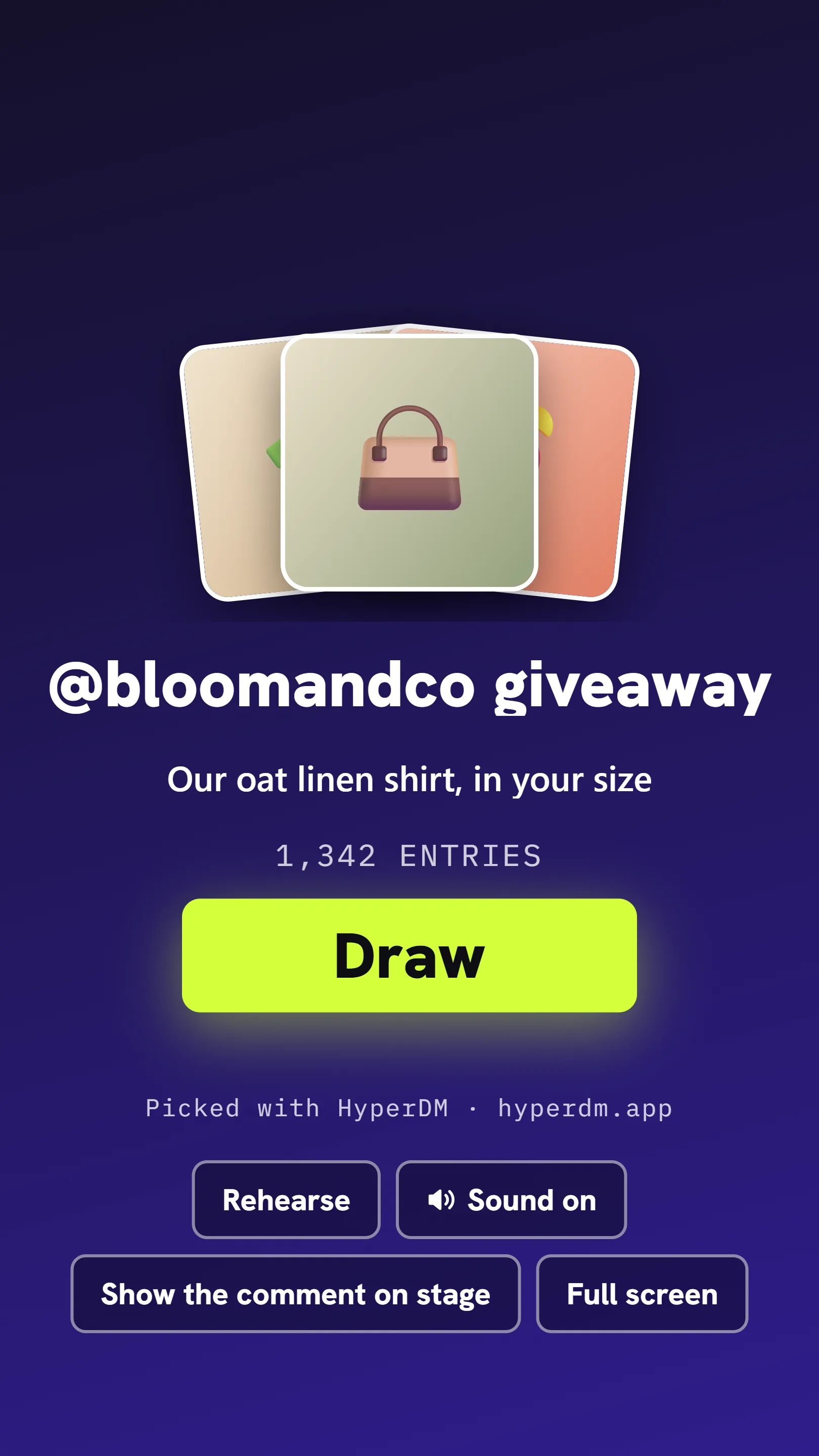
The stage fills the screen in the shape of a phone held upright (9:16), made for your phone's screen recorder.
- Read Before you film, start your phone's screen recording, and tap I'm recording.
- Tap Rehearse once if you want to see the reveal first. It plays on made-up names, stamped Rehearsal, and nothing is saved.
- Tap Draw. The winner is picked and saved before the reveal starts.
- Tap Done to see the result. If the buttons have faded from the picture, tap the screen to bring them back.
Share the result
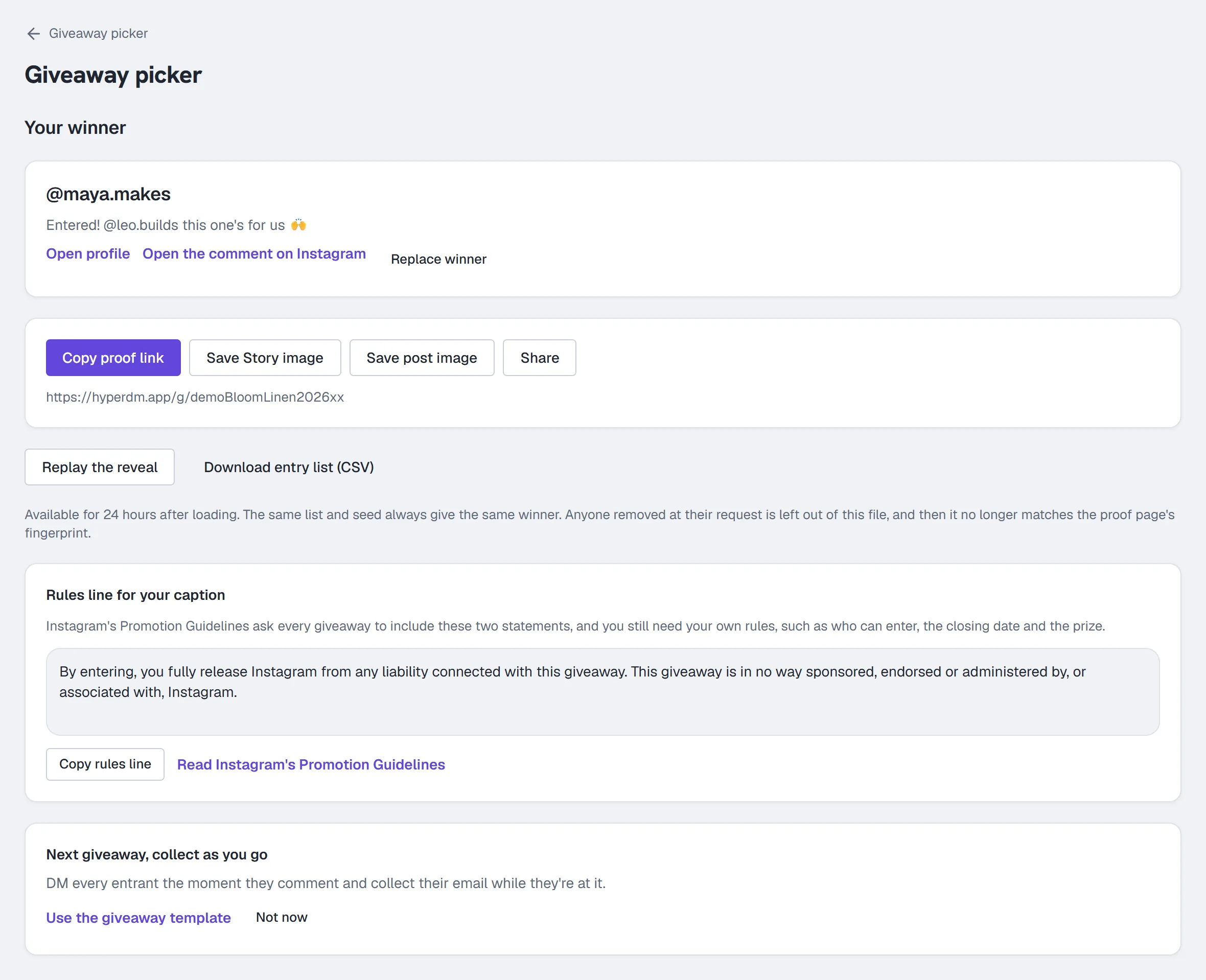
- Click Copy proof link and pin the link in a comment under your giveaway post.
- Click Save Story image or Save post image to save the winner card, or Share on your phone.
- Check the winner's profile with Open profile before you announce: we can't check who follows you. Open the comment on Instagram opens the post that winner commented on.
- If the winner doesn't reply or doesn't meet your rules, click Replace winner, choose the reason and click Replace winner again. The next person in the draw order becomes the winner, and the proof page shows both. If the result says no alternates are left, start a new draw.
- Under Rules line for your caption, click Copy rules line and paste it into your giveaway caption, next to your own rules (who can enter, the closing date and the prize).
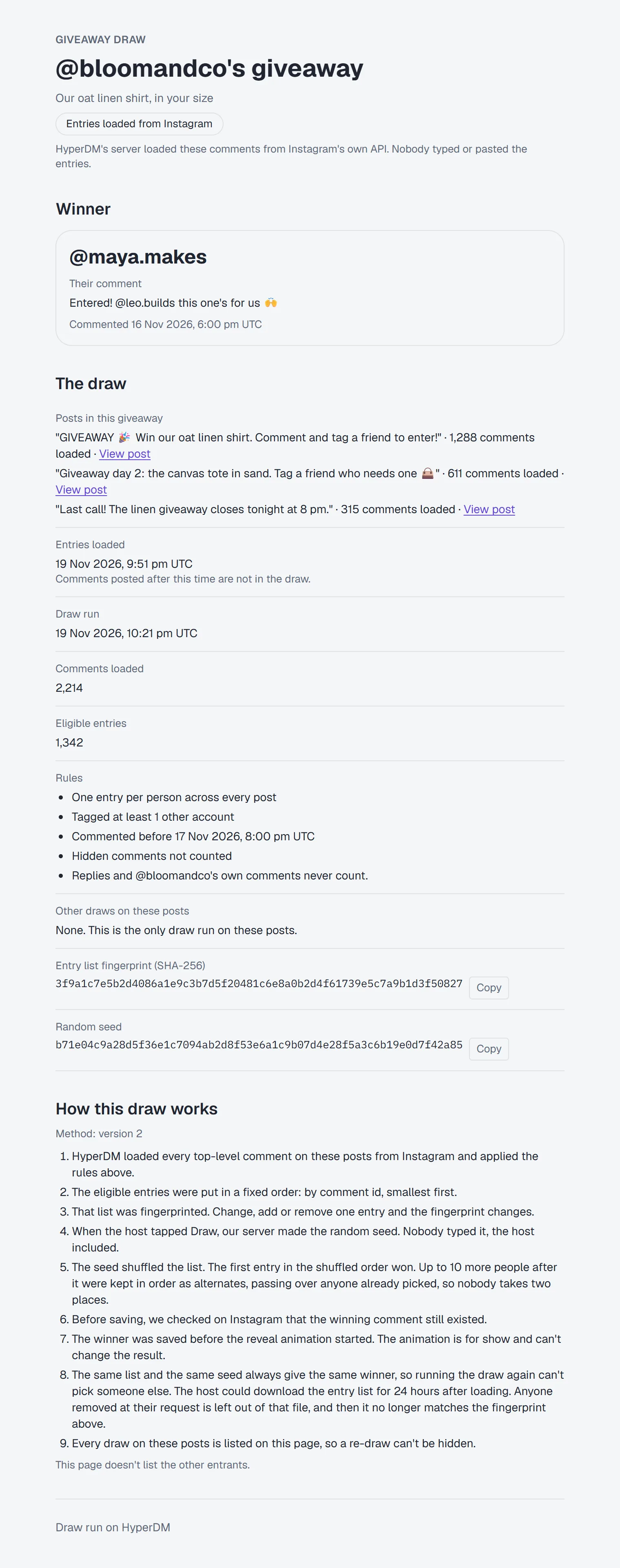
Anyone with the proof link can open the proof page without signing in: the winner and their comment, the posts, when the entries were loaded and the draw ran, the rules in words, the entry list's fingerprint and seed, and how the draw works. It doesn't list the other entrants.
If something stops
| You see | Do this |
|---|---|
| Connect Instagram to load your comments | Click Connect Instagram. |
| Instagram needs you to reconnect | Click Reconnect. You come back to this draw, and loading carries on. |
| A message about connecting Instagram, such as "The Instagram connection was cancelled." | Read the reason and do what it says, then click Connect Instagram or Reconnect again. |
| Instagram connected, but some permissions weren't approved | Reconnect Instagram and approve every permission Instagram asks for. |
| One of the excluded accounts isn't a valid Instagram username | Fix that line in Exclude accounts. The other rules keep what was last saved. |
| This post is no longer on Instagram | Click Remove it. |
| Instagram didn't answer | Click Resume. |
| These entries have expired | Click Reload entries. Entries are kept for about 24 hours after the last post finishes loading. |
| No winner was picked and nothing was saved | Go back and tap Draw again. |
More in Instagram automations
- Set up comment-to-DMReply to a keyword in your comments with a public reply and a DM that carries the link, step by step in the builder, then test it from a second account.Read
- Set up keyword triggersAnswer a DM that contains a keyword with the right reply and link, straight from the builder, with the matching rules and the priority order explained.Read
- Set up intent recognitionSend a saved DM when a message is worded close to a description you write, instead of a keyword, and test it from a second account before you rely on it.Read
Try HyperDM for free
50 free conversations a month, no card. Connect Instagram and follow the guide you just read.