
HYPERDM · INSTAGRAM MAIN MENU

Give buyers a menu, not a “link in bio.”

HyperDM adds a persistent menu inside your Instagram DMs — each item points at your shop, a live automation, or any link. It sits above the keyboard in every thread, on the official Graph API. Whatever they came for is one tap away.

ILLUSTRATIVE EXAMPLE · SAMPLE DATA

tapped “Shop now”
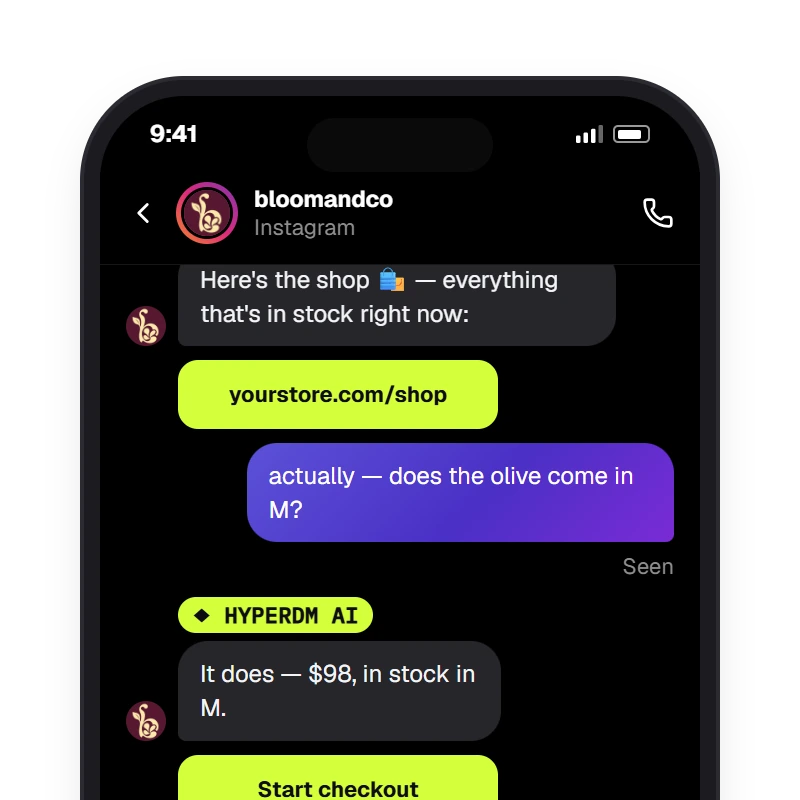
actually — does the olive come in M?
It does — $98, in stock. Want me to start your checkout?
TYPED QUESTION · AI AGENT
MENU
Shop now
Size guide
Track my order
SAMPLE CONVERSATION — GROUNDED IN A DEMO CATALOG

A menu, not a “link in bio”

  • ALWAYS THERE

    Above the keyboard in every thread

    The menu sits inside every Instagram DM, one tap from whatever they came for. No scrolling back to find the link you sent last week.

  • THREE SHORTCUTS

    Link, automation or flow

    Point each item at your shop, a size guide, a tracking page, a booking link — or a live automation, or a saved flow.

  • LIVE

    Re-point without rebuilding

    An automation or flow item resolves to its live target at tap time. A link item is saved to Instagram as written, so saving a new link pushes the menu again.

  • LIMITS

    3 items on Free, 20 on any paid plan

    Labels up to 30 characters, dragged into the order you want.

  • OFFICIAL

    Instagram's real persistent menu

    Built and pushed through Meta's Graph API — the same messenger_profile menu Instagram supports natively. No workaround.

  • TYPE ANYWAY

    The text box never goes away

    Tap for the fast path or type a real question — switch on the optional AI agent and it answers from your reviewed knowledge and catalog.

  • SETUP

    No code to ship

    Build the rows and push to Instagram; the menu then shows in your DM threads.

  • PRICE

    50 free conversations a month

    No card to start. Priced on conversations, never followers or contacts — a viral post moves your bill by the people it actually answered.

Give buyers a map

A creator laughing at the lip of a skate-park bowl at midday, phone loose in one hand — the shop is one tap away.
  • MENUShop now · Size guide · Track my order
  • ON TAPopens the link or fires the automation

Without a menu every buyer lands in the thread with nowhere to go, and you paste the same shop, size-guide and tracking links by hand all day. A persistent menu turns the DM from a dead end into a storefront: the next step stays visible, one tap away, always current.

Get started free

EXPLORE THE MAIN MENU

The persistent menu is Instagram's own (messenger_profile via the Graph API), built and pushed from HyperDM; each row points at a link, an automation or a flow — an automation or flow row resolves to its live target at tap time, a link row opens the link as saved — and the composer stays open, so a typed question can still reach the opt-in agent.

Main menu

Shop now, size guide, track my order

The real Instagram persistent menu, above the keyboard in every thread. Tap ‘Shop now’ and the link opens; tap an automation and it runs right in the thread — and the text box stays open.

Get started free

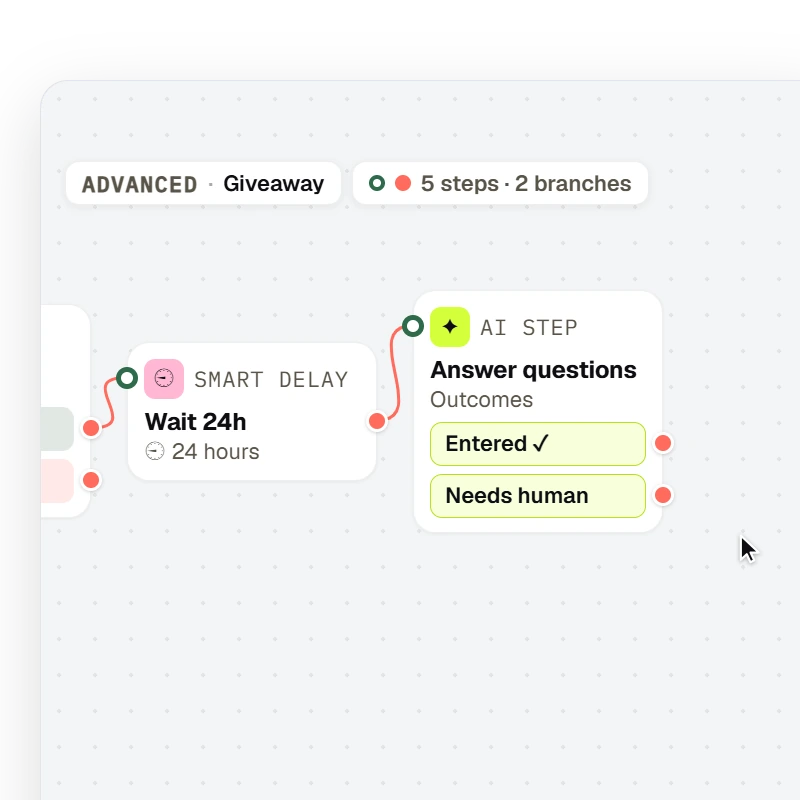
A flow drawn on the canvas runs a fixed path — Trigger → Message → Condition → Smart delay → AI Step — with the node types, labels and branch ports the flow editor draws.

Fixed paths

Point an item at a saved flow

Optional, never required: send a menu row into a flow you drew on the canvas — a size finder, a returns walkthrough, a booking path — when it must run the same way every time.

Get started free

The menu shortcuts. The agent can still answer.

A founder on a night street under flash, phone in hand — the typed question is being answered.
  • GROUNDEDcatalog · stock
  • HANDOFFyou take over anytime

The text box stays open under the menu, so a buyer can tap for the fast path or just type — ‘actually, does the olive come in M?’ Switch on the optional AI agent and it answers from your reviewed knowledge and catalog, and you can take over any thread anytime.

Get started free

EXPLORE THE ANSWER

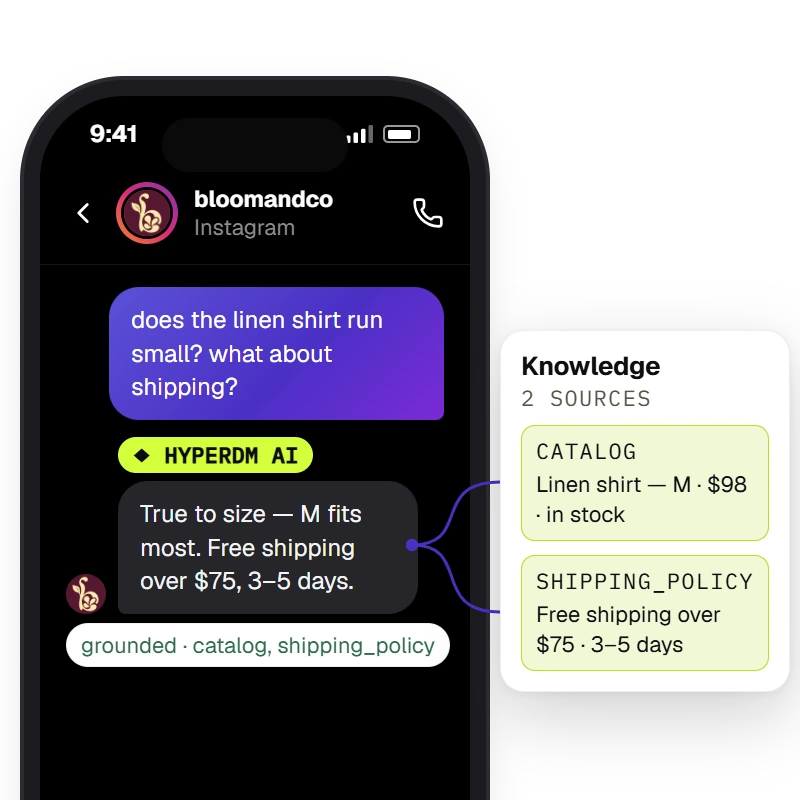
The agent answers from the workspace's knowledge and catalog and the Inbox shows the receipt — `Sources retrieved · <sources>` when retrieval found chunks, `⚠ unsourced — review` when it did not.

Grounded answers

‘Does the olive come in M?’ — answered from your catalog

The agent reads your catalog and reviewed knowledge before it replies, and the Inbox shows the receipt on every answer. If your knowledge doesn't cover a question, turn on human review and it comes to you.

Get started free

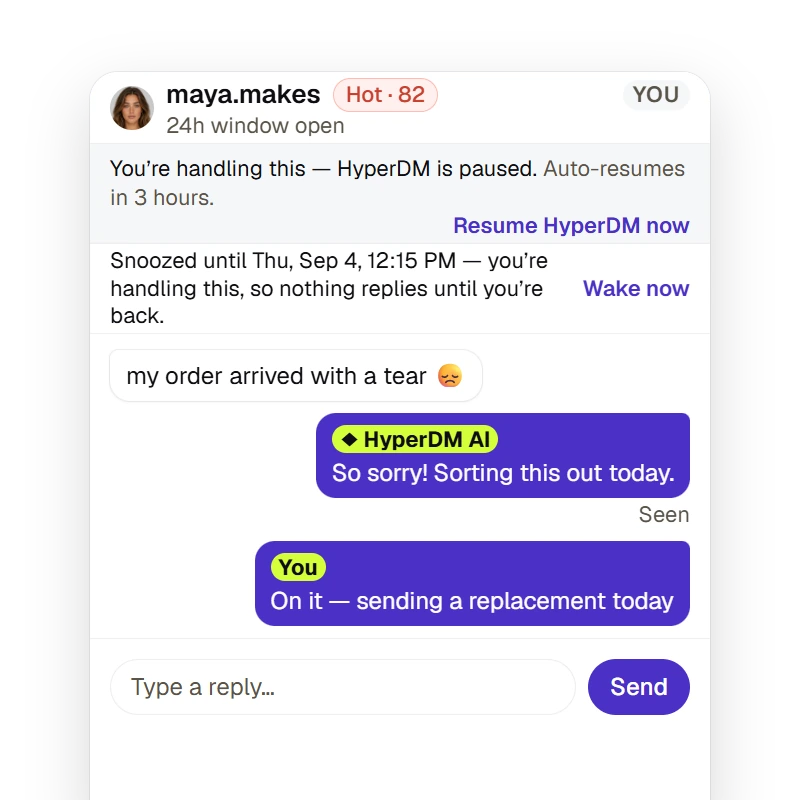
A merchant can take a thread over for a fixed duration or until they resume (the agent pauses and auto-resumes on the timer), snooze it to resurface later, and the Inbox states whether the 24-hour reply window is open — a free-form reply outside it is refused, not sent.

Take over

Take any thread over, hand it back when you're done

Take over a chat for a set time or until you resume, and HyperDM pauses its automated replies there; replying by hand pauses them too once your message sends. The Inbox shows whether the 24-hour window is still open.

Get started free

Build it, push it once

Build the rows, push once, and the menu shows in your Instagram DM threads — no code to ship.

  1. Step 1: Build the menu

    Add your rows — up to 3 on Free, 20 on any paid plan. Give each a label (up to 30 characters), point it at a link, an automation or a saved flow, and drag them into the order you want.

  2. Step 2: Push to Instagram

    One tap pushes it through the official Graph API — no app to install, no theme to touch. It then shows in your DM threads.

  3. Step 3: They tap, it fires

    A link opens; an automation or flow runs right in the thread. The text box stays open the whole time, so they can also just type — and the optional AI agent can answer from your catalog.

The main menu, answered.

Answered everything?

Get started free

No card · Cancel anytime

Give your Instagram DMs a menu today.

Get started free

NO CARD · TEST BEFORE YOU GO LIVE · CANCEL ANYTIME