
BROADCASTS FOR INSTAGRAM

Broadcast to a segment. Not a blast to your whole list.

Send one Instagram DM to exactly the people who should get it — filtered by tag, opt-in, or a custom field, now or scheduled. Contacts outside the 24-hour window are skipped by default, or recorded as queued — a note that never auto-sends later.

TAG & FIELD FILTERSSEND OR SCHEDULESKIP OR RECORD · NO AUTO-RESENDOFFICIAL INSTAGRAM API

ILLUSTRATIVE EXAMPLE · SAMPLE DATA

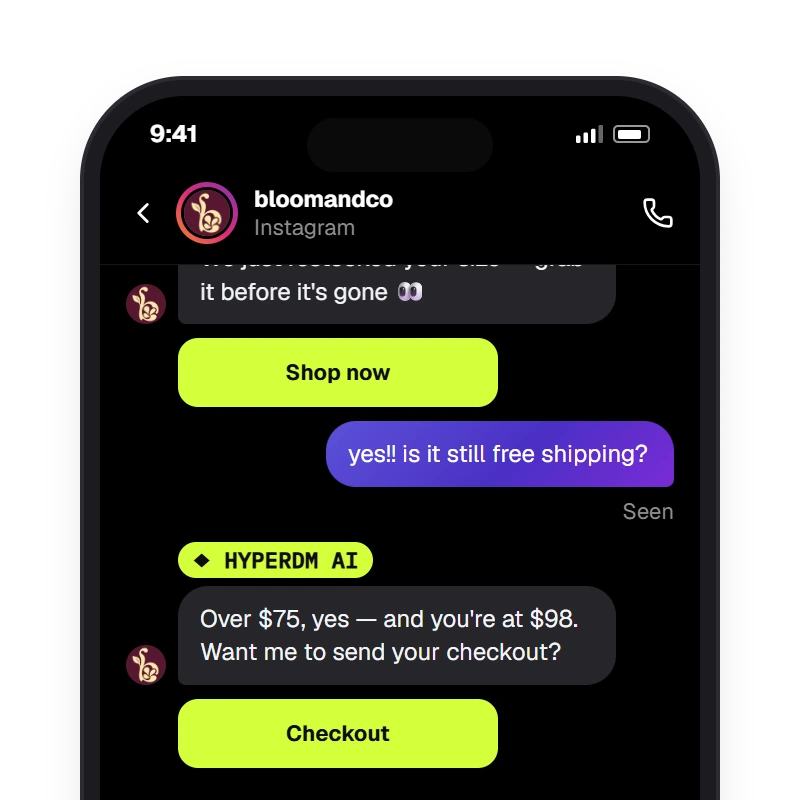
We just restocked your size — grab it before it's gone 👀
Shop now
BROADCAST · TRACKED LINK · INSTAGRAM
yes!! is it still free shipping?
Over $75, yes — and you're at $98. Want me to send your checkout?
REPLY · AGENT · GROUNDED
SAMPLE CONVERSATION — GROUNDED IN A DEMO CATALOG

A segment, not a blast. A receipt, not a guess.

  • SEGMENT

    Tag, opt-in, field, window

    Filter by tag, opt-in or a custom field — is, is not, contains, greater than — and by who's inside the 24-hour window. A live count updates as you go.

  • FRESH

    Re-resolved at send

    The audience is rebuilt the moment the broadcast sends, not frozen when you wrote it. Anyone who opted out or left the window is excluded.

  • MESSAGE

    One message, merged per contact

    {{first_name}} or any field, up to three tracked buttons or a single image, and the exact phone preview before it goes.

  • THE WINDOW

    Skip or record, never surprise

    Instagram has no paid way to re-open a closed conversation. Out-of-window contacts are skipped and logged by default, or recorded as queued — a note, never an automatic resend days later.

  • RECEIPT

    Sent · Skipped · Clicked

    Straight from the send ledger. Your reach number is real, and a zero never lies.

  • GATE

    Same guardrails as your agent

    Consent, the 24-hour window and rate limits on every send — a large broadcast drains within your rate limit instead of firing all at once.

  • AFTER

    Replies don't dead-end

    When someone replies, the opt-in agent can answer the follow-up from your synced catalog and reviewed knowledge.

  • PLAN

    On Growth and up

    Broadcasts, sequences and AI comment replies are on Growth and up; your first 50 conversations a month are free either way, and never a per-follower bill.

Pick the segment. Write one message. Send it.

A creator laughing on a stockroom box, phone face-down — the restock note already out to the right list.
  • SEGMENTtag: restock · opted in · inside 24h
  • THENone DM, tracked button, scheduled

Three fields and you're live — no flow required. Filter to exactly the people who should get it, write the message once with merge tags and tracked buttons, then send now or schedule. The audience is re-resolved the moment it sends, so you never blast a stale list.

Start free

EXPLORE BROADCASTS

A broadcast sends one Instagram DM to the contacts who match a segment (tags, opt-in, fields) at send time and are inside the 24-hour window — the rest are skipped by default or recorded as queued, never auto-sent later — with tracked buttons; a reply goes to the opt-in agent like any DM.

Broadcasts

One DM to the right segment

‘We just restocked your size’ goes to the contacts who match now and are inside the window, with a tracked Shop now button — and the reply goes to your agent.

Start free
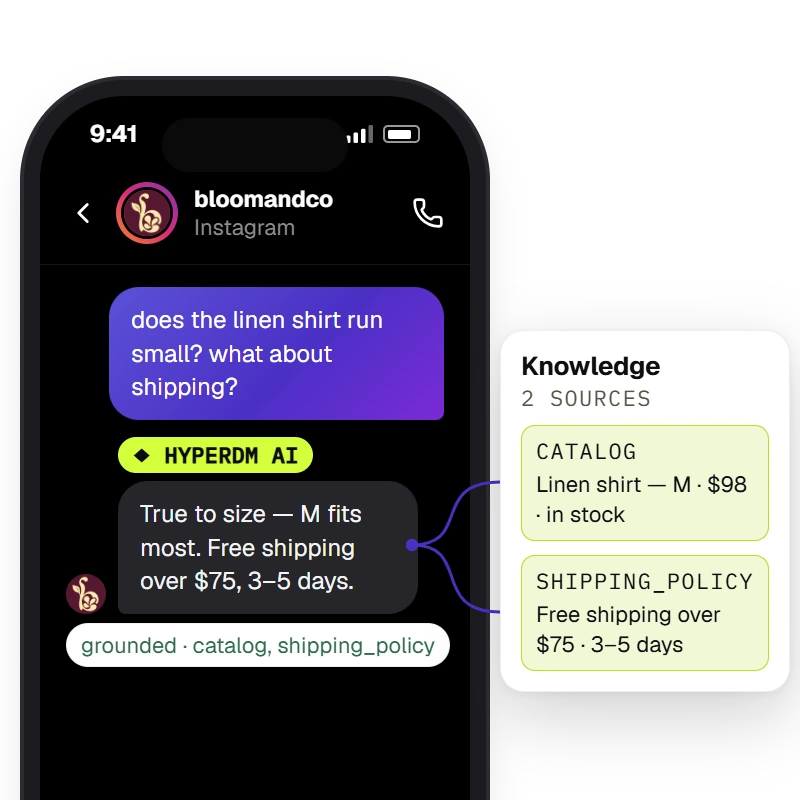
The agent answers from the workspace's knowledge and catalog and the Inbox shows the receipt — `Sources retrieved · <sources>` when retrieval found chunks, `⚠ unsourced — review` when it did not.

The reply

‘Is it still free shipping?’ — answered from your catalog

A broadcast is only the opening line. Switch on the agent and the follow-up is answered from your synced catalog, with the checkout link in the thread.

Start free

Outside the window, we skip. We never surprise.

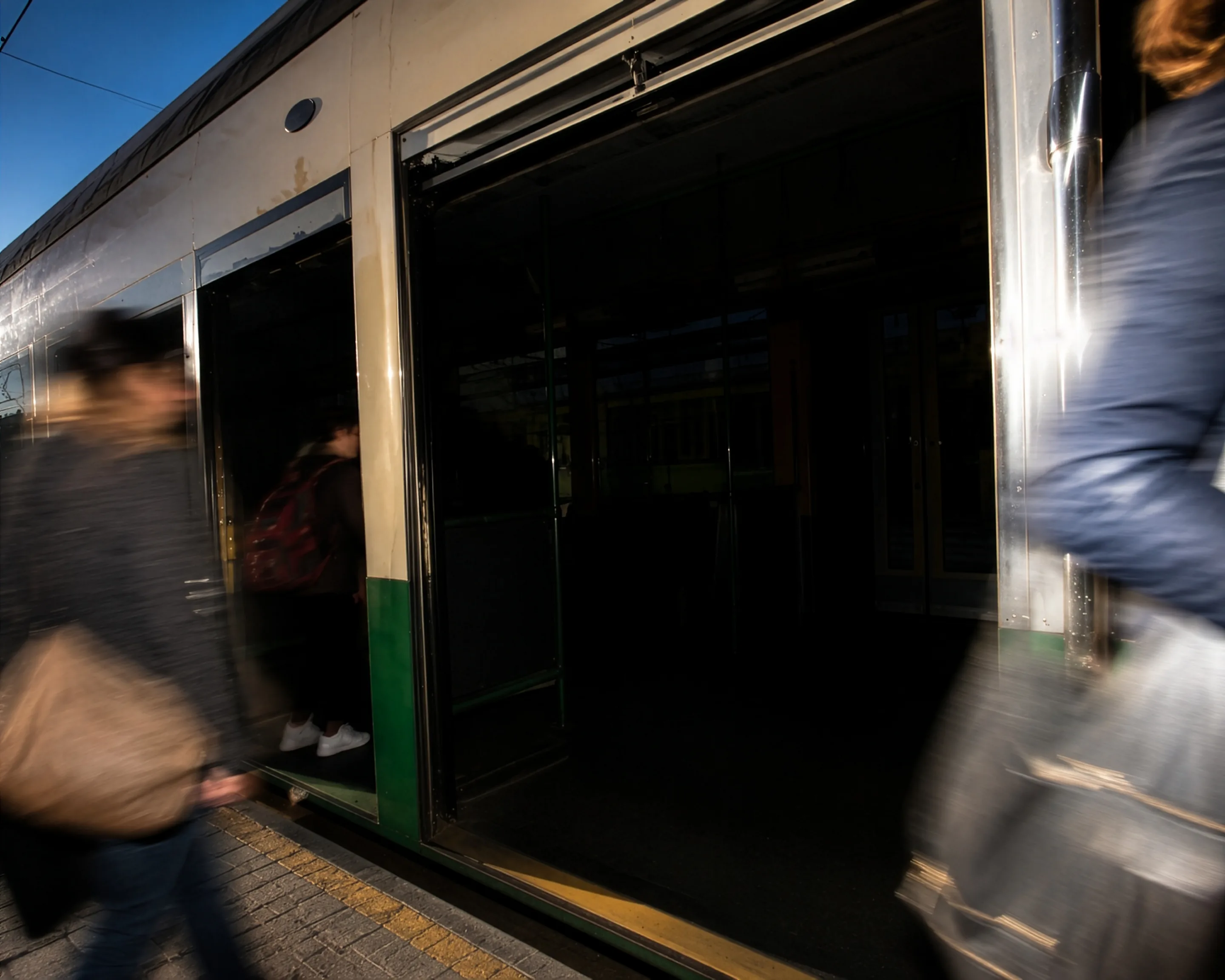
A founder under a station canopy at midday, a train blurring past — the send drained inside the rate limit.
  • OUT OF WINDOWskipped by default · logged
  • RECEIPTSent → Skipped → Clicked

A contact who hasn't messaged you in 24 hours can't be reached until they do — and most tools hide that. HyperDM makes it a choice you see: skip them and log it (the default), or record them as queued — a note for you, never an automatic resend. Either way the funnel shows the real number.

Start free

EXPLORE THE RECEIPT

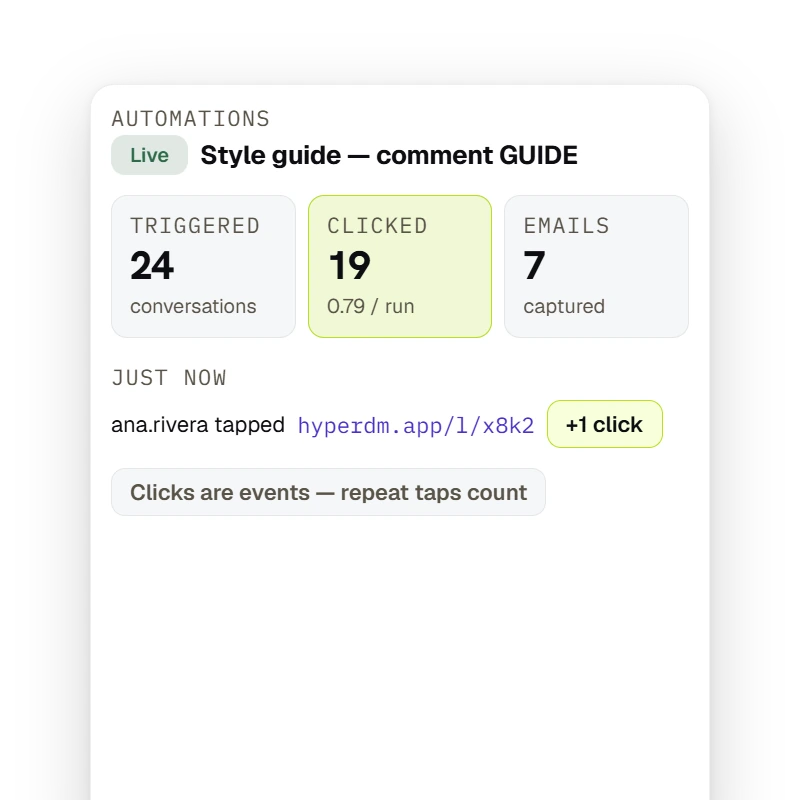
By default, HyperDM tracks the links it adds for you — automation links, flow and broadcast link buttons, product buy links and email buttons. These go out as written: a link typed into a message, an automation or email link with a variable in it, a WhatsApp template's link button, a main-menu link, and a buy link quoted by a flow's AI step or the Playground. A tracked tap is attributed to the contact in the thread; an automation's row shows Triggered → Clicked (with clicks per run) → Emails, and clicks are events — repeat taps count, so clicks per run can exceed one and is not a unique-person conversion rate.

Tracked

Button taps, tied to each contact

By default, a broadcast's link buttons are tracked, so you see who tapped ‘Shop now’, tied to the contact in the thread (a WhatsApp template's own button goes out as approved) — proof instead of a vanity ‘sent to 4,000’.

Start free

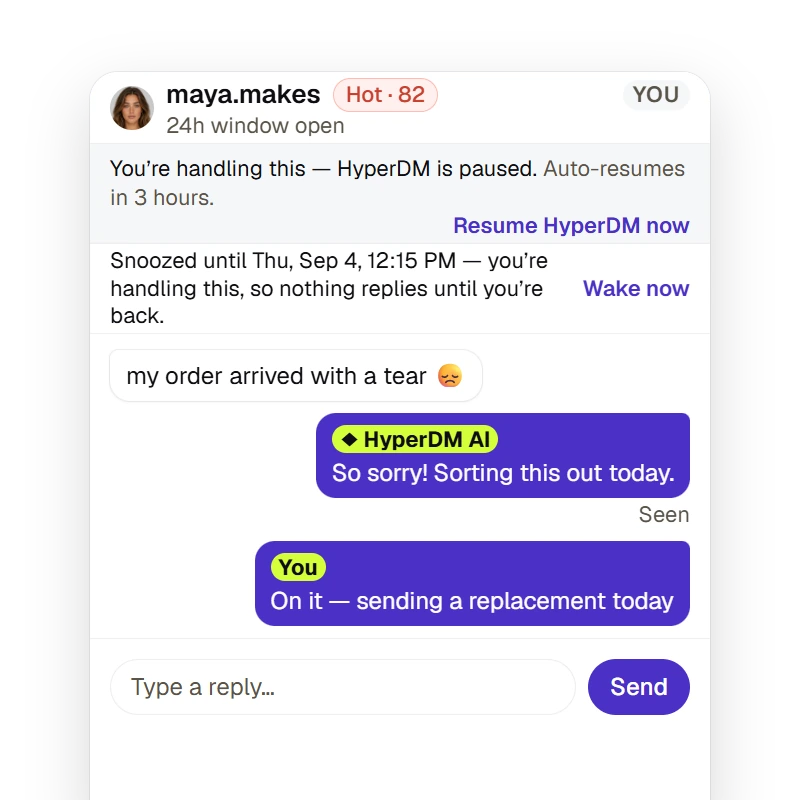
A merchant can take a thread over for a fixed duration or until they resume (the agent pauses and auto-resumes on the timer), snooze it to resurface later, and the Inbox states whether the 24-hour reply window is open — a free-form reply outside it is refused, not sent.

Take over

Step into any reply thread yourself

Take over a chat for a set time or until you resume, and HyperDM pauses its automated replies there; replying by hand pauses them too once your message sends. The Inbox shows whether the 24-hour window is still open.

Start free

Live in 1-2-3

Build the segment, write the message, send or schedule — every message through the same guardrails as your agent.

  1. Step 1: Build the segment

    Filter by tag, opt-in or a custom field, and by who's inside the 24-hour window. A live count updates as you go.

  2. Step 2: Write one message

    Merge in {{first_name}} or any field, add up to three tracked buttons or a single image, and check the phone preview before it goes.

  3. ILLUSTRATIVE EXAMPLE · SAMPLE DATA

    Step 3: Send now or schedule

    Fire immediately or pick a time in your workspace timezone. Out-of-window contacts are skipped and logged by default (or recorded as queued), and the row shows Sent → Skipped → Clicked.

Broadcasts, answered.

Answered everything?

Start free

No card · Cancel anytime

Send your next restock to the right list.

Start free

NO CARD · TEST BEFORE YOU GO LIVE · CANCEL ANYTIME