LINK TRACKING & ATTRIBUTION

Tracked links. Taps tied to each contact.

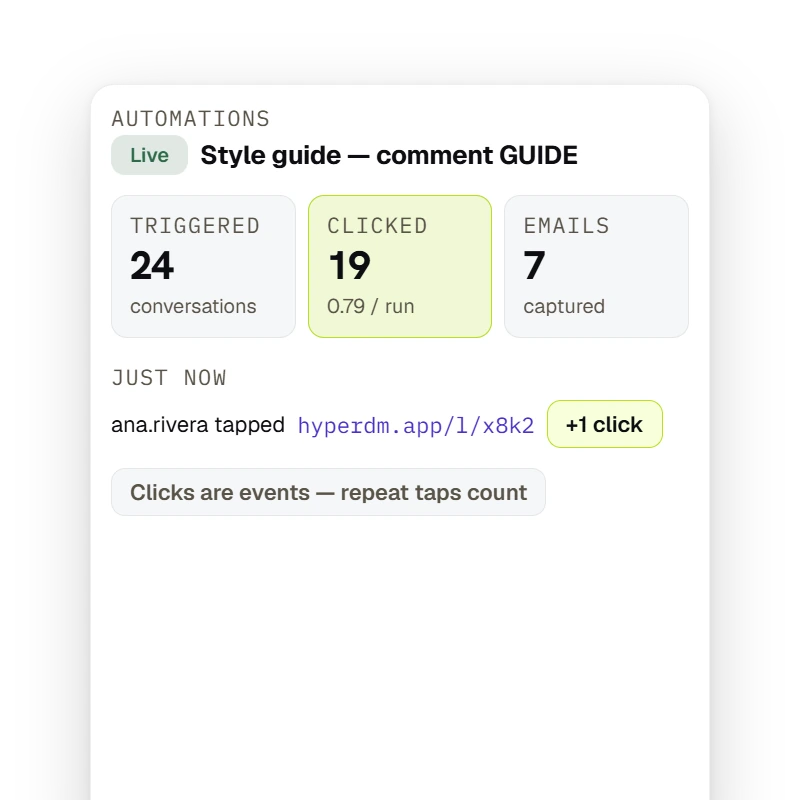
You've been judging your DMs by likes and reach. By default, HyperDM turns the links it adds for you — automation links, flow and broadcast buttons, product links — into tracked short links, then shows you the funnel that matters — runs, link clicks and emails captured. Clicks per run can exceed one; these are event totals, not a unique-person conversion rate.

ILLUSTRATIVE EXAMPLE · SAMPLE DATA

COMMENT-TO-DM · LAST 30 DAYS
312TRIGGERED84CLICKED0.27 / run19EMAILS
BROADCAST · RESTOCK — SENT 412 · SKIPPED 38 · CLICKED 96STORY REPLIES — TRIGGERED 57 · CLICKED 21 · EMAILS 6

Tracked links. Taps tied to each contact.

  • AUTOMATIC

    Wrapped the moment it's sent

    By default, HyperDM tracks the links it adds for you — automation links, flow and broadcast link buttons, product buy links and email buttons. These go out as written: a link typed into a message, an automation or email link with a variable in it, a WhatsApp template's link button, a main-menu link, and a buy link quoted by a flow's AI step or the Playground. You never touch a UTM or a shortener. Where the link-tracking setting is offered, you can send links exactly as typed instead.

  • ATTRIBUTED

    A person, not a count

    A tracked link carries who it was sent to, so a tap ties back to that contact — even if they forward it.

  • REDIRECT

    One lookup, then your page

    HyperDM looks up the link, then redirects; the tap is recorded after the redirect response, so recording doesn't hold it up. A stale link lands on the HyperDM homepage, never a dead 404.

  • THE FUNNEL

    Triggered → Clicked → Emails

    One clean line on the automation you're already looking at: conversations started, link-click events with clicks per run, emails captured.

  • HONEST

    Clicks are events

    Repeat taps count, so clicks per run can exceed one. Use the totals to compare activity — they are not a unique-person conversion rate.

  • BROADCASTS

    Sent → Skipped → Clicked

    The same treatment for every broadcast, so you can tell what landed and what earned taps — not just what you fired off.

  • NO VANITY

    A zero never lies

    No link, no Clicked stage to pad the numbers. Nothing triggered, a dash instead of a rate without a denominator. Only the stages that exist.

  • PRICE

    50 free conversations a month

    No card to start. Priced on conversations, never followers or contacts — a viral post moves your bill by the people it actually answered.

By default, the links HyperDM adds are tracked when they're sent.

An operator on a warehouse stair reading a clipboard — which link did the work, finally visible.
  • SENThyperdm.app/l/x8k2 → your page
  • LOGGEDana.rivera tapped · attributed

You've been judging your DMs by likes and reach, and the one number that would tell you — did they tap? — is the one you can't see. There's nothing to set up: by default, when HyperDM sends a link you added — an automation link, a flow or broadcast button, a product — it swaps your URL for a tracked one, redirects the buyer to your page, and ties the tap back to the person in the thread.

Get started free

EXPLORE LINK TRACKING

By default, HyperDM tracks the links it adds for you — automation links, flow and broadcast link buttons, product buy links and email buttons. These go out as written: a link typed into a message, an automation or email link with a variable in it, a WhatsApp template's link button, a main-menu link, and a buy link quoted by a flow's AI step or the Playground. A tracked tap is attributed to the contact in the thread; an automation's row shows Triggered → Clicked (with clicks per run) → Emails, and clicks are events — repeat taps count, so clicks per run can exceed one and is not a unique-person conversion rate.

Link tracking

Triggered → Clicked → Emails

Open any automation and read one line: how many runs it triggered, how many link taps followed, how many emails it captured — with clicks per run right there.

Get started free

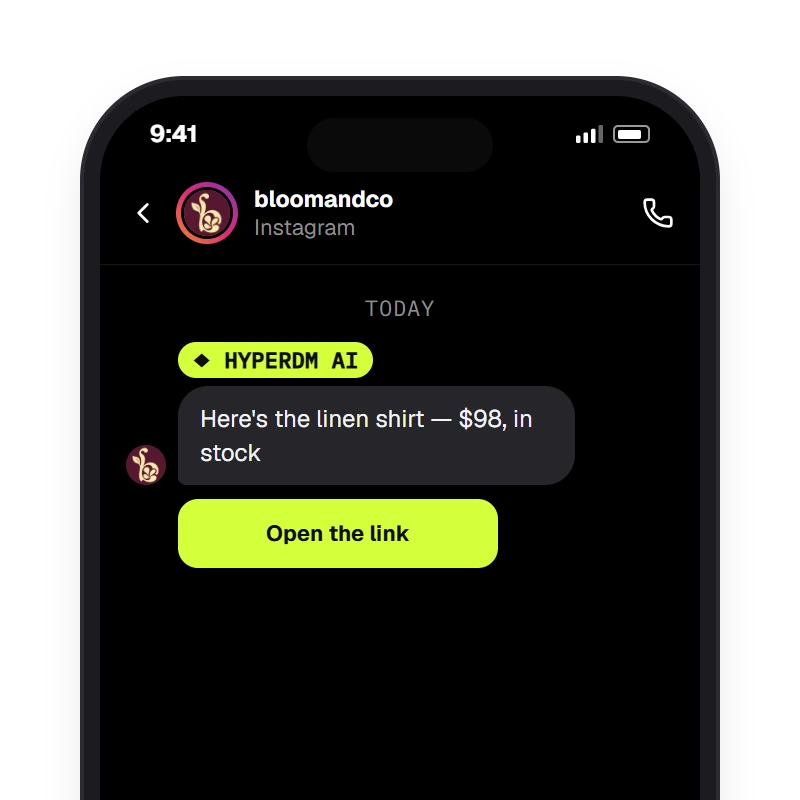
A comment that contains the keyword (matched case-insensitively) gets one of the public reply variants under the comment and a DM with the link — the comment_keyword automation.

Where links come from

Up to three tracked links in every comment-to-DM

The product, the guide, the checkout — each link you add to the DM's links is wrapped and attributed (one with a variable in it goes out as written), so you see which one got the taps.

Get started free

A zero never lies

A founder in a rooftop stairwell doorway, phone face-down — the funnel read, the decision made.
  • EVENTSrepeat taps count
  • NOTa unique-person conversion rate

HyperDM shows you the truth, even when it's small. If an automation carries no link, there's no Clicked stage to pad the numbers. If nothing's triggered yet, you see a dash, not a rate without a denominator. Two automations share a keyword and you can tell which one is pulling its weight. Numbers you can act on, not numbers that make you feel good.

Get started free

EXPLORE WHAT COMES NEXT

A broadcast sends one Instagram DM to the contacts who match a segment (tags, opt-in, fields) at send time and are inside the 24-hour window — the rest are skipped by default or recorded as queued, never auto-sent later — with tracked buttons; a reply goes to the opt-in agent like any DM.

Broadcasts

Sent → Skipped → Clicked on every send

A broadcast's link buttons are tracked the same way (a WhatsApp template's own button goes out as approved), so a ‘sent to 4,000’ becomes who actually received it and who tapped.

Get started free

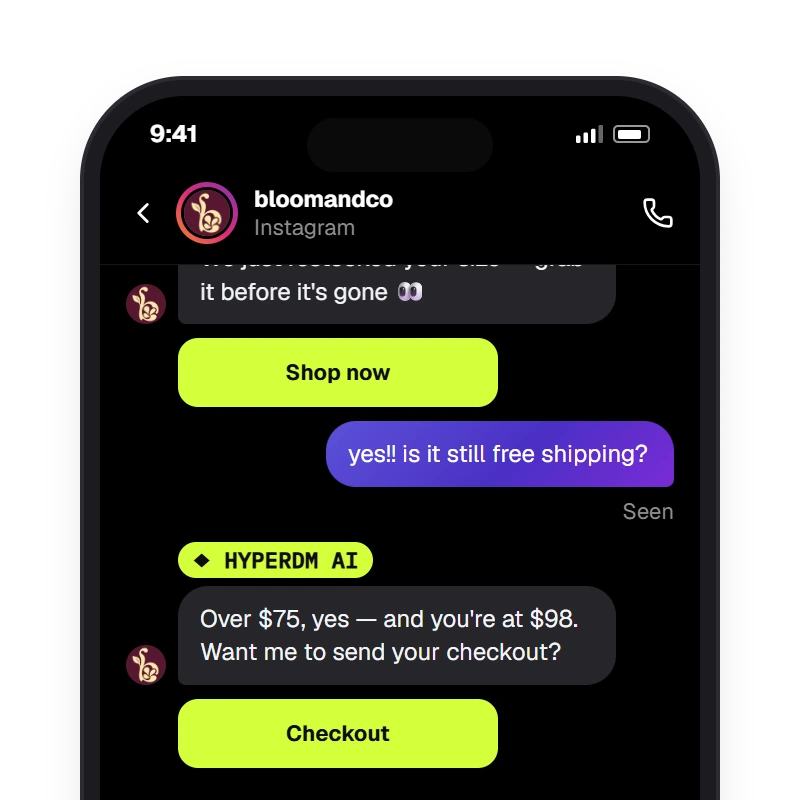
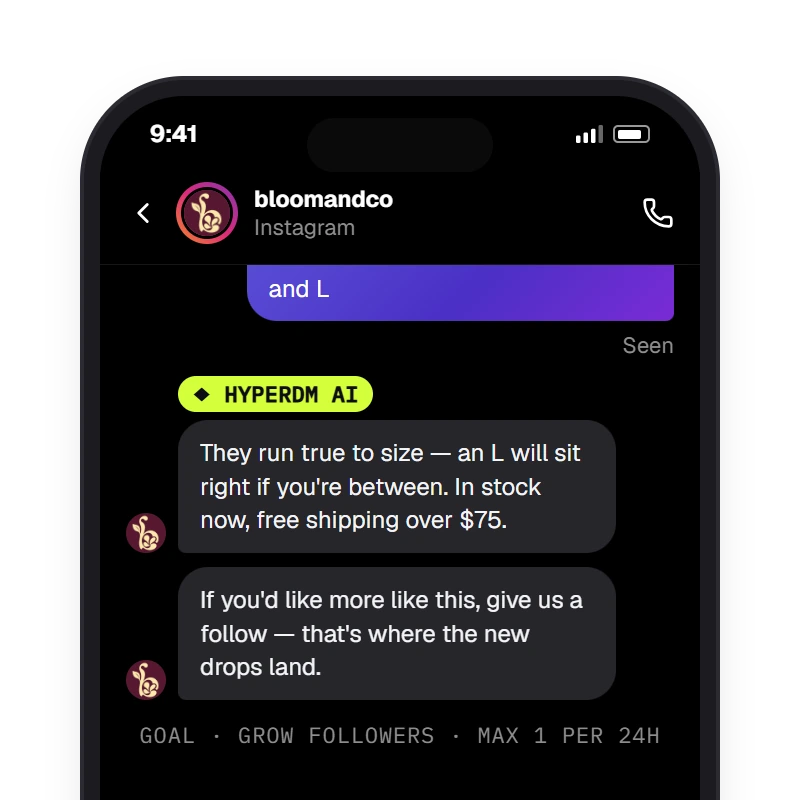
After the agent answers, HyperDM can add one nudge toward the goal the merchant set — share a link, capture a lead or grow followers — sending the merchant's copy (no model call) at most once per contact per 24 hours; the follow goal skips a contact whose saved follow status is already true, still asks when it is unknown, and never invents a count.

Conversation goals

The nudge's link is tracked by default

Share a link as a conversation goal and its taps tie back to the ask — at most one nudge per contact in 24 hours, measured.

Get started free

Nothing to set up

Connect Instagram, send a link the way you already do, and read the funnel on the automation you're already looking at.

  1. Step 1: Send a link the normal way

    Paste your real URL into an automation's links, a broadcast button or a product. By default HyperDM wraps it when it sends. Non-web links pass through untouched; a link with a merge tag goes out as written, except in a flow's link button, where each person gets a tracked link of their own.

  2. Step 2: The tap is logged, attributed

    One lookup, then your page. The click is recorded after the redirect response, and tied to the contact in the thread.

  3. ILLUSTRATIVE EXAMPLE · SAMPLE DATA

    Step 3: Read the funnel

    Triggered, Clicked with clicks per run, Emails — on the automation row. Sort by most clicks per run or most leads to see what's pulling its weight.

Link tracking, answered.

Answered everything?

Get started free

No card · Cancel anytime

Stop guessing which link worked.

Get started free

NO CARD · TEST BEFORE YOU GO LIVE · CANCEL ANYTIME