
KEYWORD TRIGGERS

A keyword should start the sale, not end it.

When a DM contains a keyword you set — PRICE, DROP, GUIDE — HyperDM sends the reply you wrote. Switch on the optional AI agent and it can answer the follow-up from your reviewed knowledge and synced catalog. Same automation engine as comment-to-DM. On the official Instagram API. No flow required — draw one only where a path must not vary.

ILLUSTRATIVE EXAMPLE · SAMPLE DATA

DROP 👀
You're on the list 💌 the olive wide-leg goes live tonight at 7 — here's your early link → your-store.com/olive
KEYWORD: DROP · REPLY FIRED
do they run small?
They run true to size — size down only if you're between. In stock S–L, free shipping over $75. Want me to start your checkout?
AI AGENT · CATALOG + SIZING
SAMPLE CONVERSATION — GROUNDED IN A DEMO CATALOG

Your reply, when the keyword lands.

  • AUTOMATIC

    Fires when the keyword lands

    When a DM contains your keyword, the reply you wrote goes out — day or night, within Instagram's limits and your plan's allowance.

  • MATCH

    Inside a sentence, or exact

    With “contains the keyword” (the default), ‘what's the price on the olive pants?’ still fires PRICE, case ignored. Choose “is exactly the keyword” for the word alone. Up to five keywords and five exclusions per automation; an exclusion vetoes a match.

  • PREDICTABLE

    Your words, every time

    The first reply is the fixed text you wrote — a link, a lead magnet, a price. Canned on purpose, so a campaign code always does the same thing.

  • AFTER

    Optional AI after the trigger

    Switch on the AI agent and it picks up the follow-up from your catalog and reviewed knowledge. Test answers and enable human review for uncertainty.

  • SCALE

    Handles the pile-on

    A post takes off and hundreds DM the same word; each DM is handled as it arrives. Sends over Instagram's rate limits wait for a later slot, and your plan's allowance still applies.

  • CAPTURE

    A list you keep

    Capture each email with a logged opt-in, saved on the contact and ready to export — a keyword builds a list you own, not a one-day spike.

  • PLATFORM

    Official Instagram API

    Keyword triggers run on Instagram through the official Graph API today. Another channel is named here the day it works, not before.

  • PRICE

    50 free conversations a month

    No card to start. Priced on conversations, never followers or contacts — a viral post moves your bill by the people it actually answered.

The keyword is the on-ramp

A creator laughing at the lip of a skate-park bowl at midday, phone loose in one hand — the keyword already answered.
  • WHEN SOMEONE…DMs PRICE
  • THENsend the price + link

You pick the keywords and write the first reply. HyperDM receives your Instagram DMs through the official Graph API, matches the keyword — even buried in a full sentence, with “contains the keyword” on — and sends that reply.

Get started free

EXPLORE KEYWORD TRIGGERS

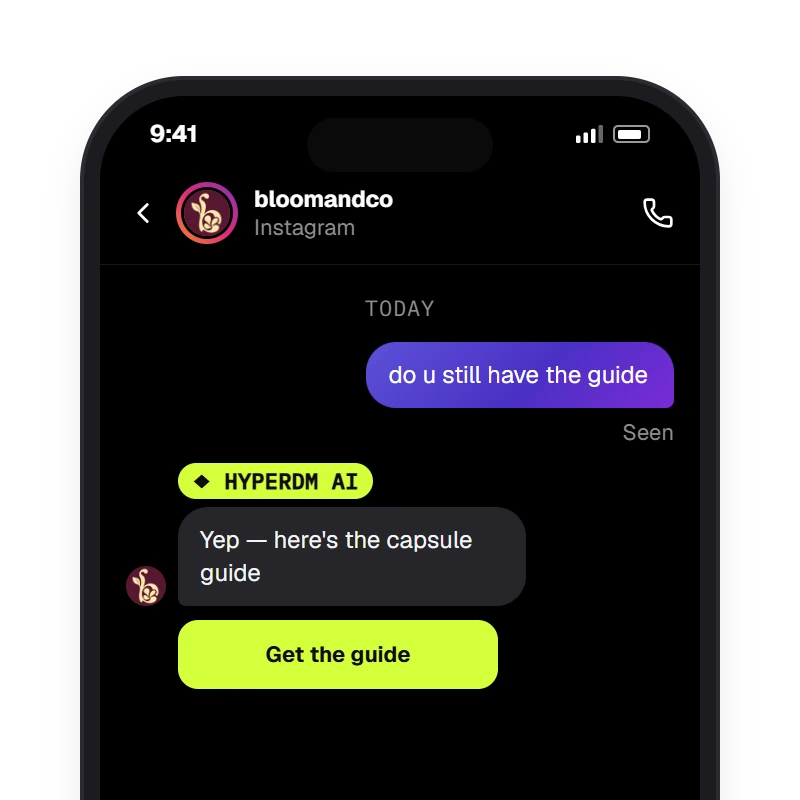
A DM-keyword automation fires when its keyword appears anywhere in the message, case ignored — here GUIDE inside "do u still have the guide" — then sends the DM and its link. Intent mode ("Recognize intention") is the other option on the same trigger, for DMs worded close to a description the merchant writes.

Keywords

Say the word, get the thing

‘do u still have the guide’ fires GUIDE — with “contains the keyword” (the default), a keyword matches anywhere in the message, case ignored. Up to five keywords, up to five exclusions that veto a match, first match wins.

Get started free

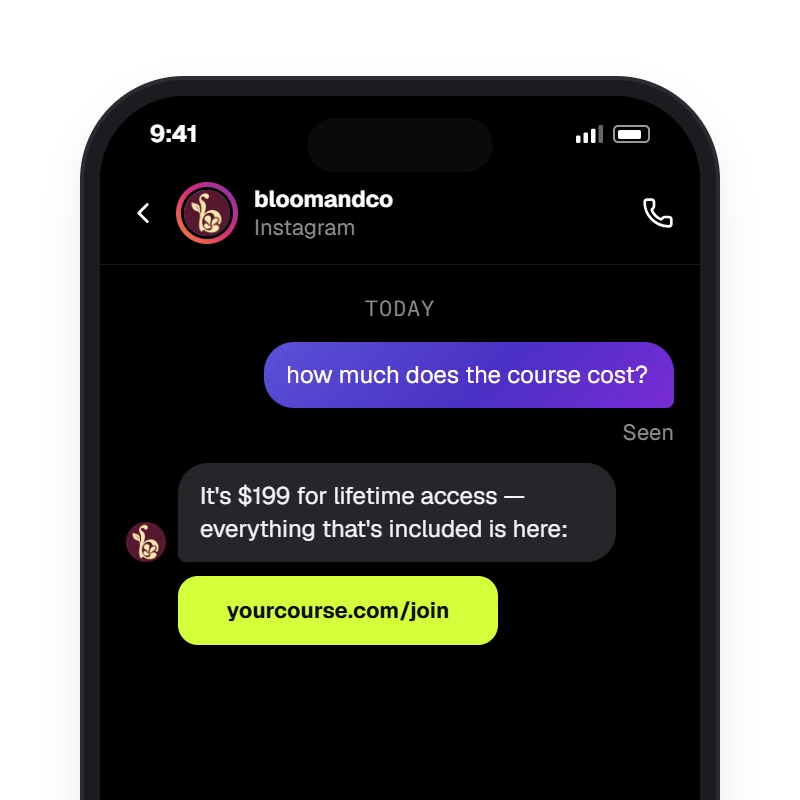
Intent mode (Recognize intention on the DM-keyword trigger) compares the whole DM with the one description the merchant wrote and fires on a close match — here "how much does the course cost?" against "how much is the course?" — then sends the merchant's saved DM, word for word. A message worded very differently won't match.

Intent mode

Close rewordings of one question

On the same trigger, switch to Recognize intention and describe the question the way customers ask it; a DM worded close to it gets your saved DM. Test it with real examples first.

Get started free

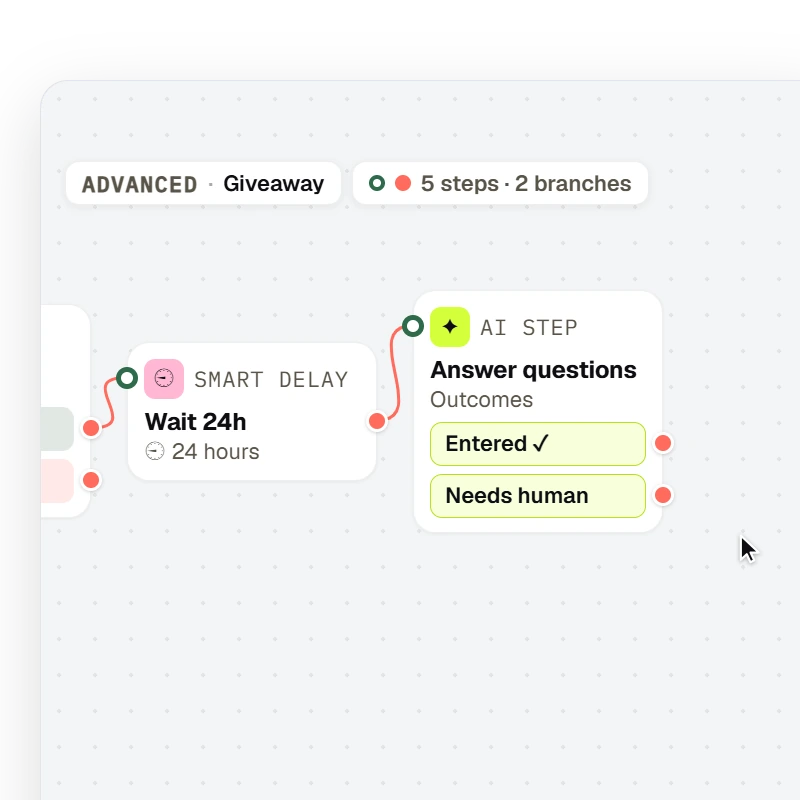
A flow drawn on the canvas runs a fixed path — Trigger → Message → Condition → Smart delay → AI Step — with the node types, labels and branch ports the flow editor draws.

Fixed paths

Start a flow instead of a single reply

Point the keyword at a flow when the path must not vary — a drop waitlist, a giveaway entry, a webinar registration — and draw the steps on the canvas.

Get started free

The sale is the point

A founder on a night street under flash, reading the thread the keyword started.
  • GROUNDEDcatalog · sizing
  • HANDOFFyou, with the full thread

A link is a dead end. Because the optional AI agent can keep talking after the trigger fires, the same keyword that used to hand out a PDF can lead to an answer on sizing and a checkout link. It answers from your reviewed knowledge and catalog, and you take over anytime.

Get started free

EXPLORE WHAT COMES NEXT

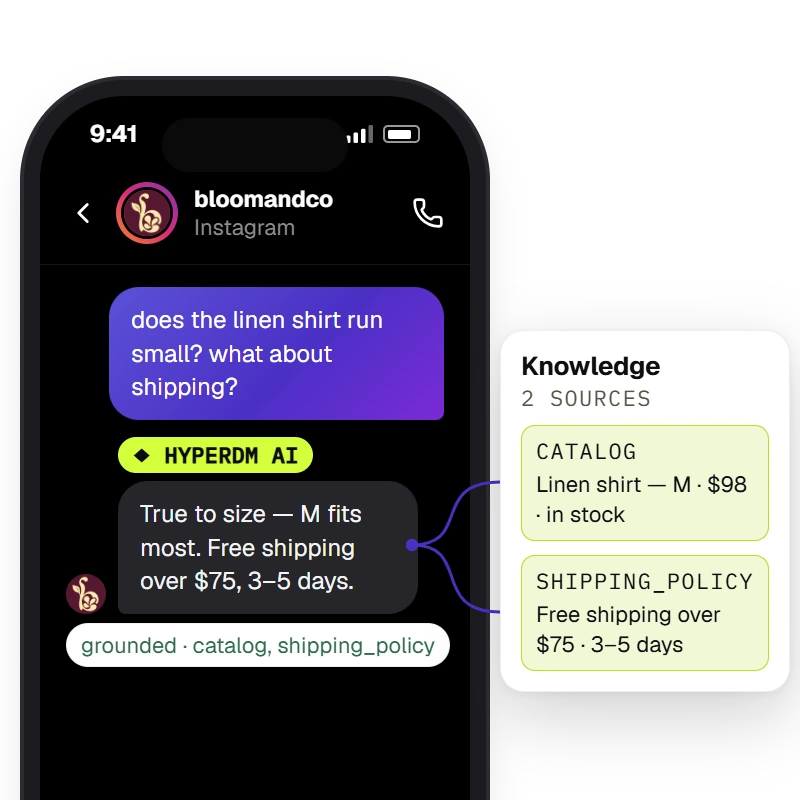
The agent answers from the workspace's knowledge and catalog and the Inbox shows the receipt — `Sources retrieved · <sources>` when retrieval found chunks, `⚠ unsourced — review` when it did not.

Grounded answers

‘Do they run small?’ — answered from your catalog

After the keyword fires, the agent reads your catalog and reviewed knowledge before it replies, and the Inbox shows its sources. If your knowledge doesn't cover a question, turn on human review and it comes to you.

Get started free

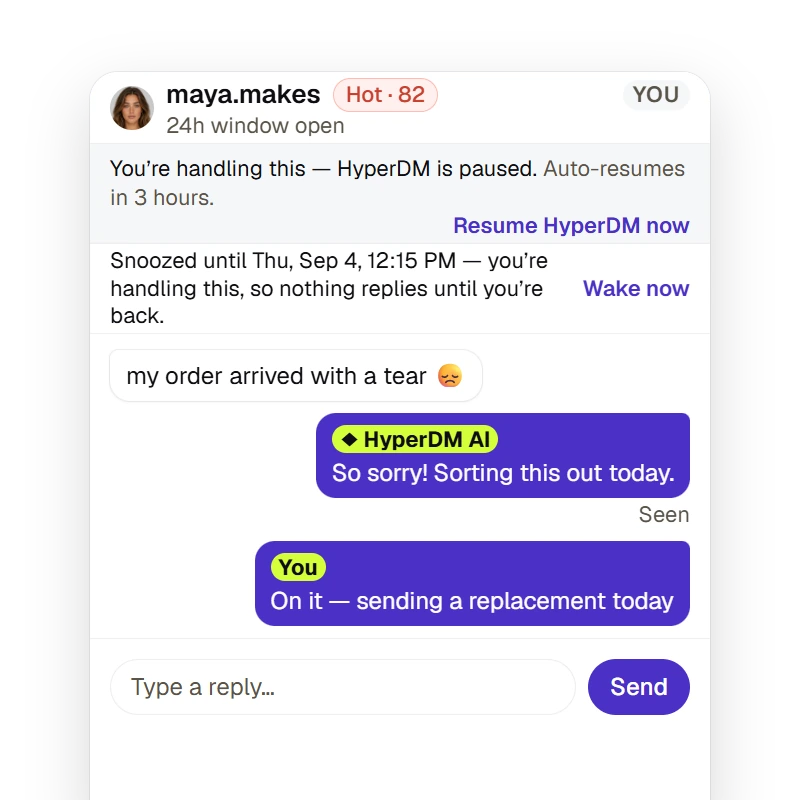
A merchant can take a thread over for a fixed duration or until they resume (the agent pauses and auto-resumes on the timer), snooze it to resurface later, and the Inbox states whether the 24-hour reply window is open — a free-form reply outside it is refused, not sent.

Take over

It gets messy? It's yours, with the receipts

Take over a chat for a set time or until you resume, and HyperDM pauses its automated replies there; replying by hand pauses them too once your message sends. The Inbox shows whether the 24-hour window is still open.

Get started free

Live in 1-2-3

Pick a keyword, write the reply, and test it from a second account before you publish.

  1. Step 1: Match

    A DM contains a keyword you set — PRICE, DROP, GUIDE, or your own — even inside a full sentence, with “contains the keyword” on.

  2. Step 2: Fire

    The reply you wrote goes out: the link, the guide, the price. Canned and predictable, every time it fires.

  3. Step 3: Close

    Switch on the optional AI agent and it picks up the follow-up from your catalog and reviewed knowledge and can drop the checkout link. With human review on, it hands you what it can't answer.

Keyword triggers, answered.

Answered everything?

Get started free

No card · Cancel anytime

Turn your next keyword into a sale.

Get started free

NO CARD · TEST BEFORE YOU GO LIVE · CANCEL ANYTIME