
HYPERDM FLOWS · THE VISUAL BUILDER

Describe your workflow. Review every step.

Flows is HyperDM's visual builder for the moments you want an exact, reviewed path: a launch-day campaign, a precise giveaway mechanic, a script you've run past compliance. Describe it in a sentence and the AI drafts the canvas for you to review, or start from a template. Simple keyword replies and the optional AI agent don't need a flow; the canvas is there when a path must not vary.

Create with AI
“when someone comments GUIDE, DM the link and ask for their email”
TRIGGER
Comment contains “GUIDE”
MESSAGE
DM the styling guide link
ASK
“Want it in your inbox too?” → save email
Describe-first — the AI drafts the canvas. You approve every step.

Describe it. The AI draws it. You approve it.

  • DESCRIBE-FIRST

    One sentence drafts the canvas

    ‘When someone comments GUIDE, DM the link and ask for their email’ — the trigger, the messages, the branches and the delays, placed and wired in the order they run.

  • TEMPLATES

    30+ policy-checked recipes

    Start from a one-click template instead of a blank canvas. Every official template passes the publish checks, including holding a comment's link until the person taps. Swap the placeholders before going live; recipes with an AI Step or A/B split need Growth or above to save.

  • EDIT BY HAND

    You review every fixed step

    Messages, buttons, conditions, tags, smart delays — edit anything, and nothing runs until you set it live. An AI Step writes its reply when it runs.

  • AI STEP

    Hand the open part to the agent

    On Growth or above, drop in an AI Step wherever the conversation needs to go off-script, then return to your path when it's done.

  • SIMULATOR

    Walk every branch before publish

    The simulator reads the graph and shows exactly what each tap sends. Nothing goes out.

  • CHECKS

    Red issues block Set live

    An unwired button, a dangling branch, a step wired after a Pause — each carries a Fix it link, so a broken flow can't go live.

  • PLATFORM

    Live on Instagram today

    Comment, keyword and story-reply triggers, right where your DMs already work, on the official API.

  • PRICE

    The canvas is free

    Free keeps 5 flows; every paid plan is unlimited. AI Step and A/B split need Growth or above to add or save. Your first 50 conversations a month are free either way.

Describe the flow. The AI draws it. You approve it.

A founder at an architect's drawing board, pencil behind one ear — the canvas drafted from a sentence.
  • SAY‘comment GUIDE → DM the link, ask for the email’
  • GETtrigger → message → email ask, wired

The builder is describe-first, like the rest of HyperDM. Type one sentence and the AI sketches the whole sequence — the trigger, the messages, the branches, the delays — placed and wired on the canvas in the order they run. You review it, refine it in plain English, or discard it. Nothing runs until you set it live.

Try the visual builder free

EXPLORE FLOWS

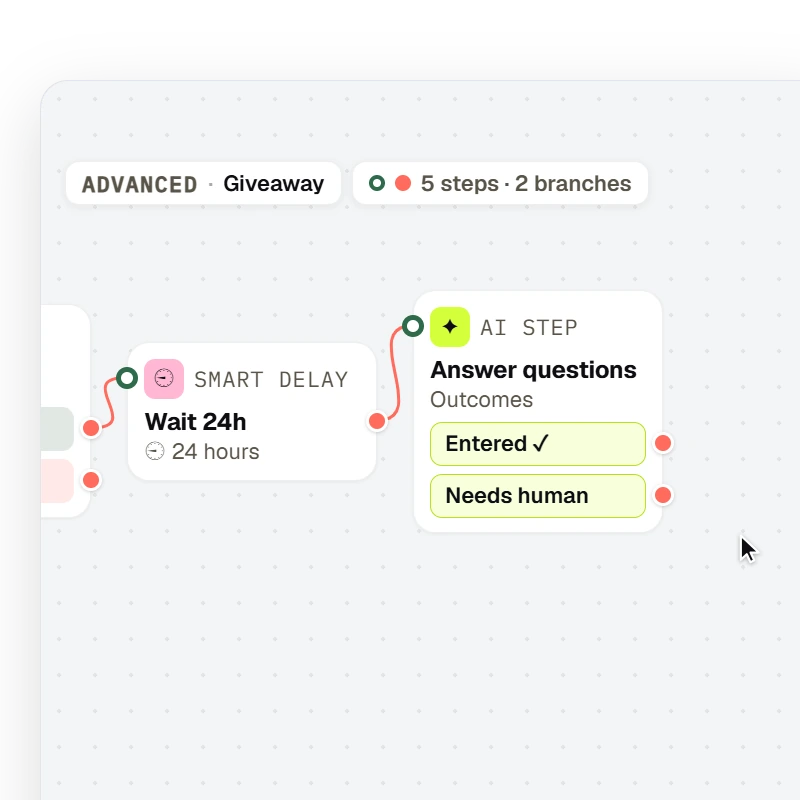
A flow drawn on the canvas runs a fixed path — Trigger → Message → Condition → Smart delay → AI Step — with the node types, labels and branch ports the flow editor draws.

Fixed paths

Draw it when the path must not vary

Giveaways, follower-gated links, entry collectors — Trigger → Message → Condition → Smart delay, running the same path for everyone. Add an AI Step (Growth or above) where one turn should be open-ended.

Try the visual builder free

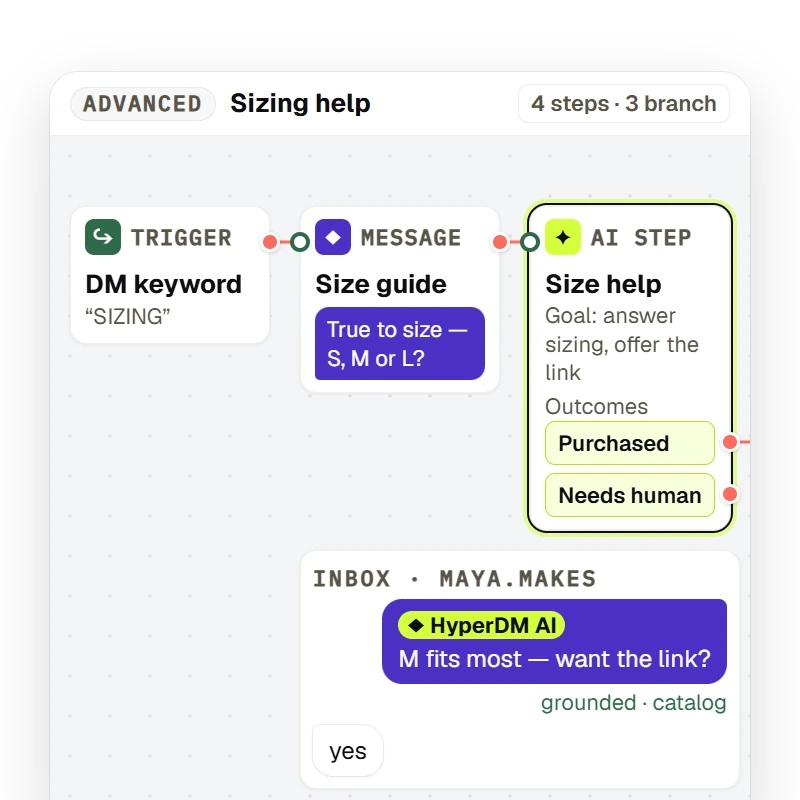
An AI Step node inside a flow hands one turn to the agent with a plain-language goal, parks the run, and resumes down the outcome it picked — Purchased or Needs human — into the next node.

AI Step

The agent is a step, not a competitor

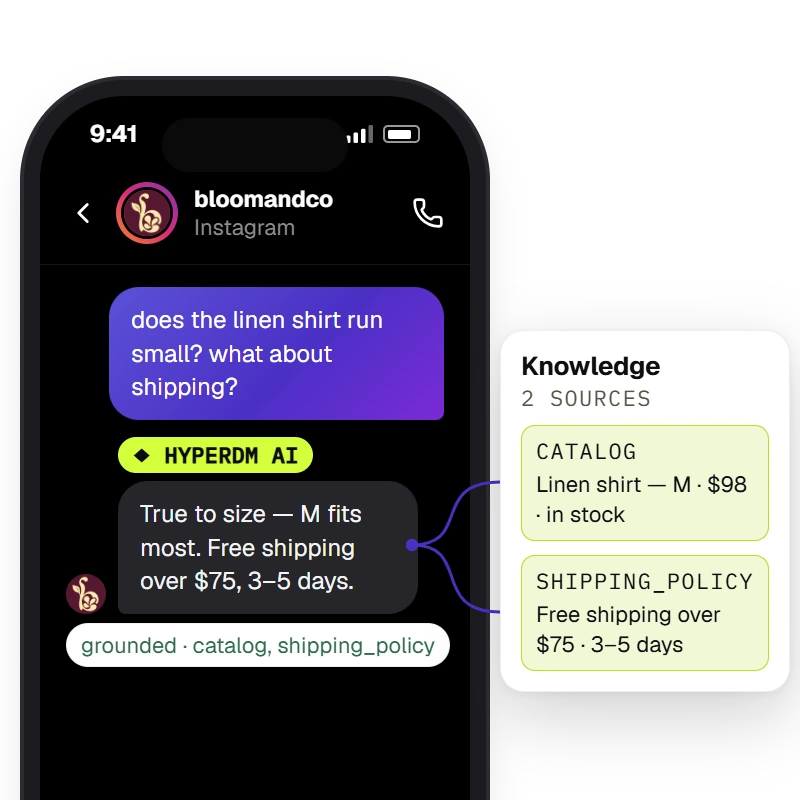
On Growth or above, hand the open-ended turn to the agent inside your flow — it answers from your catalog and reviewed knowledge, then the path resumes down the outcome you drew.

Try the visual builder free

Fixed paths where they matter. The agent where they don't.

A creator in a glasshouse doorway, phone in her tote — the agent handling the DMs, the canvas closed.
  • OPEN QUESTIONSthe optional AI agent
  • FIXED PATHSa flow you approved

Simple keyword replies and the optional AI agent cover many conversations without a canvas. Flows is for the paths that must run the same way: a launch-day campaign, a giveaway mechanic, a script your compliance team approved word for word. Use both — a flow can hand one open-ended turn to the agent with an AI Step.

Try the visual builder free

EXPLORE WHAT COMES NEXT

The agent answers from the workspace's knowledge and catalog and the Inbox shows the receipt — `Sources retrieved · <sources>` when retrieval found chunks, `⚠ unsourced — review` when it did not.

Open questions

Open questions go to the optional agent

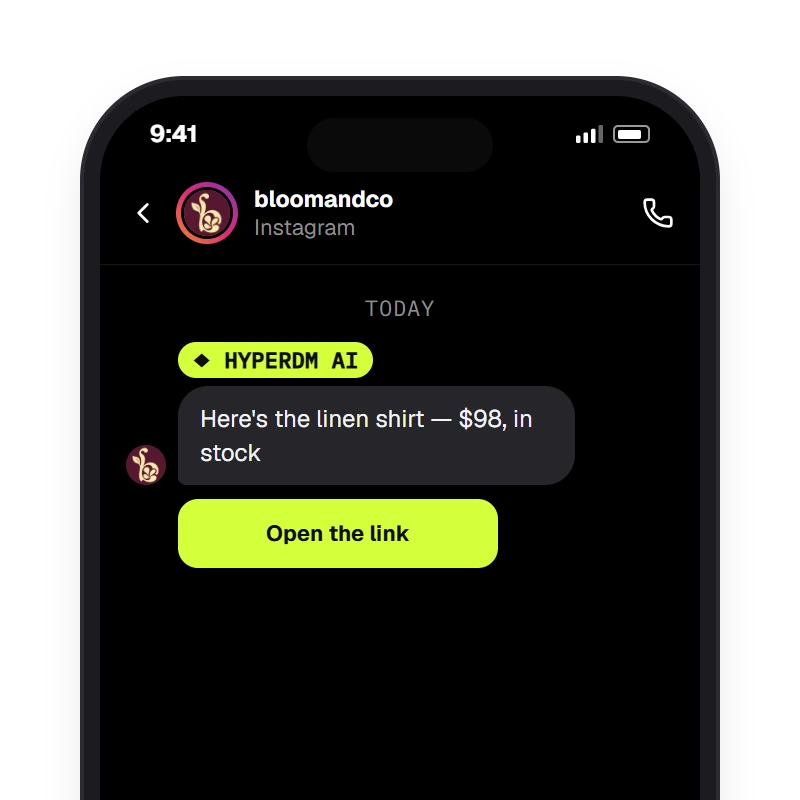
Product questions, sizing, ‘is this back in stock’ — the agent answers from your reviewed knowledge and catalog, with the receipt in the Inbox.

Try the visual builder free

A comment that contains the keyword (matched case-insensitively) gets one of the public reply variants under the comment and a DM with the link — the comment_keyword automation.

Templates

Launch day, as an approved comment-to-DM script

Start from a template, review every message, set it live. The private reply holds the link until they tap — the publish checks enforce it.

Try the visual builder free

Draft, review, publish

Describe it or pick a template, edit what you want, walk every branch in the simulator, then set it live.

  1. Step 1: Describe it, or pick a template

    One sentence drafts the whole canvas. Or start from one of 30+ policy-checked templates and swap in your own links and words.

  2. Step 2: Edit and check

    Messages, buttons, conditions, delays, an AI Step for the open part (Growth or above). The design checks list anything that would break — each with a Fix it link.

  3. Step 3: Simulate, then set live

    The simulator plays your flow and lets you tap every button — nothing is sent. Set live when it's right; set draft to pull it back.

Flows, answered.

Answered everything?

Try the visual builder free

No card · Cancel anytime

Draw the exact path. Or let the agent take it.

Try the visual builder free

NO CARD · TEST BEFORE YOU GO LIVE · CANCEL ANYTIME