
KNOWLEDGE & CATALOG

Your agent answers from your real catalog, as of your last sync.

HyperDM imports your products, prices, and stock straight from your storefront, and reads your shipping, returns, and FAQ pages — then re-syncs on your schedule. Prices and stock come from your last successful sync; imported and changed page text waits for your review before the agent can use it. Re-sync after a price or stock change and it quotes the new one.

PUBLIC CATALOG IMPORTSHOPIFY APP OPTIONSITE CRAWLERMANUAL · DAILY · WEEKLY

ILLUSTRATIVE EXAMPLE · SAMPLE DATA

is the linen tee still on sale + do you have an M?
It is — $32, was $40, and the M's in stock. Here's the link.
GROUNDED · CATALOG
SAMPLE CONVERSATION — GROUNDED IN A DEMO CATALOG

Answers from your sources. Prices from your last sync.

  • IMPORT

    Two ways in

    Public catalog import — no OAuth: the products your storefront feed publishes, with price, the ‘was’ price on sale items, stock status, sizes, colours and the link. Or connect the Shopify app, which requests read-only access to products, inventory and orders.

  • CRAWL

    Your shipping, returns and FAQ pages

    Point it at your site and it reads the policy pages, then answers from them in your own words.

  • REVIEW

    You confirm before it replies

    Every imported passage waits for an owner or admin to review it, and changed text waits again. Approval lasts 90 days; the agent retrieves only approved text.

  • CURRENT

    Re-sync on your schedule

    Set each source to manual, daily or weekly, or hit Sync now. Prices and stock follow your last successful sync; the Knowledge tab shows when each source last synced and whether a sync failed.

  • STOCK

    Sold out at your last sync? It says so

    It reads in stock, sold out or limited (some options sold out) from your last storefront sync — and says so instead of promising stock your store didn't show.

  • RECEIPTS

    Shows its work on every reply

    Every grounded reply carries the source it used — ‘grounded · catalog’ — so there's no black box.

  • SCOPE

    What each path reads

    The public import reads only the products your storefront feed publishes — no drafts, no orders. Through the Shopify app, drafts and products not published to your Online Store are switched off in your catalog as Shopify reports them; their imported descriptions leave your knowledge on the next successful sync.

  • PRICE

    50 free conversations a month

    No card to start. Priced on conversations, never followers or contacts — a viral post moves your bill by the people it actually answered.

Answers from your sources. Prices from your last sync.

A creator under a greengrocer's awning with a paper bag, phone in her tote — the stock question already answered.
  • WHEN SOMEONE…asks ‘still on sale, and in an M?’
  • THEN‘$32, was $40 — M's in stock’

A bot that doesn't know your store guesses, and guessing costs you the sale. The agent speaks from your imported catalog and reviewed policies: it quotes what your last sync and your policies say, shows its sources on every reply, and is checked against that material before it sends. AI can still make mistakes, so test the questions that matter.

Import your catalog free

EXPLORE KNOWLEDGE

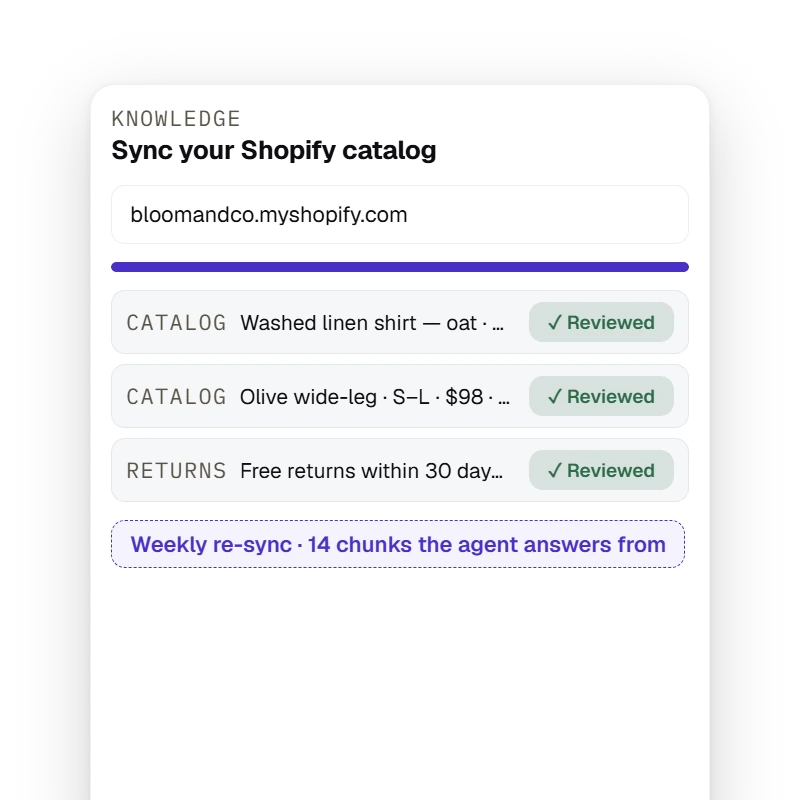
The Knowledge tab imports a Shopify storefront's published products (price, stock state, buy link — drafts and live inventory excluded) and crawls policy pages into passages that wait for owner/admin review before the agent answers from them, re-syncing manually, daily or weekly.

Knowledge

Import, review, re-sync

Import your public catalog or connect the Shopify app — price, stock status, link. Each passage waits for your review; re-sync manually, daily or weekly, and sync again after a sale or sell-out.

Import your catalog free

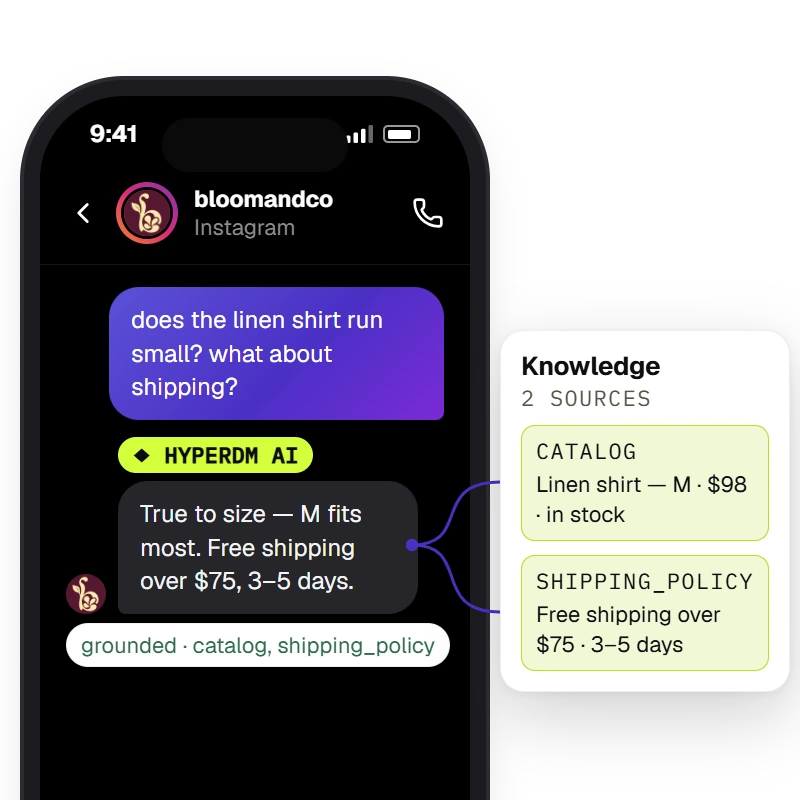
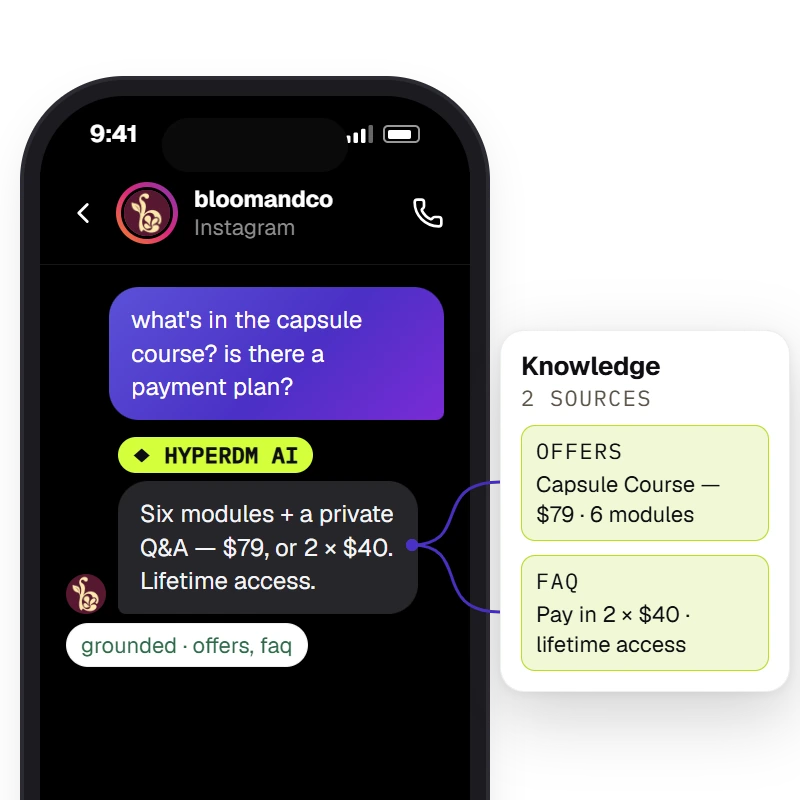
The agent answers from the workspace's knowledge and catalog and the Inbox shows the receipt — `Sources retrieved · <sources>` when retrieval found chunks, `⚠ unsourced — review` when it did not.

Grounded answers

‘Does it run small?’ — with the sources lit

The agent pulls the catalog row and the shipping policy before it replies, and the Inbox receipt names both. If your knowledge doesn't cover a question, turn on human review and it comes to you.

Import your catalog free

The agent answers from the workspace's knowledge — the offers and FAQ a creator added — and the Inbox shows the receipt: `Sources retrieved · <sources>` when retrieval found chunks, `⚠ unsourced — review` when it did not.

Any store

Not on Shopify? Paste it.

The crawler and manual paste work for any store — an offer, a policy, a FAQ becomes the same reviewed, editable knowledge the agent answers from.

Import your catalog free

Keep it current on your schedule

A founder in a hardware store's shaded aisle, tape measure in hand, phone in his back pocket.
  • RE-SYNCmanual · daily · weekly
  • SOURCEScatalog · pages · pasted

Run a sale, sell out a colour, change your returns policy — a hand-written flow keeps quoting the old answer until you remember to fix it. Set each source to re-sync daily or weekly, or hit Sync now: prices and stock follow the last successful sync, and changed policy text is used once you've reviewed it.

Import your catalog free

EXPLORE WHAT COMES NEXT

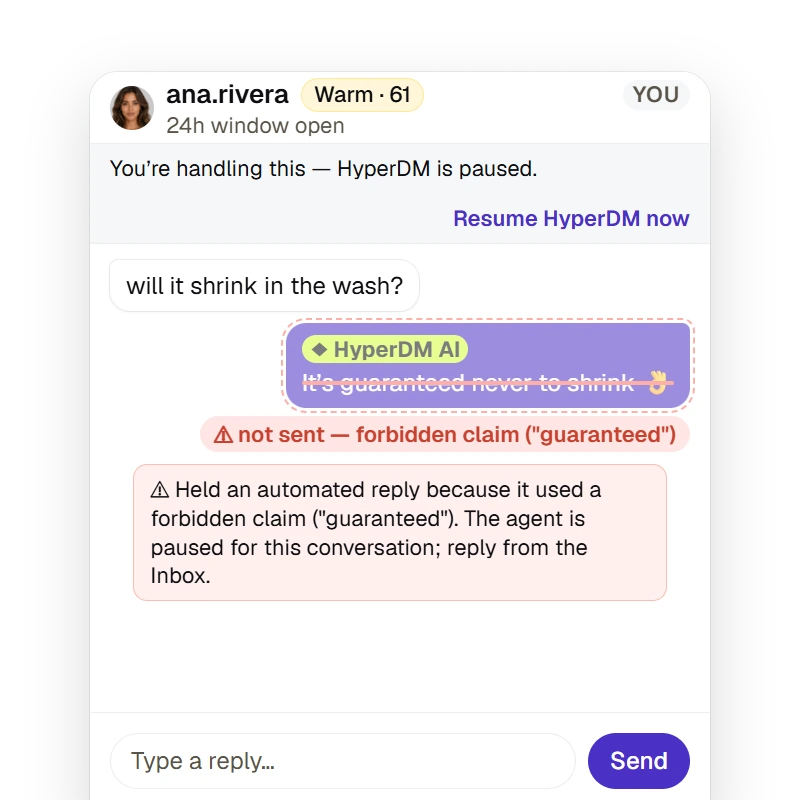
When the refund check detects a refund request, the agent is paused for that conversation before it drafts; when a drafted reply contains a phrase from the merchant's forbidden-claims list, the reply is held instead of sent and the conversation pauses — either way a note lands in the Inbox. The checks match the cues and exact phrases they know, so a reworded request or claim can get past them.

Guardrails

Grounded before you set a single rule

Retrieved pages and product descriptions are passed as reference data, not instructions — and a reply the check finds breaking a rule you set is held for you.

Import your catalog free

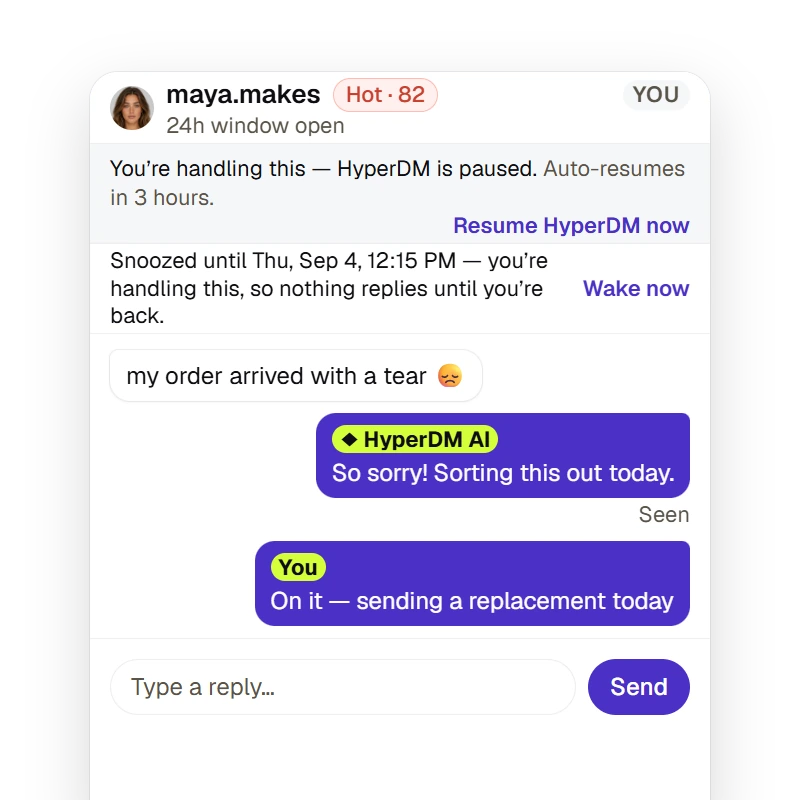
A merchant can take a thread over for a fixed duration or until they resume (the agent pauses and auto-resumes on the timer), snooze it to resurface later, and the Inbox states whether the 24-hour reply window is open — a free-form reply outside it is refused, not sent.

Take over

When it doesn't know, it taps you in

With human review on, a question your knowledge can't support pauses the thread with a review request in the Inbox. You answer it, and hand the thread back when you're done.

Import your catalog free

Live in 1-2-3

No answers to type. Point HyperDM at your store, review what it learned, and keep it current on your schedule.

  1. Step 1: Import your catalog

    Paste your store address for the public catalog import — no OAuth — or connect the Shopify app. Either way you get published products with price, stock status, sizes and link, as of the last successful sync.

  2. Step 2: Review what it learned

    Every product and policy becomes a passage you can read, edit or remove before the agent uses it. Preview shows which passages an answer used and flags answers it can't support.

  3. Step 3: Keep it current

    Set each source to re-sync manually, daily or weekly — or hit Sync now. Prices and stock follow the last successful sync; changed text waits for your review again.

Knowledge & catalog, answered.

Answered everything?

Import your catalog free

No card · Cancel anytime

Ground your agent in your real store.

Import your catalog free

NO CARD · TEST BEFORE YOU GO LIVE · CANCEL ANYTIME