
AUTOMATION RULES

When something changes, the right thing happens.

Your agent runs the conversation. Rules keep the record behind it — tag a new contact, set a field, start a sequence, or notify you when a tag, field, or date changes. Set the rule once; by default it fires once per contact, with a 30-second throttle on bursts.

RULE · RUNS ITSELFWHEN
Tag added — asked-about-sizing
DO
Add tag — warm-lead
Subscribe to sequence — Size guide follow-up
Notify you — a note in your Inbox
FIRES ONCE PER CONTACT · 30S THROTTLE · NO LOOPS

When this happens, do that — once

  • ONE SENTENCE

    A trigger and a list of actions

    When this happens to a contact, do these things. No canvas to maintain, nothing to check by hand.

  • TRIGGERS

    Five events, nothing extra to wire

    A new contact, a tag added, a tag removed, a field changed, or a date field like a renewal or a birthday.

  • ACTIONS

    Tag, set, subscribe, notify

    Add or remove a tag, set a field, add to a number field, subscribe or unsubscribe a sequence, start a flow, or leave a note on the thread in your shared Inbox — stacked, run in order.

  • ONCE

    Fires once per contact

    By default a rule runs at most once for a given contact, ever. No repeat messages, no repeat tags.

  • THROTTLE

    A burst collapses into one

    Ten quick edits on the same contact become a single firing — the 30-second throttle keeps it that way.

  • NO LOOPS

    A rule can't chain into a storm

    A rule's own actions never trigger other rules, so nothing spirals.

  • RECEIPTS

    Every firing logged

    Which rule fired, for which contact, and when — recorded before it acts, so a failure halfway under-delivers instead of messaging twice.

  • PLAN

    Rules run on the paid plans

    Build one on Free, set it live on Starter and up. Your first 50 conversations a month are free either way.

When an event happens, do these actions.

A founder at a print-shop counter, flyers under one arm — the tagging and sorting already done.
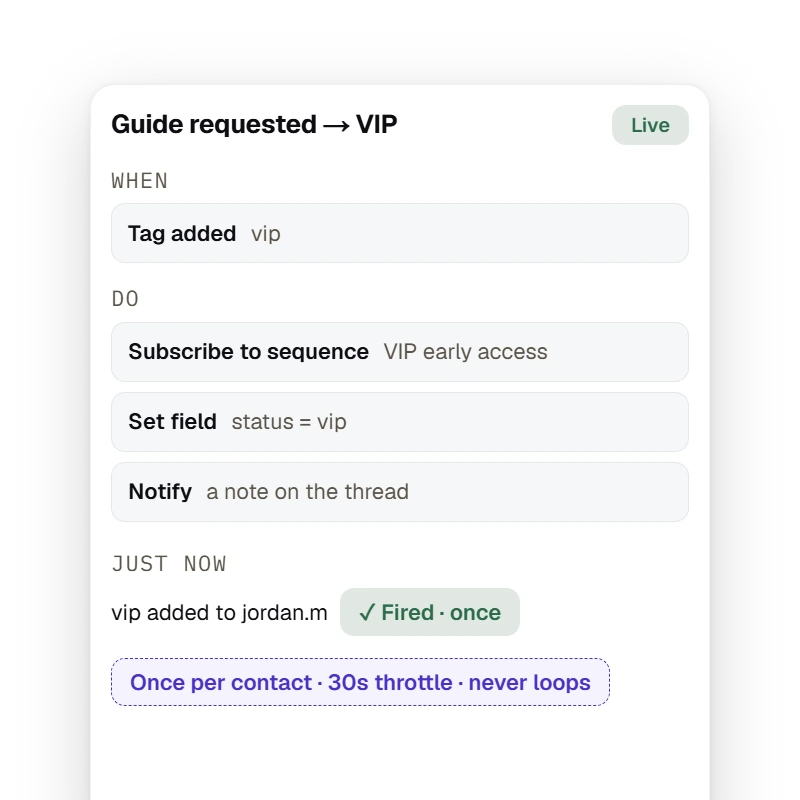
  • WHENtag added · vip
  • DOsubscribe · set field · notify

Your agent handles the conversation — reading what a customer means, answering from your catalog, closing the sale. Rules handle the other half: the housekeeping every one of those conversations leaves behind. A contact gets tagged, a field changes, a renewal comes due — and the right follow-up should just happen. That is not a conversation to design. It is a rule to set.

Get started free

EXPLORE RULES

A rule is one sentence — when this happens to a contact, do these actions in order — and it fires at most once per contact by default, collapses a burst of updates with a 30-second throttle, and never triggers another rule.

Rules

When a tag lands, do these — once

vip lands on jordan.m: subscribe her to the VIP sequence, set status = vip, leave a note on the thread. Fired once, throttled, never looping.

Get started free

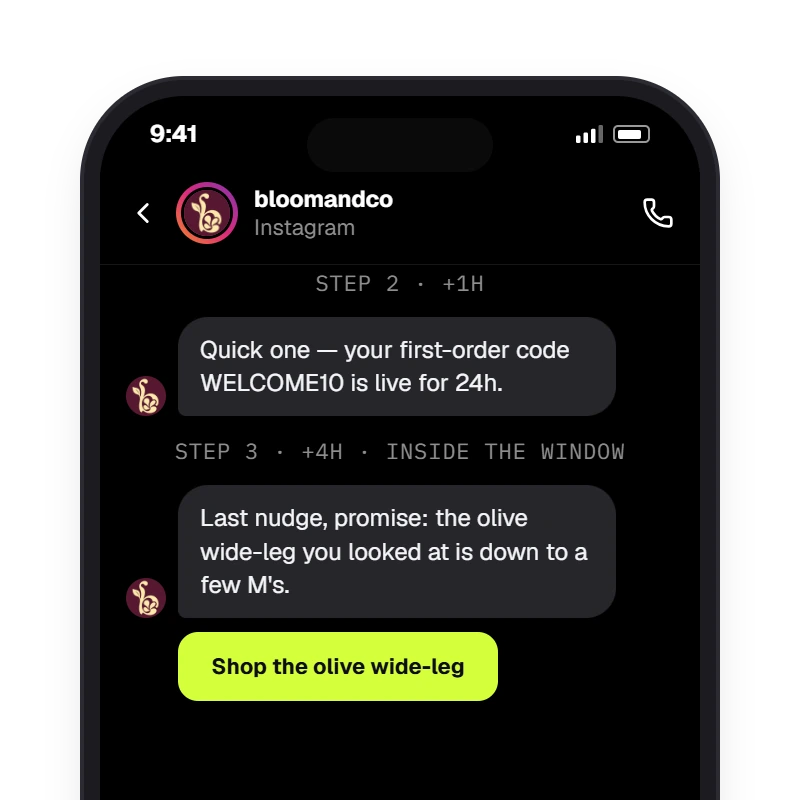
A sequence is a straight list of fixed messages a contact enters once: step 1 on entry, every later step after the delay the merchant set, each sent only inside Instagram's 24-hour window — a step that falls outside is skipped, never faked.

Sequences

The sequence a rule starts

Subscribe to sequence is the action most rules end with — the welcome drip, the VIP early access, the win-back — running from step 1 the moment the event fires.

Get started free

Guardrails so it never spams a contact

A creator on a climbing-gym mat, chalk on her hands, phone face-down — the record keeping itself.
  • GUARDSonce · 30s throttle · no loops
  • LOGGEDwhich rule, which contact, when

Automation that fires twice is worse than none — it messages a customer again, tags them again, and erodes the trust your agent just built. HyperDM ships the guards that keep a rule exact: once per contact, a 30-second throttle, no loops, and a firing recorded before it acts.

Get started free

EXPLORE WHAT COMES NEXT

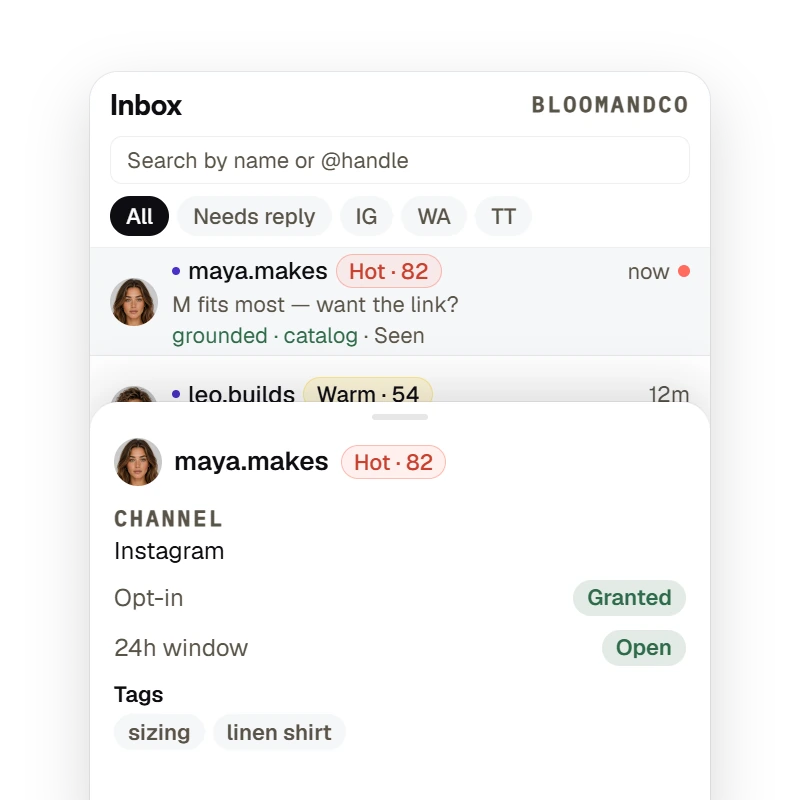
Every Inbox row carries the contact's lead-score band, and every agent reply shows whether it was grounded and whether it was seen — with the 24-hour reply window state one tap away on the contact card.

Notify

A note on the thread, where the conversation lives

Notify leaves a note on the contact's thread in your shared Inbox — not an email, not a text — so a human sees it next to the conversation it's about.

Get started free

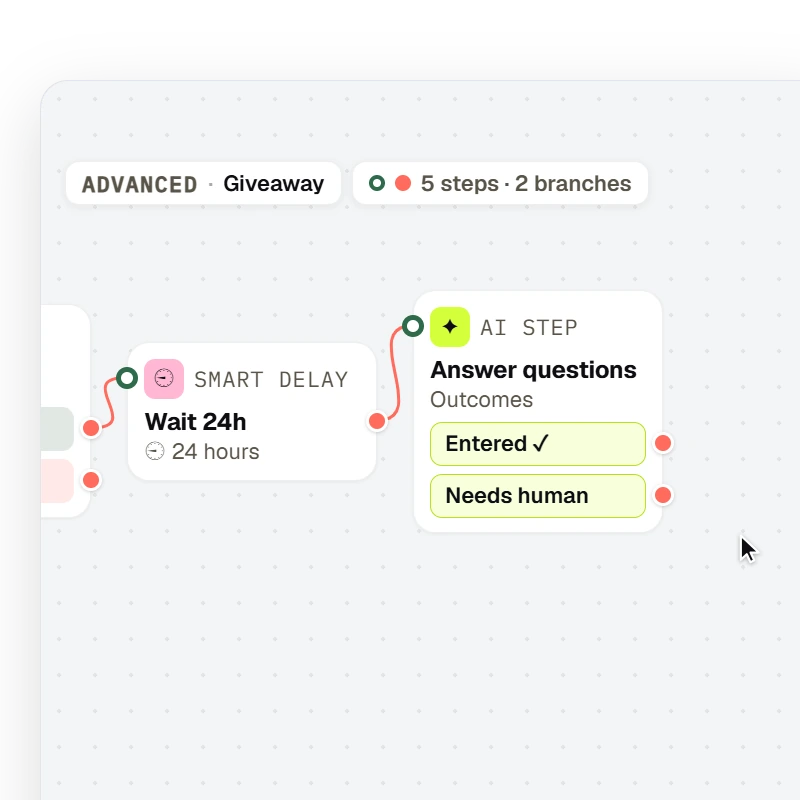
A flow drawn on the canvas runs a fixed path — Trigger → Message → Condition → Smart delay → AI Step — with the node types, labels and branch ports the flow editor draws.

Start a flow

A rule can start a flow — the power-user option

If you've built a flow, a rule can trigger it on the event. Not the point of rules, but there when the path has to run exactly as drawn.

Get started free

Live in 1-2-3

Pick the trigger, list the actions, set it live. Every matching contact gets the actions, once each, automatically.

  1. Step 1: Pick the trigger

    A new contact, a tag, a field, or a date — narrowed to one specific tag or field, or firing on any.

  2. Step 2: List the actions

    Tag, set a field, subscribe to a sequence, notify you. Stack as many as the rule needs; they run top to bottom every time it fires.

  3. Step 3: It runs itself

    Flip the Live toggle and save. From then on every matching contact gets the actions — once each, throttled, logged.

Rules, answered.

Answered everything?

Get started free

No card · Cancel anytime

Set the rule once. Get the hour back.

Get started free

NO CARD · TEST BEFORE YOU GO LIVE · CANCEL ANYTIME