Section 4: Templates and use cases
Capture leads for coaching and services
For a coach, a consultant or a studio, a comment or a DM is often the first step toward a booked call. HyperDM can send your booking link, ask for an email, answer the questions you get every week and pass the unusual ones to the AI agent or to you. Each piece is a small automation you set up and test on its own.
Screenshots show the real HyperDM app with a demo workspace. Names and numbers are examples.
The lead workflow
- A post or story asks people to comment or DM a word, like
CALL. - A comment-to-DM or keyword automation sends your booking link.
- Capture their email asks for their address and saves it on the contact.
- Keyword automations answer the questions you hear every week.
- Anything your keywords don't catch goes to the AI agent, if you've switched it on, or waits in your Inbox for you.
Booking link and email in one automation
- Go to Automations, click New automation and choose Someone comments a keyword.
- Type the keyword, like
CALL, and under Listen on pick the post or reel.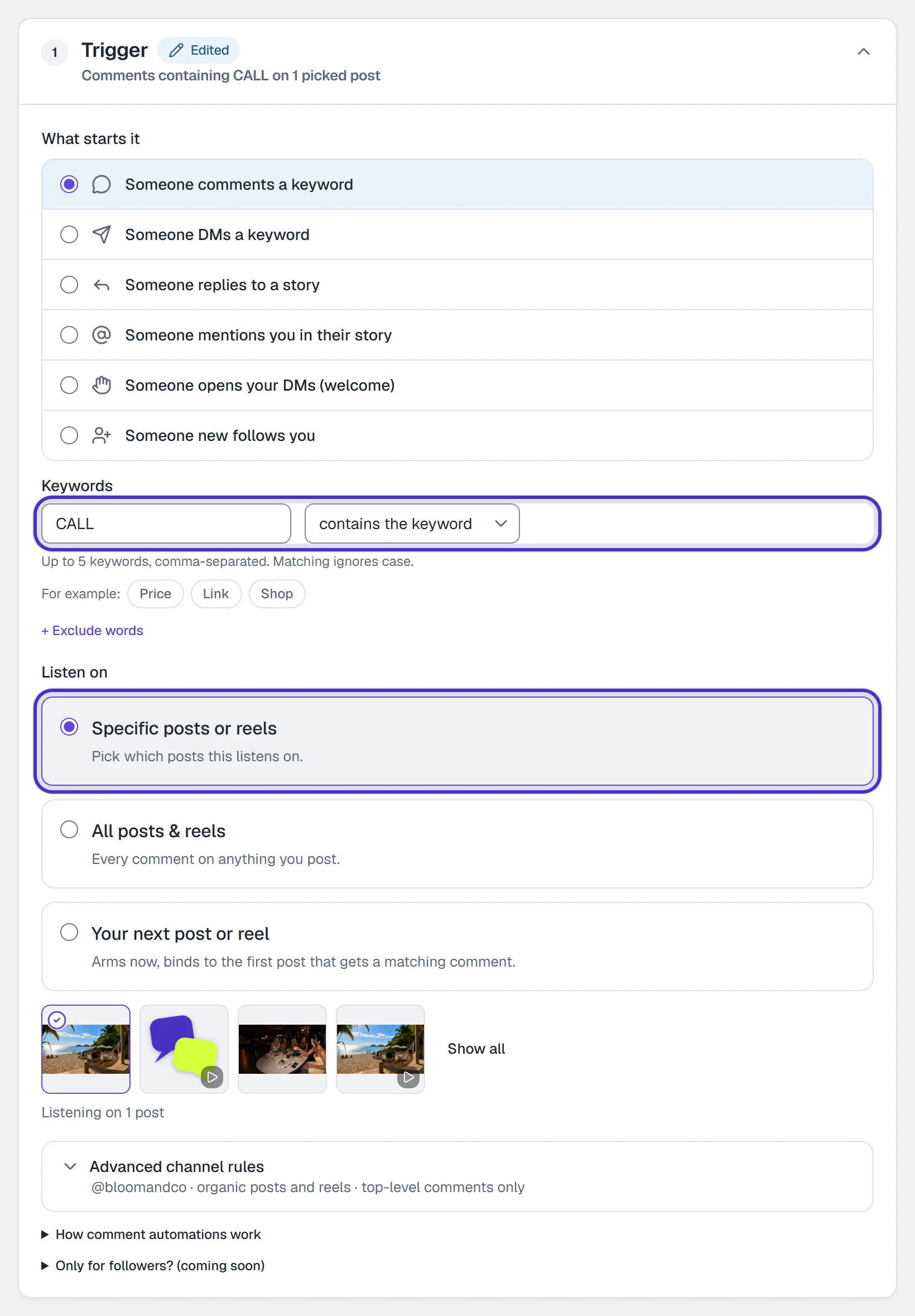
Someone comments a keyword with CALL, listening on one picked post - Write the public reply and the DM, for example
Here's my calendar. Grab any open slot., and put your booking page in the link field. Any booking page with anhttps://address works. - Keep When to send the link on After they reply.
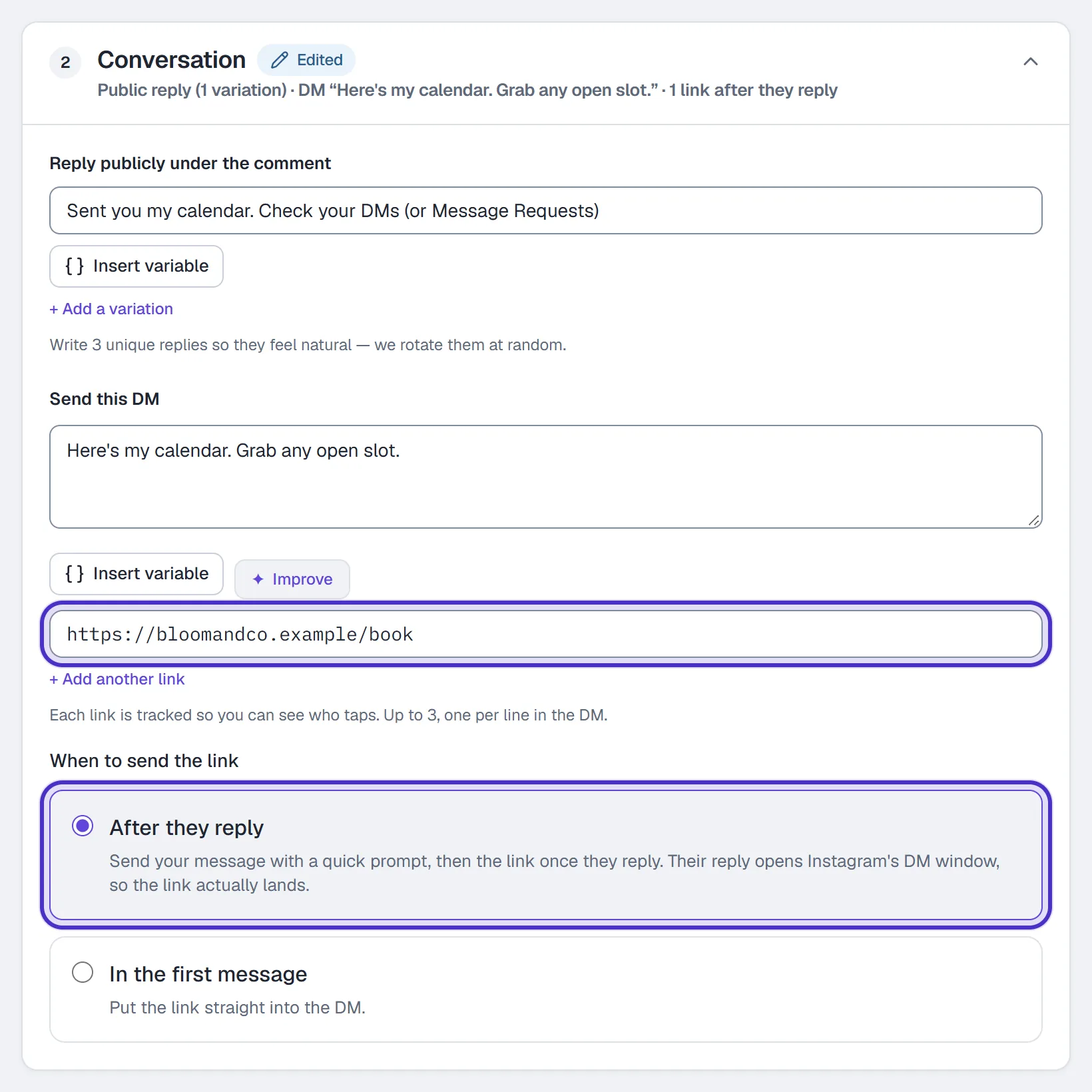
The public reply and the DM, with the booking page in the link field and After they reply - Under Follow-up, switch on Capture their email. Write the ask, like
Want my prep sheet before the call? What's the best email for you?, and the Confirmation after they send it.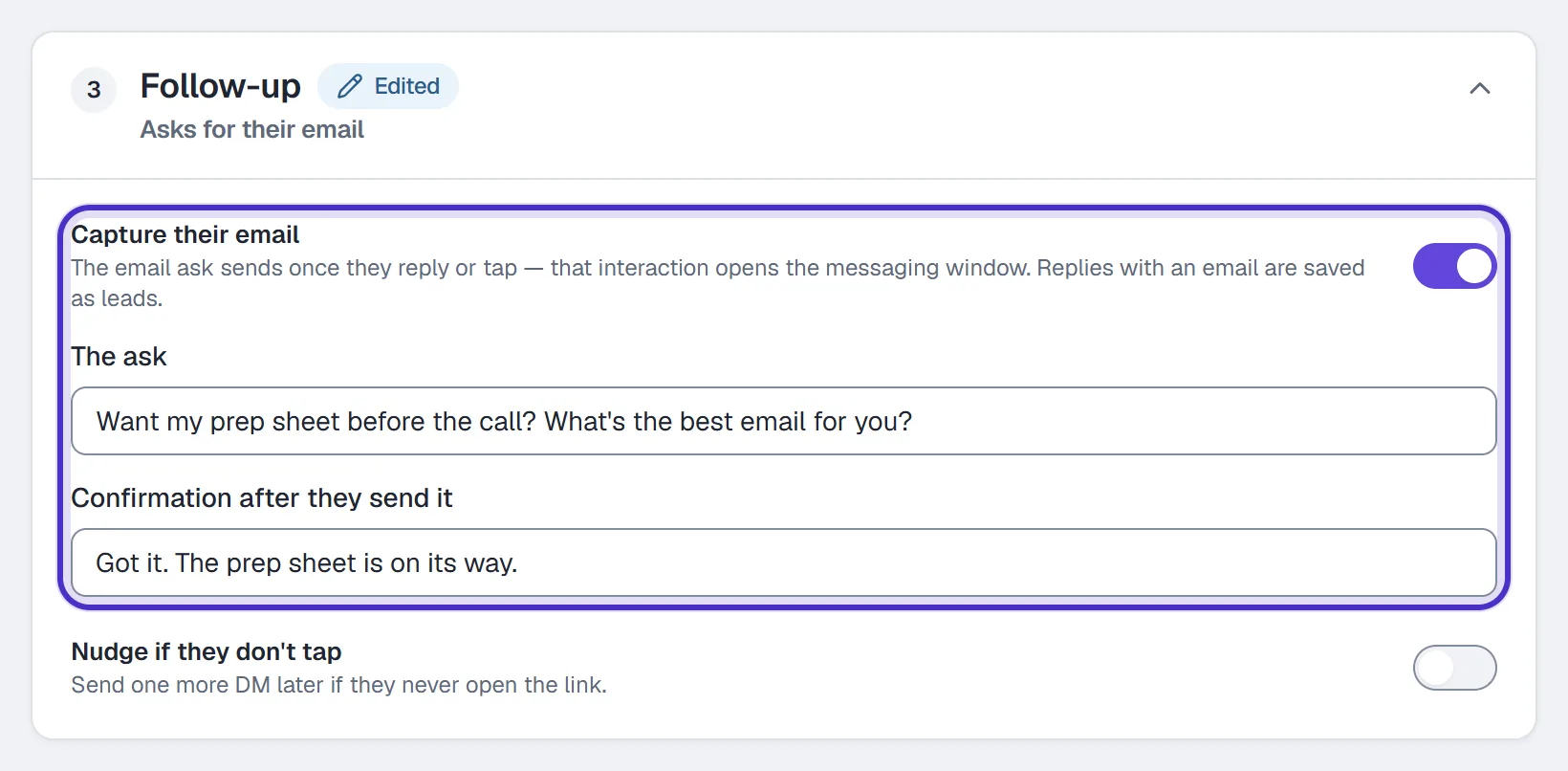
Follow-up with Capture their email switched on, the ask and the confirmation - Click Publish, then test it from a second Instagram account.
The email ask comes after the link has gone out, so someone who skips it still has your link. HyperDM saves the address as they typed it and can't confirm it's theirs.
For people who DM rather than comment, build the same thing with Someone DMs a keyword, or install the Booking request → calendar recipe from the flow builder. It asks which day suits them, tags the request and sends your calendar link.
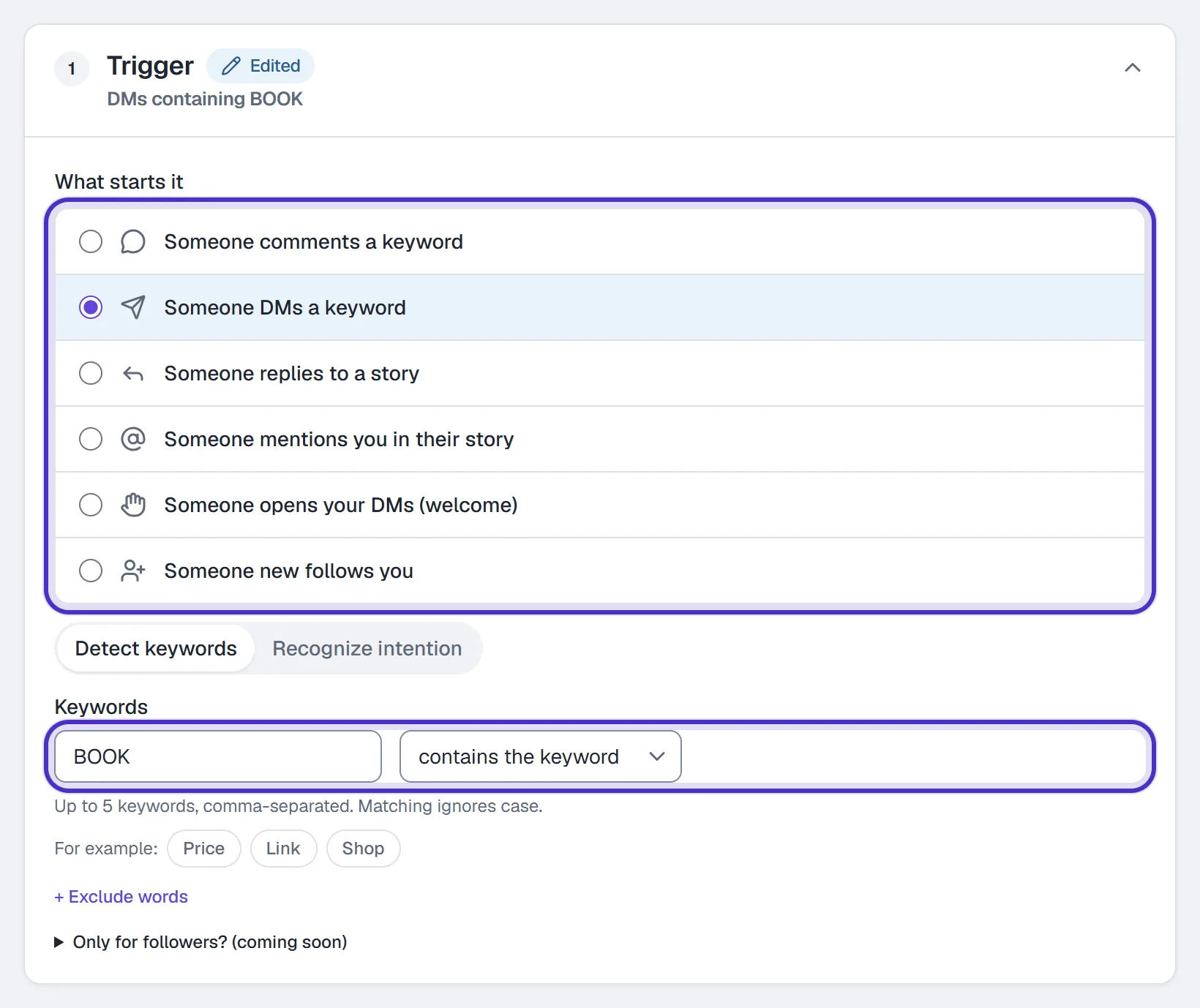
Answer the questions you get every week
Each of these is its own Someone DMs a keyword automation:
| Keyword | Reply with |
|---|---|
PRICE | Your packages and what each costs, with a link to the full page |
PROGRAM | What's included and how long it runs |
WHERE | Whether you work in person or online, and where |
HOURS | When you take sessions, with your booking link |
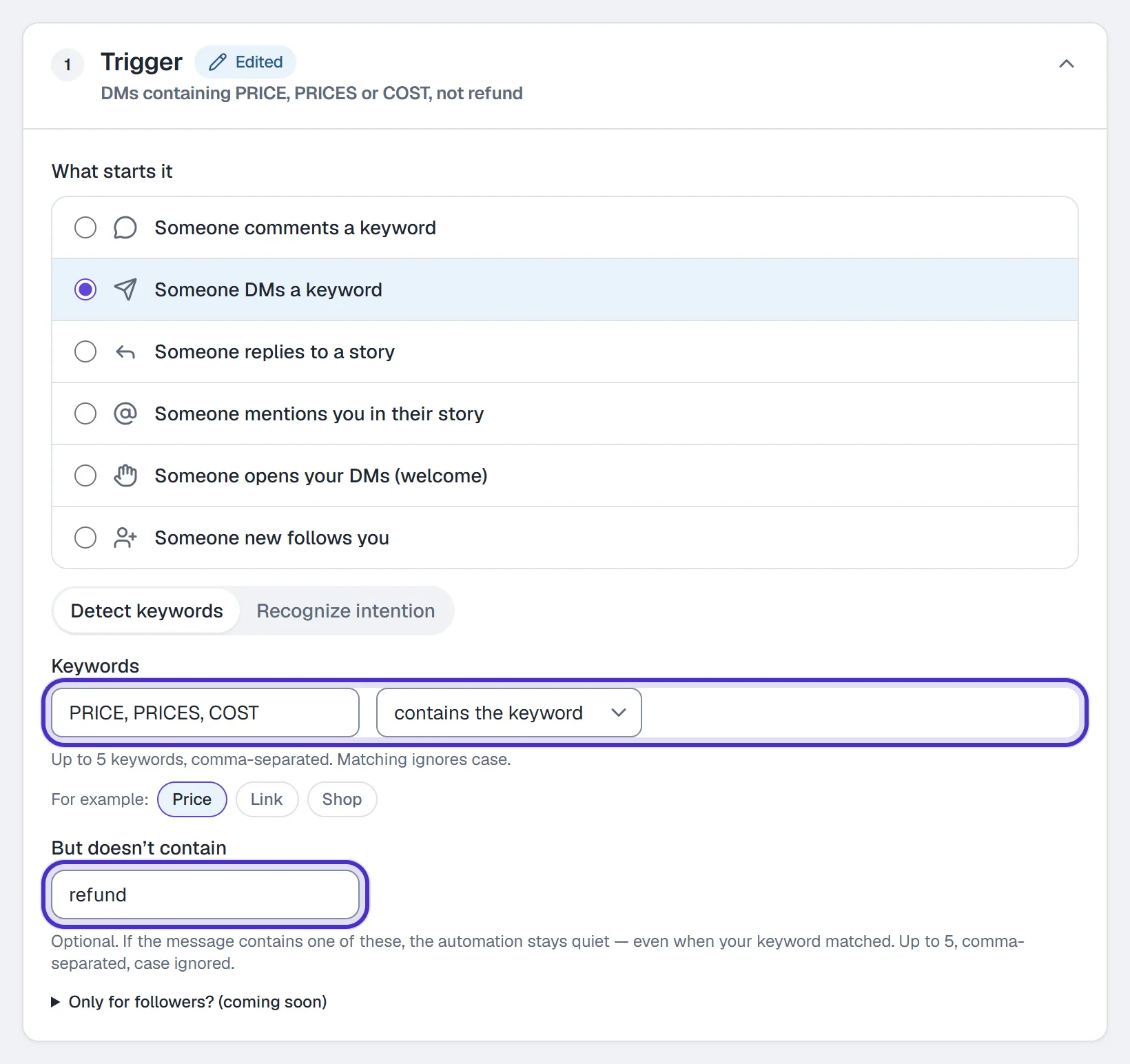
An automation takes up to 5 keywords, so PRICE, PRICES, COST covers the common spellings. + Exclude words skips messages that contain a word you add. Don't use STOP or START as keywords: STOP always opts the person out, and START opts them back in.
Let the AI agent take the open questions
The agent ships switched off. To have it answer what your keywords miss:
- In Agent → Knowledge, paste your FAQs under a Label and click Ingest, or use Import from your website. Then review and approve it, because until you do it's left out of answers.
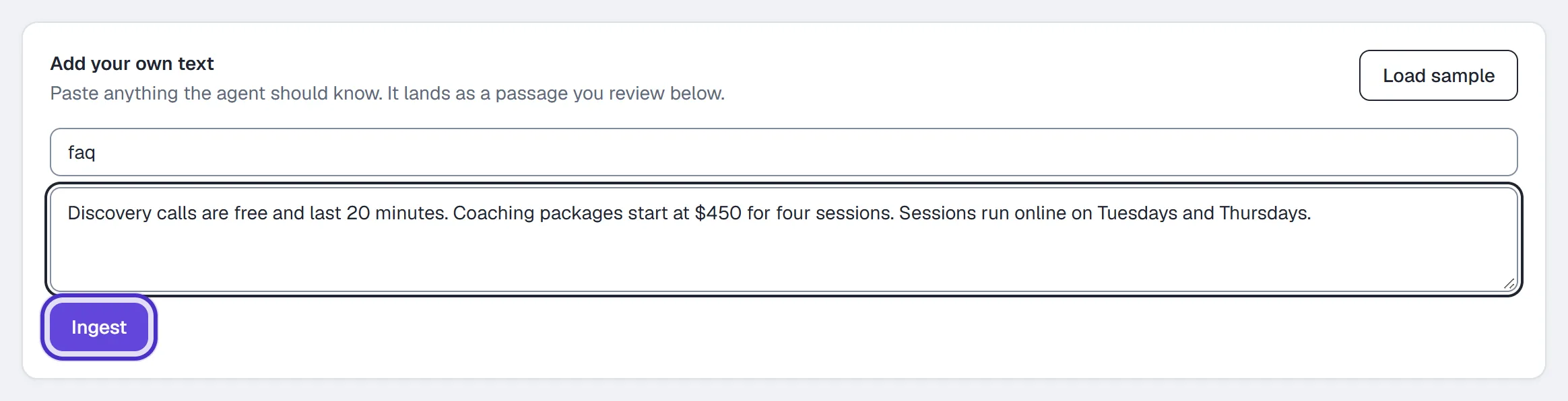
Add your own text with an FAQ pasted under the label faq, and Ingest 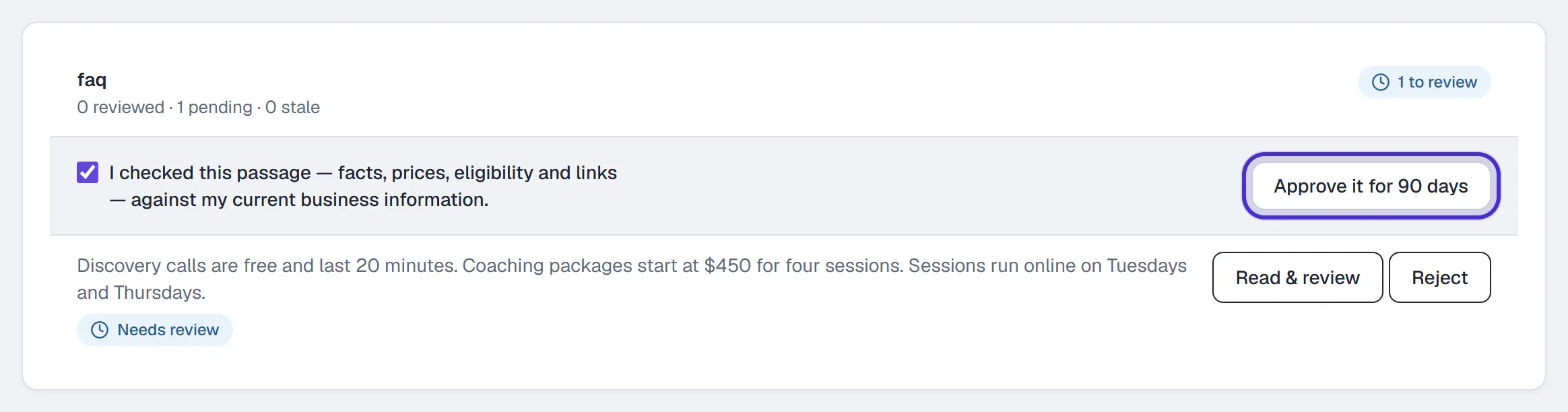
The pasted FAQ ticked as checked, with Approve it for 90 days - Fill in About your business, and add your booking page under Approved answer links so the agent may share it.
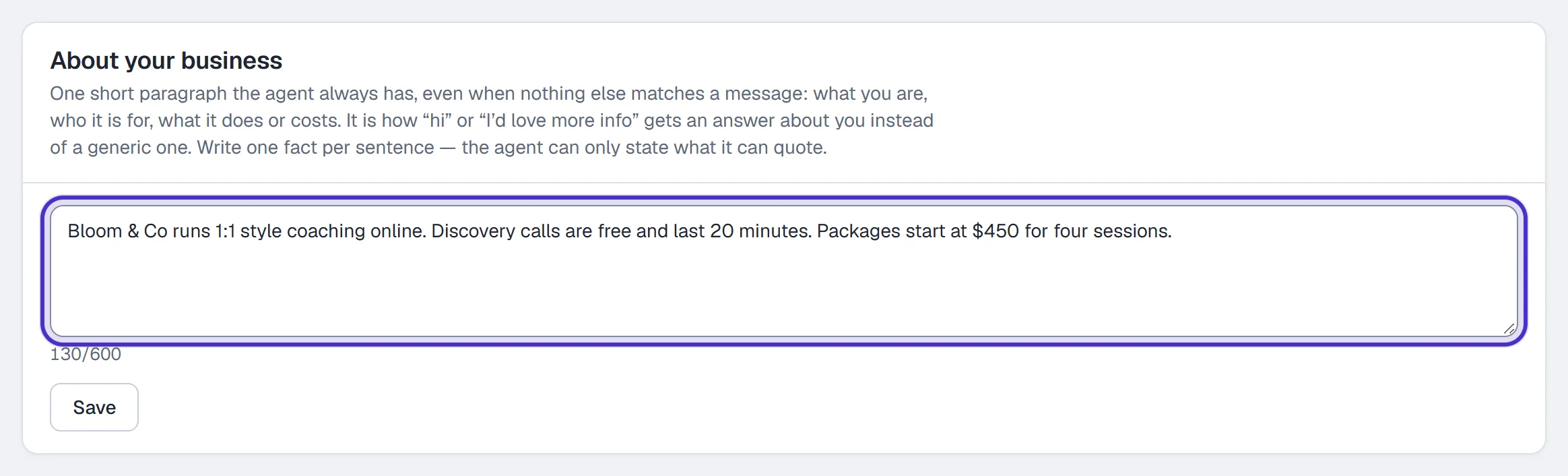
About your business, one short paragraph the agent always has 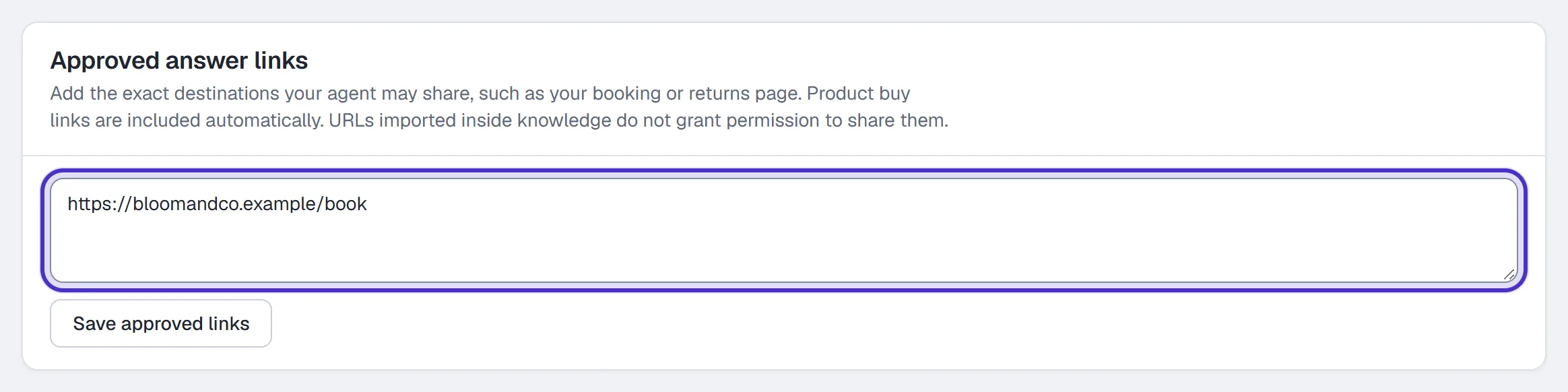
Approved answer links with the booking page added - Ask it real questions in the AI Playground. Nothing is sent from there.
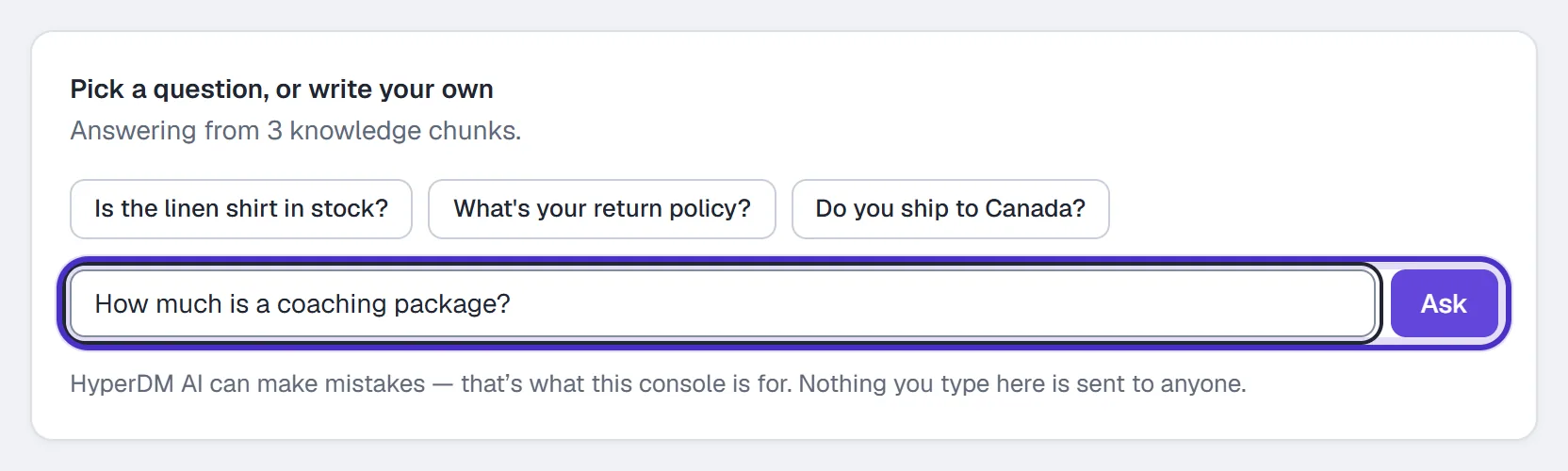
The AI Playground with a question typed in, and Ask - Turn on Reply to DMs automatically in Agent → Overview.

Agent Overview, with Reply to DMs automatically switched on
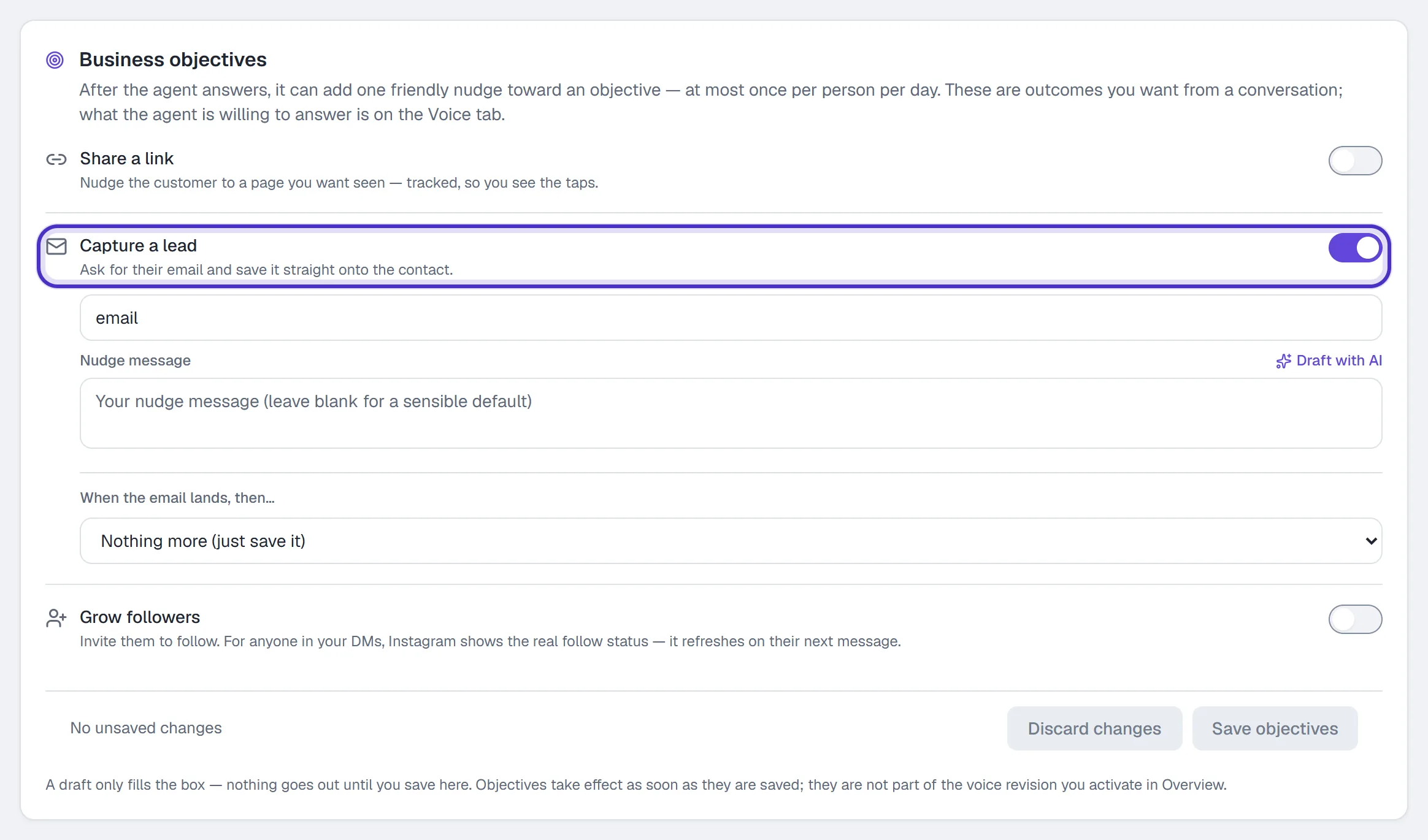
On the Goals tab, Capture a lead lets the agent ask for an email after it answers, at most once per person in any 24 hours.
One automation per service
If you offer more than one service, give each its own keyword, such as COACHING, AUDIT and WORKSHOP. Each automation gets its own link, its own DM and its own row of numbers. If the Lead qualifier recipe suits you, it asks for a budget and tags people as hot leads or ones to nurture.
Where your leads end up
Every captured email is saved on the person's contact. Open them in Contacts, or in the Inbox's contact pane, to see it with their tags and fields. Analytics counts them in Leads captured, and each automation's Results has an Emails number.
HyperDM doesn't sync these addresses to an email tool or a CRM, so plan to follow up from the list you already keep. In the DM, you can reply from the Inbox while their 24-hour window is open. See email capture for more on the ask.
FAQ
Can I send a booking link and ask for an email in the same automation?
Yes. Put the booking link in the DM's link field and switch on Capture their email under Follow-up. The ask goes out after the link.
Which booking tools work?
Any booking page with an https address. HyperDM sends the link; the booking itself happens on that page.
Can I reply differently for each service?
Yes. Build one automation per service, each with its own keyword, DM and link.
How do I follow up with the leads I collect?
Each email is saved on the person's contact in HyperDM. HyperDM doesn't sync them to an email tool, so follow up from your own list, or reply in the Inbox while their 24-hour window is open.
Will the AI agent answer every question?
No. It answers from the knowledge you've added and reviewed, and it can make mistakes. Test common questions in the AI Playground first, and turn on Hand off when stuck in Trust and Guardrails so the ones it can't answer confidently come to your Inbox.