Section 4: Templates and use cases
Share affiliate links from your comments
If you earn from affiliate links, your comments are where people ask for them. A comment-to-DM automation answers in their DMs instead of sending everyone to your bio. The setup that stays easy to read later is one automation per product post, each with its own keyword.
Screenshots show the real HyperDM app with a demo workspace. Names and numbers are examples.
How it works
- You post about a product and tell people to comment a word, like "Comment
SERUMand I'll DM you the link". - Someone comments
SERUM. - HyperDM replies under their comment and sends them a DM with a short prompt to tap.
- They tap or reply, and the DM with your affiliate link arrives.
Their tap or reply opens Instagram's DM window, so the link actually lands. That's why After they reply is the default for a new comment automation.
Build one automation for one product
- Go to Automations and click New automation (or the Comment → DM card).

Automations, with New automation in the page header - Under What starts it, choose Someone comments a keyword.
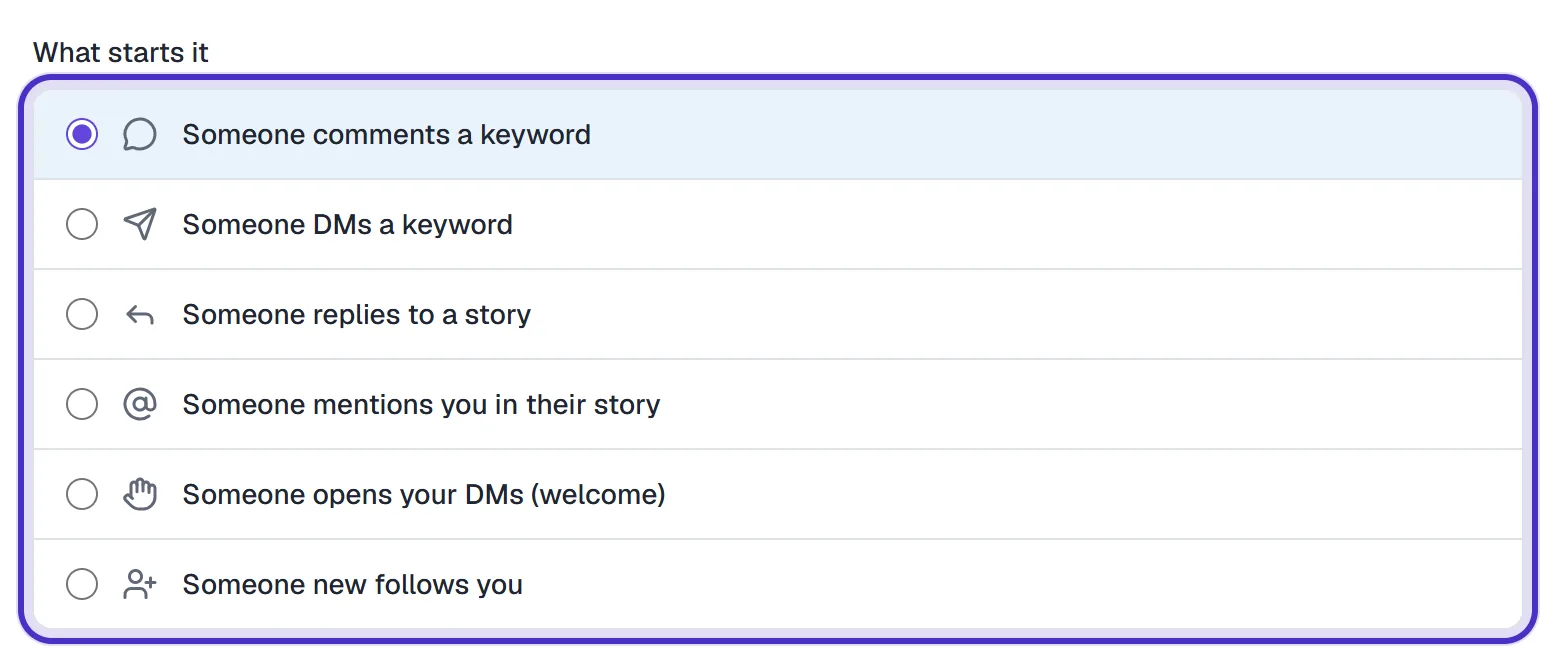
What starts it, with Someone comments a keyword chosen - Type a keyword for this product only, like
SERUM. You can add up to 5, comma-separated, and choose contains the keyword or is exactly the keyword.
SERUM typed as the keyword, set to contains the keyword - Under Listen on, choose Specific posts or reels and click the post's thumbnail.
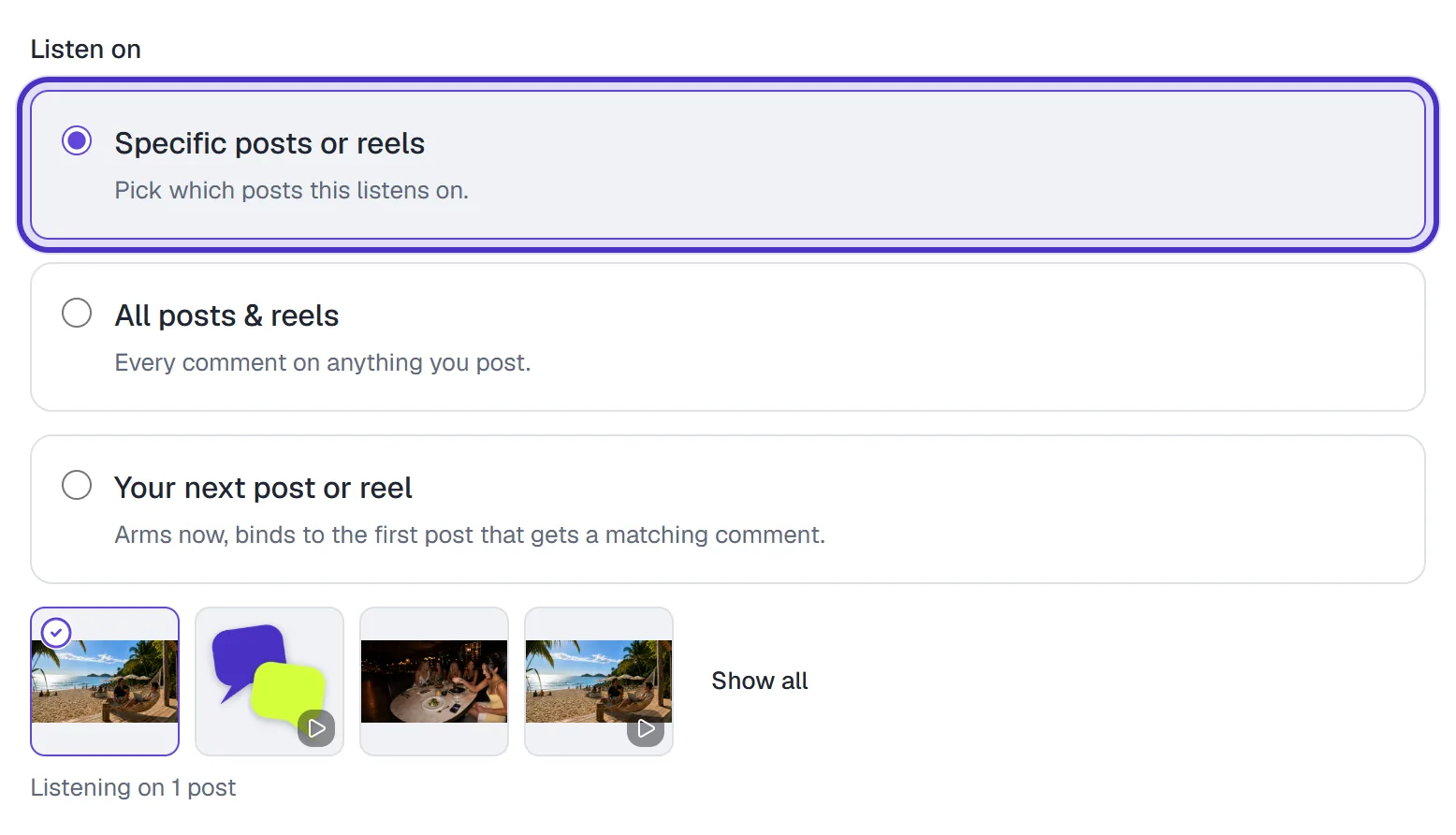
Listen on set to Specific posts or reels, with one post picked - Write the public reply, for example
Sent you the link. Check your DMs (or Message Requests). + Add a variation gives you up to 3, and HyperDM picks one at random for each comment.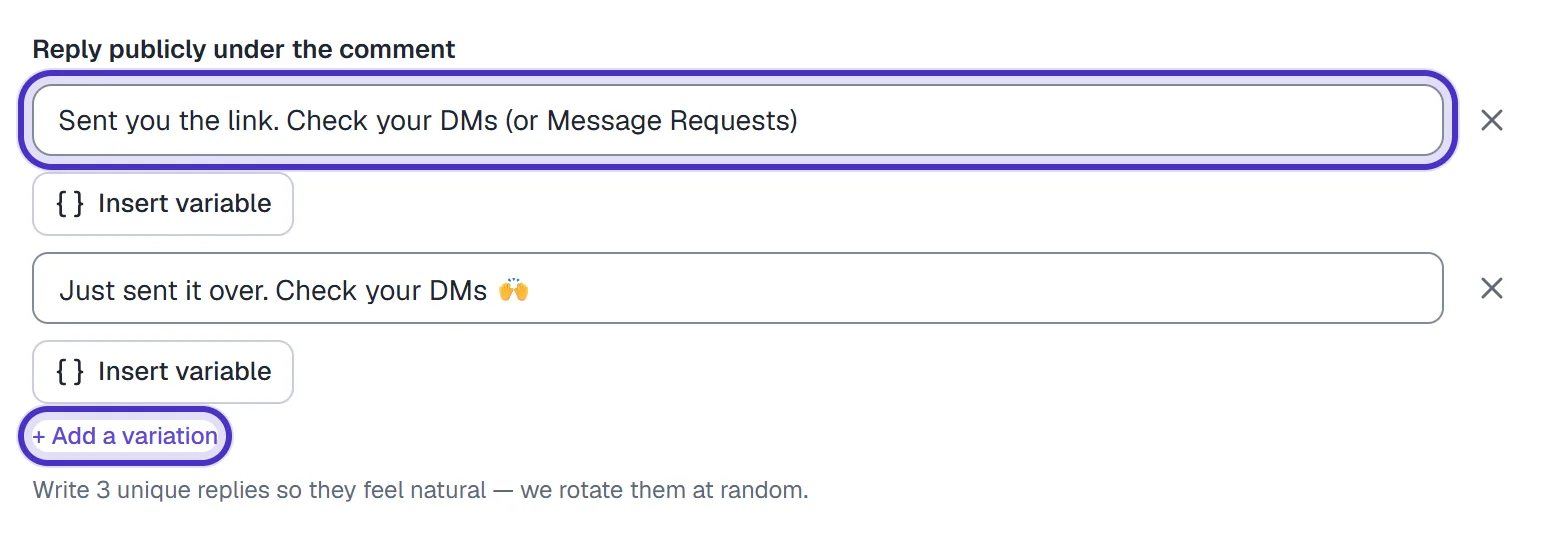
Two public reply variations, with + Add a variation for a third - Write the DM, then put the affiliate link in the link field. A DM carries up to 3 links, one per line, so one product sold in two shops fits.
- Keep When to send the link on After they reply.
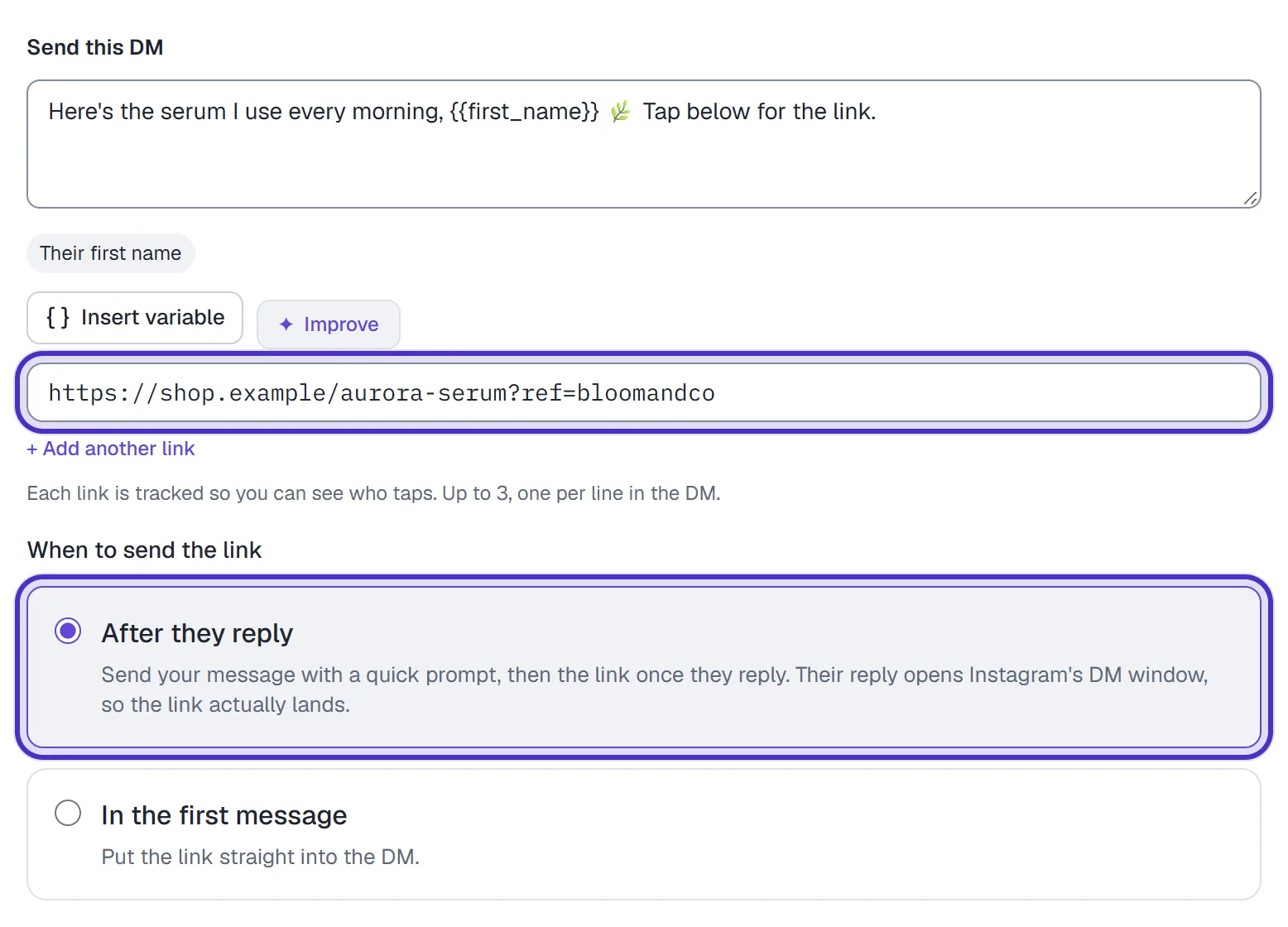
The DM with the affiliate link in its link field, sent After they reply - Optionally switch on Nudge if they don't tap and set Wait N hours, up to 168. It sends one more DM if they never open the link.
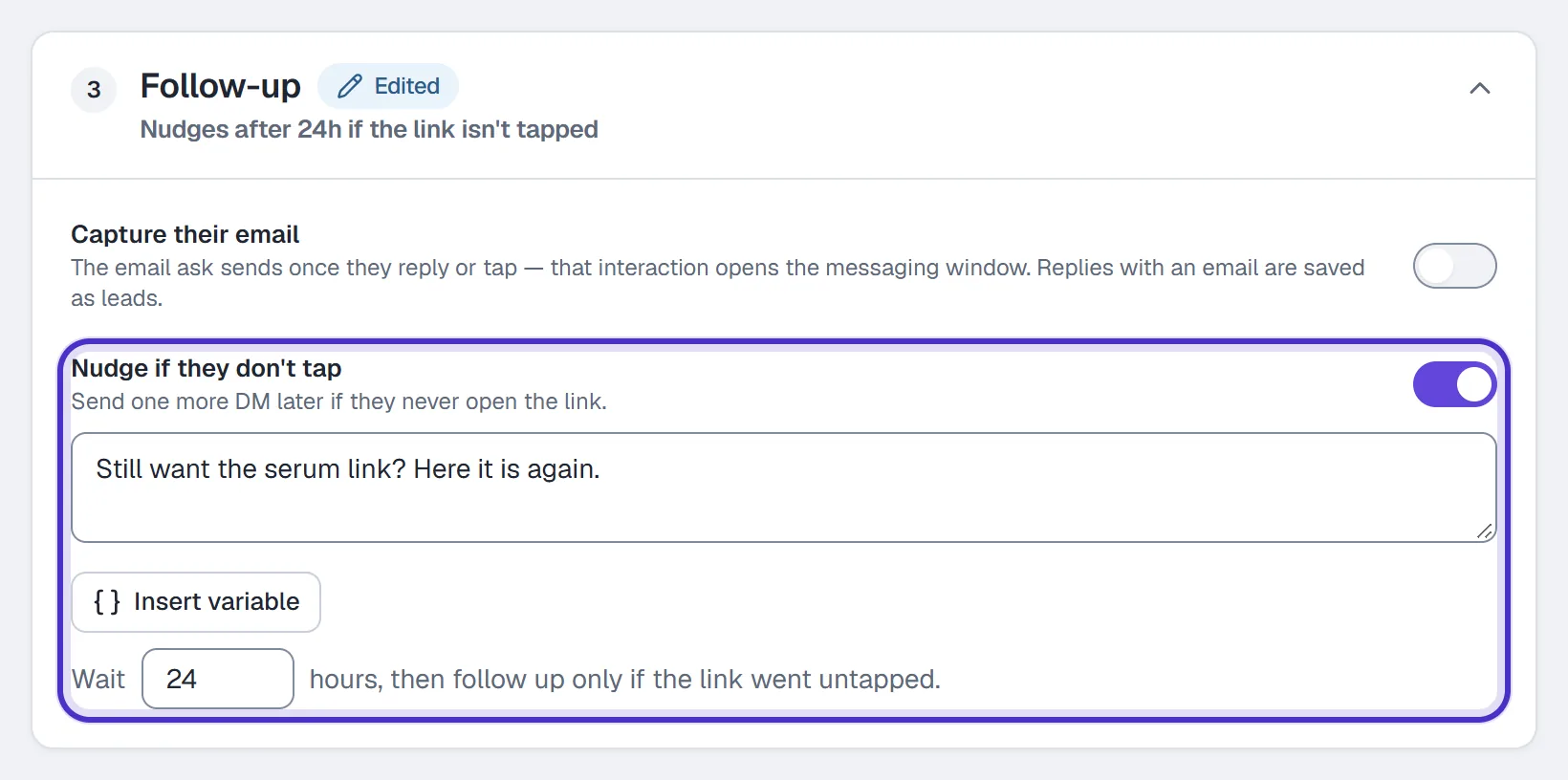
Follow-up with Nudge if they don't tap switched on and a wait of 24 hours - Name the automation after the product and click Publish.

The automation named after the product, with Publish
Tip. Put the link in the link field, not in the message text. Links in the link fields are tracked by default, so you can see taps. A link typed into the message, or one with a variable like
{{first_name}}in it, goes out as written and isn't counted.
One keyword per product
A separate keyword and automation for each product keeps every product's numbers on its own row. It also keeps two automations from competing for one comment. When two live automations share a keyword, the one higher in the Priority order wins. Listen on keeps each one on its own post. For a product you're about to post, Your next post or reel ties the automation to the next post that gets a matching comment.
The trigger is locked once you've saved. For a new product, make a new automation rather than editing an old one.
Read the numbers
- The Automations list. Under each name: its trigger, when it last fired and clicked, with clicks per run when the DM carries a link. Runs are in the Runs column. Sort adds Most triggered and Most clicks per run.
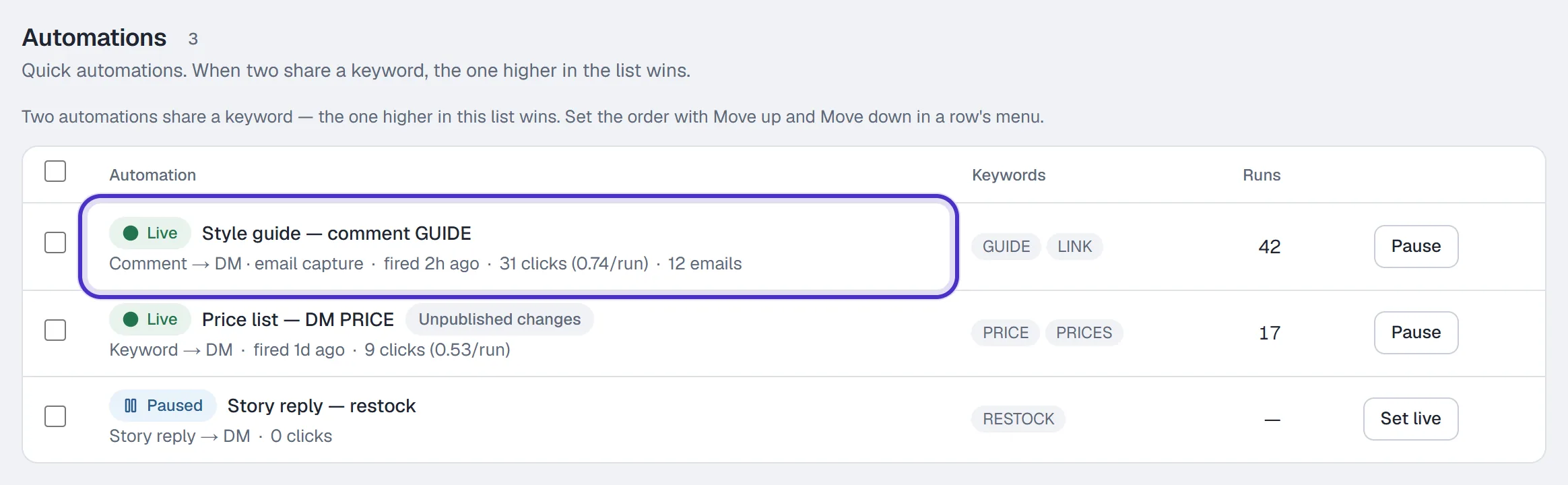
The Automations list, each row's line with its clicks per run, and Runs - Results. In each row's ⋯ menu: Runs, People reached and Link taps for 7d, 30d, 90d or All time.
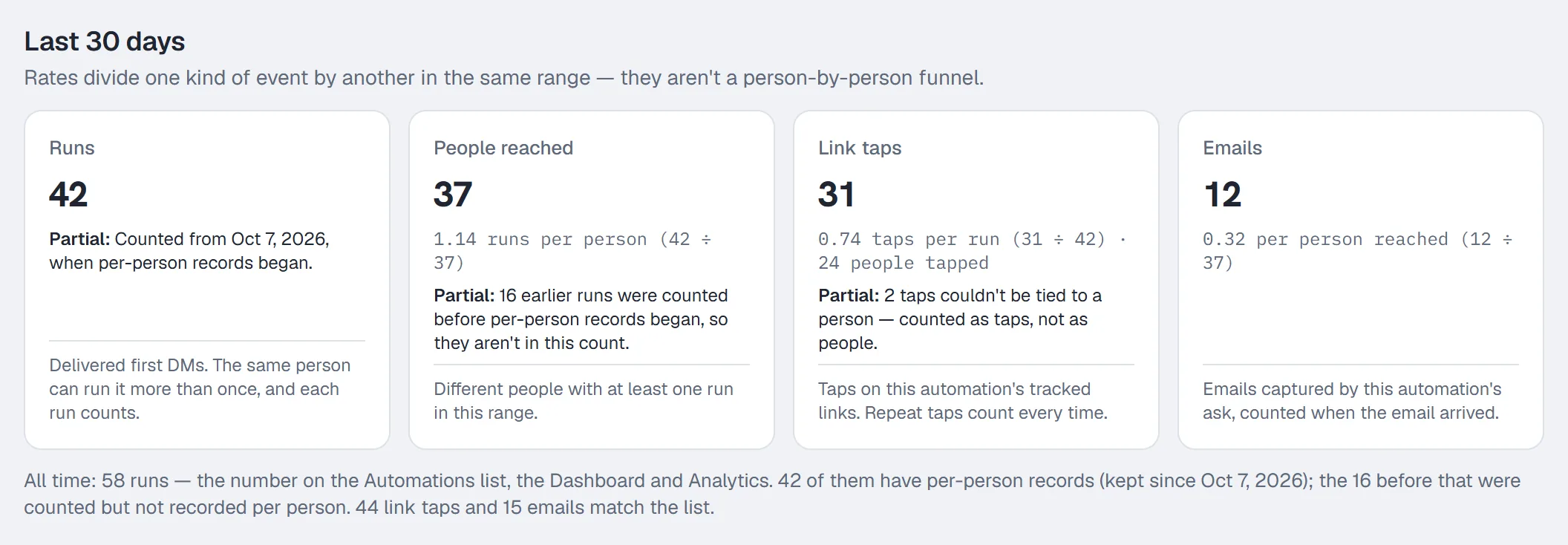
An automation's Results for the last 30 days, with Runs, People reached, Link taps and Emails - Analytics. On every plan, Automation performance on the Automations tab lists each automation's DMs sent, clicks and click-through.
A link tap is an event, and repeat taps count, so clicks per run can go above one. It isn't a count of unique people or of sales. HyperDM sees the tap on its own tracked link, and nothing that happens on the shop's site after that, so sales and commission live in your affiliate program's dashboard. Leave your own test taps out when you compare products.
Limits to plan around
- A comment from your own connected account never gets a reply. Test from a second account.
- Only comments made after the automation went live count, and Instagram allows a private reply only within 7 days of the comment.
- On collab posts, comment events go to the original author's account, so a collaborator's automation won't see them.
- People who have never messaged you may find the DM in their Message Requests. Say so in the public reply.
Follow your affiliate program's terms and Instagram's rules on disclosing affiliate links and paid partnerships. To ask for an email after the link, see email capture.
FAQ
Does this work with any affiliate program?
HyperDM sends whatever link you put in the link field, so any program that gives you a link works. Check your program's own terms on where its links may be shared.
How many links can one DM carry?
Up to three, one per line in the link field. Each is tracked by default.
How many affiliate automations can I run?
As many as you need. Your plan doesn't limit the number of automations; what it meters is conversations each month.
Can I see how much I earned?
Not from HyperDM. It counts runs and taps on its tracked links. Sales and commission on the shop's site show in your affiliate program's own dashboard.