Recognize intention: match a DM to a description
A DM keyword automation fires on a word like PRICE. Recognize intention swaps the keyword for a question you describe and example messages you review, and sends your DM when an incoming message is worded close to them. It is narrow, and this matcher is still experimental. Treat it as a second net under your keywords, and test it before you rely on it.
Screenshots show the real HyperDM app with a demo workspace. Names and numbers are examples.
How it works
- Only the automation form's Someone DMs a keyword trigger offers it. Comment and story triggers match on keywords, and so does a flow's DM trigger.
- You describe the question, then review 4 to 10 example messages. HyperDM sends your DM when a new DM is worded close to one of them and no other intent automation is just as close.
- The reply is always the DM you wrote. Recognize intention decides whether to send it, never what it says, so it can't make anything up.
- For questions you haven't written a DM for, switch on the AI agent. It is a separate feature with its own switch.
Set it up
- Go to Automations and click New automation.
- Under What starts it, choose Someone DMs a keyword.
- Click Recognize intention instead of Detect keywords.
- Under What is the customer trying to do?, describe what the customer is asking, written the way a customer would ask it, for example
how much is the course?. You have up to 500 characters.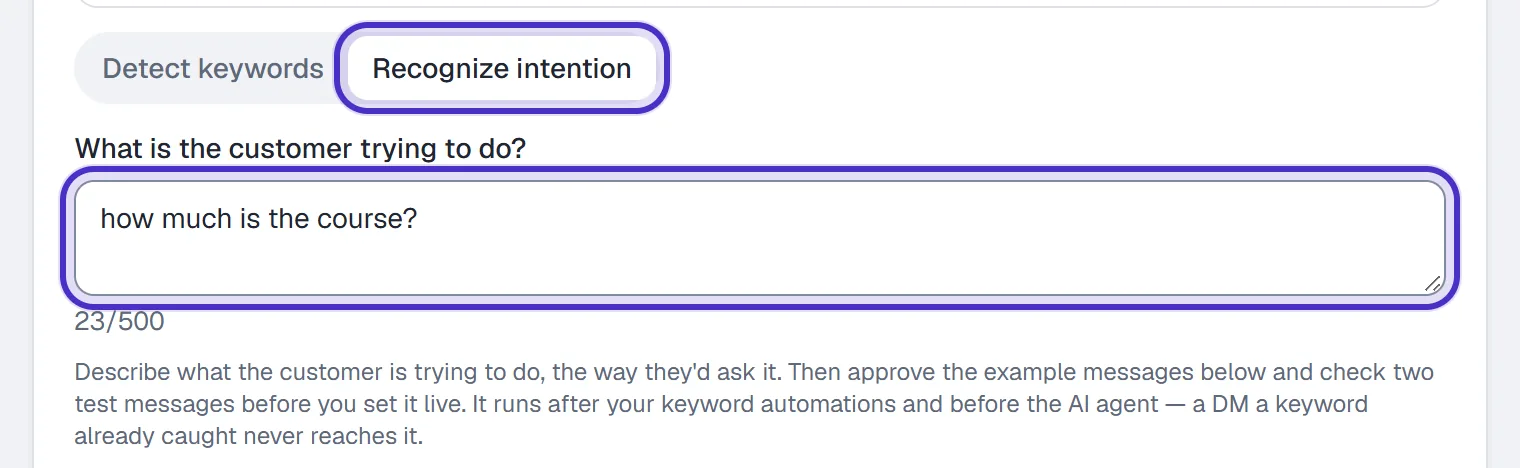
Recognize intention selected, and the question described the way a customer asks it - Under Example messages, click Suggest examples, or + Add example to write your own. Keep 4 to 10, in your customers' words. A suggestion is marked Suggested until you edit it, and it is only a suggestion, so remove any your customers wouldn't say. Regenerate suggestions replaces the untouched ones and keeps what you wrote.
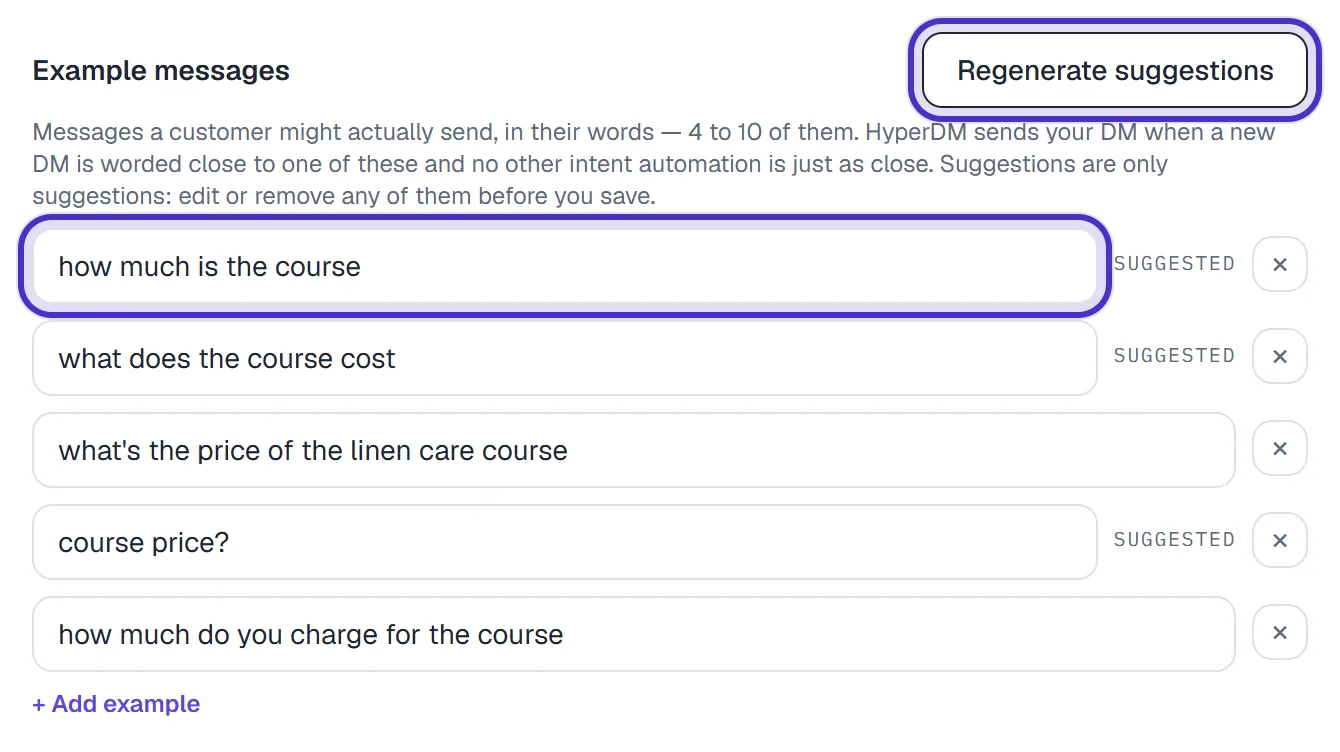
Example messages with five reviewed examples, three still marked Suggested - Under Test messages, write a Should match message and a Should not match message that is close but different. Neither can be one of your examples. Click Check both.
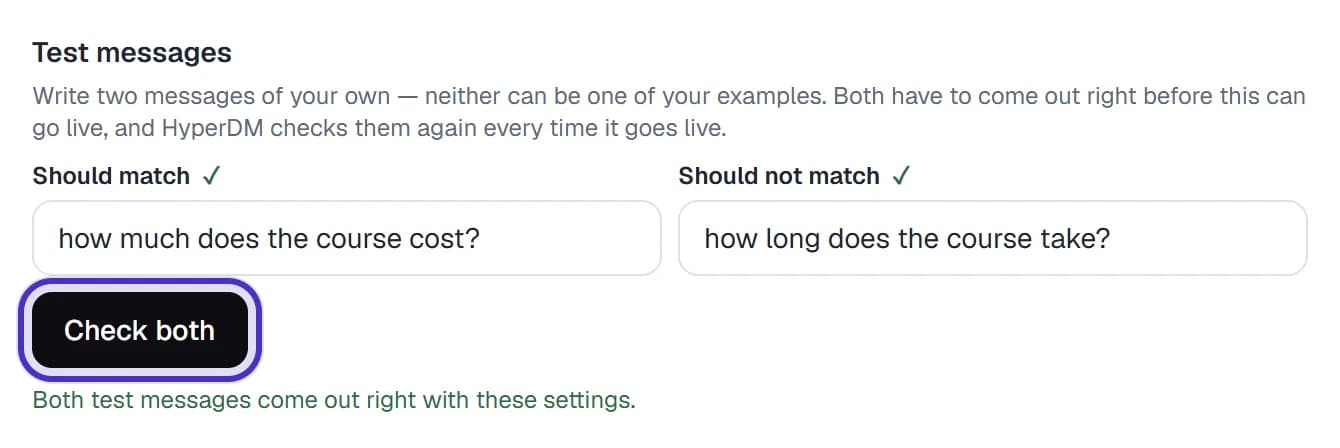
Test messages with Should match and Should not match both passing after Check both - Under Send this DM, write the reply and add up to 3 links.
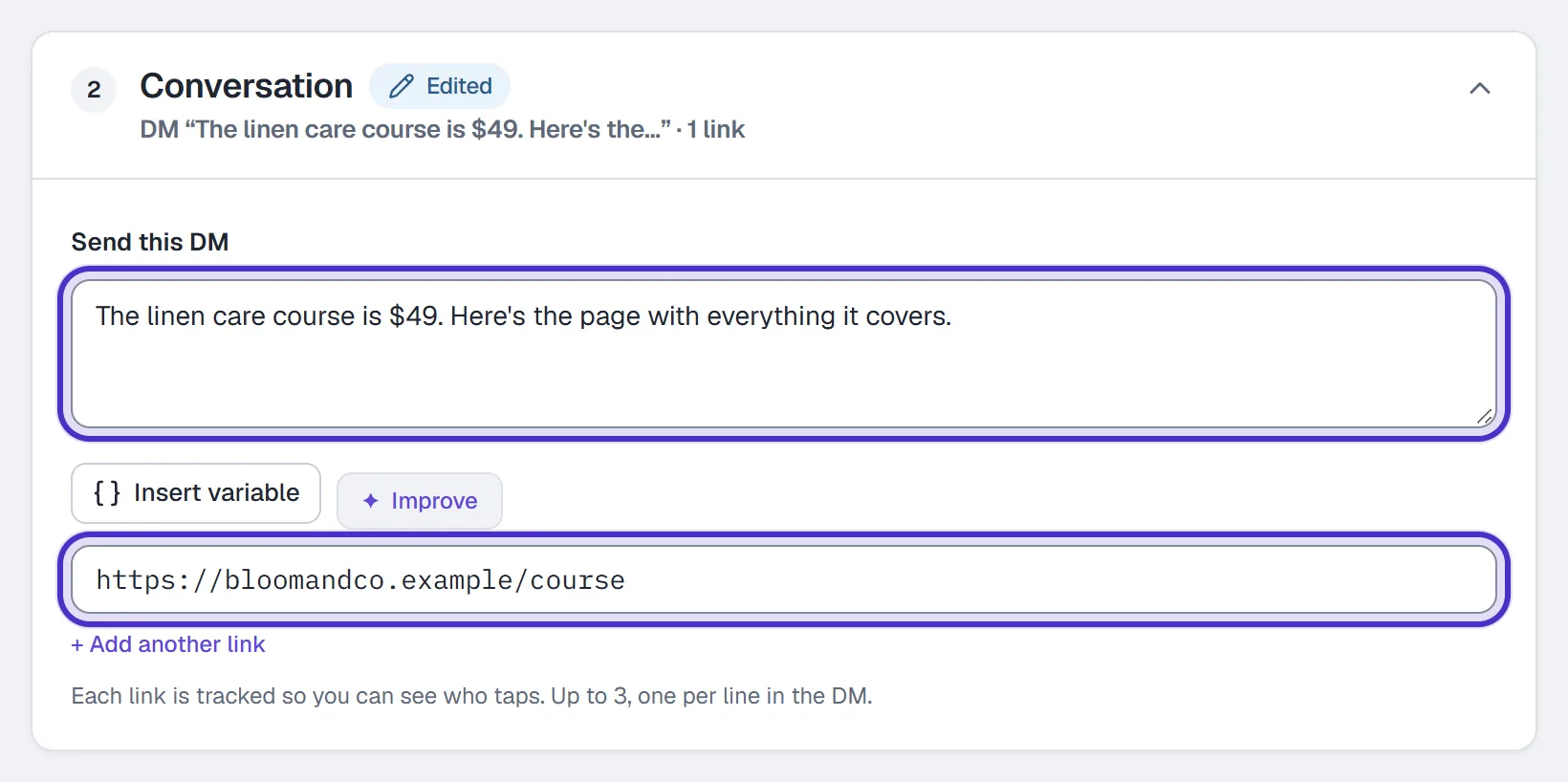
Send this DM with the reply and its link - Name the automation and click Publish. It stays off until both test messages come out right on the settings on screen, and any edit to the description, the examples or the tests means checking again. HyperDM runs both tests again every time the automation goes live.

The automation named Course price, with Publish off until the two test messages pass
Test it before you rely on it
Passing your two test messages is the minimum, not a guarantee of matching accuracy. Check more before you depend on it.
- Under Try a message, type a DM and click Try it. It says what HyperDM would do with that message right now, after your keyword automations and flows get it first. Nothing is sent. A real DM can still be held back by a paused contact, an opt-out or a conversation waiting on a reply, because this checks the matching and not those.
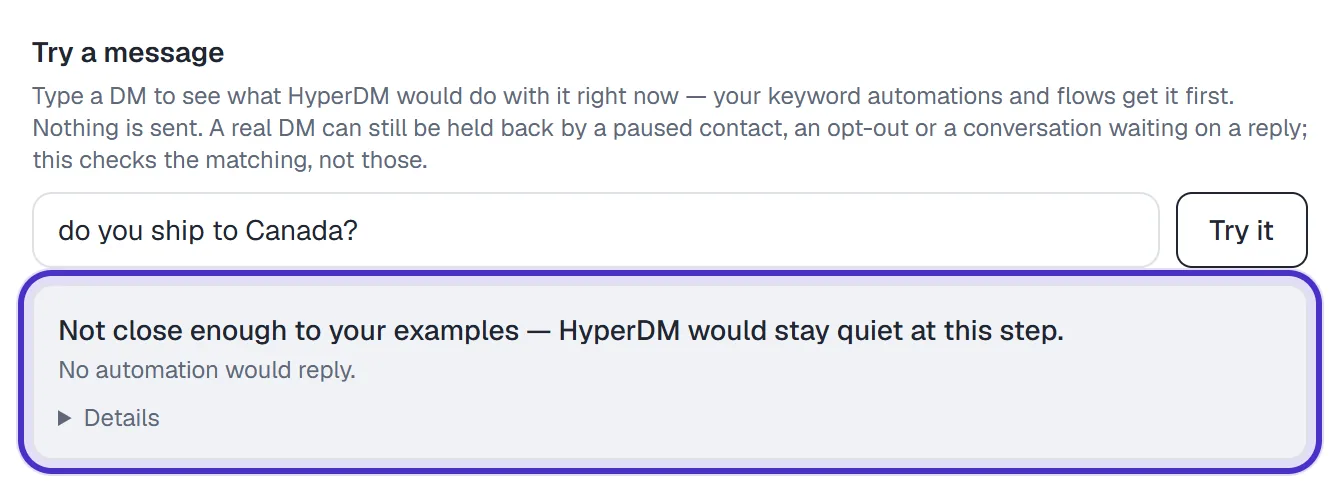
Try a message saying HyperDM would stay quiet on a message not close to the examples - From a second Instagram account, DM a few real messages, written the way your customers write.
- Check in Inbox which ones got your reply.
- Change the examples to sit closer to the messages that missed, check both tests again, and repeat.
Expect misses. Even a close rewording can miss, and an intent automation that competes closely with another can make HyperDM stay quiet. Very short questions, shorthand and slang usually won't match. When nothing matches, no automated reply is sent, unless you've turned on the AI agent, which answers instead. Either way the message lands in your Inbox.
Automations on the older matcher
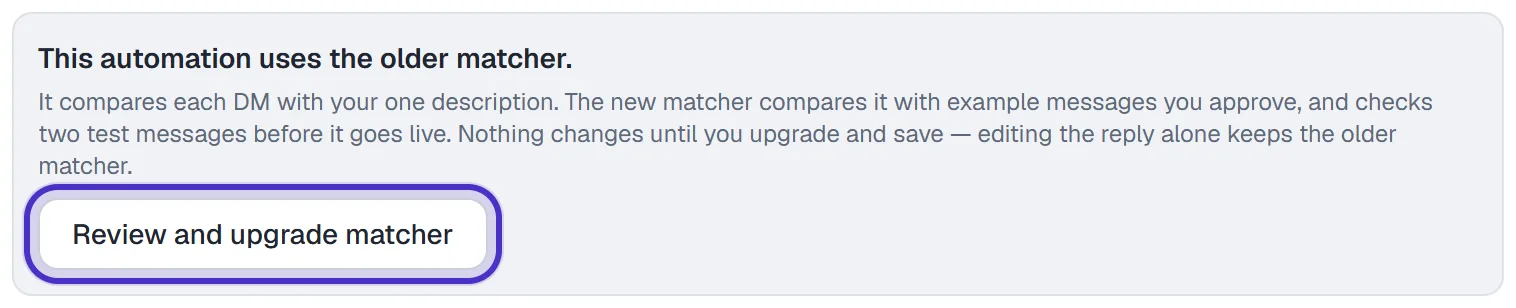
If your form shows only the description box, with no Example messages, or the automation was saved before this builder, you are on the older matcher. It compares each DM with your one description.
Test it the same way, from a second account, and expect misses. In HyperDM's own test of that matcher, how much does the course cost? matched the description how much is the course?, but whats the price of the course and how much is it? did not.
An older automation keeps its matcher until you choose Review and upgrade matcher. Nothing changes until you upgrade and save, and editing the reply alone keeps the older matcher.
Where it sits in line
One DM is claimed by one trigger, in a fixed order: opt-out (STOP) and opt-in (START), then keyword automations, then flows, then Recognize intention automations, then the AI agent if you've switched AI replies on. A DM that a keyword automation or a flow already caught never reaches it.
Automations on the older matcher run before the ones with examples. Between two on the older matcher, the higher one in the Automations list wins. Between two with examples, the closer one wins, and if they are too close to call, HyperDM stays quiet at this step. Make their descriptions and examples more distinct, or merge them into one.
Keywords or Recognize intention
| Use a keyword when | Use Recognize intention when |
|---|---|
| The question must always get a reply. A keyword anywhere in the message matches, case ignored | People ask one question in a few similar ways and no single word is reliable |
| You told people what to send, like "DM me GUIDE" | You'd rather not ask people to type a set word |
The word is short and distinctive, such as PRICE or LINK | The question is a full sentence, such as asking how long shipping takes |
| The DM should start a flow with a follow gate, a question or an AI Step | One saved DM is the whole answer |
You can run all three side by side: keyword automations for the words they promote in posts, a Recognize intention automation for one question people ask in a few similar ways, and the AI agent for everything else.
FAQ
Does Recognize intention handle typos and slang?
Not reliably. It matches messages worded close to what you gave it, and slang, shorthand and very short questions usually won't match.
What does it send when a message matches?
The DM you wrote under Send this DM, with its links. Recognize intention decides whether to send it, never what it says.
What happens when nothing matches?
No automated reply is sent, unless you've turned on the AI agent, which answers instead. The message still lands in your Inbox.
Why is Publish switched off?
Publishing waits for your two test messages. Write both, click Check both, and if either comes out wrong, change the examples or the test and check again.
Can I use it on comments, story replies or in a flow?
No. Only the automation form's Someone DMs a keyword trigger offers it. Comment triggers, story triggers and a flow's DM trigger match on keywords.
Should I use it instead of keywords?
Use it next to keywords, not instead of them. For a question that must always get a reply, a keyword is the safer choice, because a keyword anywhere in the message still matches.