The agent answers the DMs your automations don't catch, from knowledge you gave it, in a voice you chose. It ships off: nothing goes out from it until you flip Reply to DMs automatically. Set it up in the order below, and test it before a customer ever reads a reply.
Screenshots show the real HyperDM app with a demo workspace. Names and numbers are examples.
Where the agent sits in your DMs
Each DM is answered by exactly one thing, in a fixed order you can't rearrange:
- The opt-out and opt-in words, such as
STOPandSTART, always come first. - If you've taken the thread over in the Inbox, nothing else fires.
- Your automations and flows: story replies, keyword automations, keyword flows, then intent automations.
- The agent, last, and only while Reply to DMs automatically is on.
So the agent is the fallback for DMs nothing else caught. Switching it off leaves every automation running, and those leftover DMs wait in your Inbox instead.
Teach it about your business
The agent answers from Agent → Knowledge (your policies, FAQs and pages) and Products (prices, stock and buy links). On the Knowledge tab, add at least one source:
- Paste it. Paste your FAQs, prices or policies: enter a Label such as
faq, paste the text and click Ingest. This works for anyone, with or without a website or a shop. - Import from your website. Enter your domain and click Crawl & ingest.
- Sync your Shopify catalog. Enter
store.myshopify.comand click Sync catalog. It reads Shopify's public storefront feed, so drafts and live inventory are not included.
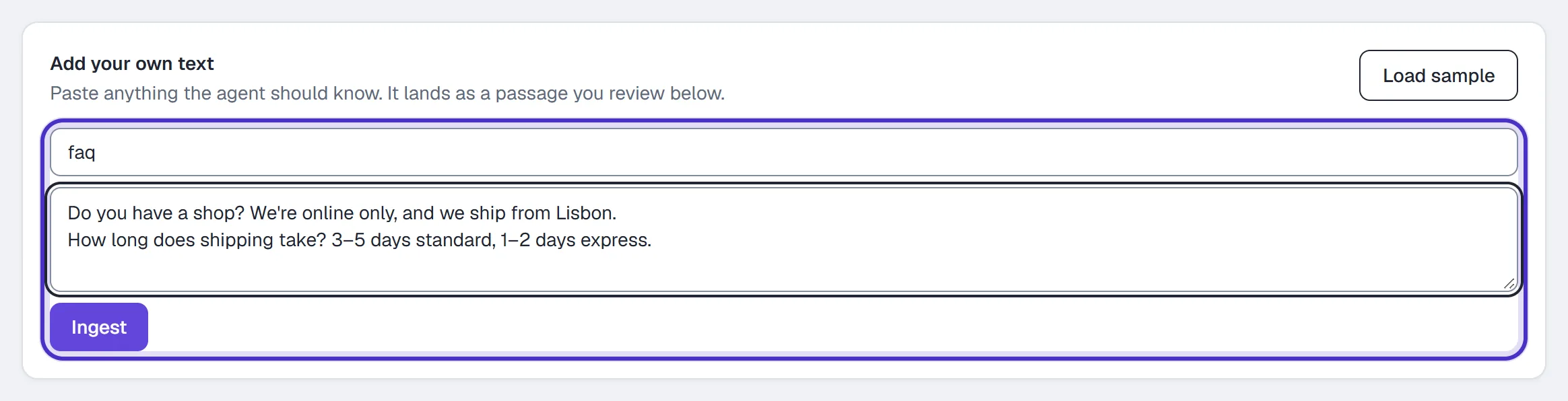

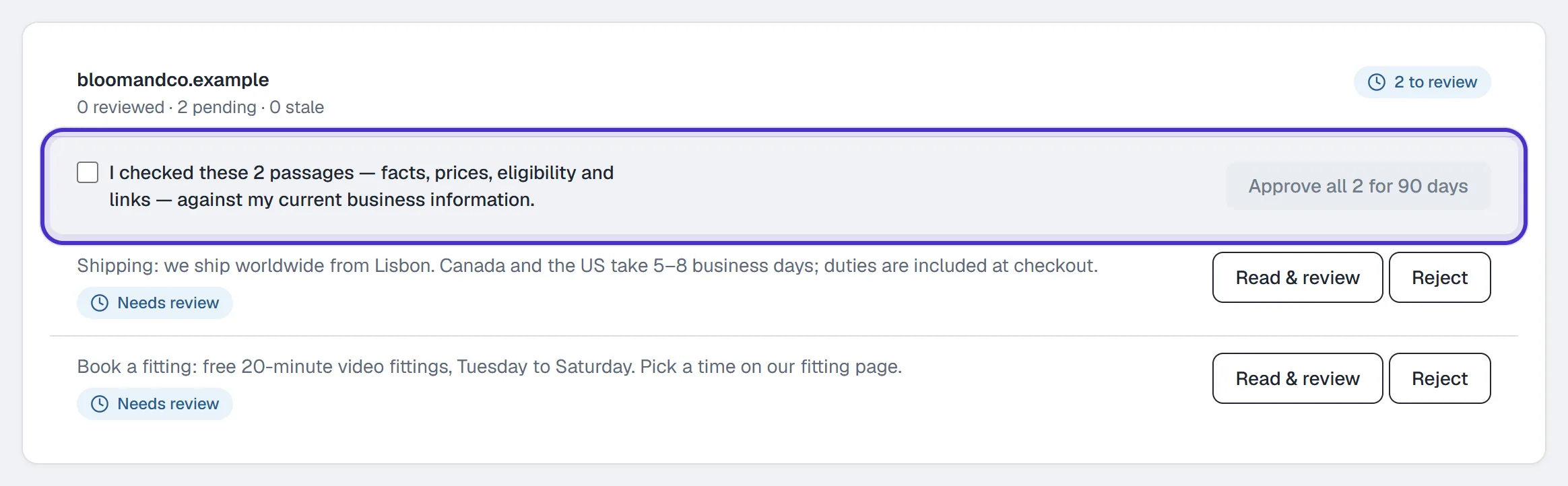
Imported passages carry a Needs review tag until an owner or admin approves them, and an approval covers that exact text for 90 days.
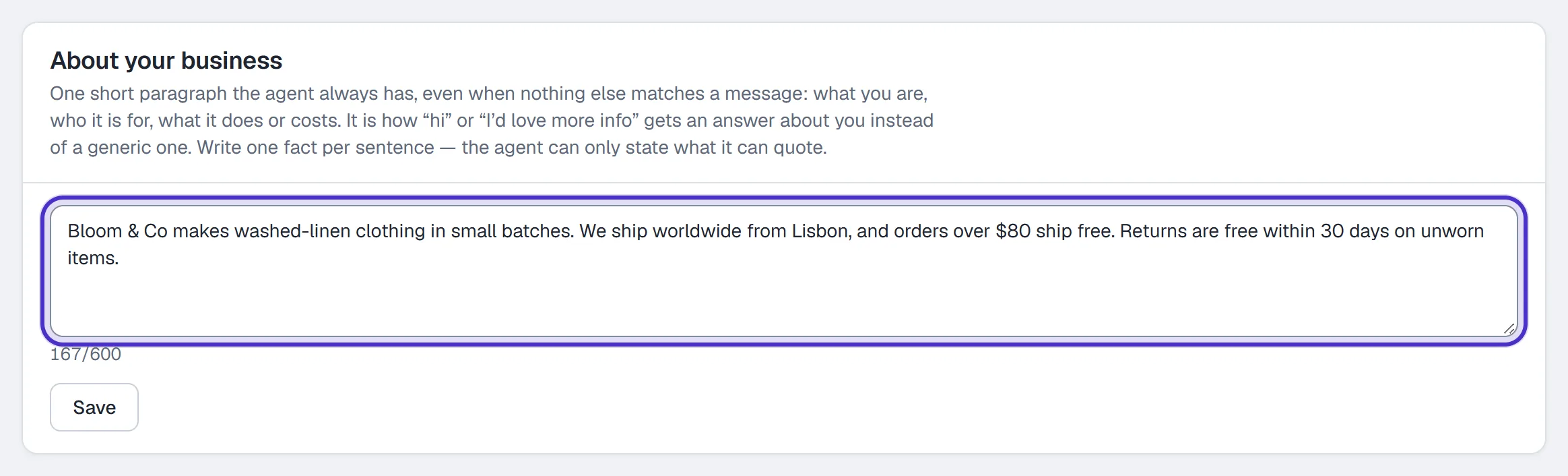
Then fill in About your business: up to 600 characters the agent has on every reply, so a plain "hi" gets an answer about you.
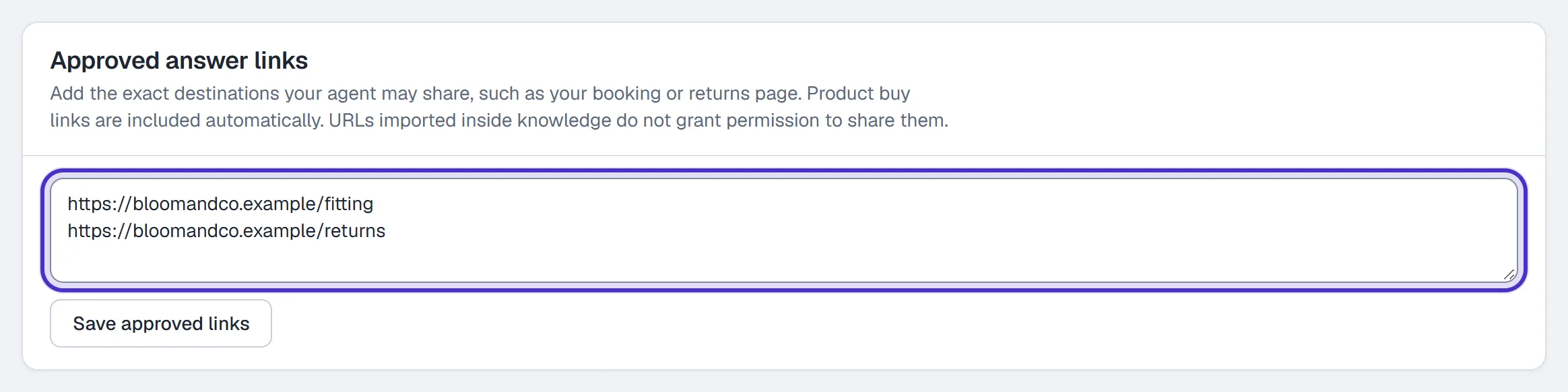
Put your booking page under Approved answer links; a URL that only appears inside imported text doesn't give the agent permission to share it.
Heads up. The Free plan holds one knowledge source of your own. Your Shopify sync and the sample data don't count toward it, and re-pasting under the same label replaces that source. Paid plans have no source cap.
Draft its voice, then test before you activate
On Agent → Voice, write your Instructions the way you'd brief a sharp new hire, for example Answer questions about my coaching packages and hand refund requests to me. Pick a Reply length (Short, Medium or Long) and an optional Response pacing pause, then click Save draft.
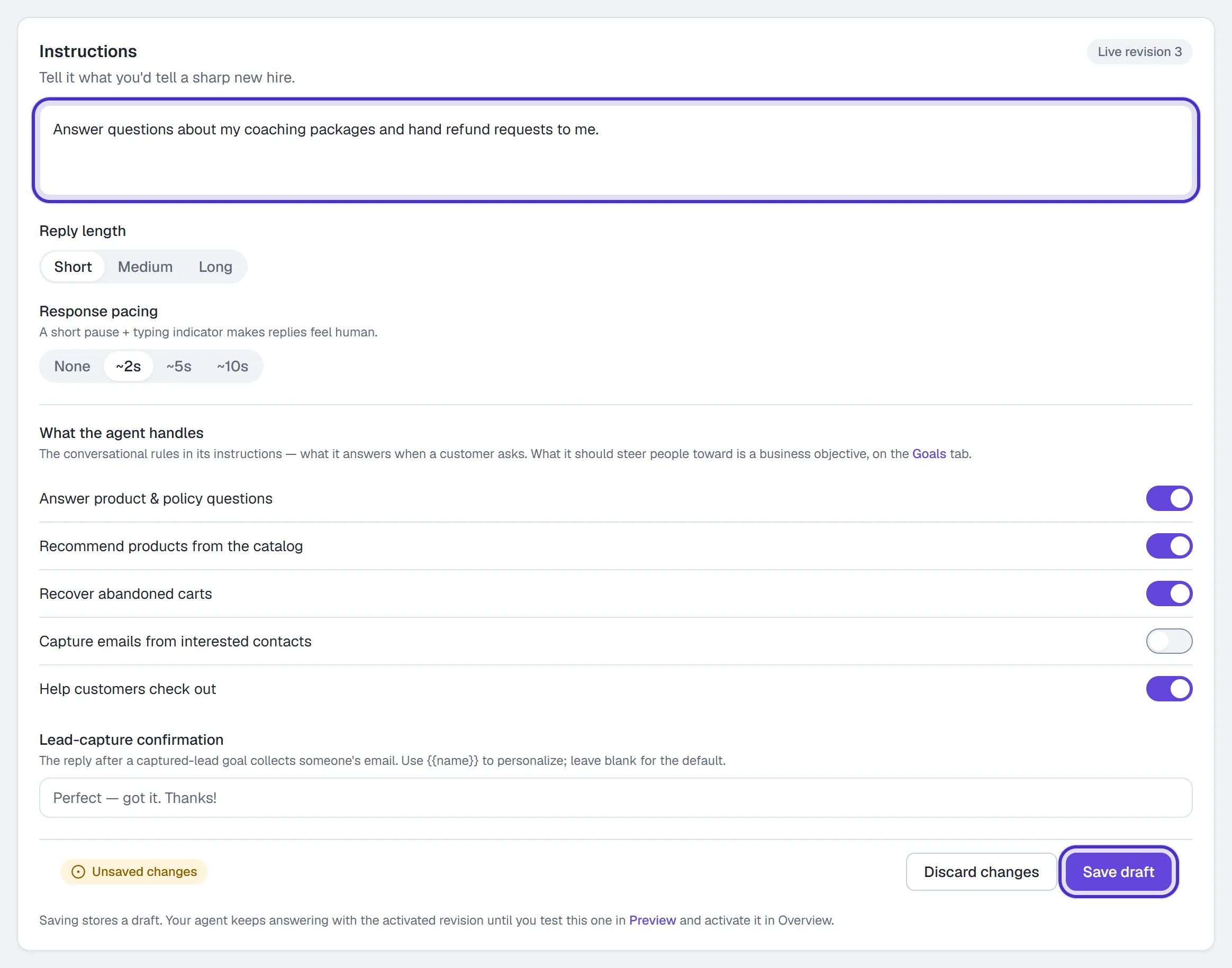
Saving does not change what your agent is saying. The voice is revisioned:
- Save draft stores a new draft revision.
- Ask a question in Agent → Preview or the AI Playground. That answer is the test.
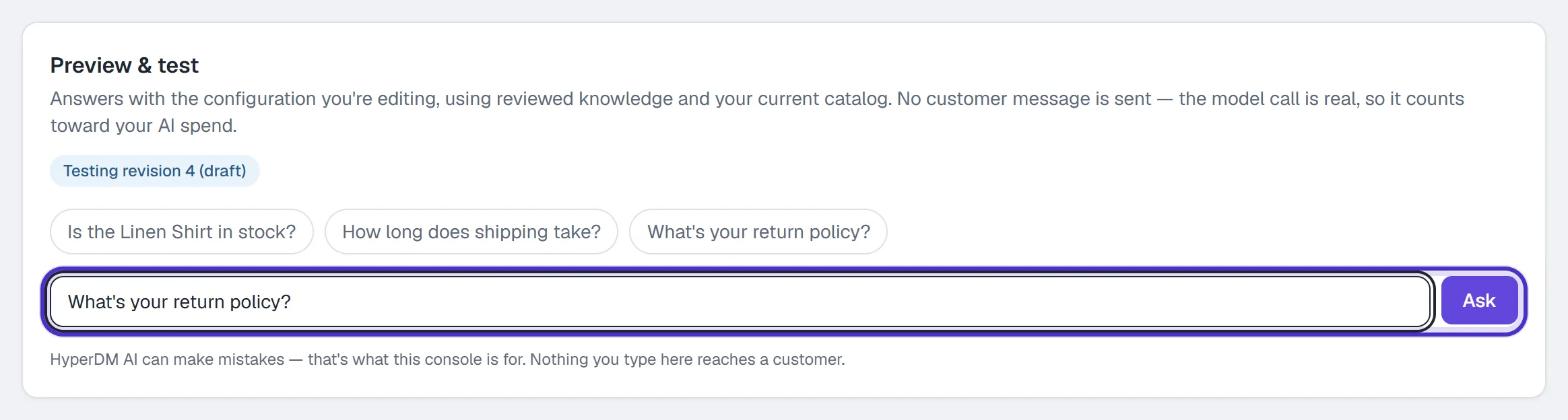
Agent Preview testing draft revision 4 with a question typed in - On Agent → Overview, click Activate revision N. From then on, customers get the new voice.
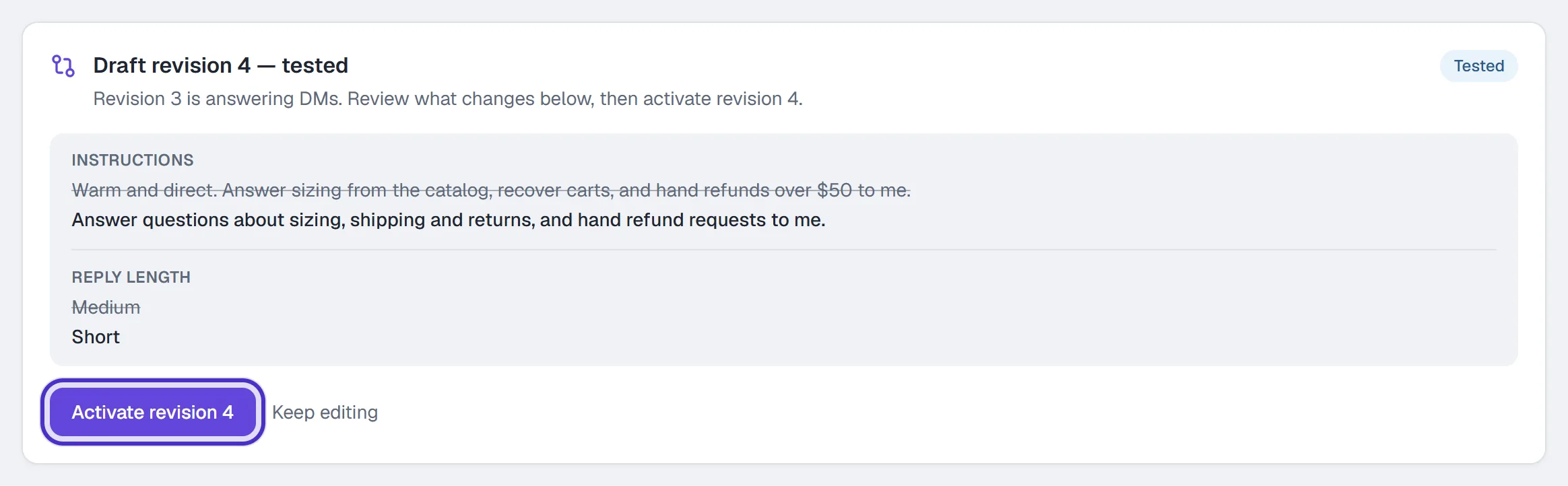
Agent Overview with draft revision 4 tested, what changes, and Activate revision 4
If you edit again after testing, activation is refused until you test the new draft; the revision you last activated keeps answering meanwhile. Under Sample replies, Write a better reply records the answer you wanted; it does not train the model. Testing is covered in Test it in the Playground.
Give each reply a goal
On Agent → Goals, switch on what a reply should nudge people toward:
| Goal | What it does |
|---|---|
| Share a link | Points people to a page you choose, like your booking page. The link is tracked by default. |
| Capture a lead | Asks for an email and saves it on the contact, under email unless you pick another field. |
| Grow followers | Invites them to follow. Anyone HyperDM has saved as already following is skipped. |
The nudge is copy you write (or a Draft with AI draft you review), sent after an answer at most once per person in any 24 hours. Goals work on every plan and take effect when you click Save objectives.
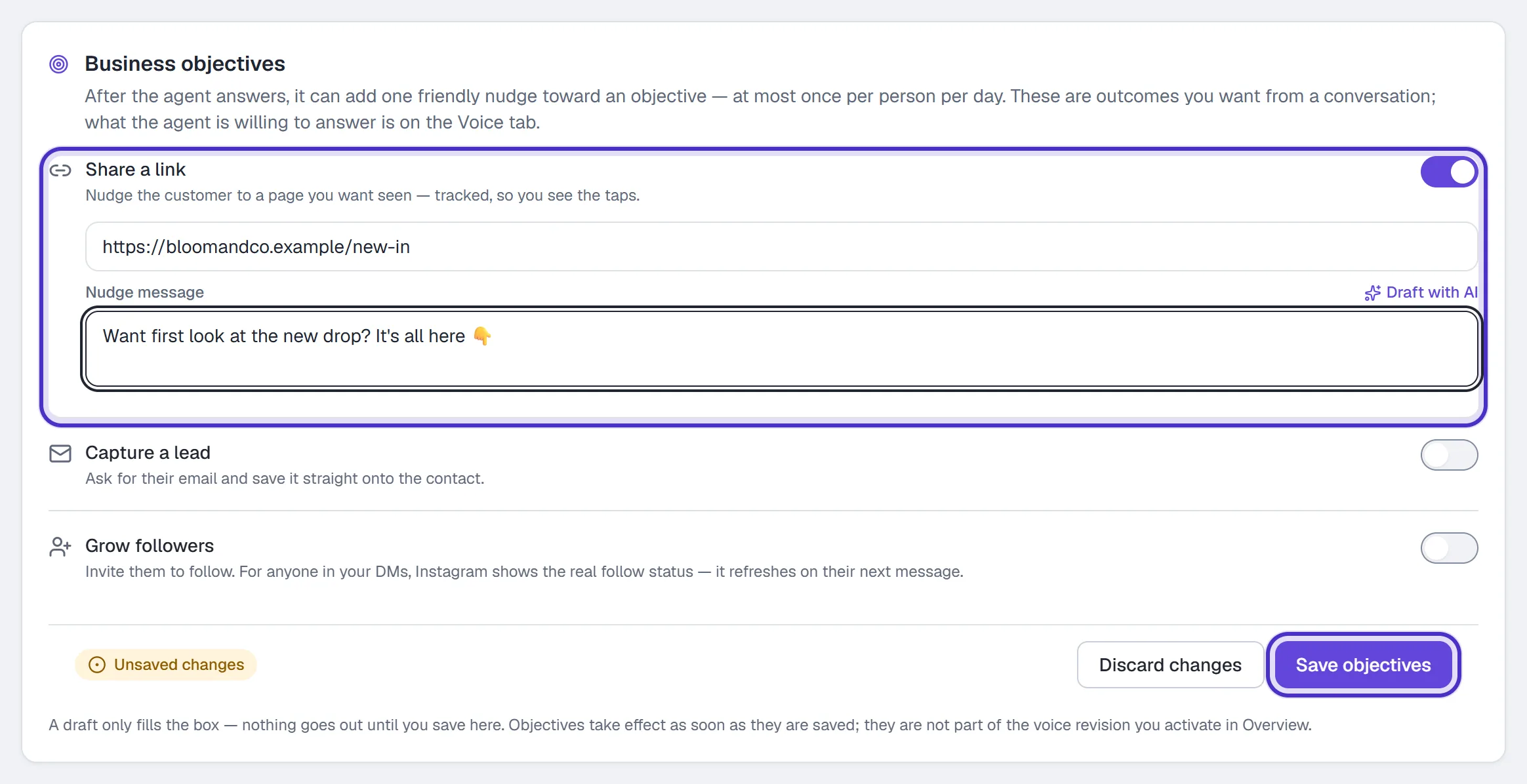
Switch it on, and what happens when it doesn't know
On Agent → Overview, flip Reply to DMs automatically. It saves as you flip it. Only an owner or admin can change it. If you started on the setup page with Answer questions with AI, Turn on AI replies on its Review stage flips the same switch.

The agent answers from your reviewed knowledge, your products and About your business, not from the open internet. When it can't ground an answer, it doesn't guess:
- With Hand off when stuck off (the default), it tells the customer "I can't confirm that from the information available. Please ask the team for help with this question."
- With it on, it stands down for that conversation and leaves a note in your Inbox so you can step in.
Unanswered questions collect on Analytics under What your agent couldn't answer; add the answers in Agent → Knowledge. The agent can still be wrong, including repeating a false fact you approved, so test price and policy questions before you switch it on.
How AI-assisted conversations are counted
An AI-assisted conversation is a conversation the AI agent opens or answers directly. It is a subset of your plan's conversations, never an extra one. A keyword automation's or a flow's conversation is not AI-assisted, even when that flow contains an AI step.
| Plan | AI-assisted conversations a month |
|---|---|
| Free | 50 |
| Starter | 100 |
| Growth | 500 |
| Pro | 1,500 |
| Agency | 3,000, pooled across client workspaces (Agency is in early access) |
On Free the allowance matches Free's 50 conversations, so the agent can answer every conversation Free includes. On a paid plan, once the month's AI-assisted conversations are used up, the agent pauses for new conversations until the 1st of the next month (UTC), while keyword automations, flows and your Inbox keep working. To keep it answering, an owner on a plan they pay for themselves can buy AI credits in Settings → Billing & usage, 100 more for $10. They don't expire, and HyperDM never buys them for you.
Separately, a monthly AI safety limit stops runaway use, such as two bots answering each other in a loop. It isn't your allowance, and credits don't lift it. If it trips, Settings → Billing & usage says AI DM replies are paused until the 1st (UTC). Your Inbox, keyword automations and flows keep working, but a flow's AI step sends nothing until then.
FAQ
Does the AI agent reply to every DM?
No. It answers only the DMs no automation or flow claimed, and only after you switch on Reply to DMs automatically. Until then those DMs wait in your Inbox.
What does the agent say when it doesn't know the answer?
It doesn't make one up. With Hand off when stuck off, it tells the customer it can't confirm the answer. With it on, it stands down for that conversation and leaves you a note in the Inbox.
I saved new instructions. Why are the replies the same?
Save draft stores a draft. Test it in Preview or the AI Playground, then click Activate revision N on the Overview tab. Until then the revision you last activated keeps answering.
Can I stop the agent for one person without turning it off?
Yes. Take the conversation over in the Inbox, or use Pause automations in that contact's drawer in Contacts.
How many AI-assisted conversations does the Free plan include?
Free includes 50, which matches its 50 conversations a month, so the agent can answer every conversation Free includes.