Test it in the Playground, then set guardrails
Two pages under Agent decide whether you trust a reply before a customer reads it. The AI Playground answers test questions you type and shows the sources behind each answer. Trust & Guardrails sets the checks every reply the AI writes goes through.
Screenshots show the real HyperDM app with a demo workspace. Names and numbers are examples.
What the Playground does
Go to Agent → AI Playground. Click a starter question (they come from your own catalog and knowledge) or type one in Ask the agent anything…, then click Ask.
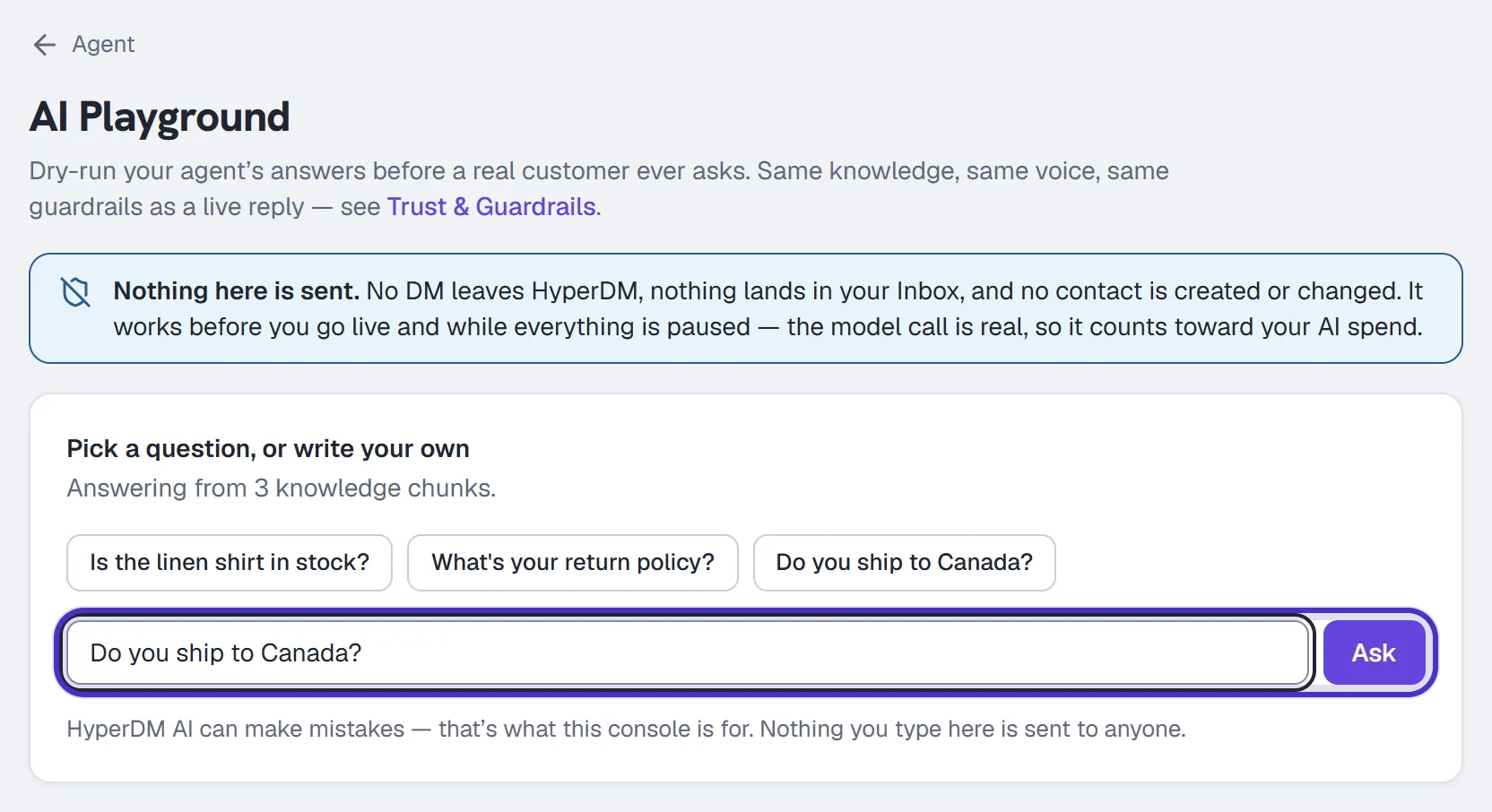
You play the customer. The Playground doesn't read your real DMs, and nothing you do here reaches anyone: no DM leaves HyperDM, nothing lands in your Inbox, and no contact is created or changed. It works before you go live and while everything is paused.
The model call is real, so each question counts toward your AI spend. It doesn't use a conversation from your plan. If you have unactivated edits on Agent → Voice, the Playground answers with that draft, and asking counts as the test Agent → Overview needs before you can activate it. Every role on your team can use it.
Read the four diagnostics
| Diagnostic | What it tells you |
|---|---|
| Grounding | Whether the answer was sourced from your knowledge, hedged, or found nothing. Retrieval alone doesn't prove the answer is right. |
| Sources | The sources behind the answer, and the knowledge revision at that moment. |
| Draft support check | A second model matching the draft to exact quotes: Supported, Unsupported, Conflicting or Not run. It never proves a source is true, and Not run is not a pass. |
| Spend | The model and the exact cost of that answer. |
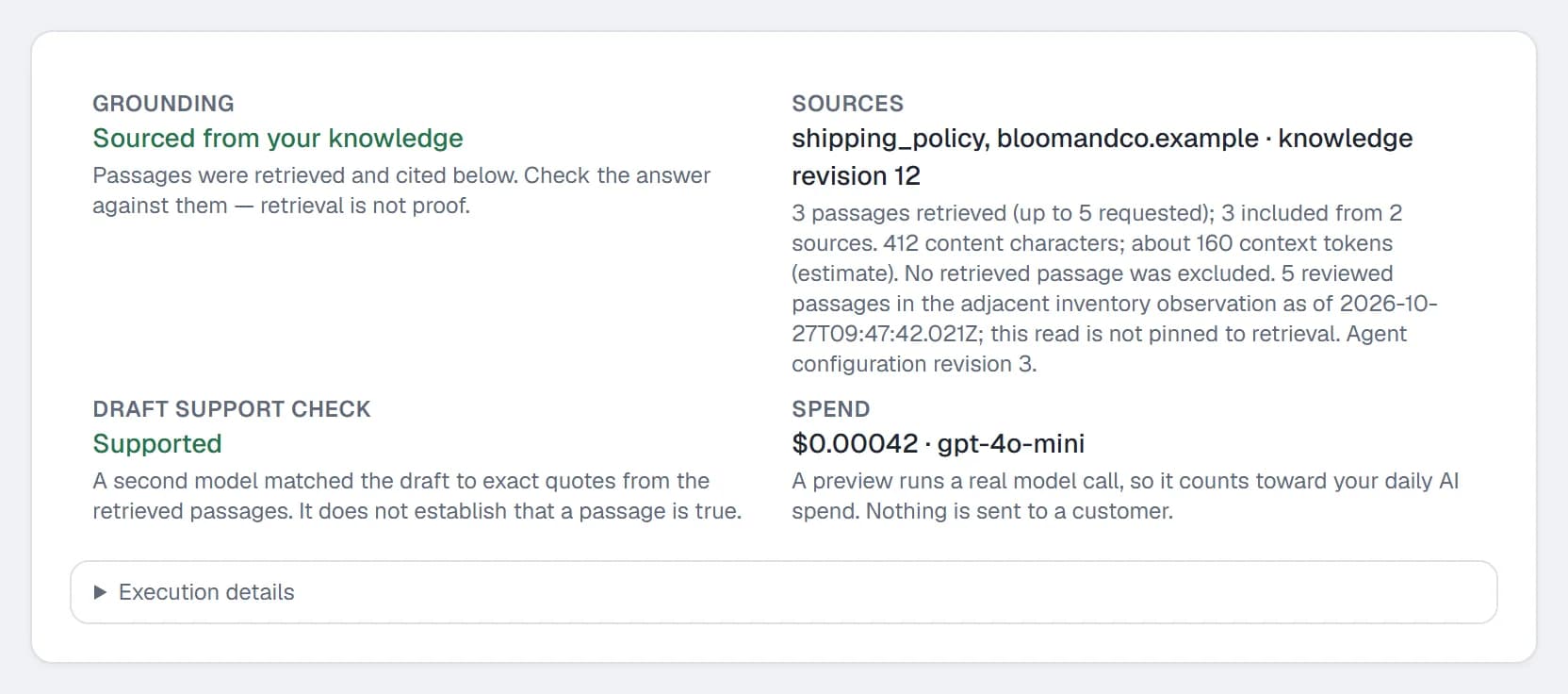
On Pro and Agency, a reply that looks like it might mention a price, a discount or availability goes to the stricter price check. Draft support check then reads, for example, Supported · stricter check, and Spend splits the total into the reply's share and that check's share. It's picked by wording, so a reply such as "Feel free to ask" can go to it too.
When the agent stands itself down (a refusal, a gap it won't guess at, or two sources that disagree), a note above the diagnostics says which. That's the agent working as designed.
A live reply can also carry a product card or a tracked link. The Playground never sends those, so check cards on a real DM from a second account.
Close a gap and retest
- When an answer fails to ground, a shortcut appears under it. Choose Add text to write the answer, or Add link to point at the page that has it.
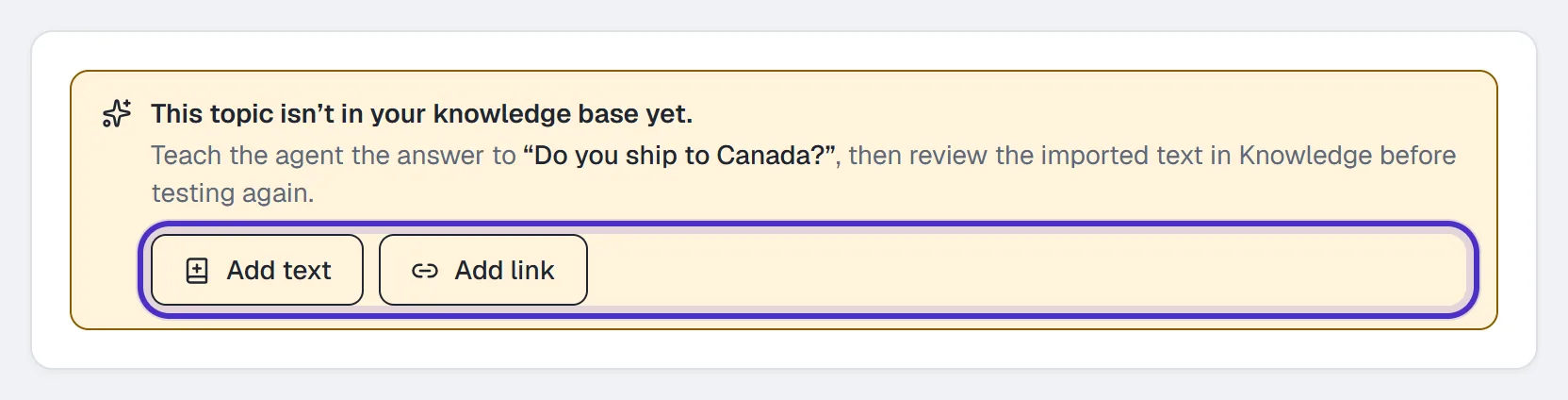
The shortcut under an answer that didn't ground, with Add text and Add link - Click Import for review. The import isn't live yet.
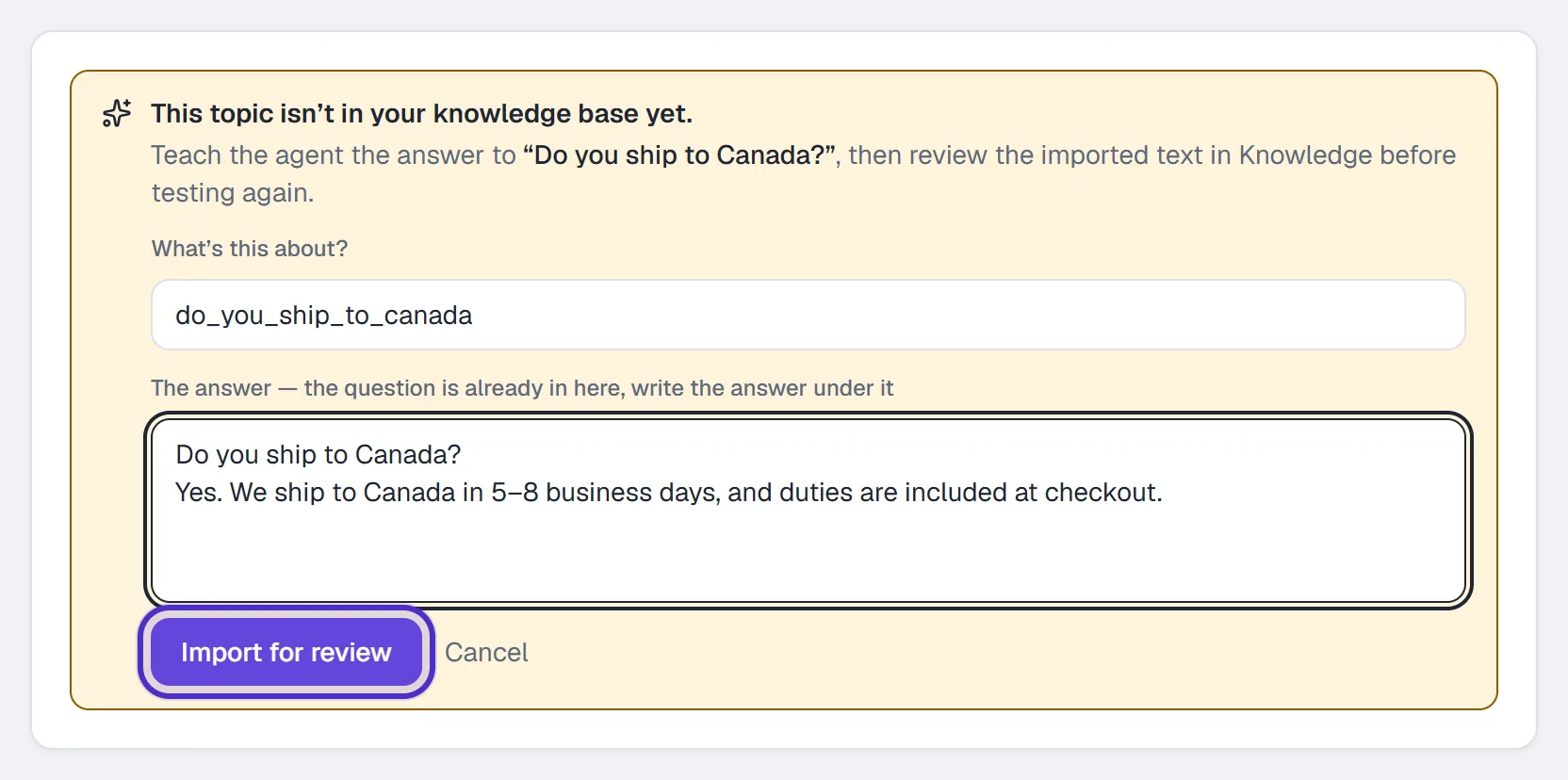
Add text with the answer written under the question, and Import for review - Open Agent → Knowledge, read the passage and approve it. Only an owner or admin can.
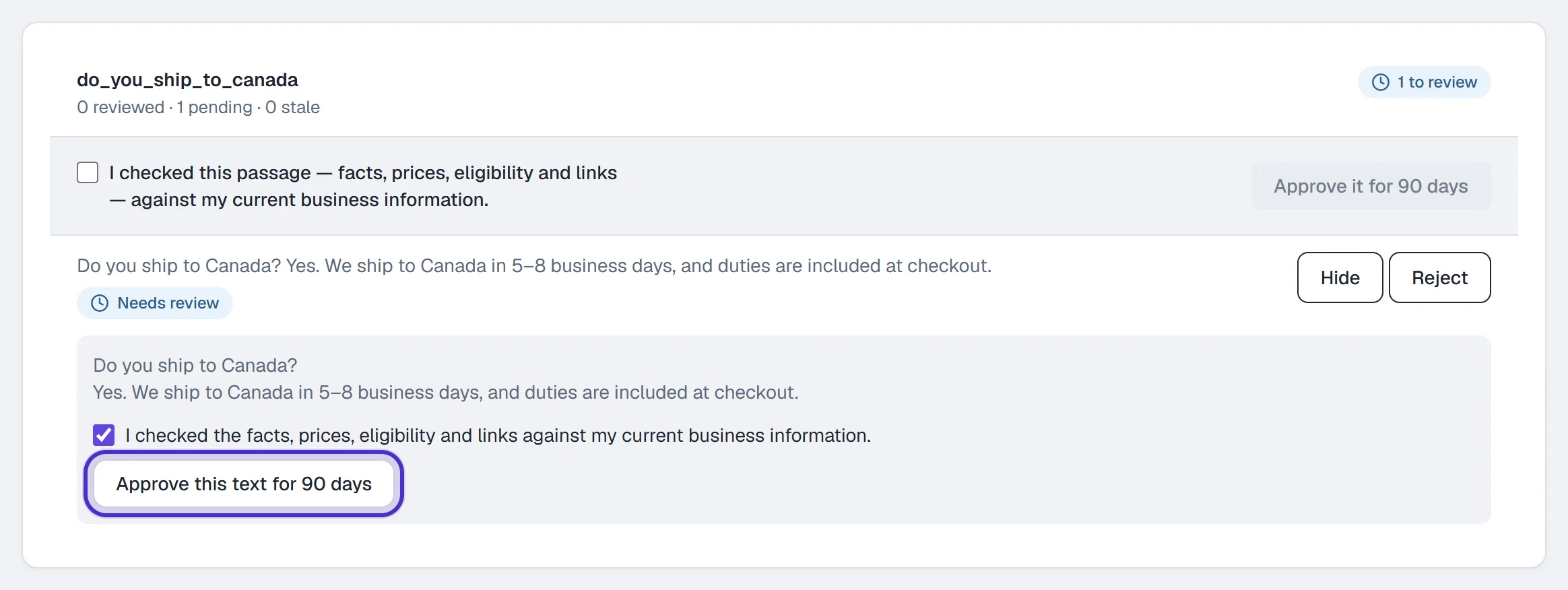
Agent Knowledge with the imported answer read, ticked and ready to approve - Back in the Playground, click Retest this question. The new turn is labelled Retested and names the knowledge revision before and after.
The old answer stays on screen above the new one, so you can see the fix worked. Start over clears the transcript, and nothing was saved anywhere.
Set your guardrails
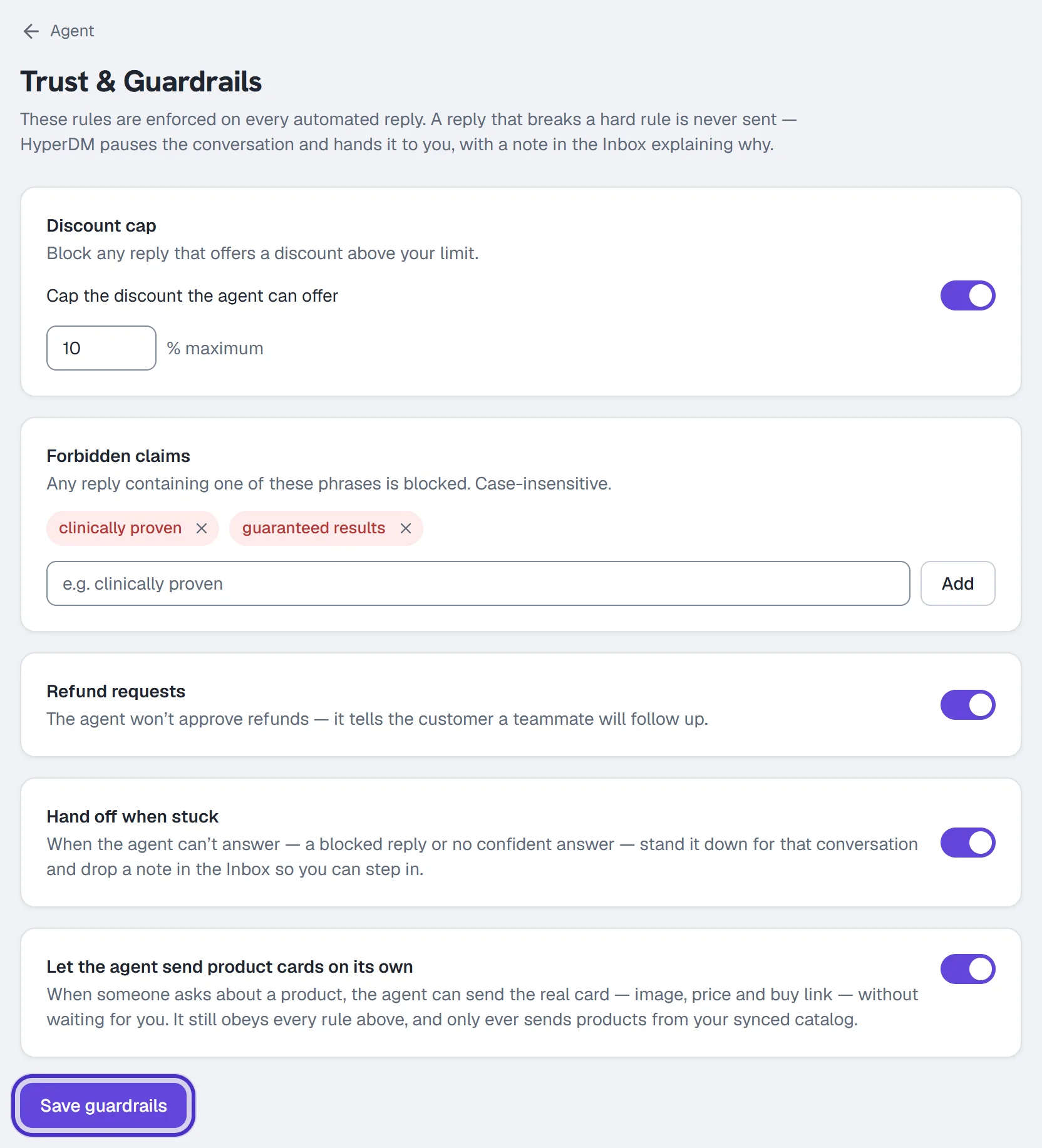
Go to Agent → Trust & Guardrails. Guardrails are on every plan, Free included.
| Guardrail | What it does |
|---|---|
| Cap the discount the agent can offer | Blocks a reply offering more than your percentage, written as a percent (40% off) or as half or quarter off near a discount word. Off until you set it. |
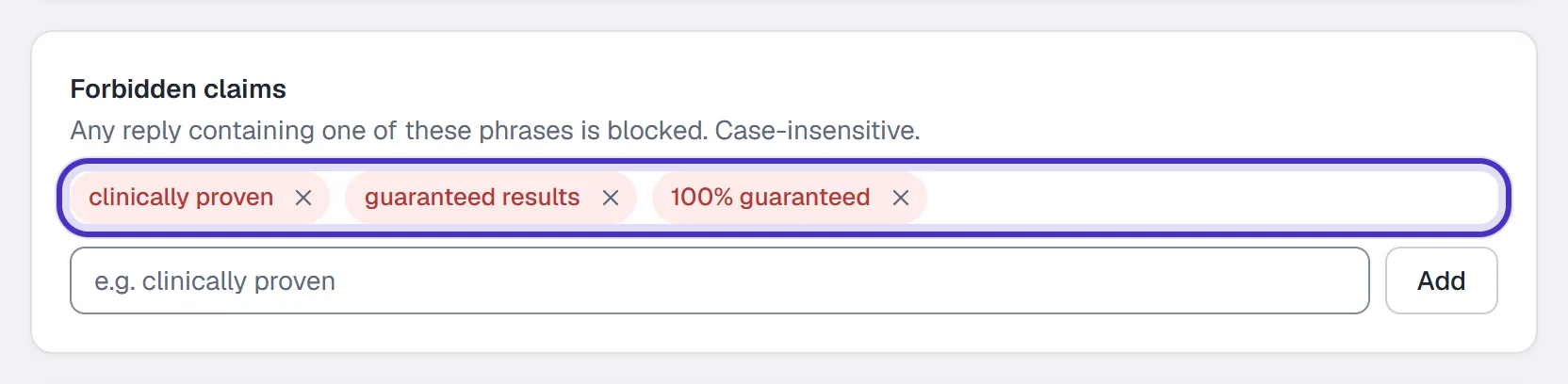
| Forbidden claims | Blocks a reply containing a phrase from your list, such as clinically proven. Up to 30 phrases of 120 characters each. |
| Refund requests | On by default. A clear refund or chargeback request pauses the agent for that conversation and flags it in the Inbox before any reply. |
| Hand off when stuck | Off by default, and worth turning on. When the agent can't answer confidently, it stands down for that conversation and leaves you a note. |
| Let the agent send product cards on its own | Starter and up. Sends the real card (image, price, buy link) from your synced catalog when someone asks about a product. |
Click Save guardrails. They apply from that moment, with no publish step, and they aren't part of the voice revision. The product-card toggle saves when you flip it.
Forbidden claims match exactly, ignoring case, so a reworded version gets through. Add the variants you care about, and test the discount phrasings your customers are likely to see.
When a check fires
- The agent drafts a reply.
- A guardrail check fails.
- The reply is held instead of sent.
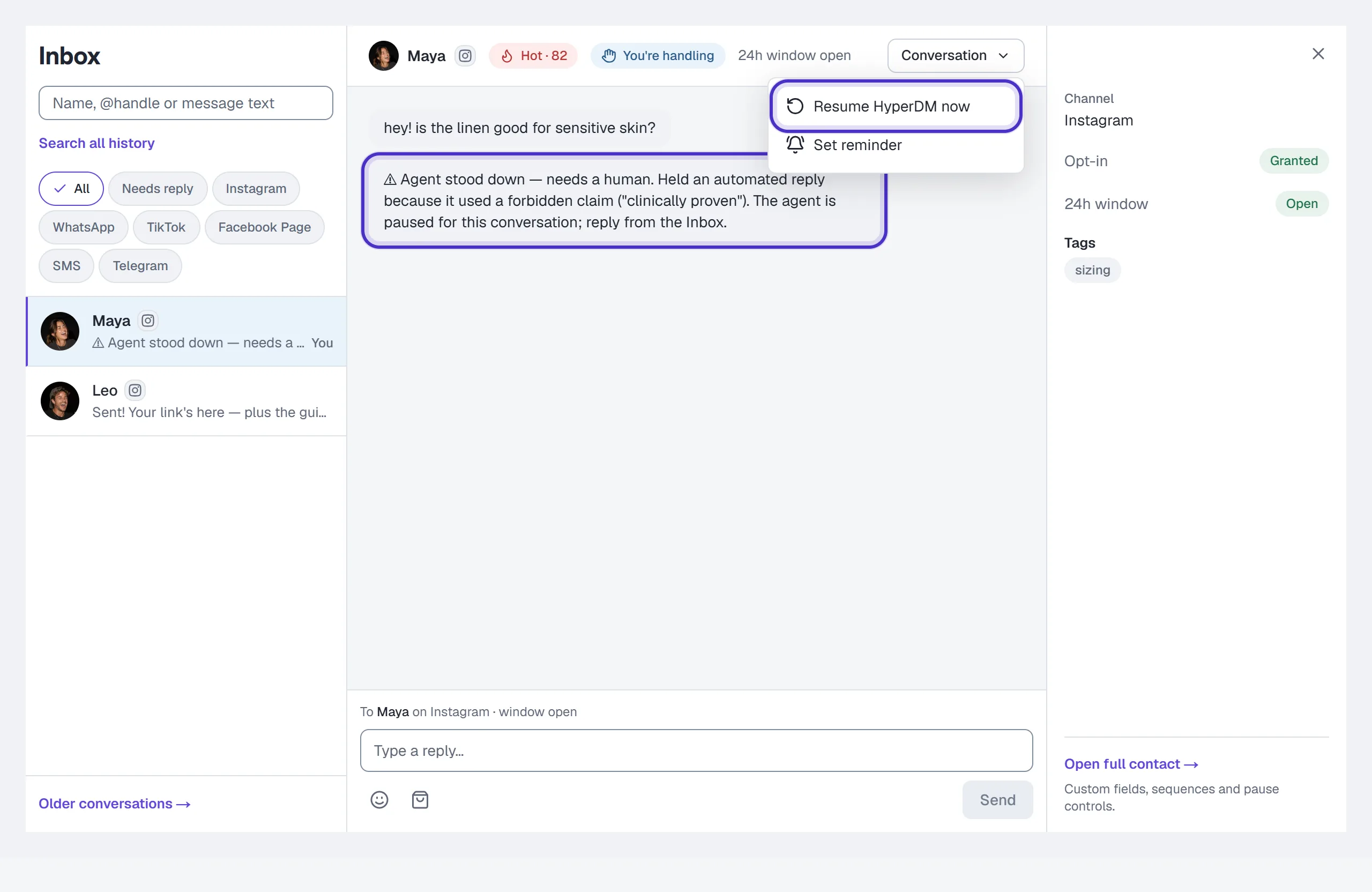
- The conversation is paused and flagged in the Inbox with a note saying why, whether or not Hand off when stuck is on.
The thread is yours until you click Resume HyperDM now. That Inbox note is the record: blocked replies don't appear in the Analytics trust cards or the Activity log, which count sends the compliance gate held.
Heads up. Guardrails check what the agent writes. They don't apply to your own Inbox replies, or to the flow messages and broadcasts you wrote, though all of those still pass the compliance gate (the 24-hour window, consent and rate caps).
FAQ
Does the AI Playground send anything to my customers?
No. No DM leaves HyperDM, nothing lands in your Inbox and no contact is created. The model call is real, so it counts toward your AI spend.
Does testing in the Playground use up a conversation?
No. It costs an AI call, not a conversation against your plan's allowance.
Can the agent still get something wrong with guardrails on?
Yes. The checks match supported patterns, such as exact phrases and percentages, so a reworded claim can get through. Test the questions that matter to you before you switch the agent on.
Where can I see a reply a guardrail blocked?
In the conversation itself. The block leaves a note in that Inbox thread and pauses it for you.
Why is the product-card toggle greyed out?
Letting the agent send product cards on its own needs a paid plan, Starter or above.