AI Comments posts a short public reply under comments it reads as clearly positive, in a tone you describe. It is a separate feature you switch on, on the Growth plan or above. It never sends a DM, and it stays out of comments your automations already answered.
Screenshots show the real HyperDM app with a demo workspace. Names and numbers are examples.
How it differs from comment-to-DM
| Comment-to-DM | AI Comments | |
|---|---|---|
| Fires on | A keyword you chose | A comment it reads as clearly positive |
| What it sends | A private DM, plus public reply variations you wrote | One public reply, written fresh each time |
| Who writes the words | You | The AI, guided by your tone and examples |
| Plan | Every plan | Growth and up |
Your automations get first look. AI Comments only considers a comment that no automation and no flow claimed, so the two never answer the same comment: someone who types your keyword gets your comment-to-DM automation, not an AI reply.
Which comments it answers
Each unclaimed comment is classified first. A reply goes out only when the AI reads the comment, with confidence, as clearly positive: praise, excitement, hearts or fire emoji with no question. Neutral comments, complaints and questions are left for you, and a comment that mixes praise with a question counts as a question. A classifier can misread a comment, so look over the replies it posts during the first few days.
It replies in these places only:
- Under your own posts and reels.
- Never under an ad on its own.
- Never on a comment a Comment → DM automation or flow answered, on a post or on an ad.
There is also a ceiling of 30 public replies an hour per workspace, for when a post takes off. Comments past that get no AI reply. Every draft goes through your discount cap and forbidden claims from Trust & Guardrails, and a draft that fails is dropped rather than posted.
Instagram's rule. Instagram doesn't let apps read your past comment replies, so the AI can't pick up your voice from your history. Your tone note and examples are what it has to go on.
Switch it on
- Go to Agent → Voice and scroll to the AI Comments card. Only an owner or admin can switch it on.
- Toggle AI Comments on.
- Optionally set a Tone, e.g.
Warm and short, one line, at most one emoji, never pushes a product. - Add up to five Example replies, ones you'd really post. Three to five works well. They guide the tone of each reply; they don't train a model.
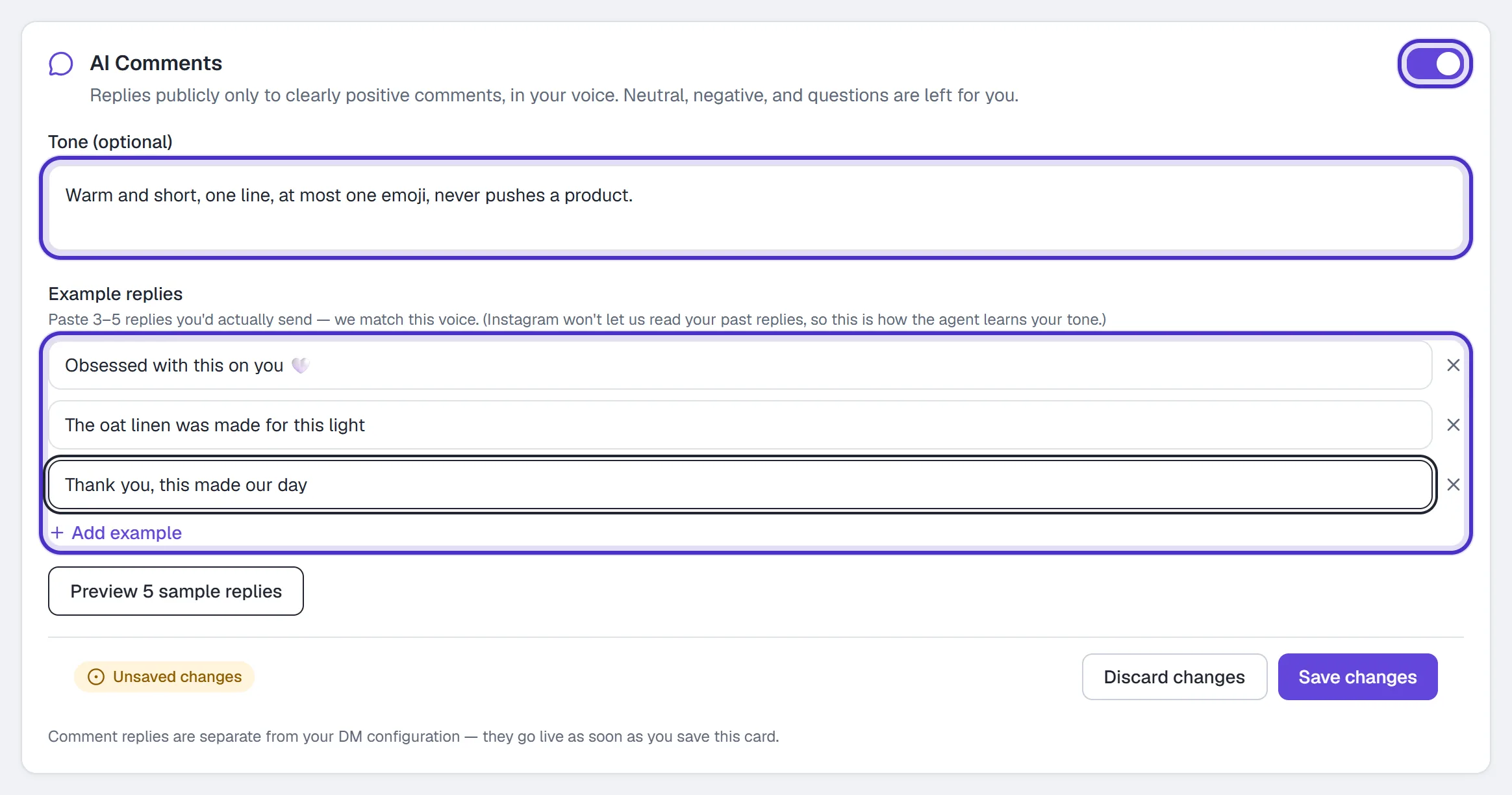
AI Comments switched on, with a tone and three example replies - Click Preview 5 sample replies to see what it would say to a set of sample positive comments. The sample comments aren't shown beside the replies yet, and a note above the list says so.
- If the replies sound right, click Save changes on the card. AI Comments goes live as soon as you save.
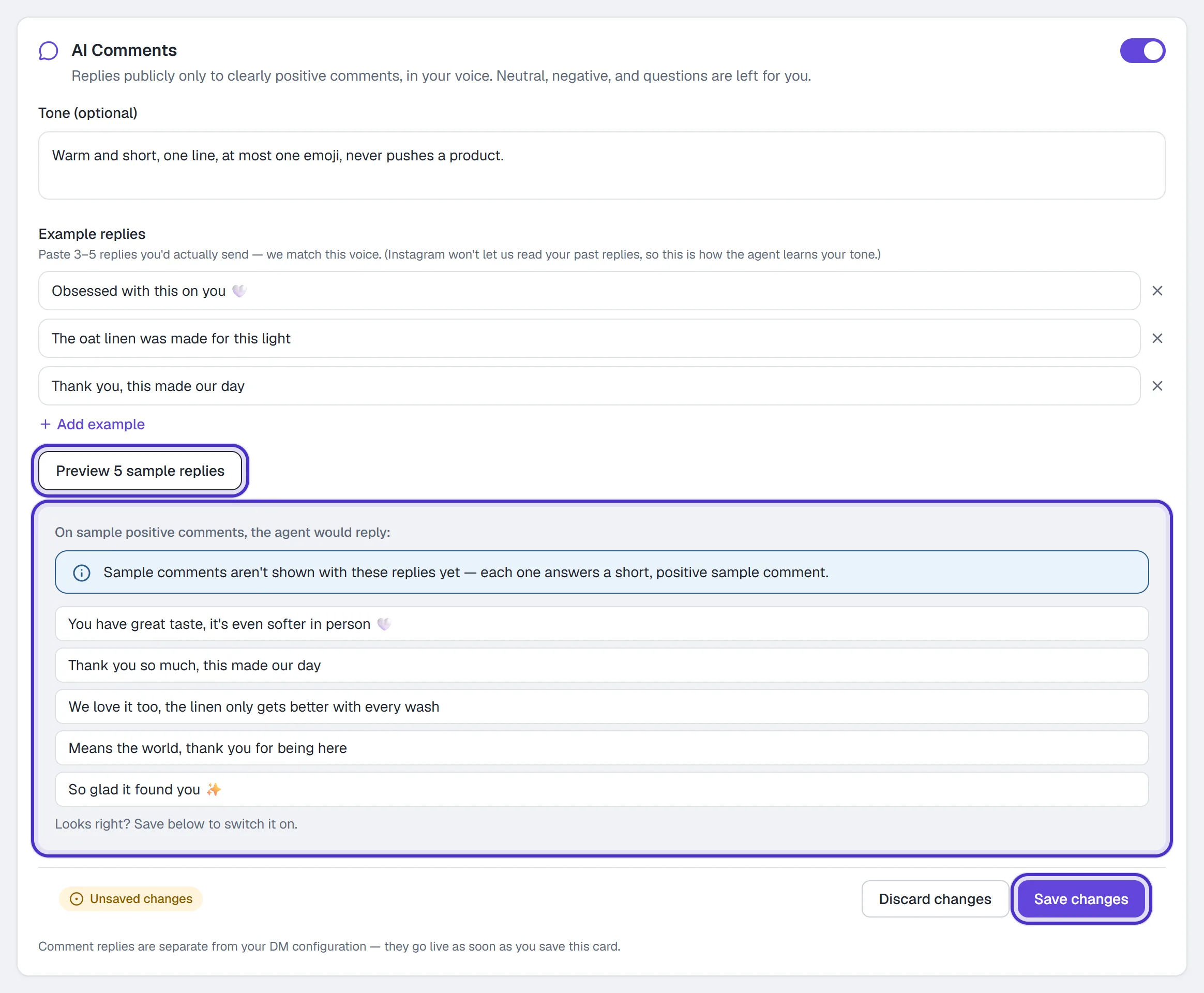
Five sample replies back from Preview 5 sample replies, and Save changes
This card is separate from the DM agent. It doesn't wait for Reply to DMs automatically, and it isn't part of the voice revision you activate on Overview.
Check it and tune it
From a second Instagram account, leave a clearly positive comment on one of your posts, something like "obsessed with this", and watch for the reply. Then leave a question and confirm it gets no automated reply. That one is yours to answer, or a job for a keyword automation.
If the replies don't sound like you, add more Example replies, tighten the Tone, and run Preview 5 sample replies again before saving. Each classification and each drafted reply is a model call, and both count toward your workspace's daily AI spend.
FAQ
Will AI Comments reply to every comment on my posts?
No. It replies only to comments it reads as clearly positive, at most 30 an hour, and never to a comment one of your automations or flows answered.
Does it answer questions people ask in the comments?
No. A comment it reads as a question gets no automatic reply, even when it also contains praise. Answer those yourself, or set up a keyword automation for the common ones.
Do my example replies train an AI model?
No. Up to five examples and your tone note guide each reply as it is written. Nothing is trained on them.
Does AI Comments reply under my ads?
Not on its own. It replies under your own posts and reels.
Why is the AI Comments card greyed out?
AI Comments needs the Growth plan or above.