The AI Step: hand one turn to the agent
The AI Step is a node on the canvas, a step like any other. You give it a goal in plain language, the agent writes the reply, and the flow picks back up down one of the outcomes you named. Everything around it stays fixed. Adding or saving an AI Step needs the Growth plan or above.
Screenshots show the real HyperDM app with a demo workspace. Names and numbers are examples.
What the step does
- In Add step, pick AI Step ("Hand to the agent").
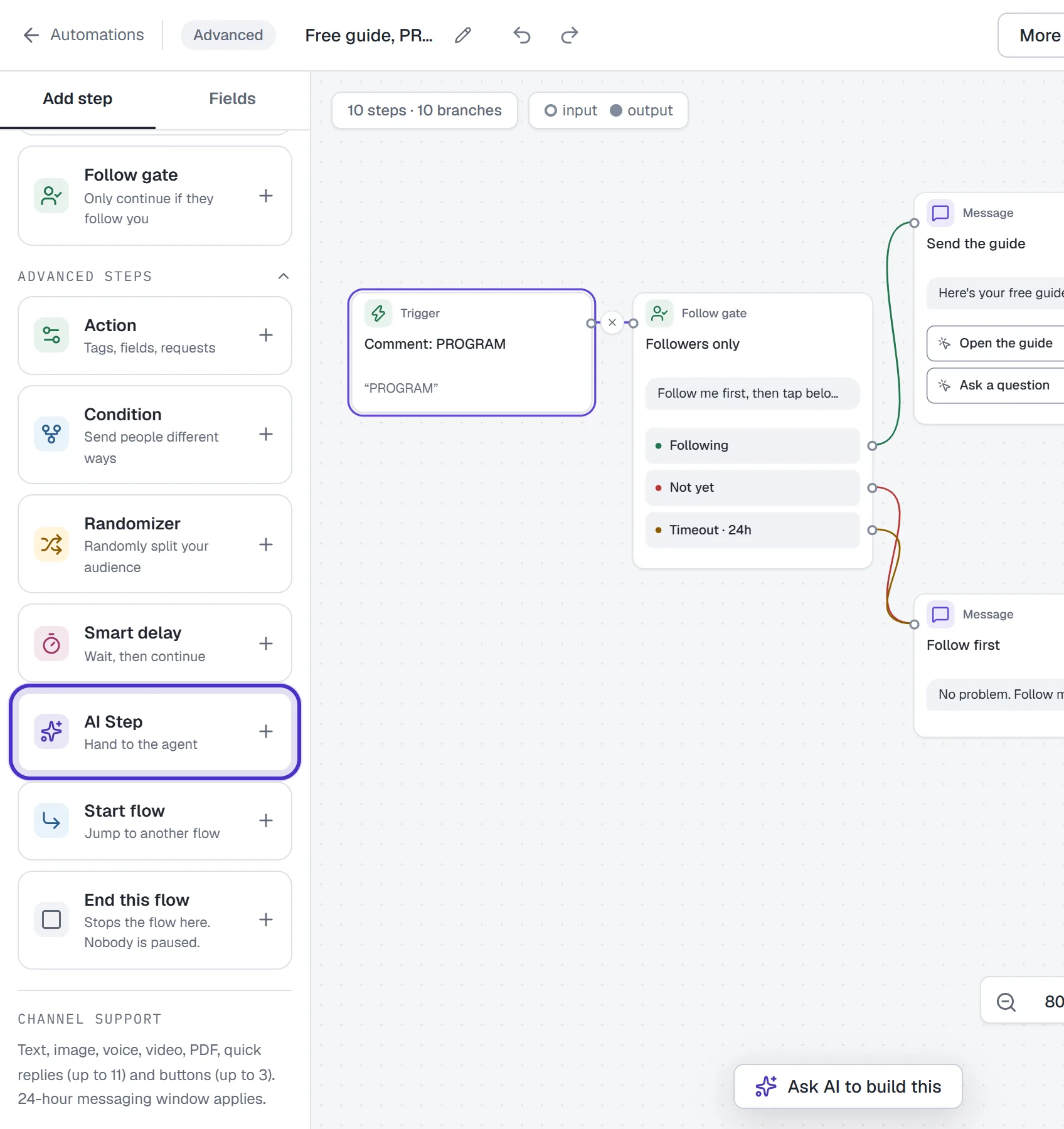
Advanced steps in the Add step panel with AI Step, Hand to the agent - Write the Agent goal, for example
Answer questions about the 8-week program and help {{first_name}} decide if it fits.Merge tags are filled in before the agent reads the goal. - Name the Declared outcomes. A new step starts with Purchased and Needs human. Rename or remove them, or click Add outcome. Each outcome is an exit on the canvas.
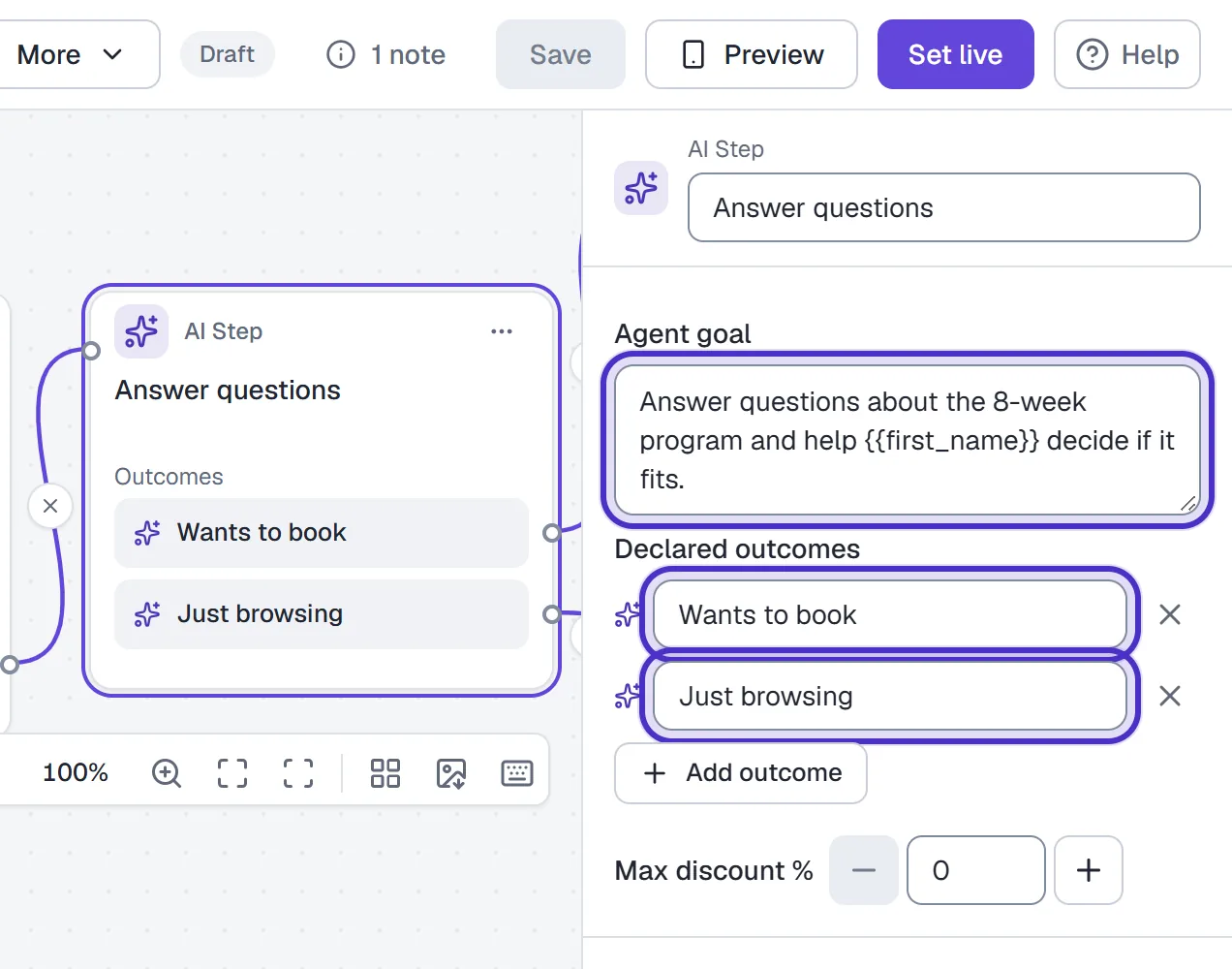
An AI Step's Agent goal and its two Declared outcomes, Wants to book and Just browsing
When the flow reaches the step, the agent writes one reply toward the goal, from what you've given the agent in its knowledge and with your guardrails applied. Then the flow waits for the person's next message.
When they reply:
- With two or more outcomes, a short AI check compares their reply with your outcome labels and follows the exit that fits. If it can't tell, the flow takes the first outcome, so put the safe default first.
- With one outcome, the flow follows it with no check.
It is one turn. The agent answers once and the flow takes over again. For a longer back-and-forth, add another AI Step after it.
When the agent can't answer
If the agent decides it can't answer from what it has, the person gets a short line saying the answer can't be confirmed yet, or that the team has been asked to review it, and the flow ends there. A draft that breaks one of your guardrails isn't sent at all; the step stays quiet and still waits for the person's next message.
The AI can still be wrong. Try the questions you expect in the AI Playground before a flow depends on the step, and check that the agent's knowledge covers them.
Preview never calls a model. At an AI Step it shows the goal and lets you choose how the step ends: one of your outcomes, or the case where the AI isn't sure and a person reviews it. Test the real thing from a second Instagram account.
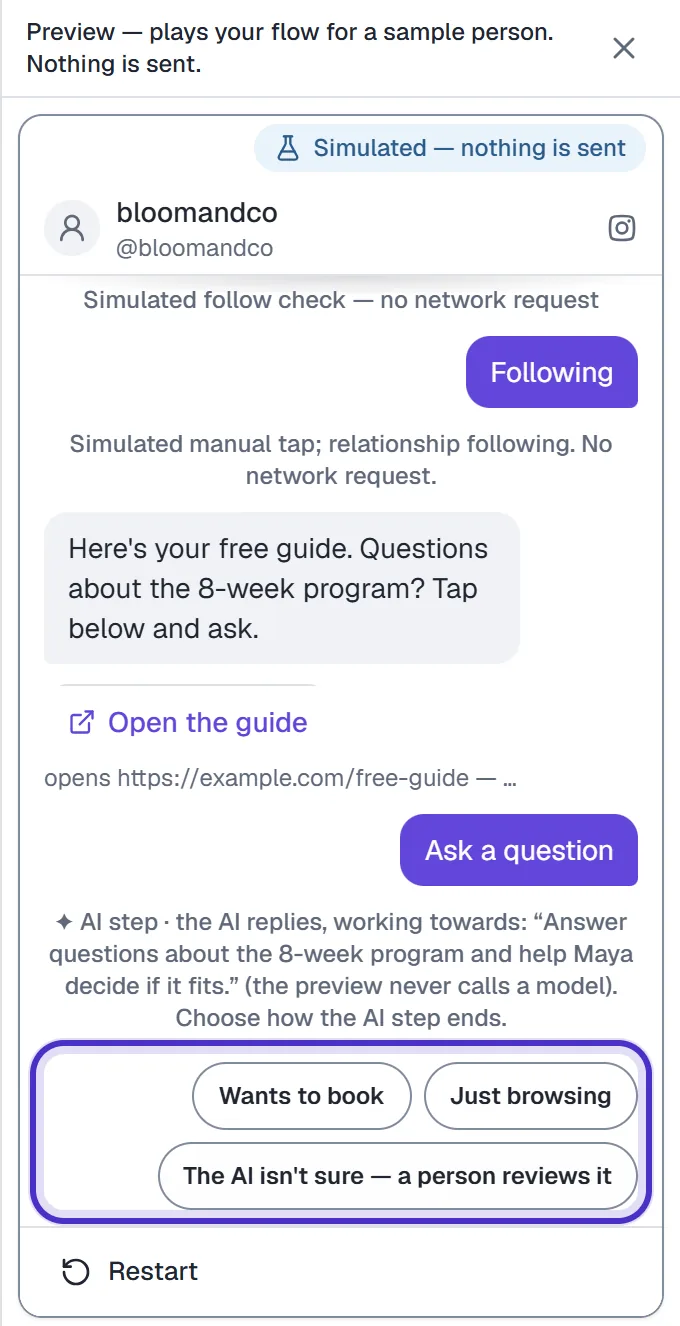
Where an AI Step fits
Draw the parts that must not vary, and give the agent the one turn that needs judgement. A coach running a free-guide post might build:
- A Comment-to-DM trigger on
PROGRAM. - A Follow gate, then a message with the guide link on a button.
- An AI Step with the goal "answer questions about the 8-week program" and two outcomes, Wants to book and Just browsing.
- Wants to book leads to a message with a link button to the booking page. Just browsing leads to an Action that adds the tag
nurture.
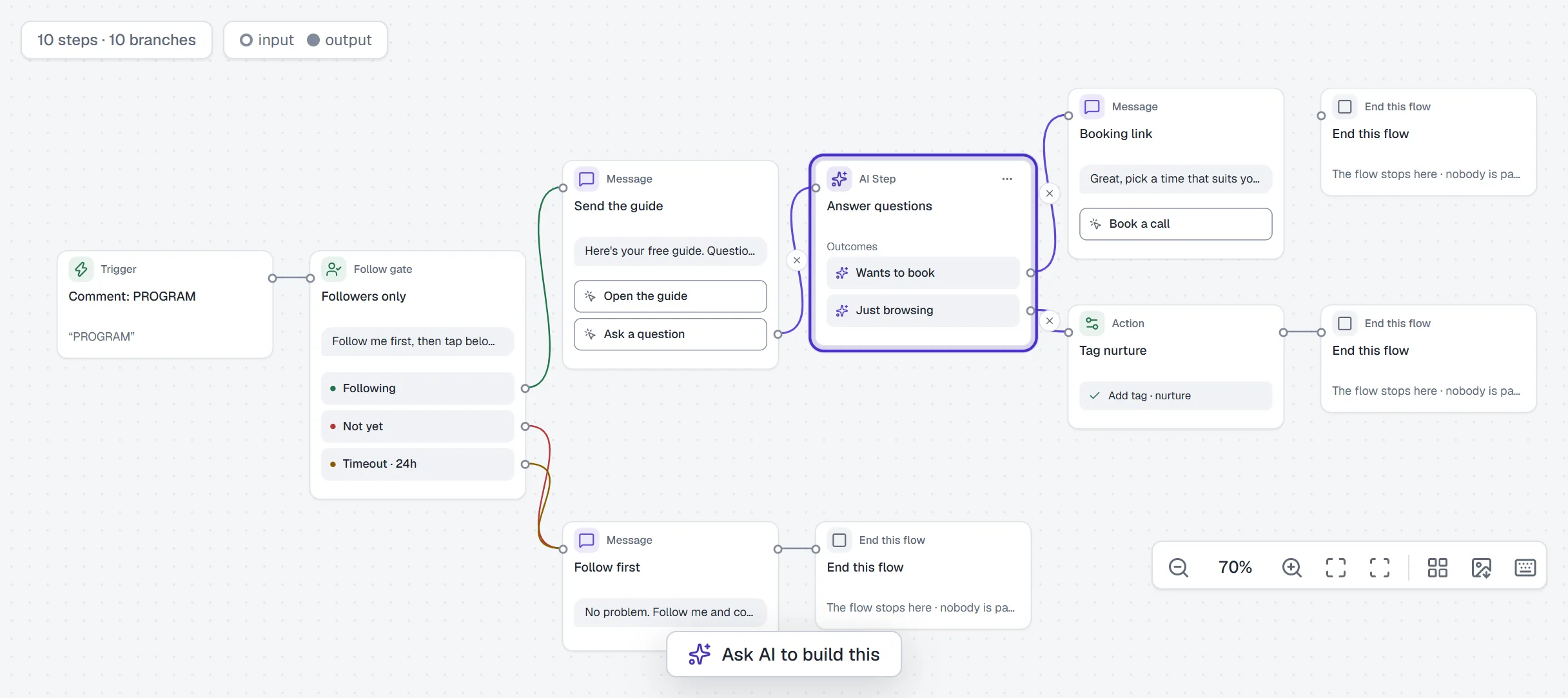
The follow check, the guide and the booking link go out the same way every time. Only the answer in the middle is written fresh.
Plan, counting and limits
Adding or saving an AI Step needs Growth or above, the same gate as the A/B split. If your plan goes below Growth, a live flow with an AI Step is paused, never deleted, and moving back up to Growth turns it back on as it was.
On counting, in HyperDM's own words: "A keyword automation's or a flow's conversation is not AI-assisted, even when that flow contains an AI step." The flow's conversation counts like any other conversation on your plan.
If HyperDM pauses AI replies for the month under your plan's AI safety limit, an AI Step sends nothing and waits for the person's next message. When they reply, the step still picks an outcome.
A buy link the AI Step quotes goes out as the product's own link, so its taps aren't counted. Put links you want to track on a button in a Message step.
An AI Step with no goal is a red design check and keeps Set live off. An outcome with nothing connected is a grey note, because the flow ends there.
FAQ
Which plan do I need for the AI Step?
Growth or above, to add or save one. Free and Starter can build every other step on the canvas.
Does an AI Step use my AI-assisted conversations?
No. A keyword automation's or a flow's conversation is not AI-assisted, even when that flow contains an AI step.
What does the agent know inside an AI Step?
What you've given the AI agent, with its guardrails applied. The goal tells it what to work toward in this one turn.
How does the flow choose an outcome?
After the person replies, a short AI check compares the reply with your outcome labels. If it can't tell, the flow takes the first outcome; with a single outcome there is no check.
Can I test an AI Step without sending anything?
Preview plays the flow without calling a model and lets you choose how the step ends. For real answers, try your questions in the AI Playground, then test the live flow from a second Instagram account.