Count results with conversion events
A conversion event is a result you want your flows to count: a booked call, a paid deposit, a signed-up lead. You name it once in Settings, add a step where it happens in a flow, and Analytics shows how many there were, from how many people and what they were worth.
Screenshots show the real HyperDM app with a demo workspace. Names and numbers are examples.
Create an event
Open Settings → Conversion events. Creating and logging events is on every plan. Everyone in the workspace can see the list, and owners, admins and agents can change it.
- Under New event, type a Name, up to 50 characters, such as
Booked call. Each name is used once in your workspace, ignoring capitals, and an archived event keeps its name. - Optionally add a Description, up to 200 characters, so your team knows what counts.
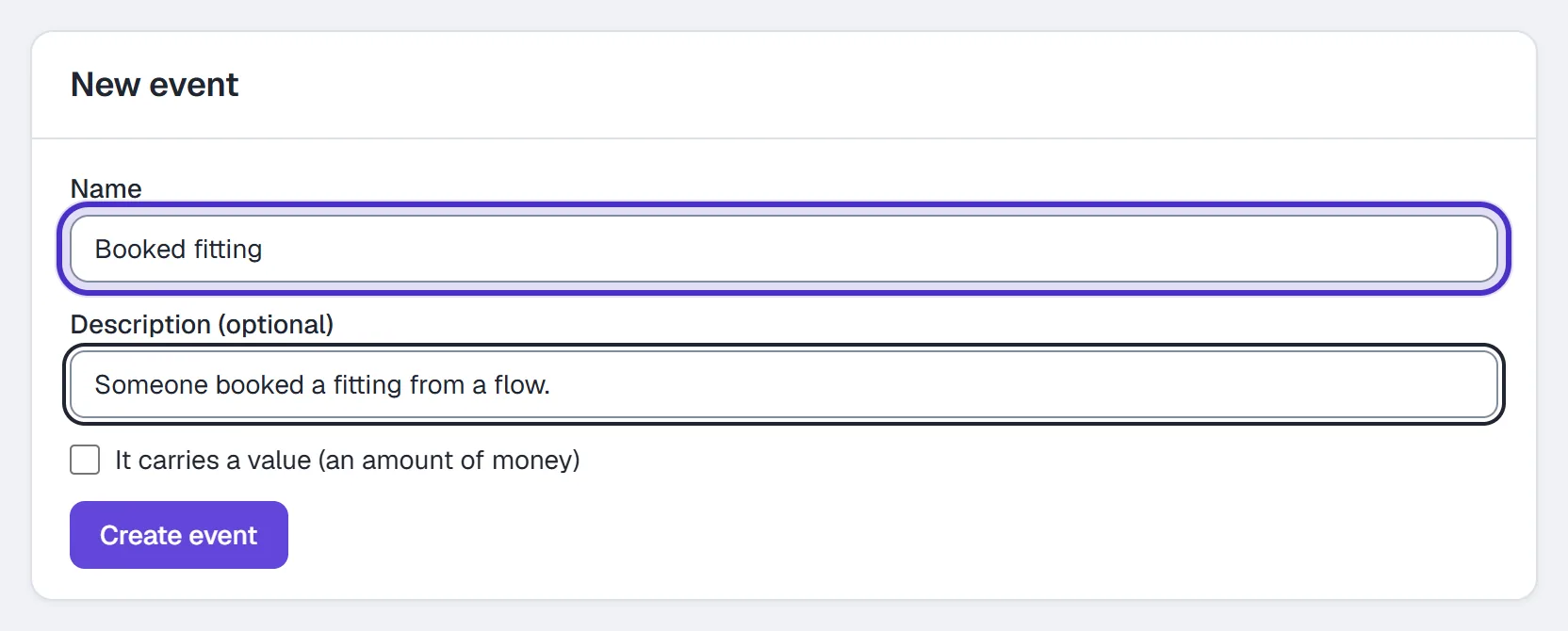
New event with a Name, a Description and the value box - If the result is worth money, tick It carries a value (an amount of money) and pick a Currency. This can't change later, because the conversions already logged were counted in it.
- Click Create event.
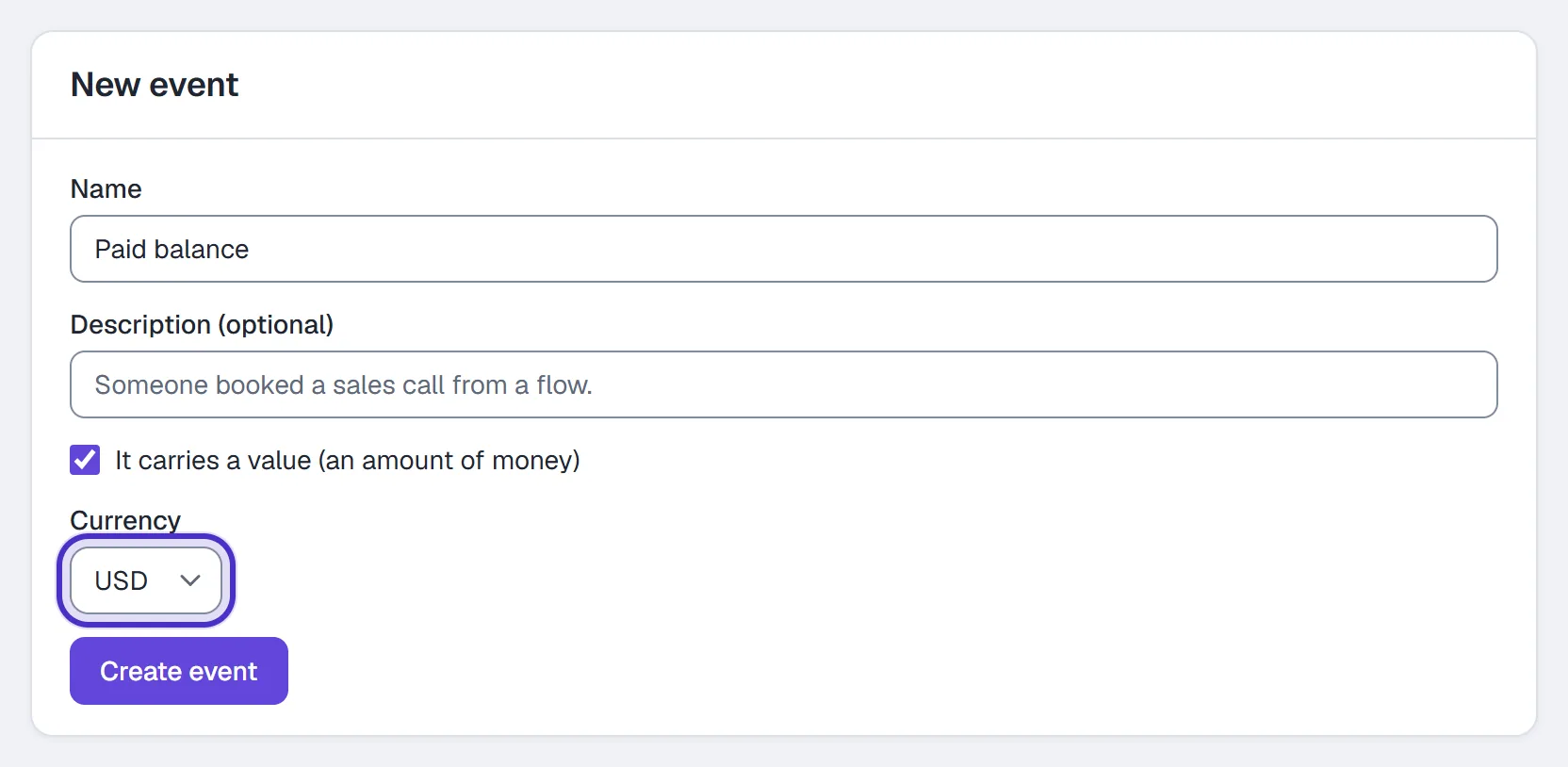
It carries a value ticked, a Currency to pick, and Create event
Log it from a flow
- In the flow builder, add an Action step where the result happens, such as after the booking question, and pick Log conversion.
- Pick the event it counts.
- For an event that carries a value, pick the value: No value, A fixed amount (type it, such as
49.99) or From a number field, which uses the number that field holds when the step runs.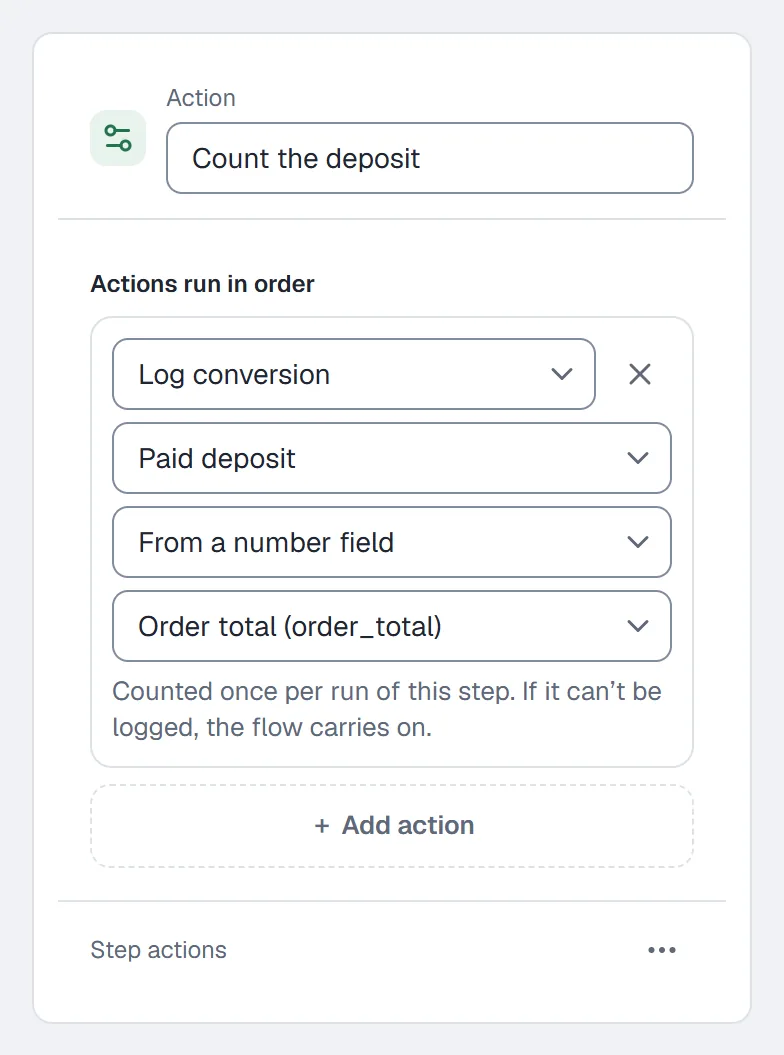
The Log conversion step counting Paid deposit, its value from a number field - Set the flow live. A Log conversion step with no event picked can't go live, and Design checks says it needs setup.
Each run of the flow counts the step once, so a loop or a re-delivery doesn't count it twice. If the step can't log the conversion, the flow carries on. A field that holds no number logs the conversion without a value. New to flows? Start with your first flow.
Read the totals
Open Daily → Analytics and pick Automations. The Conversions card lists each event that had conversions in the range you picked, counted on your workspace's own calendar days. An event with none in that range isn't listed.
| Column | Counts |
|---|---|
| Conversions | How many were logged. |
| People | How many different people they came from. Contacts you merged count as one. |
| Value | The total, in the event's currency. |
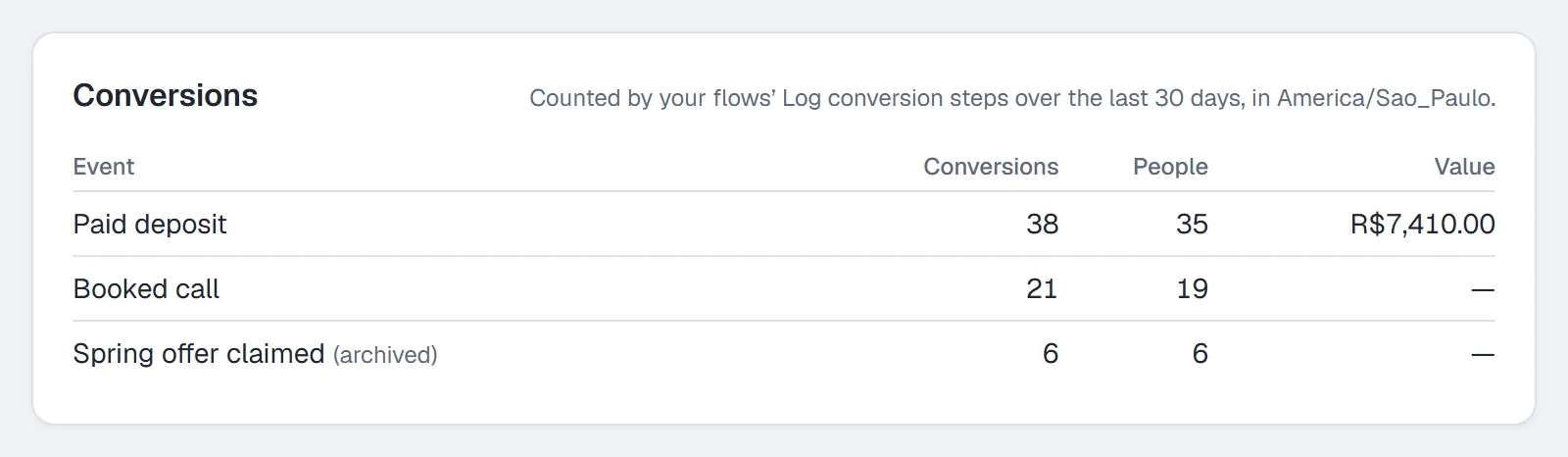
Heads up. The Conversions card is on Growth and up. Your flows log on every plan, so moving up shows what they've already counted.
See one person's conversions
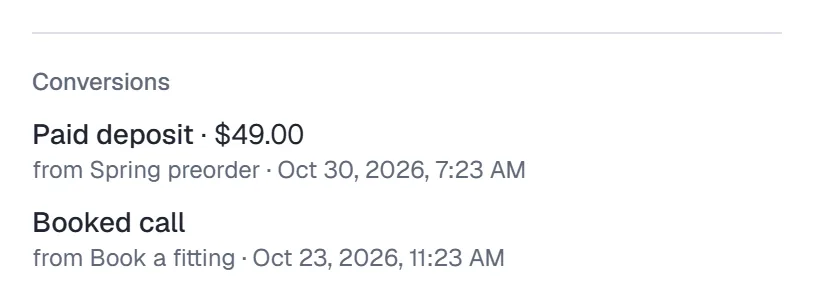
Open someone in Contacts. Conversions in their drawer lists each one with its value, the flow and when, including any from records merged into them.
Rename or archive an event
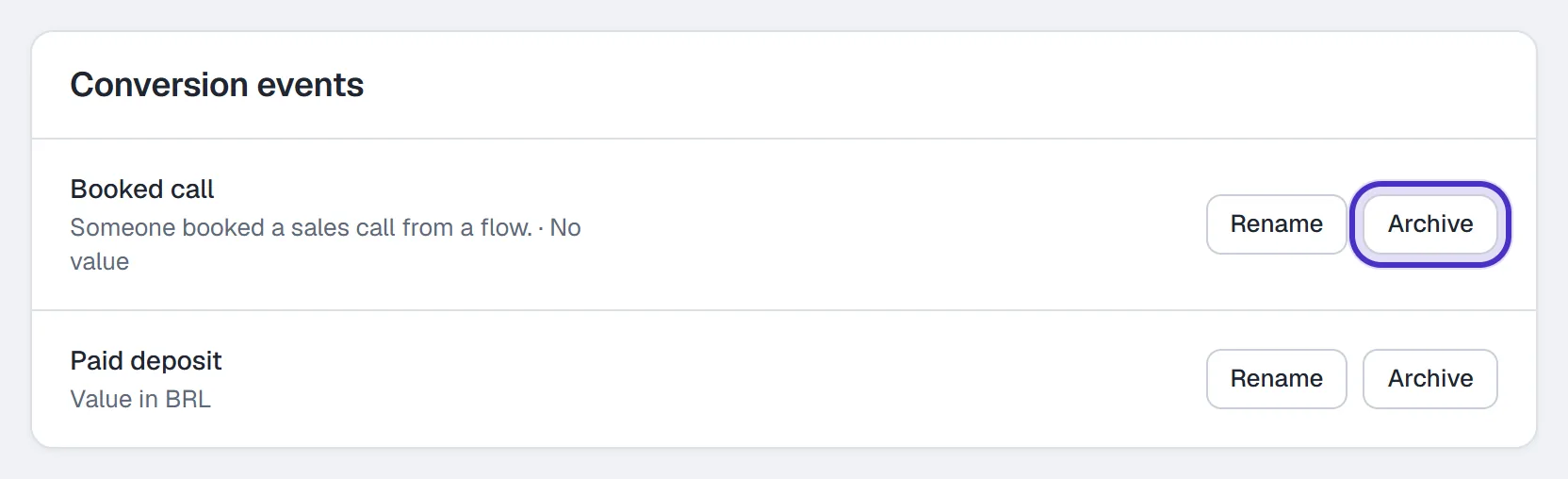
Rename on an event's row lets you change its name and description. Click Save when you're done. If someone changed the same event in another tab after you opened the page, your edit isn't saved, so reload to see theirs and edit again.
Archive first shows which flows use it, the live ones and the ones that only have it in an unpublished draft. If HyperDM couldn't check every flow, it says so, so archive only when you're sure. Once archived, the event is no longer offered, a step that logs it needs setup before its flow can go live again, and the conversions already logged stay in Analytics.
FAQ
Which plan do I need for conversion events?
Creating events and logging them from flows is on every plan. The Conversions card in Analytics is on Growth and up.
Can one person count twice?
Yes, if a flow runs for them twice, because Conversions counts logged results and People counts different people. A single run counts its step once, even if it loops back to it.
Can I change an event's currency?
No. The currency is fixed when you create the event, because the conversions already logged were counted in it. Archive it and create a new one if you need a different currency.
What happens to the numbers when I archive an event?
The conversions already logged stay in Analytics. The event is no longer offered, and a step that logs it needs setup before its flow can go live again.