Broadcasts inside Instagram's 24-hour window
A broadcast sends one message to a chosen audience at one moment. On Instagram it can only reach contacts whose 24-hour window is open and who haven't opted out, so think of it as a message to your recent conversations rather than to everyone who follows you.
Screenshots show the real HyperDM app with a demo workspace. Names and numbers are examples.
Who a broadcast can reach
Instagram's rule. A business can message someone only for 24 hours after that person's last message, and there is no paid way to reopen the window on Instagram. Someone who wrote to you last week can't get your broadcast until they message you again.
Every broadcast message passes the same compliance gate as everything else: consent, the 24-hour window and per-channel rate caps. A contact who opted out, or who has no permission on record, gets nothing. The Only contacts opted in on Instagram toggle in the audience builder is on by default. Switching it off widens the count, but consent is still checked for each person at send.
Broadcasts need the Growth plan or above, and only an owner or admin can send one. Other roles don't see Broadcasts in the sidebar.
Write the message
Go to Automate → Broadcasts and start a new broadcast. The composer has four numbered sections, with a simulated phone preview beside them that sends nothing.
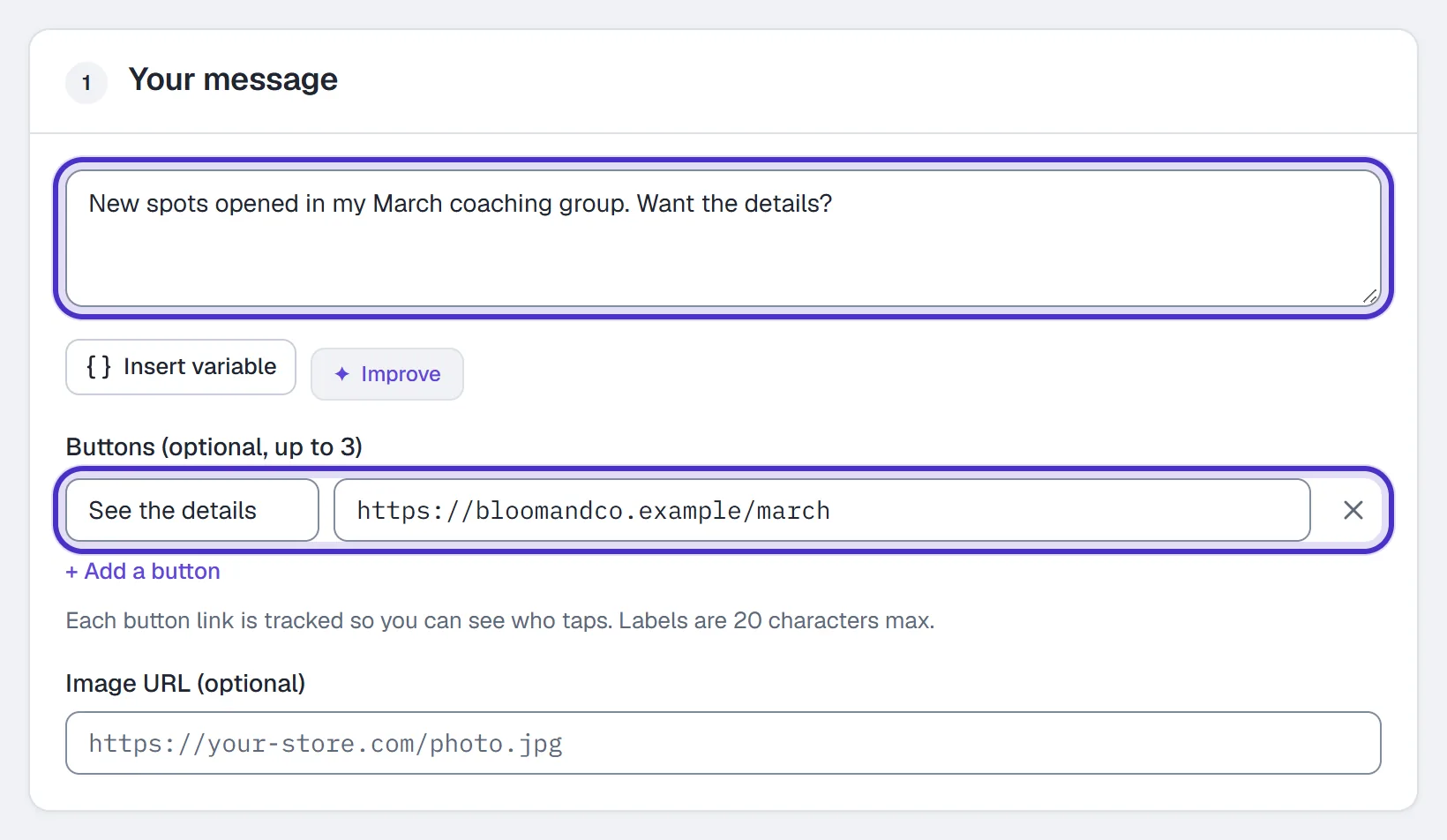
In Your message, write the text, e.g. New spots opened in my March coaching group. Want the details? Merge tags work (First name, Last name, Username and your custom fields), and you can add up to 3 buttons, each with a label of up to 20 characters and a URL. Button links are tracked by default, so you can see who taps; a link typed into the message text goes out as written and isn't counted. You can send one image instead, but not both: setting an image makes it an image-only message, and the text is not sent.
Choose who gets it
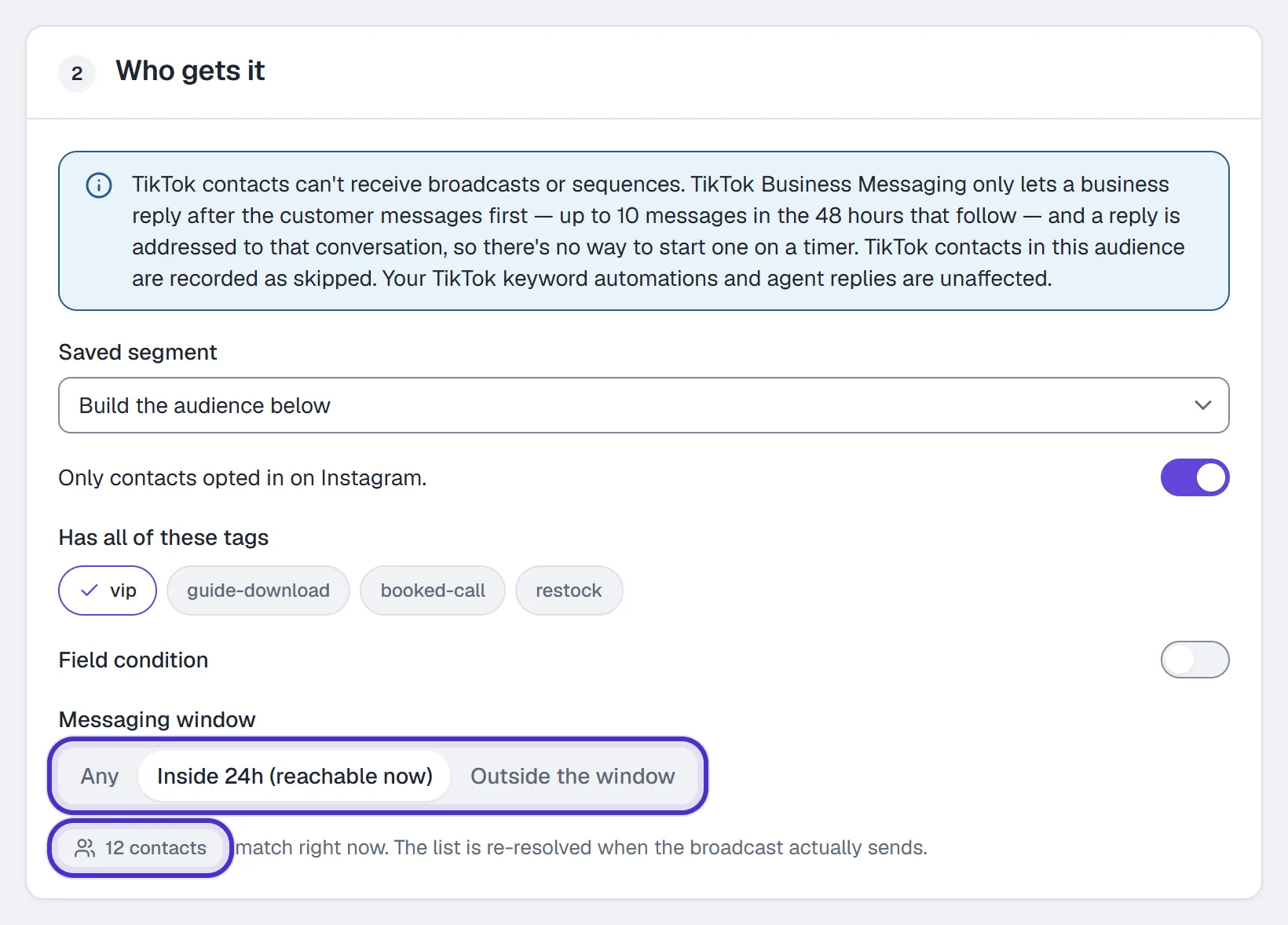
In Who gets it, apply a Saved segment or build the audience inline from Only contacts opted in on Instagram, Has all of these tags, a Field condition and the Messaging window (Any, Inside 24h (reachable now) or Outside the window). Building segments is covered in Contacts.
The count under the builder, e.g. 12 contacts, is how many match right now. The list is resolved again when the broadcast sends, so treat the number as a preview. If the audience is too large to resolve in one pass, sending is refused until you narrow it, so a broadcast never quietly reaches only part of your list.
Out-of-window contacts: skip or queue
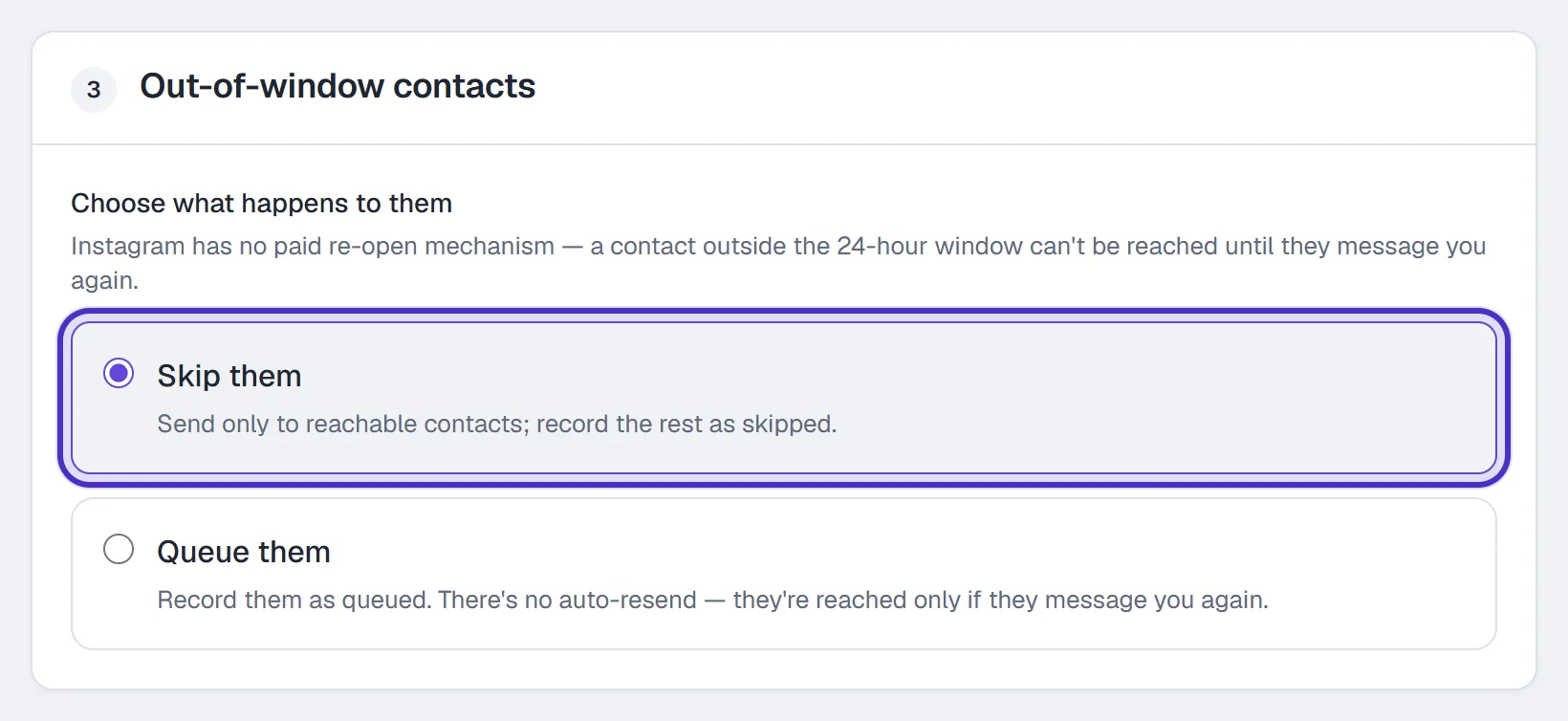
In Out-of-window contacts, under Choose what happens to them:
| Option | What happens |
|---|---|
| Skip them (the default) | Sends to reachable contacts and records the rest as skipped. |
| Queue them | Records the rest as queued. Queued does not mean automatic resend: they're reached only if they message you again. |
Neither option can deliver into a closed window; the difference is only how those people are recorded.
Send, schedule and read the result
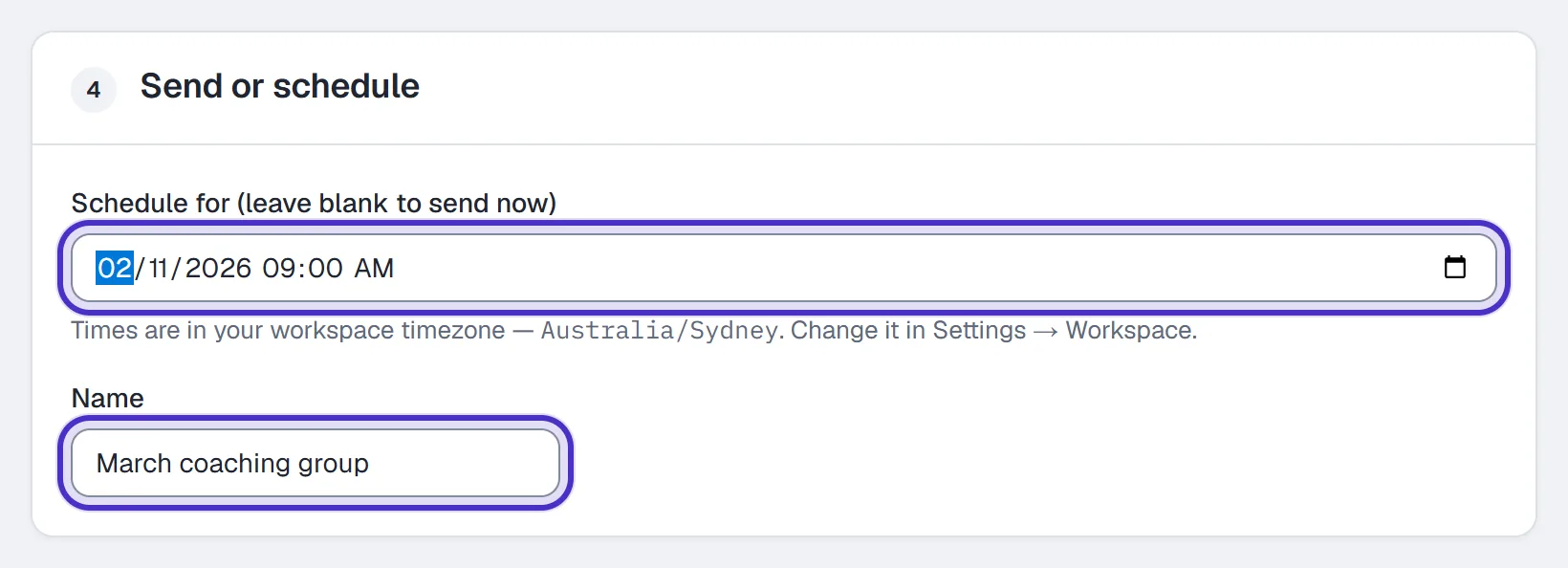
In Send or schedule, leave Schedule for (leave blank to send now) empty to send now, or pick a time, which is read in your workspace timezone from Settings → Workspace. Fill in Name, then click Send now, Schedule or Save draft in the bar at the bottom of the form.

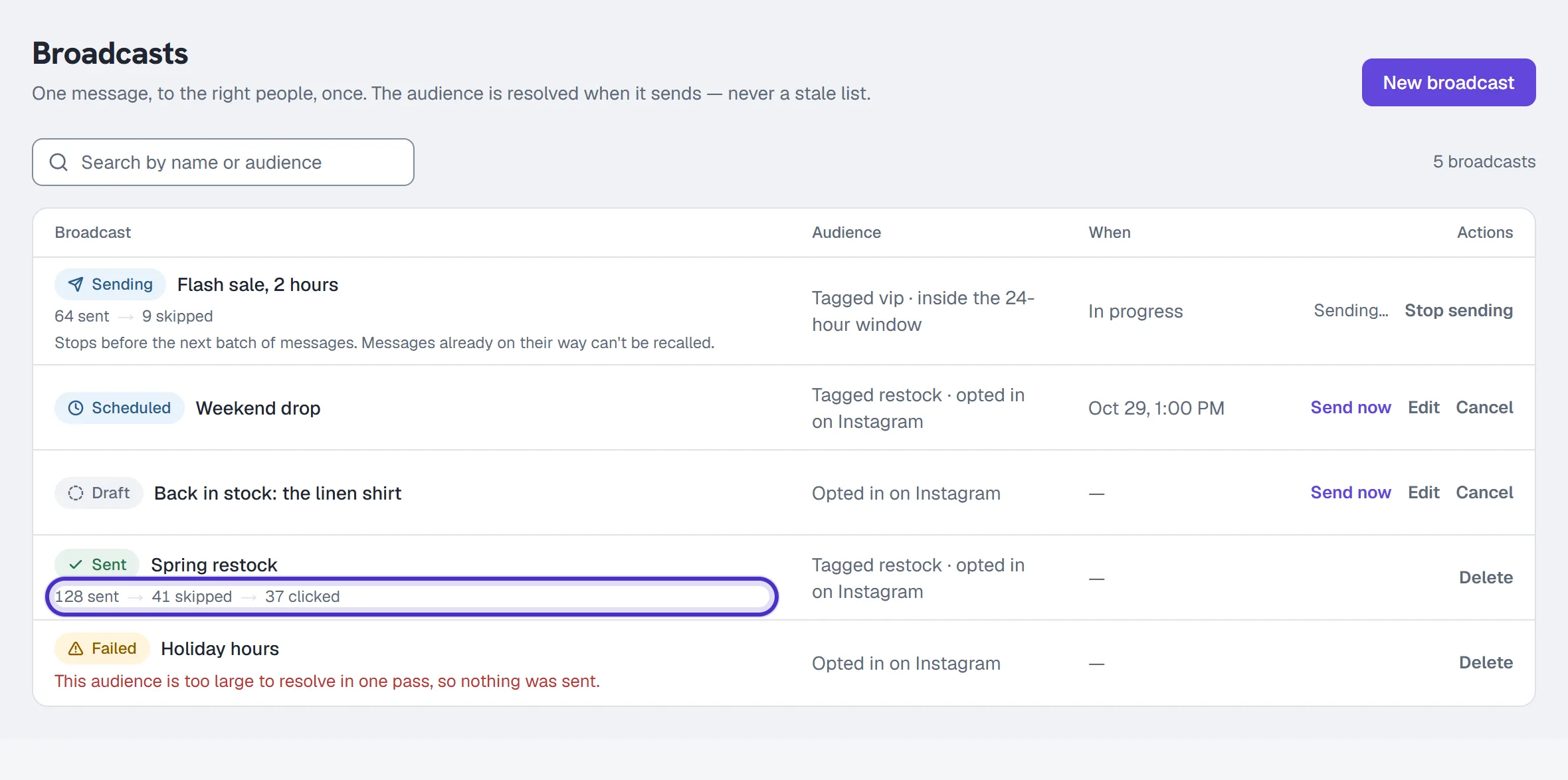
Sends over a rate limit wait for a later slot, so a large broadcast goes out over time rather than all at once. Stop sending on the broadcasts list halts it between batches; a handful already on their way still land, and nothing sent can be recalled.
| Status | Means |
|---|---|
| Draft | Saved, not sent. |
| Scheduled | Will send at the chosen time. |
| Sending | In progress. It can no longer be canceled, only stopped. |
| Sent | Finished. It counts messages sent, because Instagram doesn't report delivery. |
| Failed | It failed, and the row shows why. |
A sent row shows sent → skipped → clicked, and clicked appears when the message carried a tracked link or buttons. Every send decision is also written to the Activity log.
FAQ
Can a broadcast reach people who have never messaged me?
No. On Instagram a broadcast reaches only contacts whose 24-hour window is open and who haven't opted out. Someone who has never messaged you has no window to send into.
What does queued mean on a broadcast?
It records who was outside the window when the broadcast sent. HyperDM does not resend to them later; they're reached only if they message you again.
Why is my audience count smaller than my contact count?
Broadcasts go only to contacts opted in on the channel, and your tag, field and window filters narrow it further.
Which plan do I need for broadcasts?
Growth or above. On Free and Starter an owner still sees Broadcasts in the sidebar, but saving or sending is refused with an upgrade message.
Can I stop a broadcast that is already sending?
Yes, with Stop sending on the broadcasts list. A few messages already on their way still land, and nothing sent can be recalled.