Section 3: Gates, captures and follow-ups
Sequences: follow-up DMs over days
A sequence sends each subscriber a series of steps, each a set time after the last, on their own clock from when they join. A step can be a message you type, the message of a live automation, or a whole flow. On Instagram the 24-hour messaging window decides which of those steps arrive, so a good sequence is built around it. Setting a sequence live needs the Growth plan or above; any plan can save a draft.
Screenshots show the real HyperDM app with a demo workspace. Names and numbers are examples.
Build a sequence
- Go to Automations, open the Sequences tab and click New sequence.
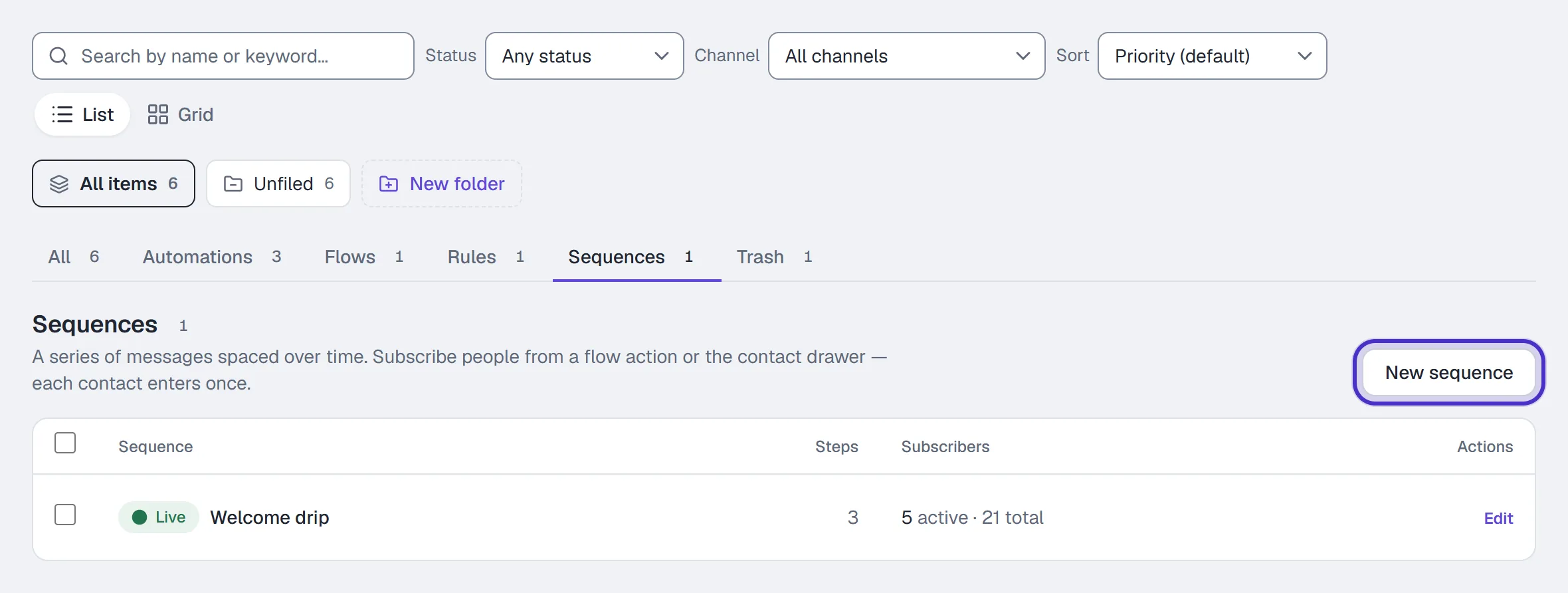
Automations on the Sequences tab with New sequence - Type a Name, for example
Guide follow-up. - On the first card, set the wait: Send, a number and a unit (minutes, hours or days), after they subscribe. It starts at 1 day, and 0 sends it as soon as they join.
- Write the message on the card. Insert variable adds
{{first_name}}and your custom fields.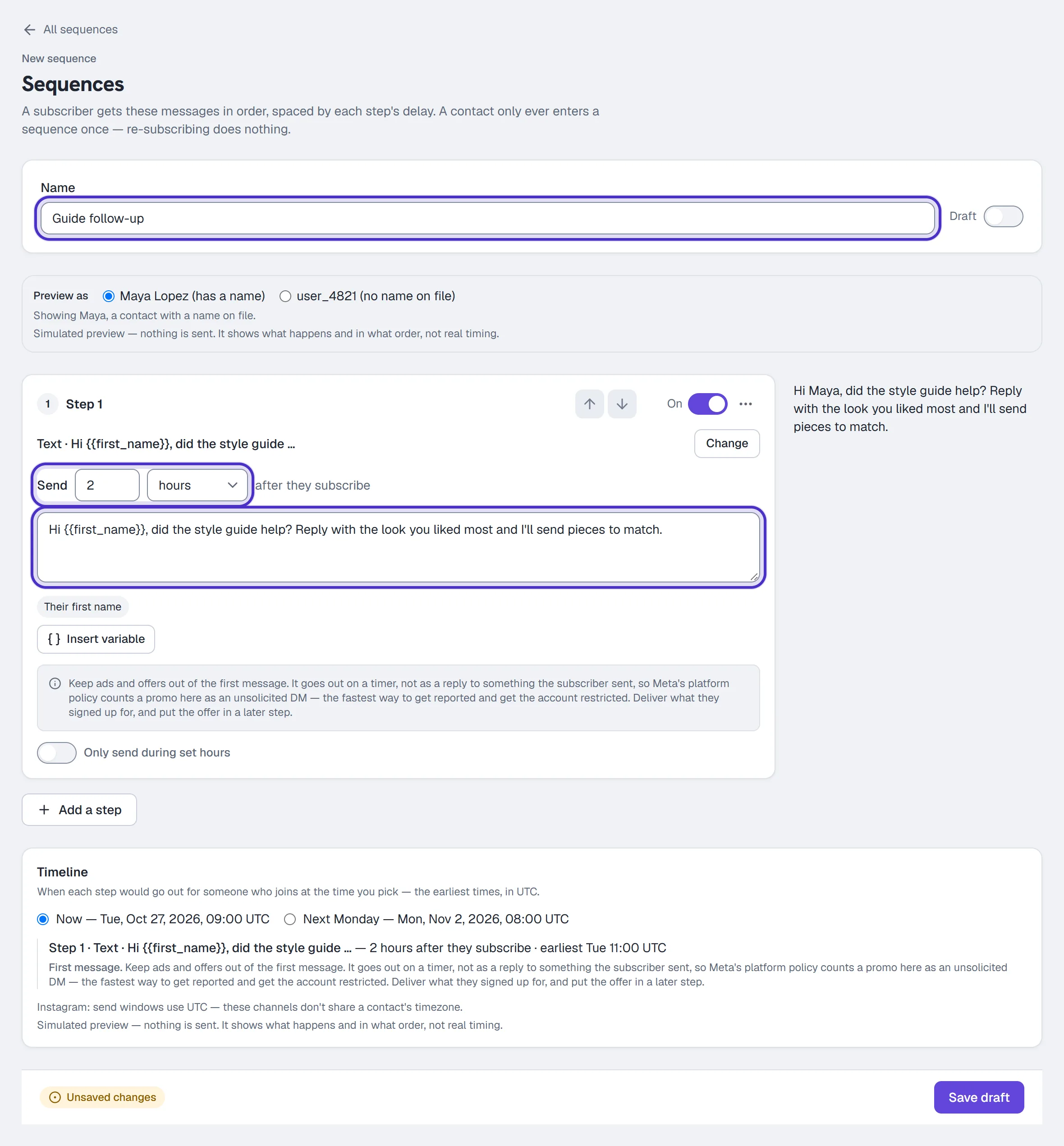
A new sequence named Guide follow-up, its first step sent 2 hours after they subscribe - Check the preview beside the card. Preview as switches every step between a contact with a name and one without.

Preview as, switched to the contact with no name on file - Read what the step would say for that contact. Sent blank for this contact lists any tag that would go out empty. The preview is a simulation: nothing is sent and it never shows real timing.
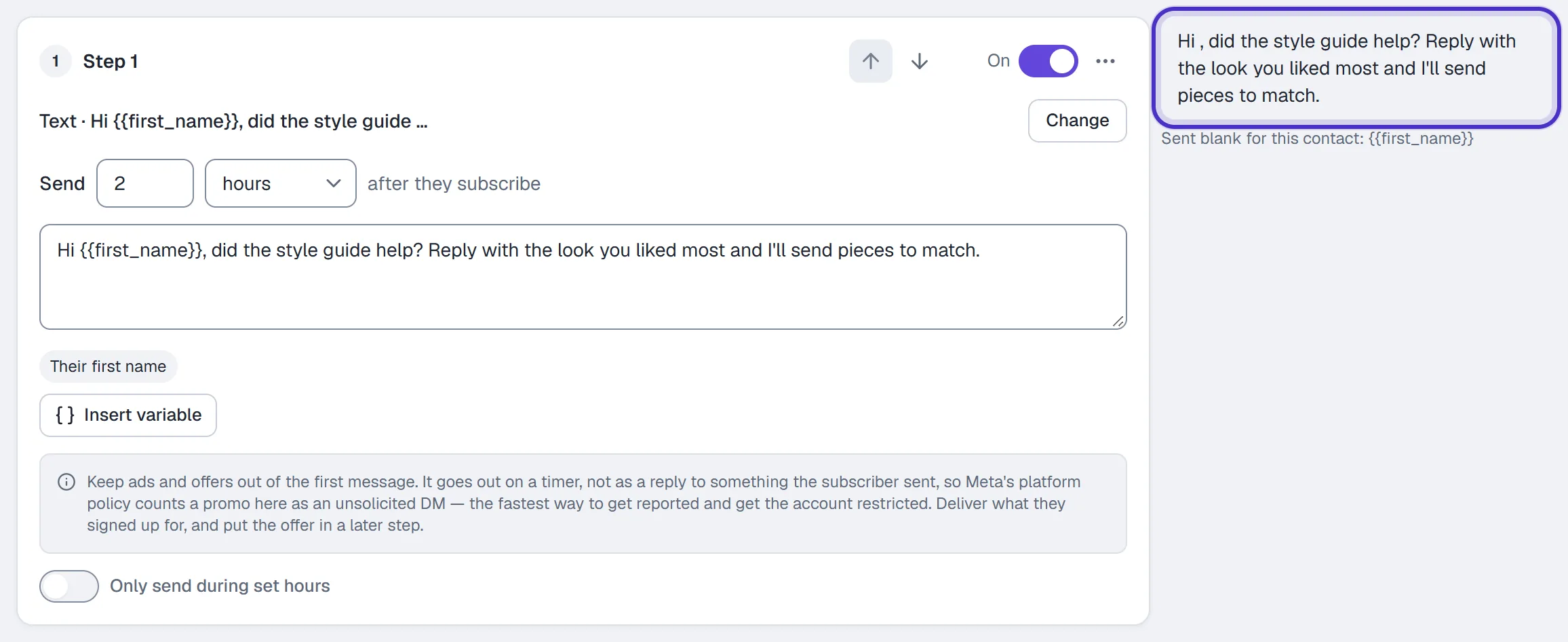
A step with its preview for a contact with no name, and the tag that would send blank - Click Add a step for the next one. Later cards read Then wait and after the previous step. Reorder with Move up and Move down, remove a step with Remove step in its ⋯ menu, or switch one off with its switch, which then reads Paused.
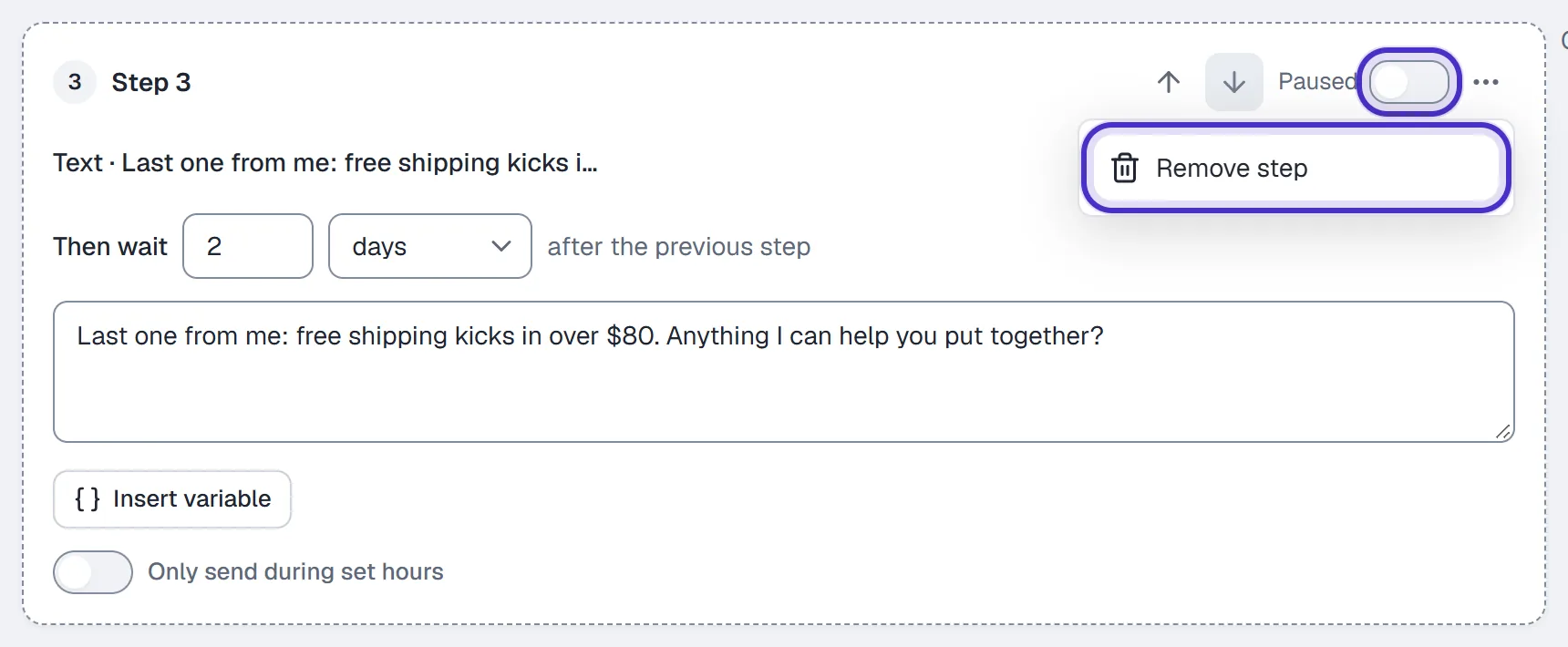
A later step that waits after the previous step, switched off to Paused, its menu open on Remove step - Check the Timeline under the steps. It shows, in UTC, the earliest each step could go out for someone who joins now or next Monday. A step can go out later than shown, never earlier.
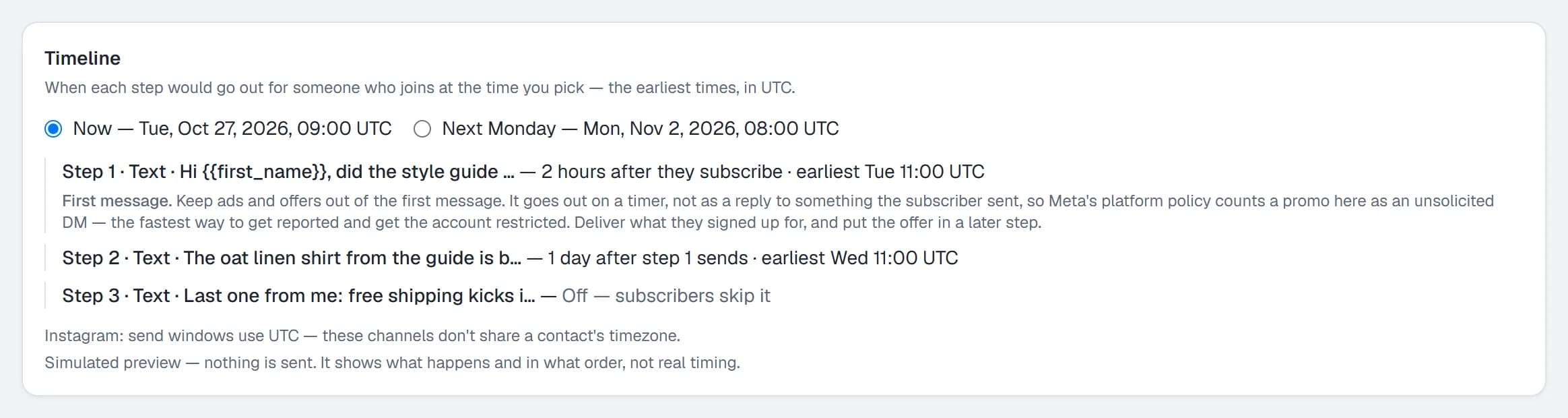
The Timeline with the earliest each step could go out, in UTC - Flip Live on and click Save & go live, or leave it off and click Save draft.
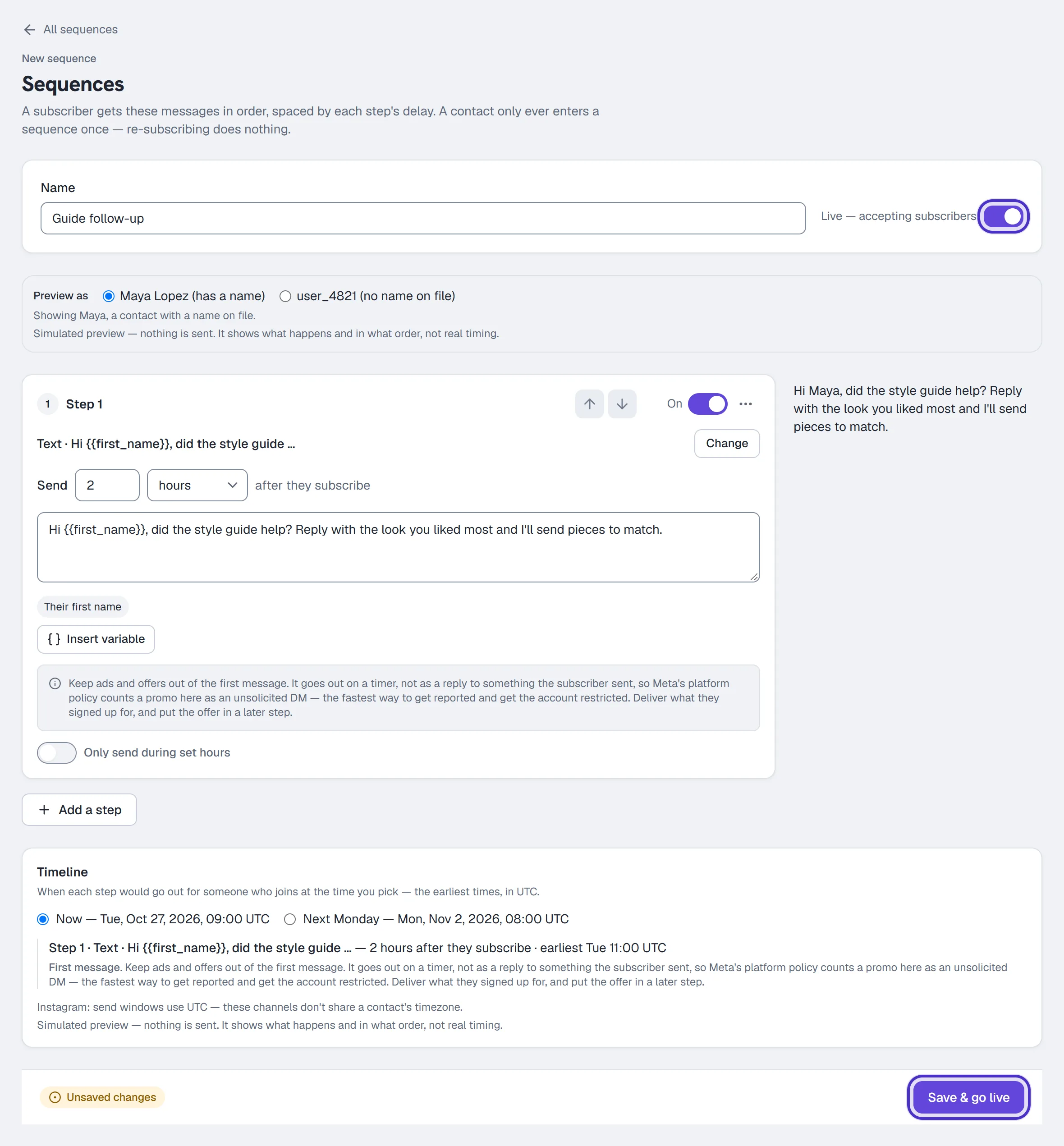
Live switched on and Save and go live
You can edit a live sequence. Each person gets each step at most once, in the order the steps are in now: a step they already had is never repeated, and a new step you add above where they are still reaches them. Editing a live sequence has the details.
Reuse a message or run a flow
A step doesn't have to be typed. Press Change on its card to choose between Write a message, Send an existing message and Run a flow. Only live automations and flows can be picked. A paused one is listed but says it isn't available.
To send a message you already wrote:
- Press Change and open Send an existing message.
- Choose what happens when the automation's message changes. Keep this version sends the text as it is now, even if the automation is edited or paused later. Follow the latest sends its latest published message each time.
- Click the automation in the list.
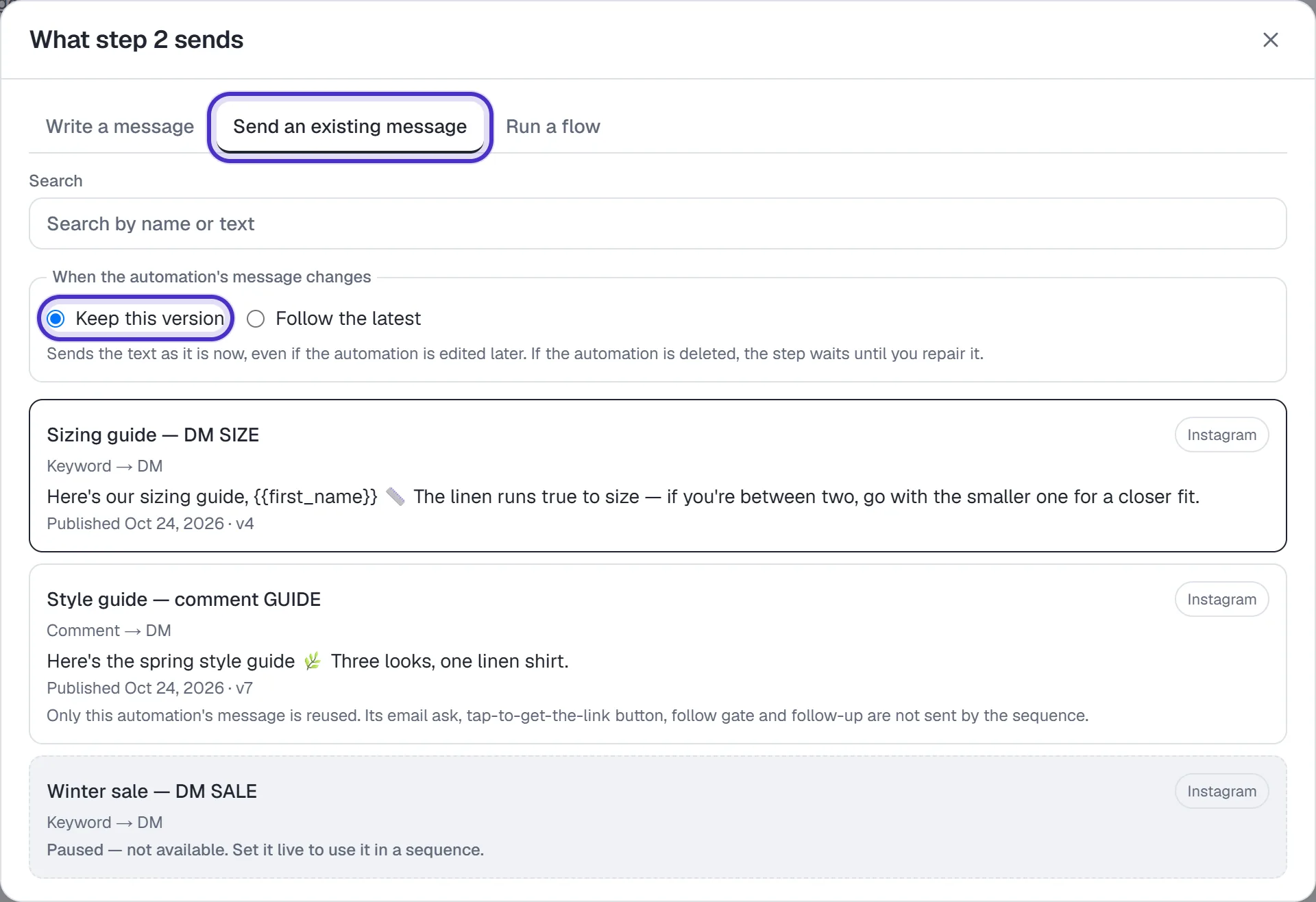
A step's Change picker on Send an existing message, with Keep this version
Only the message and its links are reused. The automation's email ask, tap-to-get-the-link button, follow gate and follow-up are not sent by the sequence.
To start a flow:
- Press Change and open Run a flow.
- Choose Follow the latest, which runs the flow as it is when each person's turn comes, or Keep this version, which runs it only while it is unchanged.
- Set If the flow is still running after this many hours, continue anyway, from 1 to 168. Leave it blank for 24.
- Click the flow.
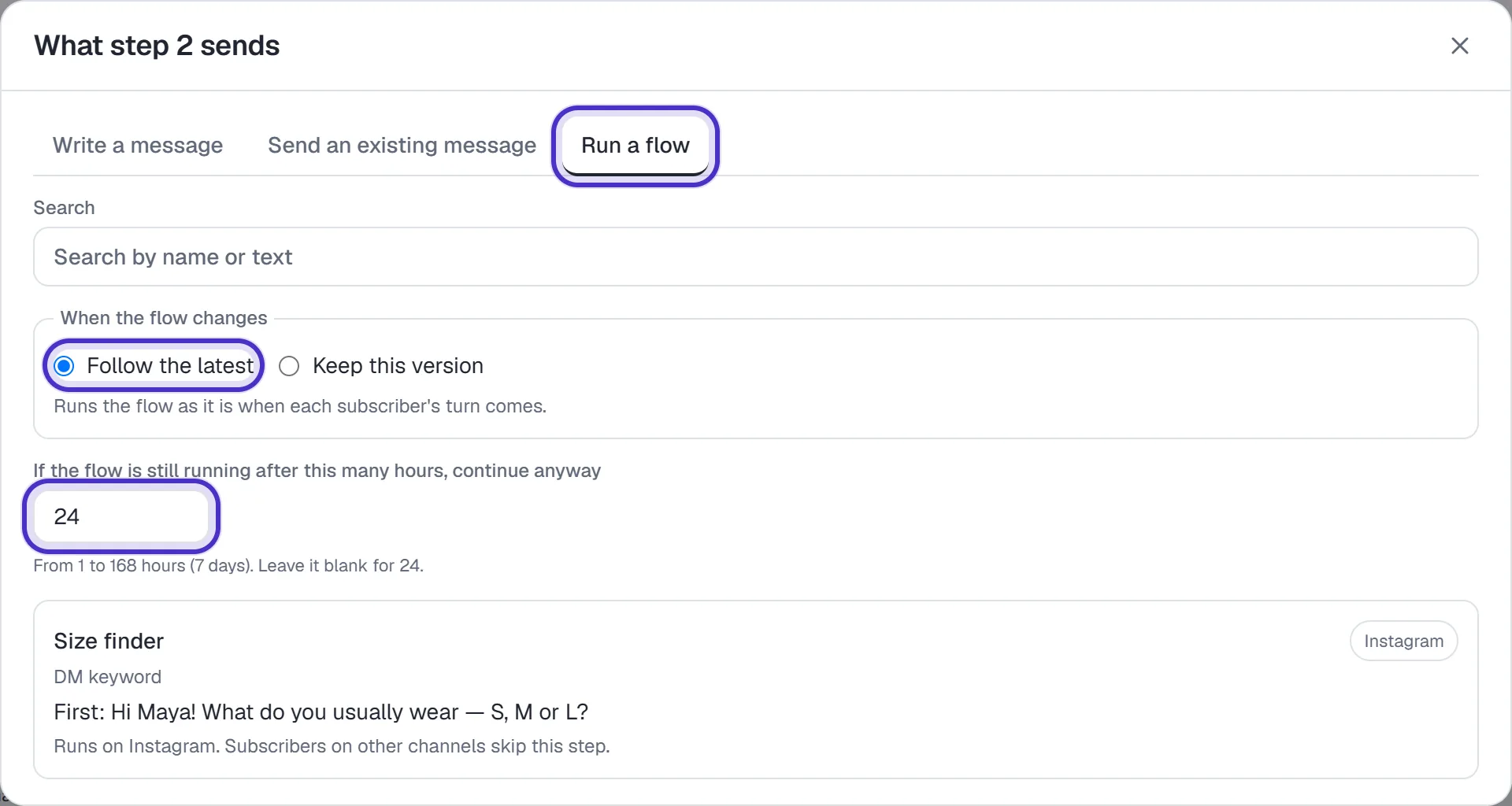
A step's Change picker on Run a flow, with Follow the latest and a 24 hour limit
The sequence waits for the flow to finish, or for that limit, before it schedules the next step. Past the limit the flow keeps going on its own. A flow runs on one channel, so subscribers on another channel skip the step.
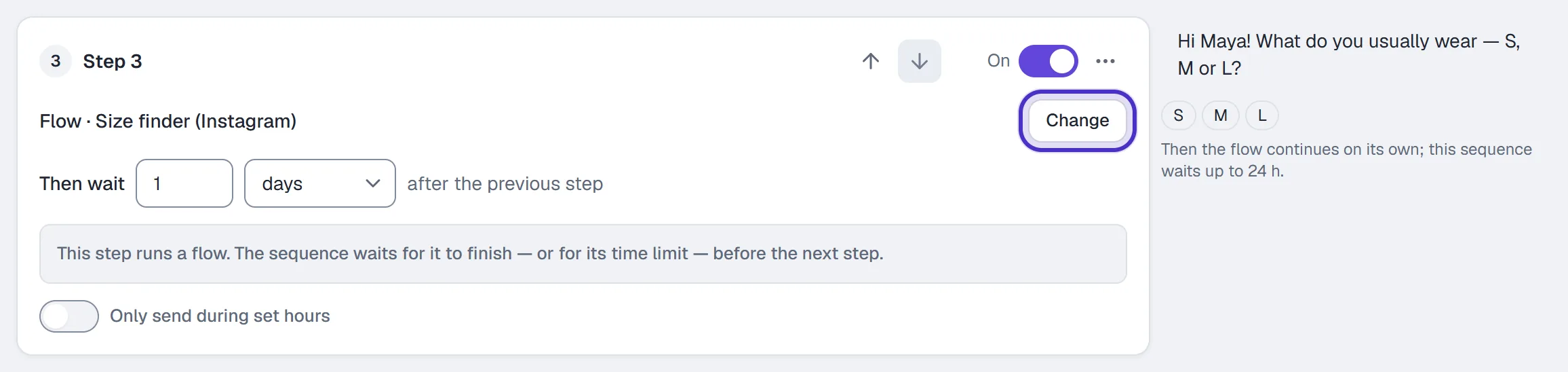
Save & go live checks every step that's on. If what a step points at was deleted, an automation it follows or a flow it runs is paused, or a flow it keeps a version of was edited, the save is refused and the step says what to do: Pick other content, Use the current version, Open it or Restore it. A message step on Keep this version still goes live if its automation was paused or edited, because it sends the text it kept. Only a deleted automation stops it.
If that happens after the sequence is live, people wait at that step instead of losing it. The sequence's row shows Needs repair or how many are on hold, and they get the step once the reason clears.
Read each step's results
Results, on the sequence's row and in the editor's header, shows what the sequence did, step by step. Pick a date range at the top. Subscribers shows active, finished, unsubscribed and total, all time.
Each step then has its own card. Reached counts the people whose turn for the step came, and each number says what it counts. The rate is sent divided by reached for that step, never a share of all subscribers.
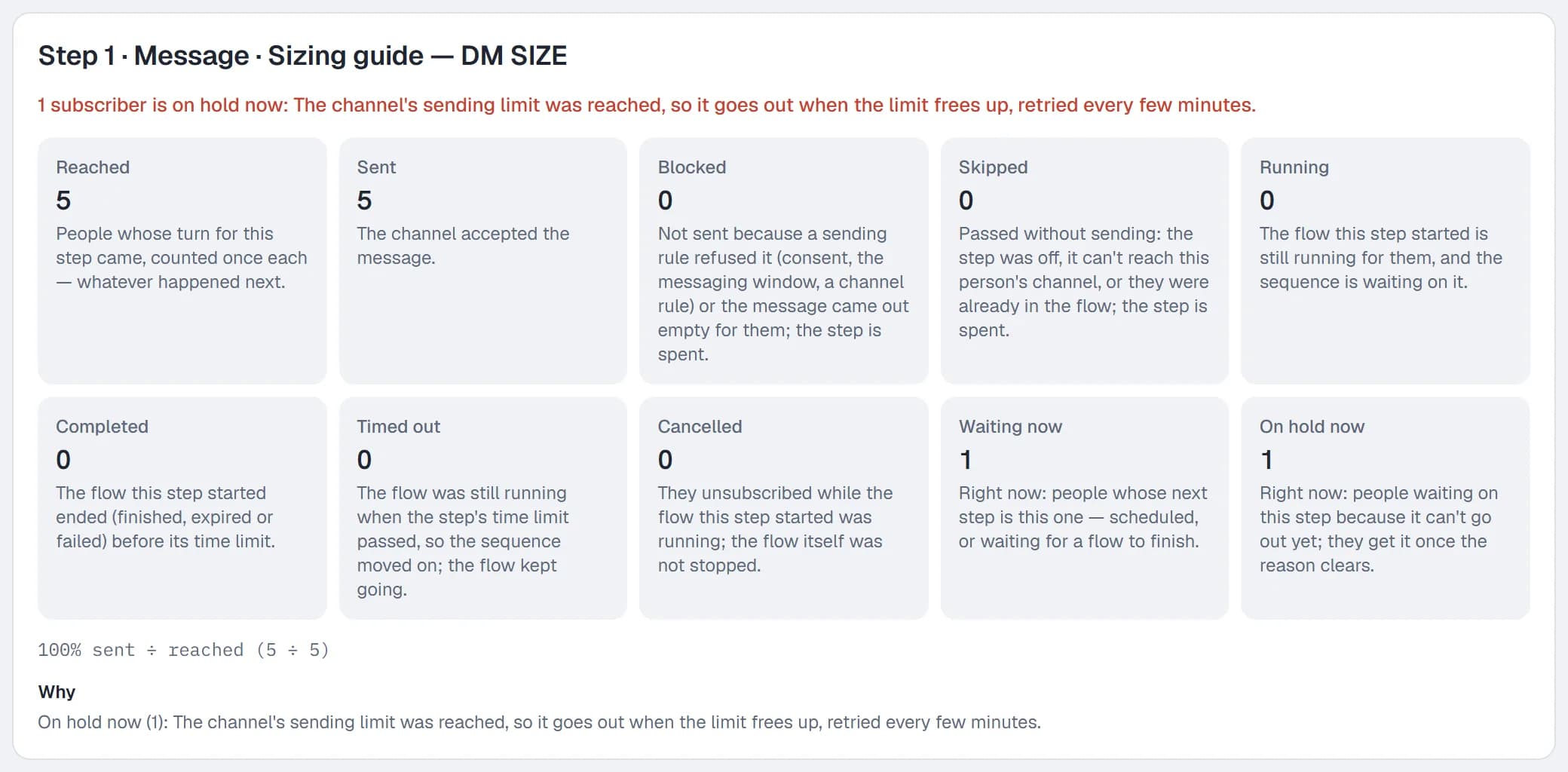
| On the card | What it tells you |
|---|---|
| Sent | The channel accepted the message |
| Blocked | A sending rule refused it, such as consent or the messaging window, or it came out empty for them |
| Skipped | They passed it without a send: the step was off, it can't reach their channel, or they were already in the flow |
| Running, Completed, Timed out, Cancelled | How the flows this step started are going or ended |
| Waiting now, On hold now | Who is at this step at this moment, whatever range you picked |
A flow step sends nothing itself, so it has no sent rate. Read Completed and Timed out instead.
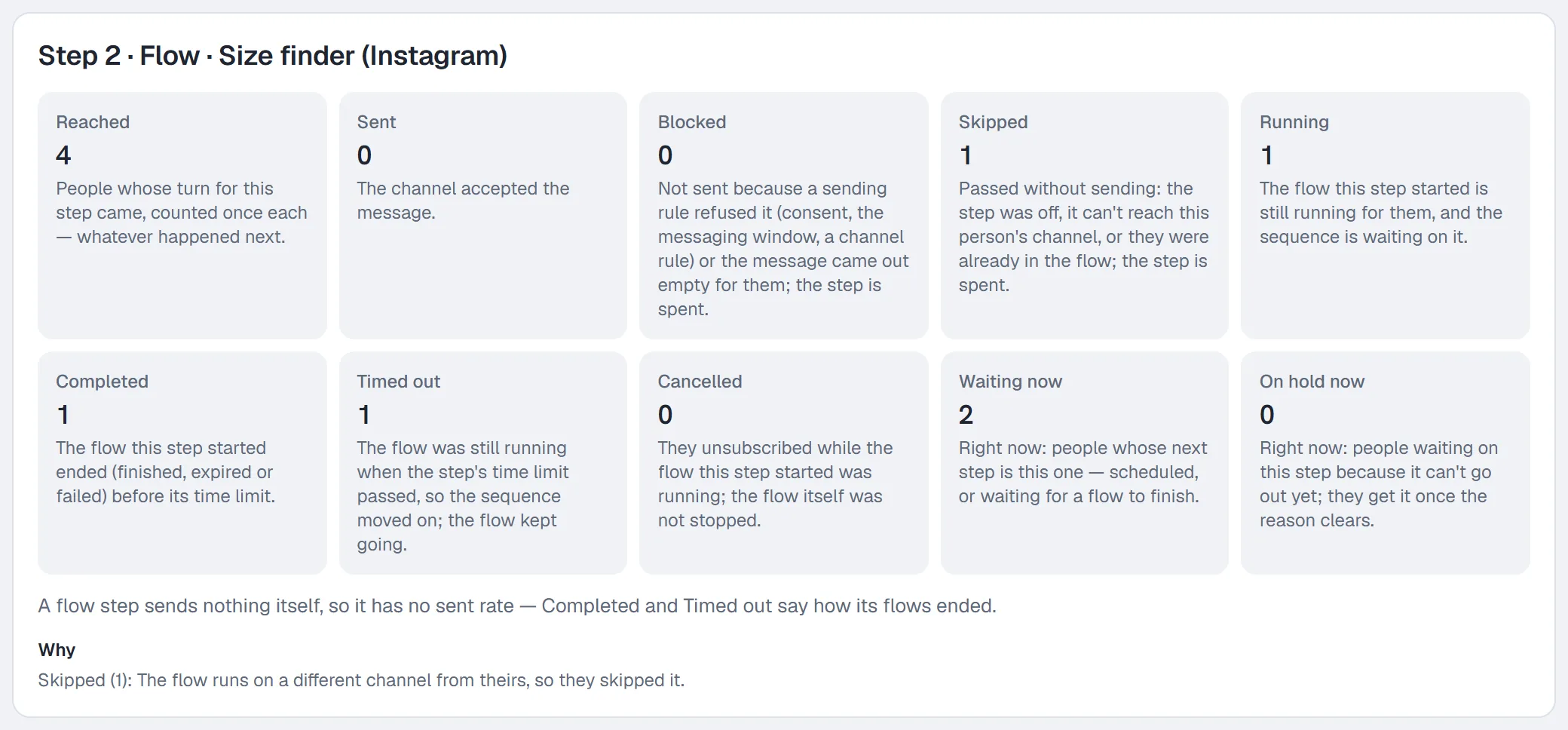
Why gives the reasons behind the blocked, skipped and on-hold numbers, in words. People lists who is behind the numbers, by name and username only, with where each one is now.
Send windows are in UTC
Turn on Only send during set hours on a card, choose From and Until (09:00 to 20:00 UTC to start with) and click the day buttons (M T W T F S S). A step that comes due outside its window waits for it to open. Each step has its own window.
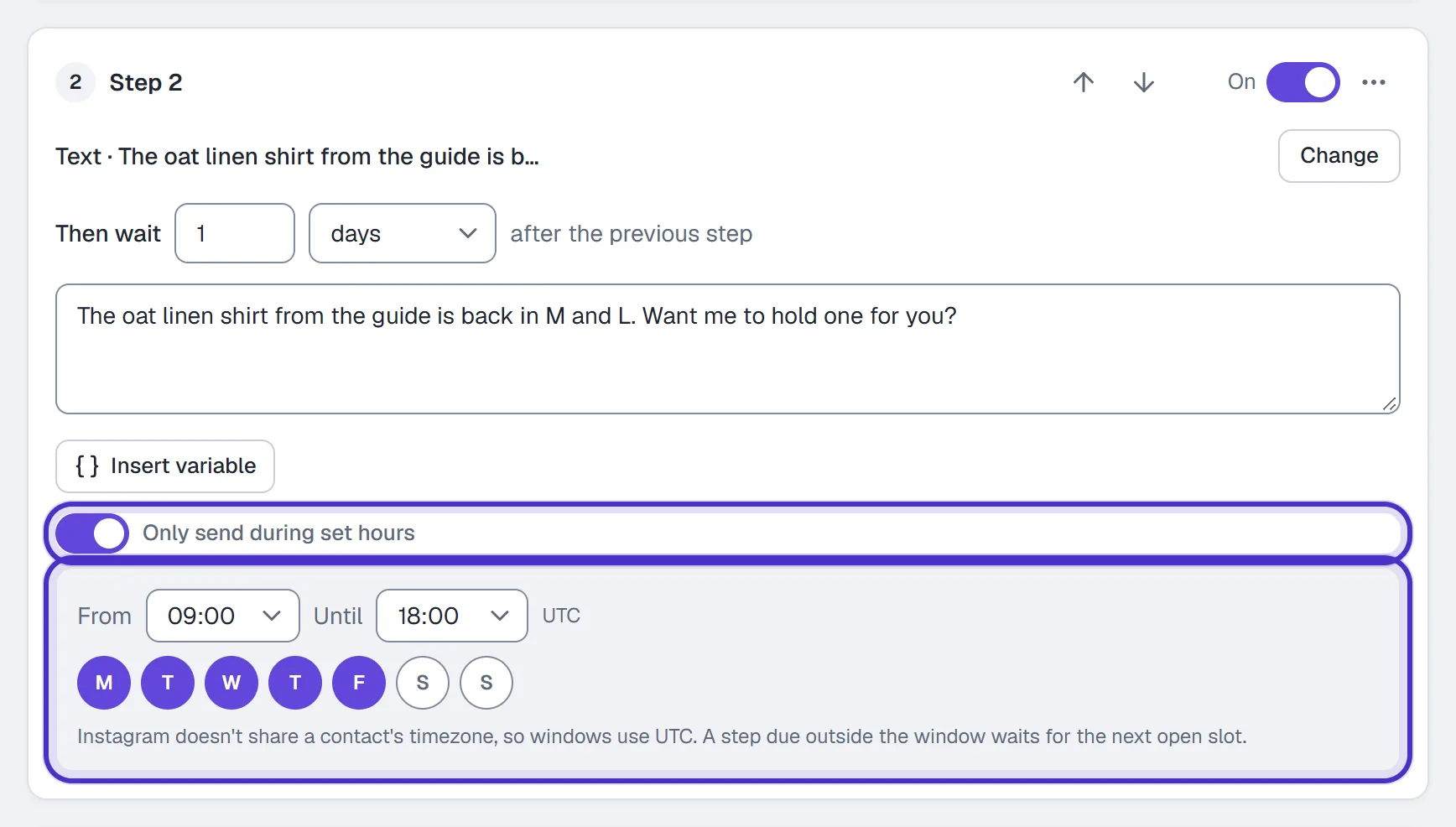
The hours are UTC because Instagram doesn't share a contact's time zone, so convert yours first. 9:00 to 17:00 in New York in winter is 14:00 to 22:00 UTC. The window must end after it starts on the same day, so an overnight window such as 23:00 to 10:00 UTC isn't accepted. If your hours cross midnight in UTC, keep to the part of the day that doesn't.
The 24-hour window decides what lands
A sequence step passes the same checks as any other DM. On Instagram you can message someone only within 24 hours of their last message, and Instagram has no paid message that reopens the window. A step that comes due while the window is closed is skipped for that person, not retried, and the sequence moves on to the next step on its normal schedule.
That shapes how you build one:
- A step 3 days after they subscribe reaches only people who have messaged you in the 24 hours before it comes due.
- Start soon after they join, with a first step at 0 or a few hours, while they're still talking to you.
- End each step with a question worth answering. Every reply opens a fresh 24 hours for the next step.
- Keep ads and offers out of the first message. The editor shows that advice on the first step, because Meta treats an unsolicited promotional DM as spam.
- A link you type into a step goes out exactly as written, so its taps aren't counted. For a link you want counted, put it on a button in a flow and run that flow from the step.
How people join and leave
People join a live sequence in three ways:
- By hand: open the contact in Contacts and click Subscribe on the sequence's row.
- From a flow: the Subscribe to sequence action. After a question, put it on the Answered path, so people who skipped never reach it.
- From a rule: the same Subscribe to sequence action.
A comment automation can't subscribe anyone by itself, so to start a sequence from a comment, build the comment-to-DM as a flow and add the action after the link.
People leave when you click Unsubscribe on their contact, when a rule or flow runs Unsubscribe from sequence, when they finish the last step, or when they send STOP, which stops every automated send. Someone who finished or unsubscribed can't join that sequence again; the button reads Entered. A person can be in two different sequences at the same time.
Sequence or broadcast
A sequence runs on each person's own clock from when they join. A broadcast goes to everyone at once. Both need Growth or above, and both follow the same window rule.
FAQ
Why can't I set my sequence live?
Going live needs the Growth plan or above. Any plan can build and save a draft, and returning a live sequence to draft is never blocked. A step whose automation or flow can't be sent also refuses it, and the step says what to do.
What happens to a live sequence if my plan goes below Growth?
It is paused, never deleted. Moving back up to Growth turns it back on as it was.
What time zone do send windows use?
UTC. Instagram doesn't share a contact's time zone, so convert your local hours to UTC when you pick From and Until.
Why was a step skipped for someone?
Open Results: the Why line under the step names the reason. Most often it is the 24-hour window, because they hadn't messaged you in the 24 hours before the step came due. That step isn't retried, and the next step keeps its own schedule.
Can I subscribe someone again after they finish?
No. Someone who completed or unsubscribed from a sequence can't join that same sequence again.
Are links in sequence steps tracked?
Not when you type the link into a step's message: it goes out exactly as written and its taps aren't counted. For a link you want counted, put it on a button in a flow and run that flow from the step.