Section 2: Your first automations
Keyword replies: answer a DM that contains a word
Someone DMs you PRICE and your price list goes back. A keyword reply watches incoming DMs for a word you choose and sends the DM you wrote. It is the simplest automation in HyperDM and the most predictable, because it fires on the words you typed.
Screenshots show the real HyperDM app with a demo workspace. Names and numbers are examples.
How a keyword reply works
The trigger is Someone DMs a keyword. It answers in any thread, new or old, with two exceptions: a thread you've taken over in the Inbox, and a thread where a flow or automation is waiting for that person's answer. Those go where they were already heading.
They messaged you first, so your links go straight into the reply. And a keyword reply answers every time the keyword arrives: someone who sends PRICE twice gets your price list twice. If you want branching or a wait between messages, that's a flow (lesson 5.1).
Set it up
- Go to Automations and click the Keyword → DM starter card, or New automation and choose Someone DMs a keyword under What starts it.
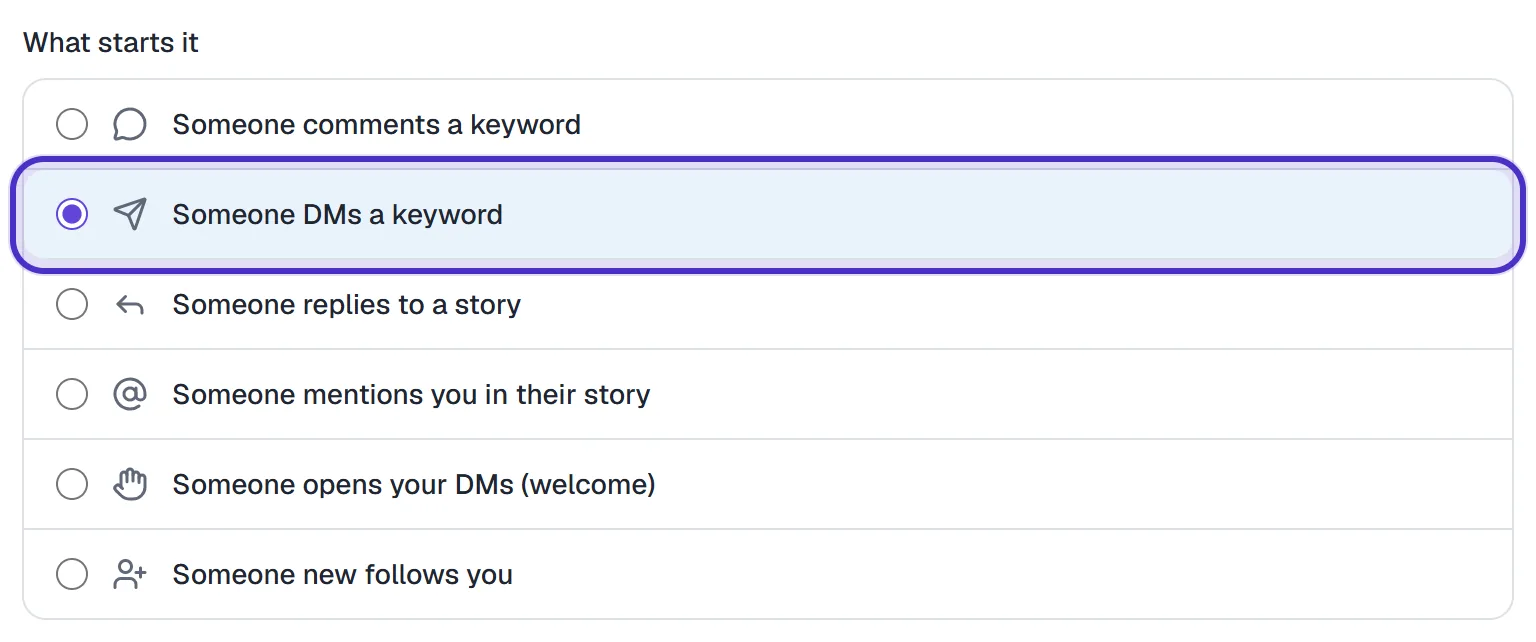
What starts it with Someone DMs a keyword chosen - Leave Detect keywords selected. Recognize intention is a different matcher, covered in lesson 5.3.
- Enter up to 5 keywords, comma-separated, e.g.
PRICE, PRICES, COST. Case is ignored. - Choose contains the keyword (anywhere in the message) or is exactly the keyword (the message is the keyword alone, apart from punctuation around it).
- Optionally click + Exclude words and add up to 5 but doesn't contain words, e.g.
wholesale. A DM containing one is skipped even when the keyword matched.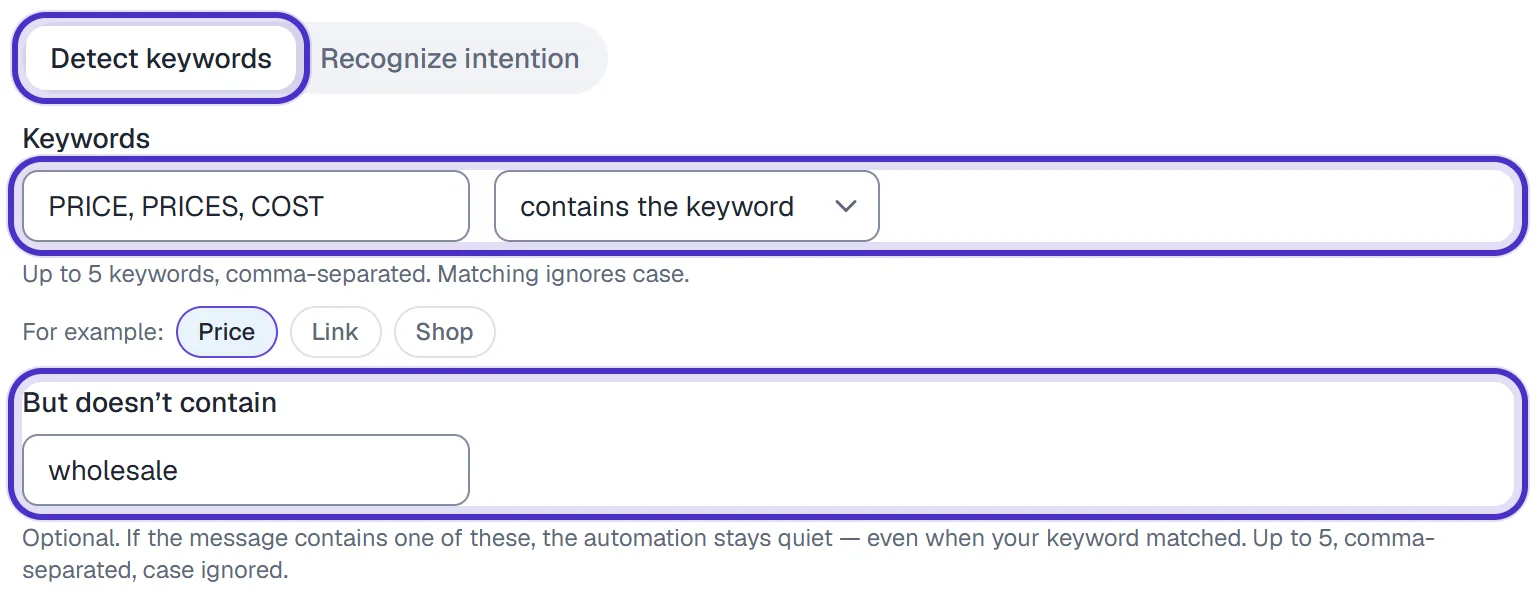
Detect keywords with PRICE, PRICES and COST, contains the keyword, and wholesale excluded - Write the DM. Insert variable adds Their first name, Their last name, Their @username or one of your custom fields. Add up to 3 links, one per line, tracked by default.
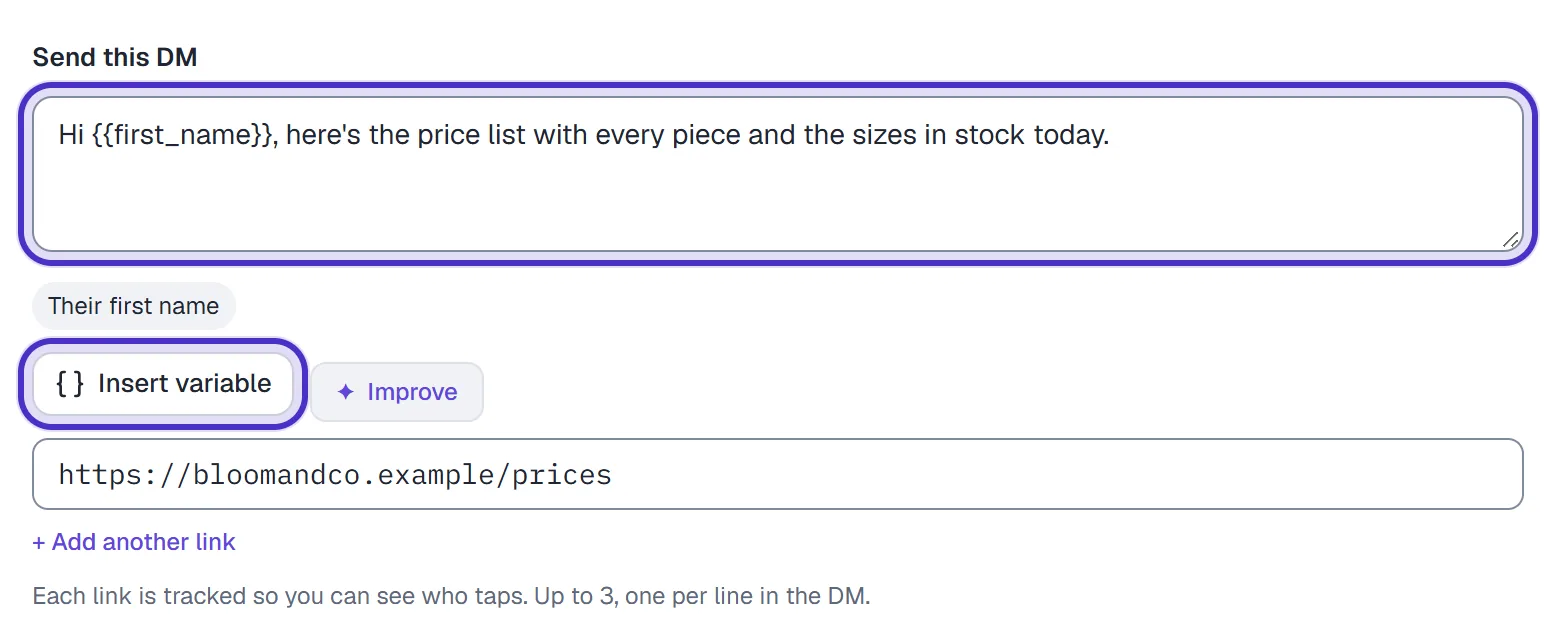
The price list DM with a first name, Insert variable and the link - Optionally switch on Capture their email under Follow-up.
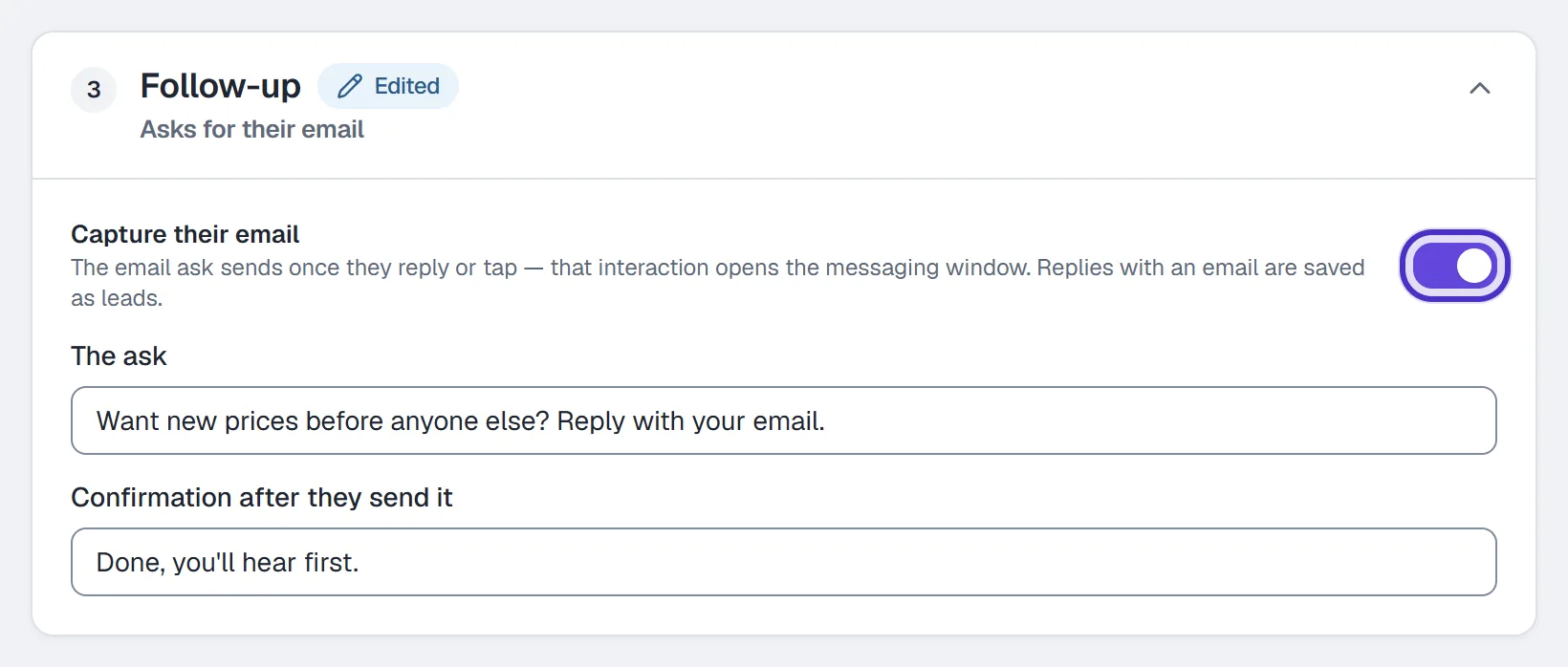
Follow-up with Capture their email switched on - Name it and click Publish.

The keyword reply named, with Publish
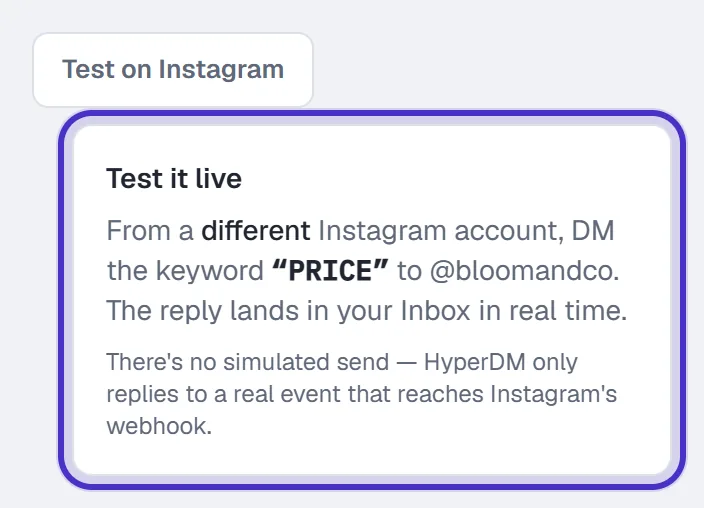
To test, DM the keyword from a different Instagram account. The Test on Instagram button names the account to send it to, and the reply shows in that account's inbox and in your Inbox.
Keywords people use
| Keyword | What the reply sends |
|---|---|
PRICE | Your price list or packages page |
BOOK | A coach's or salon's booking link |
HOURS | Opening hours and the address |
SIZES | The size guide |
CONSULT | The link to book a free consultation |
COLLAB | Your rates and how to pitch you |
Tell people the word. Put it in your bio, a story or a caption, because nobody DMs a keyword they've never seen.
Heads up. Some words are taken.
STOP,UNSUBSCRIBE,CANCEL,END,QUITandOPT OUT, sent as the whole message, opt the person out of messages from you.START,UNSTOPandRESUMEopt them back in. Don't build a keyword reply on any of them; useBEGINorGUIDEfor a getting-started link.
With contains the keyword, a keyword inside an everyday sentence fires too, and so does a short one inside a longer word. For a word like BOOK, is exactly the keyword stops "I loved your book" from setting it off.
Which reply wins
Each incoming DM goes to one trigger at most, checked in a fixed order:
- Opt-out (
STOP) always wins. It blocks every message to that person, your own hand-typed Inbox replies included. - Opt-in (
START). - Your keyword automations, in priority order.
- Keyword flows.
- Recognize intention automations.
- The AI agent, only if you've switched it on. It's off by default, and until then an unmatched DM lands in your Inbox for you.
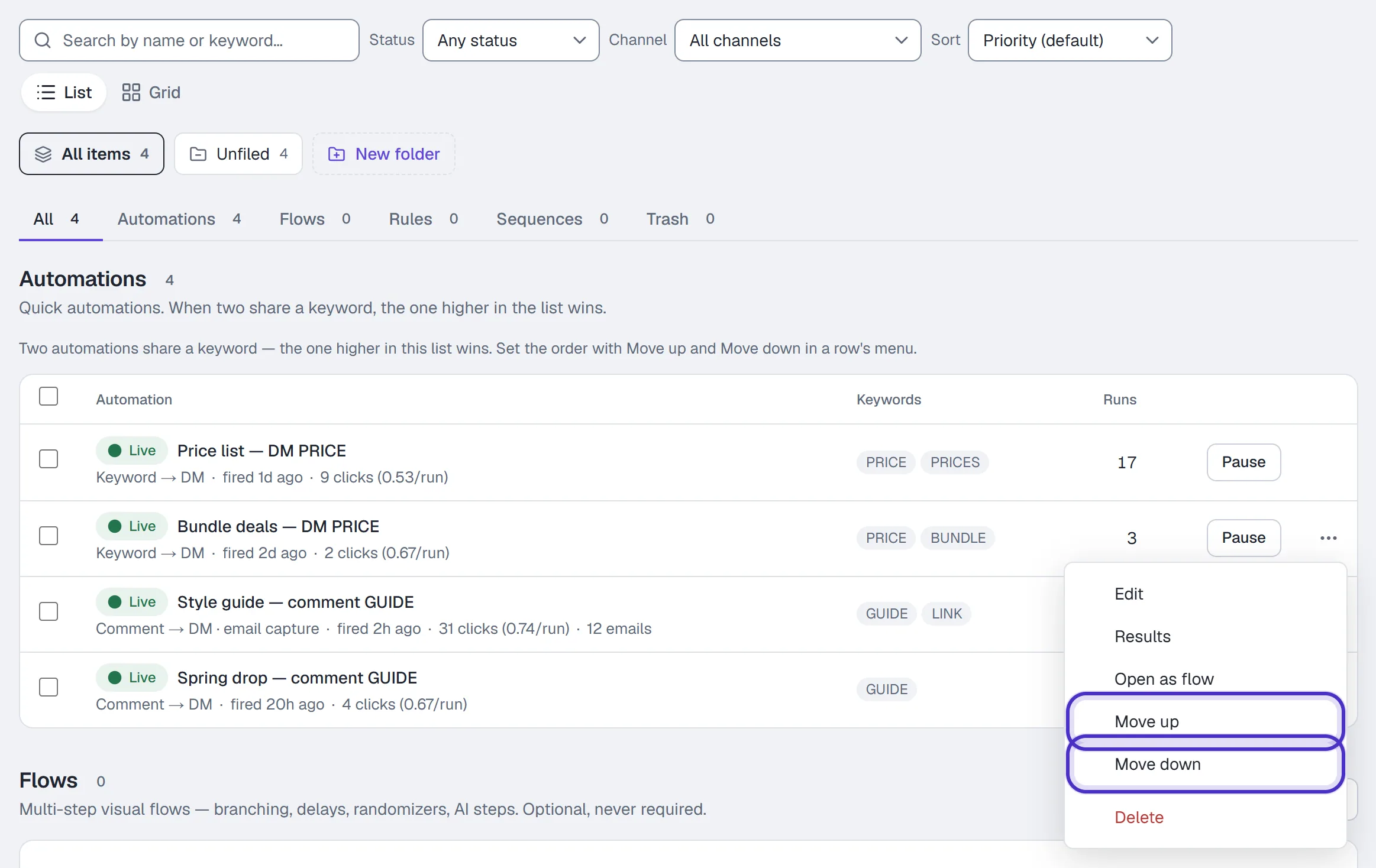
Within your own automations, first match wins, top to bottom in the Automations list. Move up and Move down in each row's ⋯ menu set the order; they appear in the Priority sort with nothing filtered, and the order only matters when two automations share a keyword. You can add your own opt-out and opt-in words under Settings → Channels → Keywords.
FAQ
What's the difference between a keyword reply and comment-to-DM?
Comment-to-DM starts from a comment on your post, so its DM is Instagram's one private reply to that comment. A keyword reply starts from a DM the person sent you, so the link can go straight into your answer.
Can someone trigger a keyword reply by accident?
Yes, with contains the keyword, if an ordinary message happens to include the word. Use is exactly the keyword, add exclude words, or pick a less common keyword.
Can I set up several keyword replies?
Yes, one automation per set of keywords. When two share a keyword, the one higher in the Automations list answers.
Does it reply in conversations that already exist?
Yes, a keyword in any thread triggers it, unless you have taken that thread over or a flow or automation there is waiting for the person's answer.
What happens to a DM that no keyword matches?
It lands in your Inbox for you to answer. If you have switched on the AI agent, the agent answers it instead.