Section 3: Gates, captures and follow-ups
Follow gate: send the link only to followers
A follow gate holds your link back until the person follows you. In HyperDM it is the Follow gate step in the flow builder: when the person taps its button, HyperDM checks Instagram for the follow and sends the link only on a confirmed yes. The automation form's Only for followers is marked coming soon and can't be switched on, so today you build the gate as a flow.
Screenshots show the real HyperDM app with a demo workspace. Names and numbers are examples.
How the Follow gate step works
The step sends a short DM asking the person to follow you, with one button to tap once they have. You set its label; the default is Following.
Nothing is checked until they tap. Then HyperDM asks Instagram whether this person follows your account, and the flow leaves the step by one of three exits:
| Exit | When the flow takes it |
|---|---|
| Following | Instagram confirms the follow. Your link goes after this exit. |
| Not yet | No confirmed follow within the taps set in Give up after (taps), 3 by default. Each earlier tap that fails the check gets your "Not yet" reply and another chance. |
| Timeout | They never tap. No-response timeout (h) is 24 by default, and 0 waits forever. |
Instagram can't always answer. The check works for eligible Instagram messaging contacts, and a lookup can fail. HyperDM treats any answer it can't confirm as unknown: the person gets a neutral line saying their follow couldn't be checked and to tap again, and that tap counts toward the limit. An unknown answer never takes the Following exit, so it never sends the link.
Build it from the Follower-gated link template
- Go to Automate → Flow builder, choose Start from a template and pick Follower-gated link.
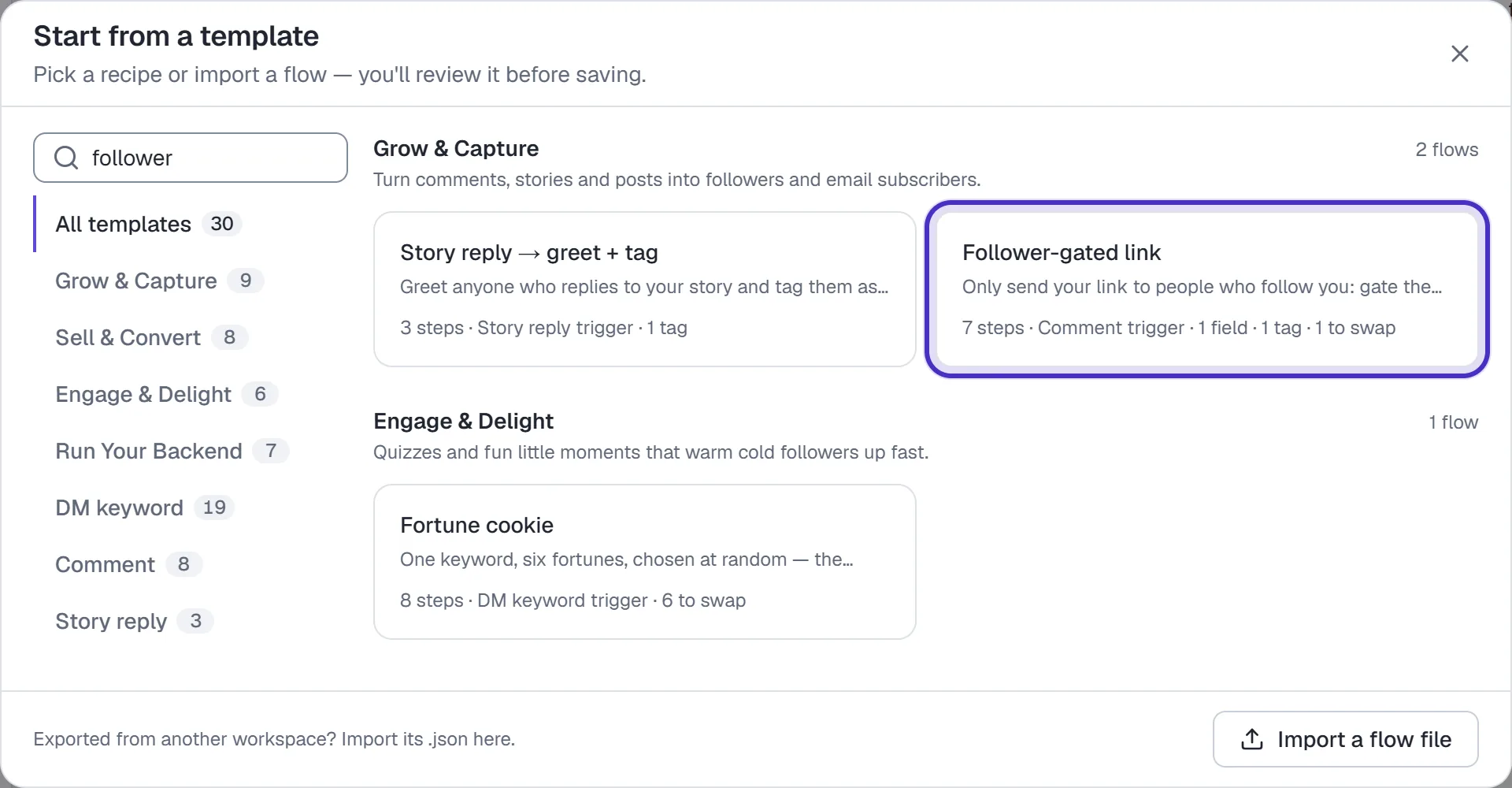
Start from a template searched for follower, with the Follower-gated link recipe - Click the Trigger. Check that Trigger type is Comment-to-DM, type your Comment keyword(s), for example
GUIDE, and under Applies to choose All future posts & Reels or A specific post. - Under Reply publicly under the comment, write what appears under their comment, for example
Sent. Check your DMs (or Message Requests). + Add variation gives you up to 3, and one is picked at random for each comment.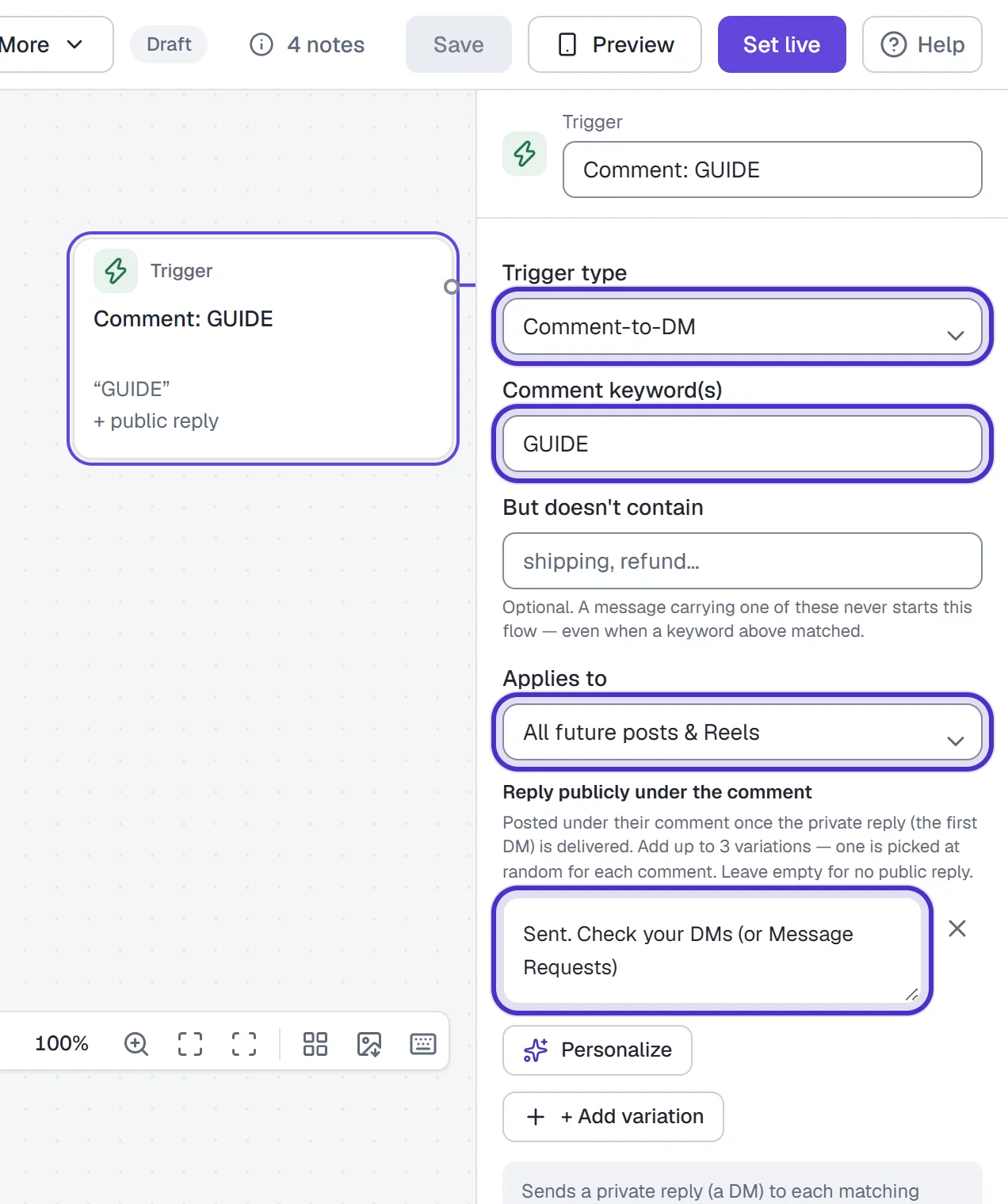
The trigger set to Comment-to-DM with the keyword GUIDE on all future posts and Reels, and one public reply - Click the Follow gate step and rewrite its message, button label and "Not yet" reply in your own voice. Keep the message short: on a comment trigger this step is the first DM, the comment's one private reply, so it holds one text block and its button.
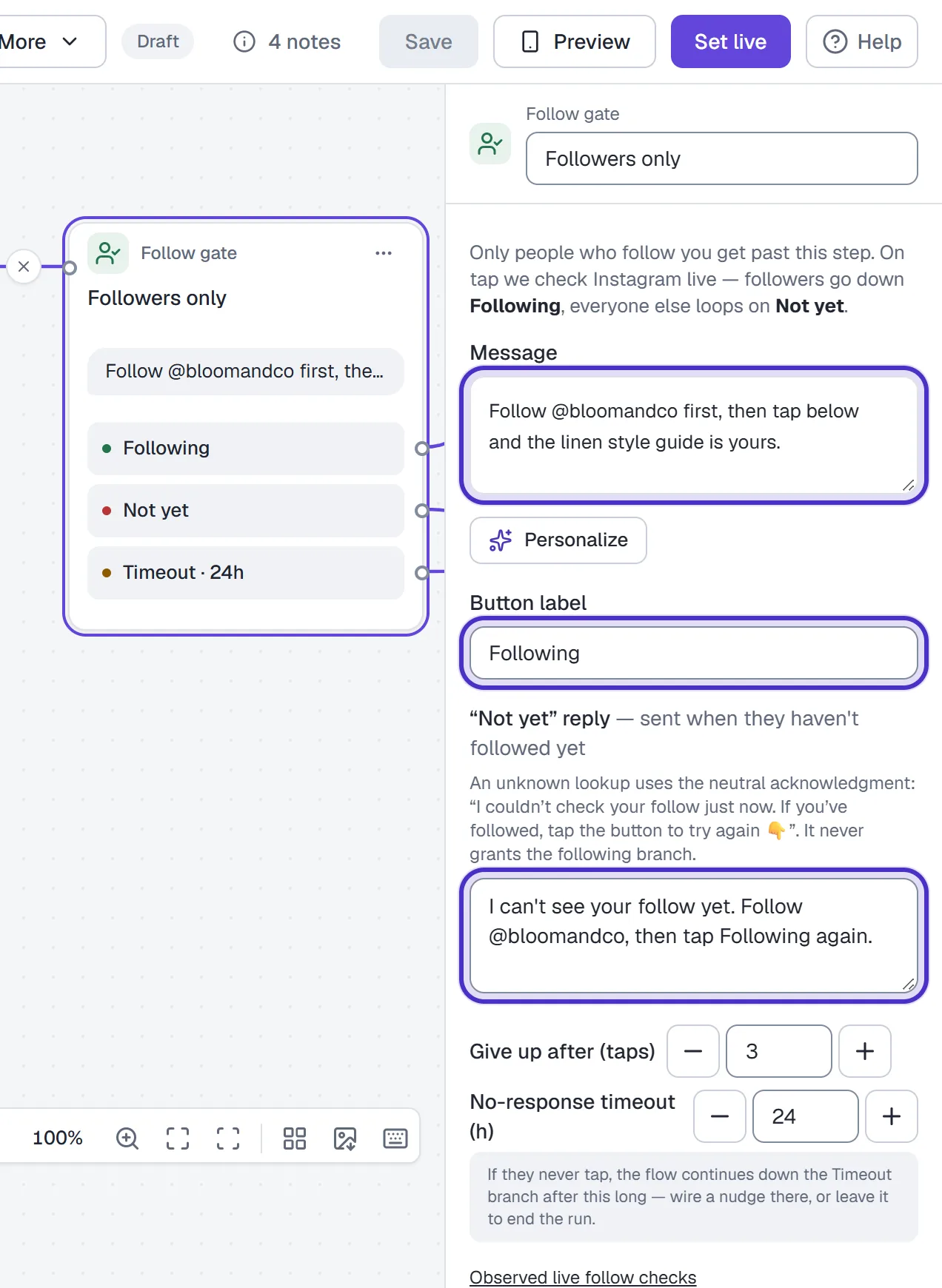
The Follow gate step with its message, the Following button label and the Not yet reply - In the step after Following, swap the template's example link for yours. The template then offers to email it and asks for their address, with separate Answered and Skipped exits.
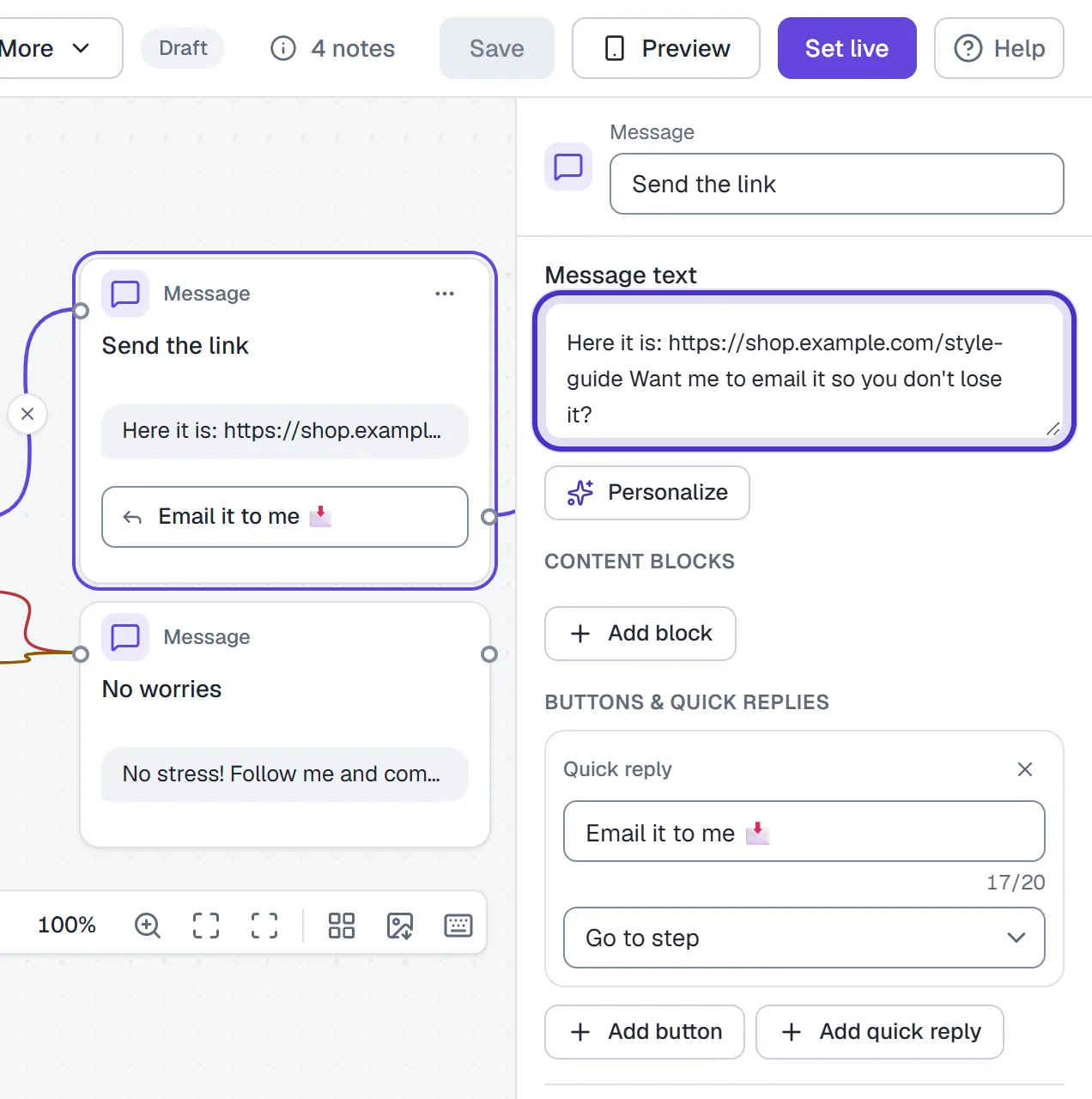
The step after Following with the shop's own link in its message - Not yet and Timeout both lead to a polite message asking them to follow and comment again. Reword it if you like.
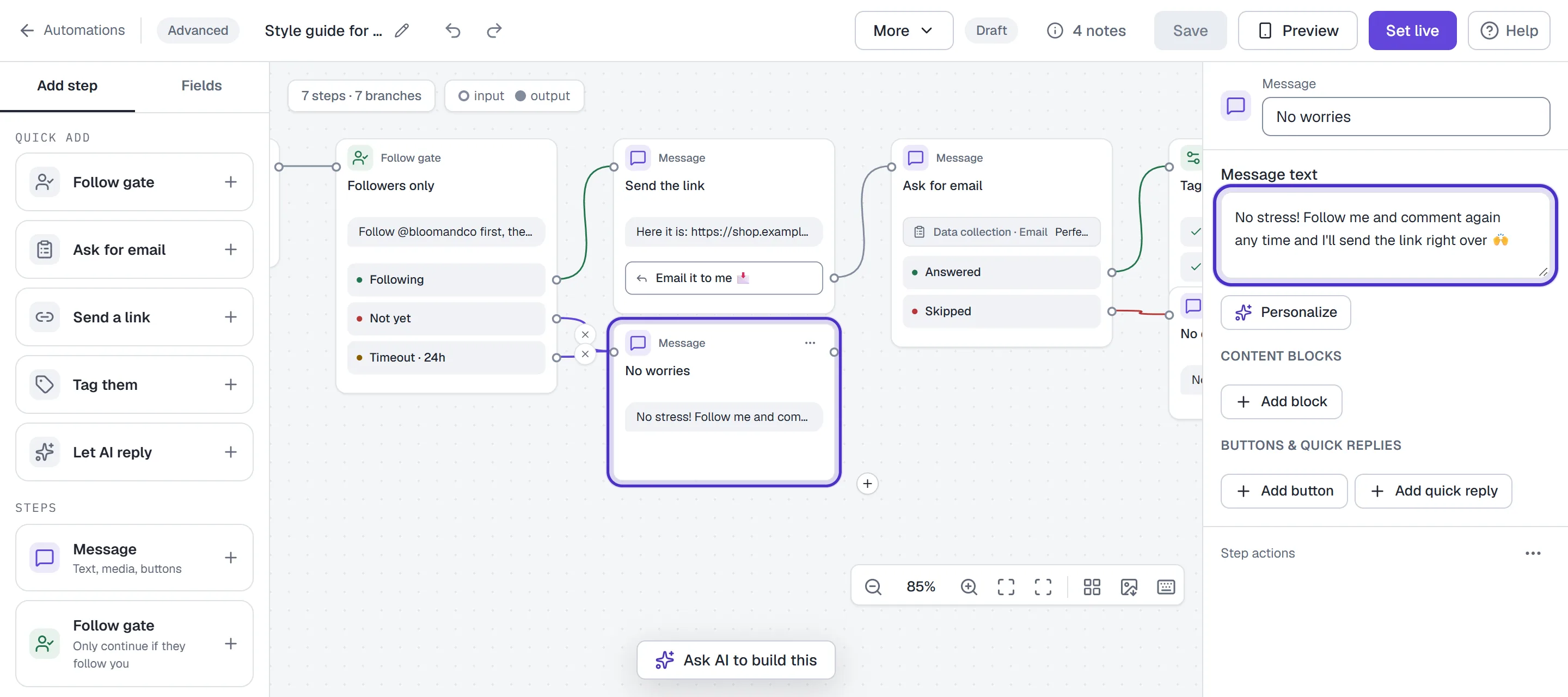
Not yet and Timeout both leading to the No worries message, its words in the inspector - Open Design checks, fix anything red, then click Set live.
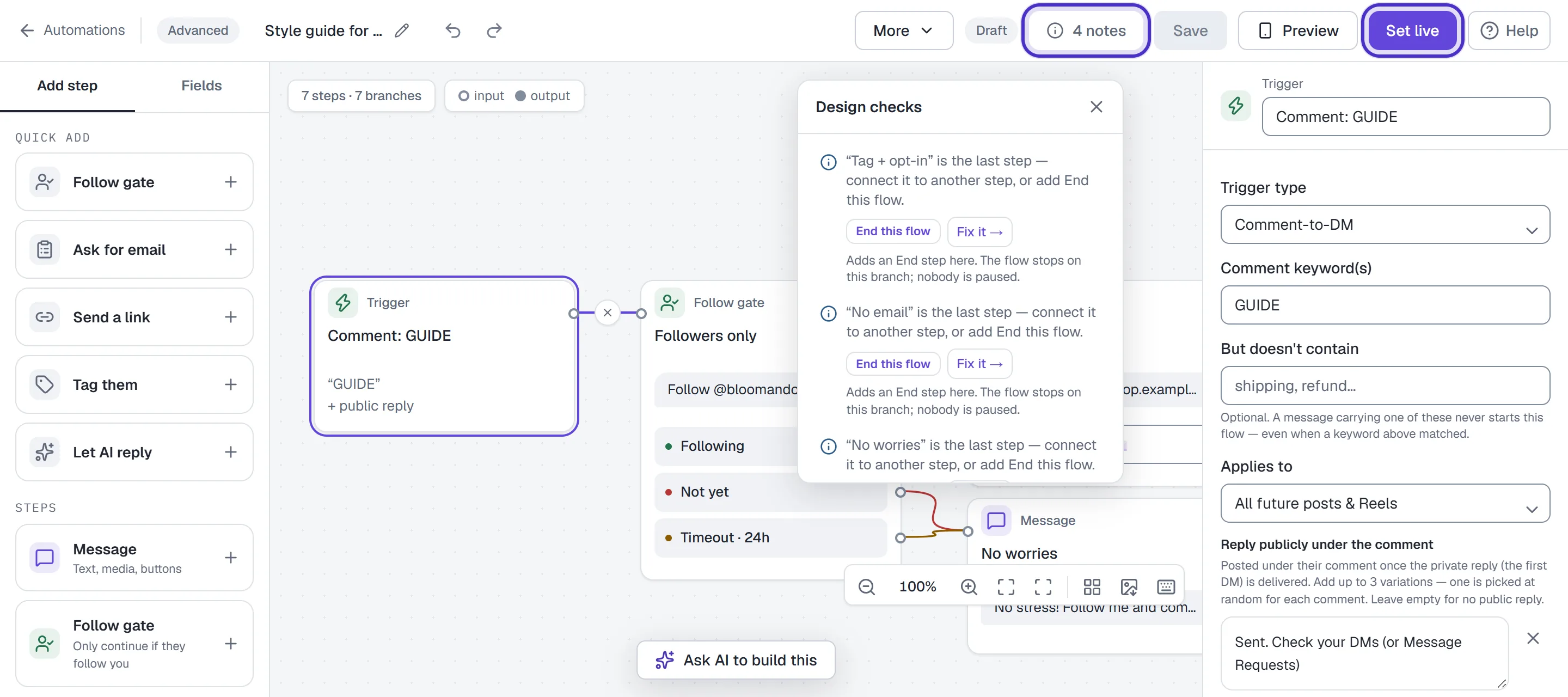
Design checks with notes only, no red issues, and Set live switched on
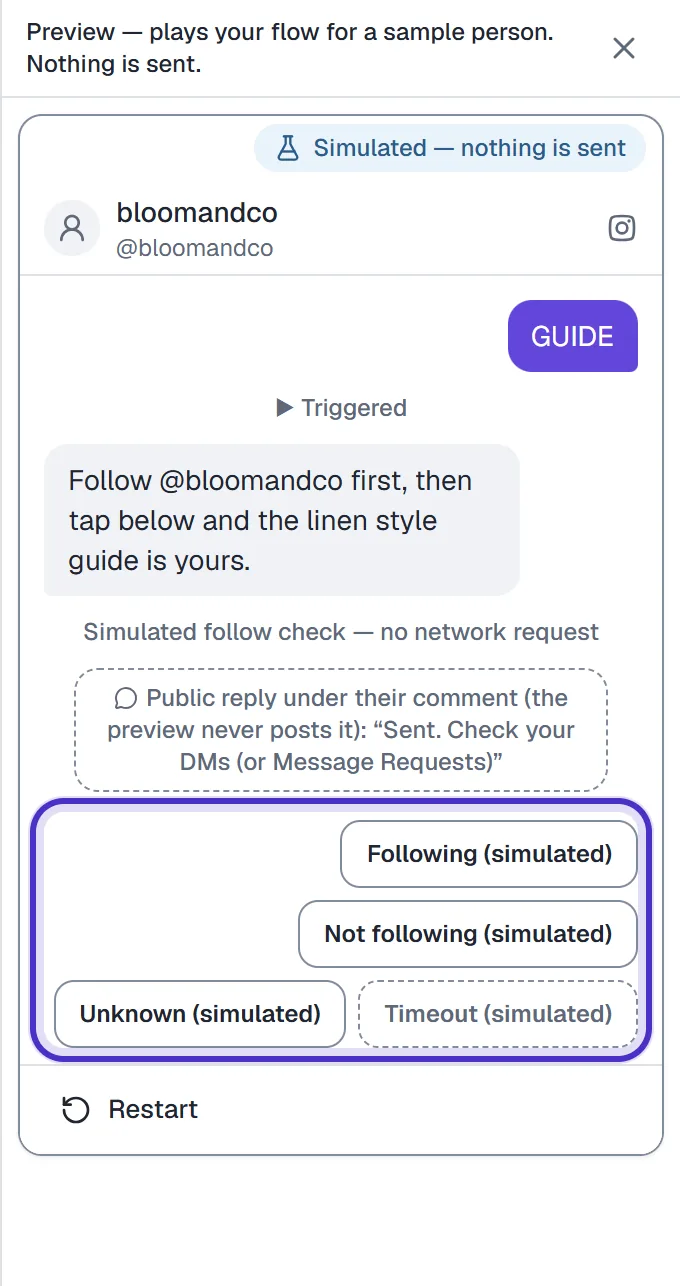
Preview lets you walk every exit with Following (simulated), Not following (simulated), Unknown (simulated) and Timeout (simulated). Nothing is checked on Instagram there, so finish with a real test from a second Instagram account.
What to know before you go live
- The public reply is posted only after the first DM is confirmed delivered, and at most once per comment. If HyperDM can't confirm the DM arrived, nothing is posted under the comment.
- Most people commenting on a follow-gated post don't follow you yet, so the DM often lands in their Message Requests. Say so in the public reply.
- A live automation on the same keyword wins the comment and the flow never runs. Pause the automation once the flow is live.
- The usual comment limits apply. Comments from your own connected account never trigger anything, Instagram allows a private reply only within 7 days of the comment, and on collab posts the comment goes to the original author's account.
- The check happens at the tap. HyperDM doesn't check again later, so someone who unfollows after getting the link keeps it.
- A Follow gate also works mid-conversation in any Instagram flow, after a DM keyword or a story reply. It isn't one of the Growth-only steps, so it works on Free, where you can keep up to 5 flows.
The trade-off
Every step between the comment and the link loses some people. A follow gate adds two: following you, then tapping the button. Anyone who skips either one doesn't get the link. In return, everyone who does get it follows you.
HyperDM doesn't publish a typical follow rate, and your audience will differ from anyone else's, so read your own numbers. Once the flow has traffic, switch on Drop-offs on the canvas to shade each step by how many people stop there.
When to use a follow gate
| Use a follow gate | Skip it |
|---|---|
| Your freebie is worth a follow: a guide, a template, a recipe pack | The link is the point, like a sale that ends tonight |
| Most commenters find you through Reels or Explore and don't follow you yet | Most of your commenters already follow you |
| Following is an entry rule for a giveaway | You would rather collect emails, see email capture |
| Audience growth matters more to you right now than link taps | Link taps are the number you are judged on |
FAQ
Does HyperDM really check whether someone follows me?
Yes. When the person taps the button, HyperDM asks Instagram whether they follow your account and sends the link only on a confirmed yes. If Instagram can't confirm either way, the answer counts as unknown and the link stays held.
Why can't I switch on Only for followers in the automation form?
It is marked coming soon. Instagram doesn't tell apps whether a fresh commenter follows you, so the check has to run after the person interacts, and that is what the flow builder's Follow gate step does.
What happens if someone unfollows after getting the link?
Nothing changes for them. The check runs when they tap the button, and HyperDM doesn't check again or take a sent link back.
Can I ask for an email as well?
Yes. The Follower-gated link template already does it: after the link it offers to email it and asks for their address, with separate Answered and Skipped exits.
Will a follow gate mean fewer people get my link?
Usually, yes. People who don't follow you or never tap the button don't get it. Switch on Drop-offs once the flow has traffic to see where people stop.