Section 3: Gates, captures and follow-ups
The opening message: when to send the link
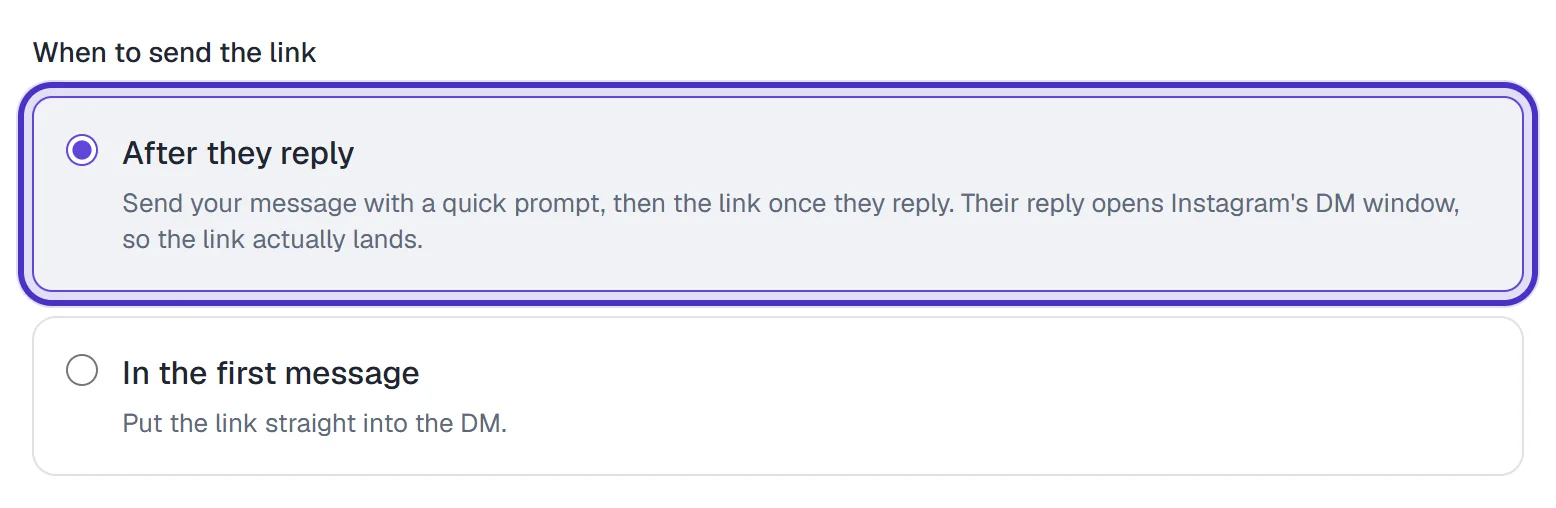
On a comment automation, the first DM is the comment's one private reply, and Instagram has firm rules about what can follow it. When to send the link is the setting that works with those rules. After they reply, the default, sends your message with a short prompt and holds the link until they answer. In the first message puts the link straight into the DM.
Screenshots show the real HyperDM app with a demo workspace. Names and numbers are examples.
The two options
The setting sits in step 2, Conversation, once the DM has a link. Only comment triggers show it.
| Option | What the person gets | Pick it when |
|---|---|---|
| After they reply (default for new comment automations) | Your message, a line asking them to reply, and a Send it quick reply. The link, and the email ask if it's on, follows once they reply. | You want the link to land |
| In the first message | Your message with the link in it | The DM is useful even if they never reply |
Why After they reply is the default
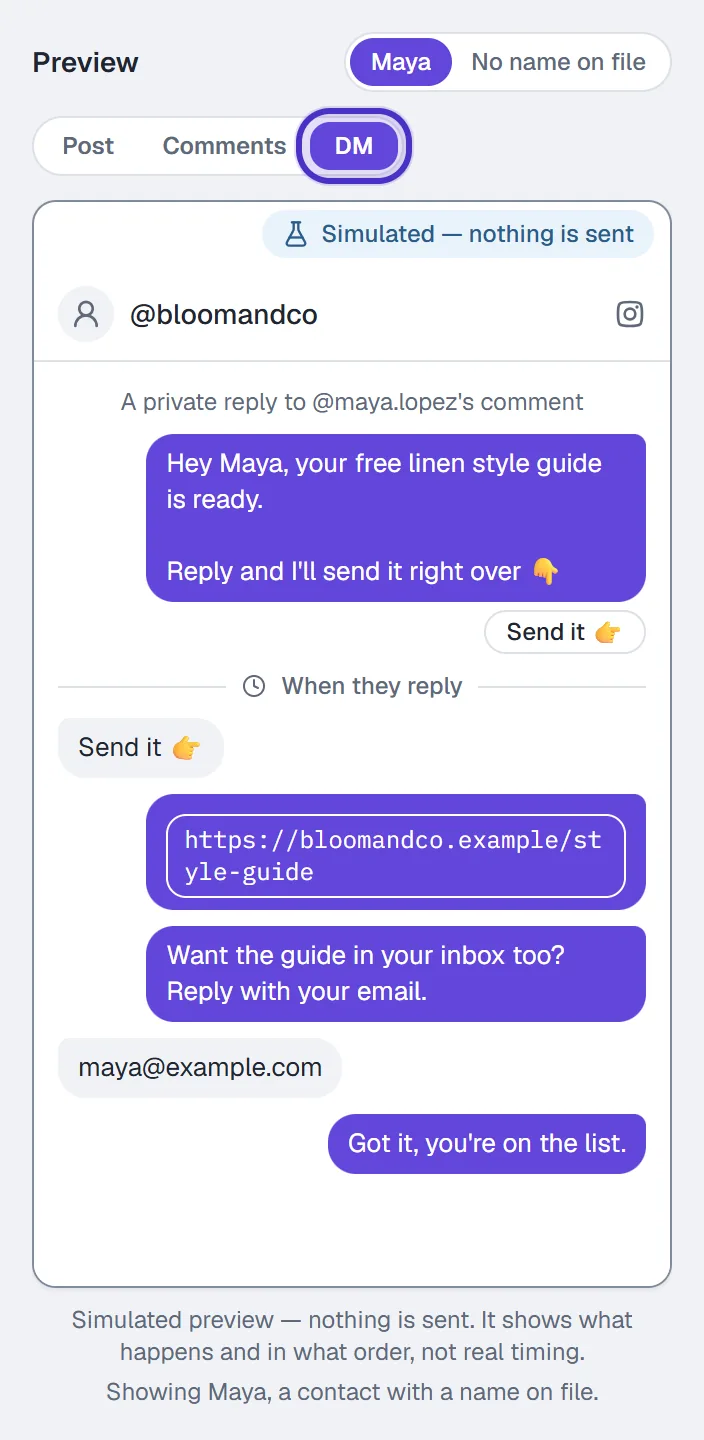
A comment's private reply is an exception to Instagram's 24-hour rule: you get one DM to someone who may never have messaged you. That DM doesn't open the window. Their reply does. Instagram won't reliably deliver an unsolicited link to someone who has never messaged you, and the builder warns that a first message with a link may be routed to the Requests folder. So the default spends the one private reply on a short opener and sends the link into an open window.
A few details people trip on:
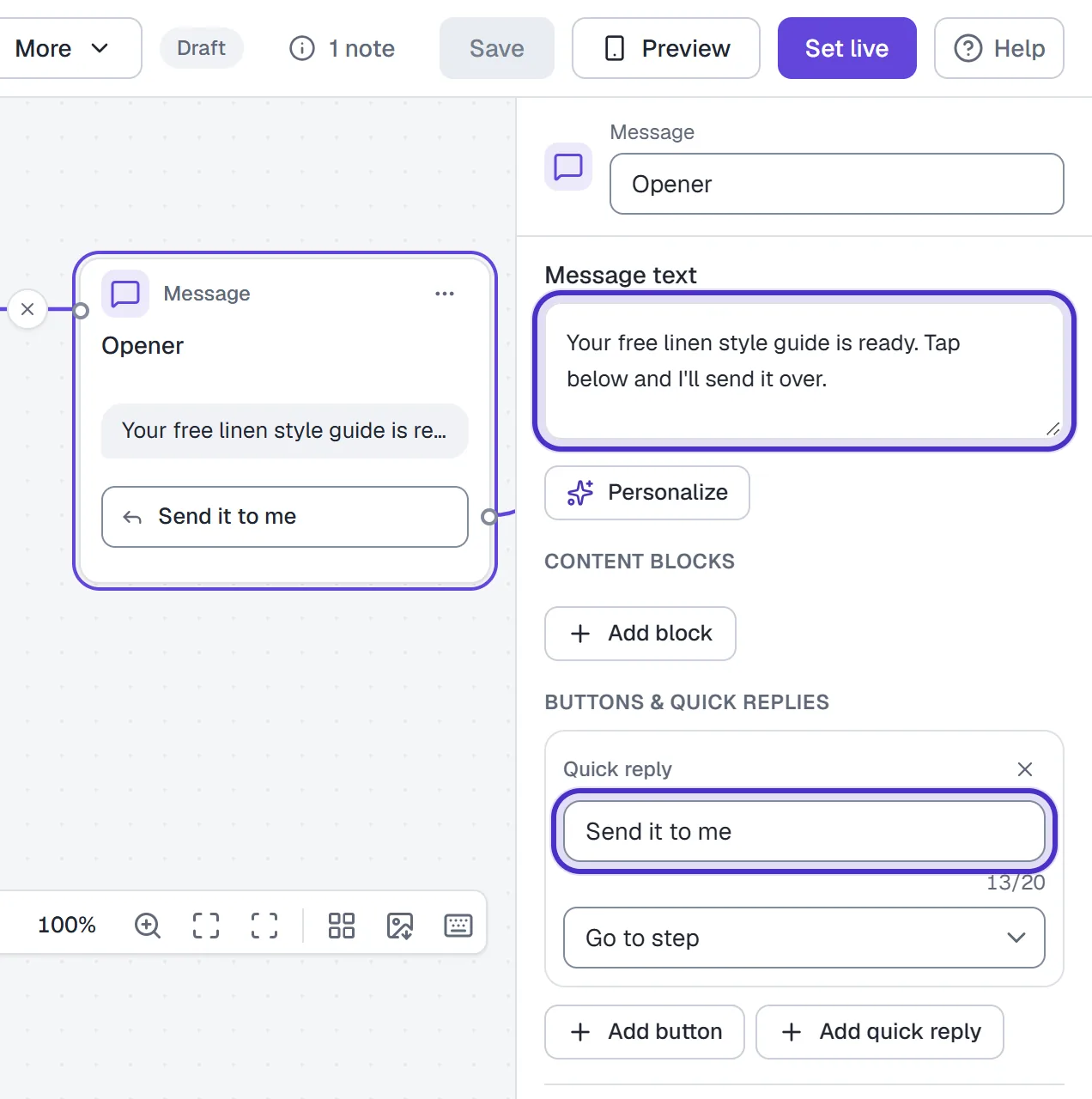
- The quick reply is a convenience. Instagram may not show quick replies on a private reply, and never shows them on desktop, which is why HyperDM adds the line
Reply and I'll send it right overunder your message. Any reply works, not only a tap on Send it. - If the reply is a real question, such as "does it work for beginners?", they still get the link, and the question carries on to your other automations or to the AI agent if you've switched AI replies on.
- Someone who never replies never gets the link. That is the cost of the default.
Open the DM tab of the preview to check the order: your DM, the prompt, then the link after a reply. It sends nothing.
Write an opener people answer
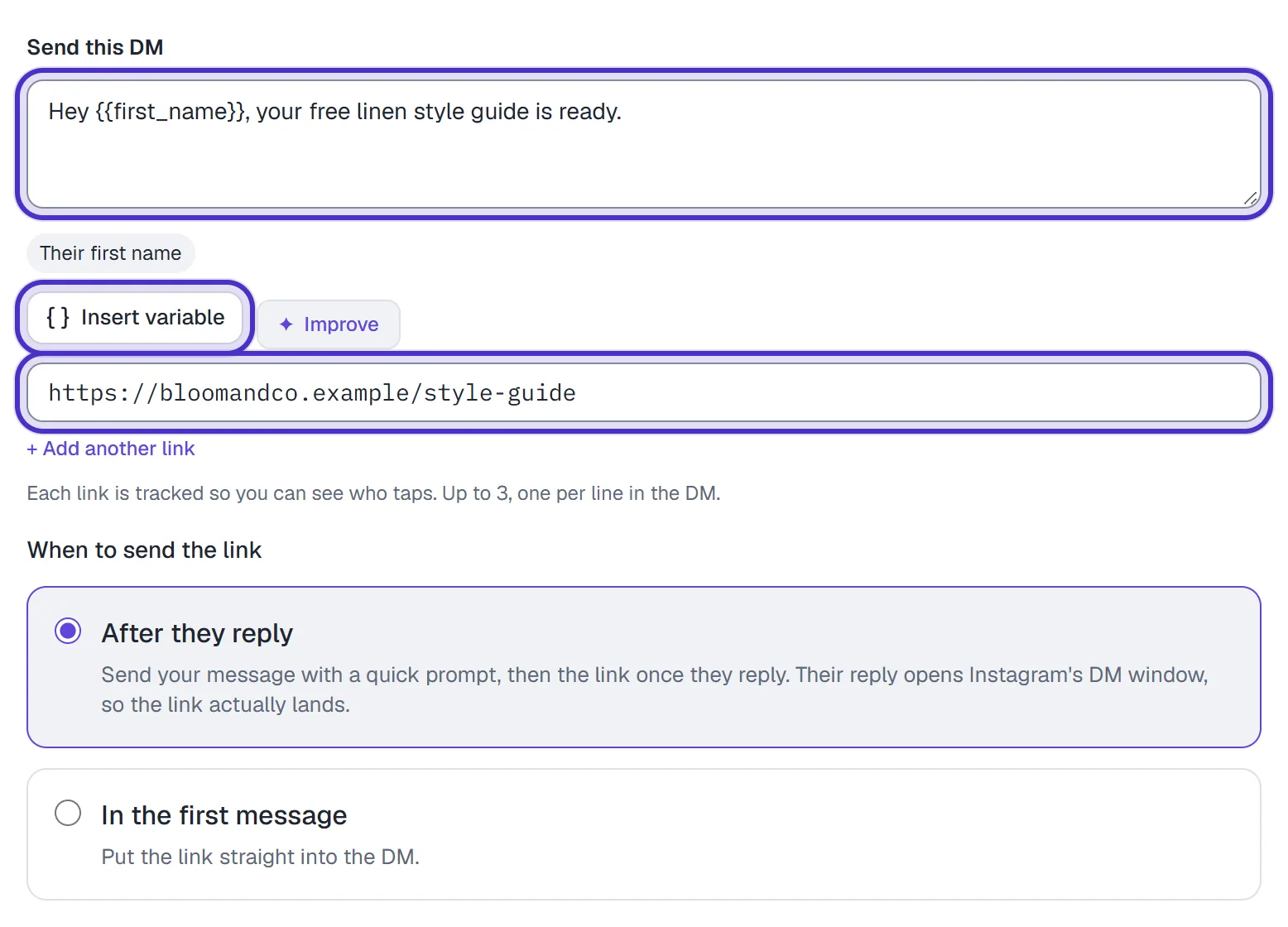
Your message is the first thing they read from you, so give them a reason to reply. One or two sentences is plenty. Say what's waiting for them and who it's from. Insert variable adds First name, Last name, Username or any custom field.
Hey {{first_name}}, your free style guide is ready.Thanks for commenting on the reel. The 5-day meal plan is yours.Hi {{first_name}}, I've got the booking link for your free call.
HyperDM adds its own reply line, so you don't need to write "reply to get it". Keep the link out of the message text as well. A link typed there goes out in the first DM and isn't counted. Put it in the link fields instead (up to 3, one per line); link tracking covers what gets counted.
When to choose In the first message
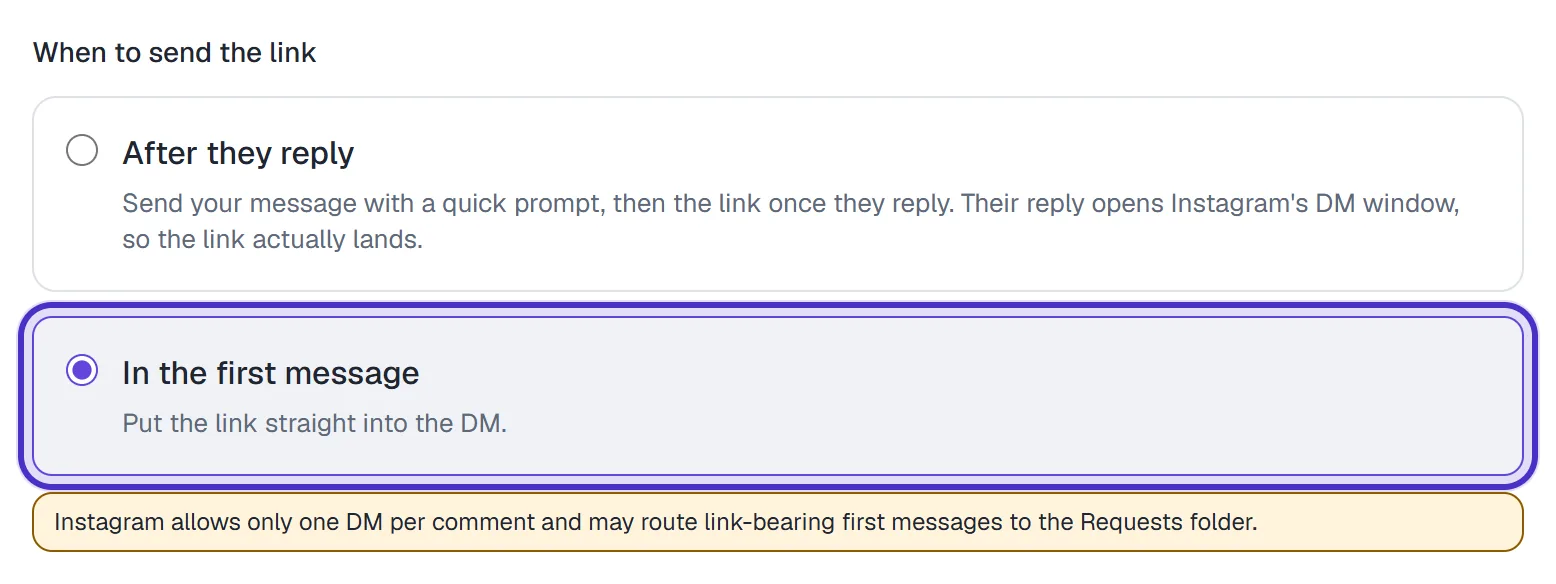
Choose it when the DM stands on its own for someone who never replies, such as a discount code with your shop link. You trade the reply for two risks: Instagram may file the DM under Message Requests, and if Capture their email is on, the ask can only land once they've messaged you.
In a flow, and on other triggers
DM keyword and story reply automations don't show the setting. The person messaged you first, so the window is already open and the link goes into the DM.
In a flow with a comment trigger, the same rule is a design check. The first private reply may hold one text or one image block. Buttons and quick replies are fine, because the tap opens the 24-hour window, so put a button in the first step and the link in the step after the tap.
FAQ
Does the opening message count as an extra conversation?
No. HyperDM counts conversations, not individual messages, so the opener, the link and the email ask from one automation are one conversation for that person.
What if they reply with a question instead of tapping the button?
They still get the link. If the reply was a real question, it also carries on to your other automations, or to the AI agent if AI replies are on.
Can I change the line that asks them to reply?
No. The reply line and the Send it button are fixed. The message above them is yours to write.
Why did my DM land in Message Requests?
A DM to someone who has never messaged you can land in Requests, and Instagram may route a first message with a link there. After they reply sends the link only once they've answered.
Can I use the person's name in the opener?
Yes. Use Insert variable for First name, Last name, Username or any custom field you've created.