A new HyperDM account starts with 14 days of Pro and no card, then moves to the Free plan by itself. You sign up with an email address or a Google account, confirm the address, and land on a setup page that walks you to your first working reply. This lesson covers the account and the plans. Connecting Instagram is the next lesson.
Screenshots show the real HyperDM app with a demo workspace. Names and numbers are examples.
What you need
- An email address you can open right now, or a Google account.
- The Instagram account you want to automate. It has to be a Business or Creator account by the time you connect it. If it's still personal, switching is free and you can switch back later.
- Chrome or Safari, on a computer or your phone. If you tapped a link to HyperDM inside Instagram or Facebook, you're in that app's built-in browser. You can sign up there, but connecting Instagram later has to happen in Chrome or Safari.
Sign up
- Open
app.hyperdm.app/signup. The page is headed Start free.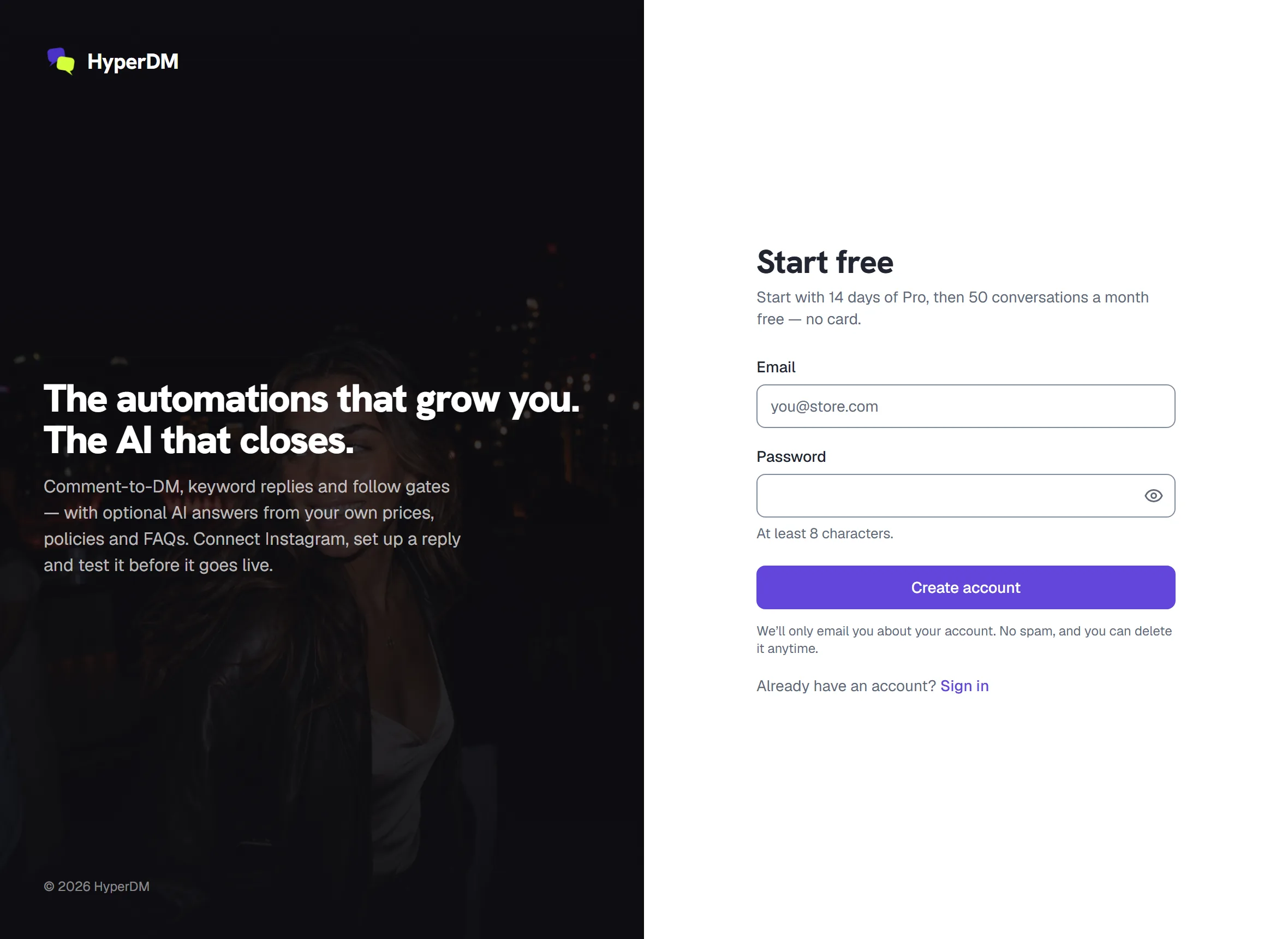
The sign-up page, headed Start free - Pick how you'll sign in:
- Sign up with Google, then choose your Google account. There's no email to confirm, and you go straight to setup.
- Or type your Email and a Password of at least 8 characters, then press Create account.
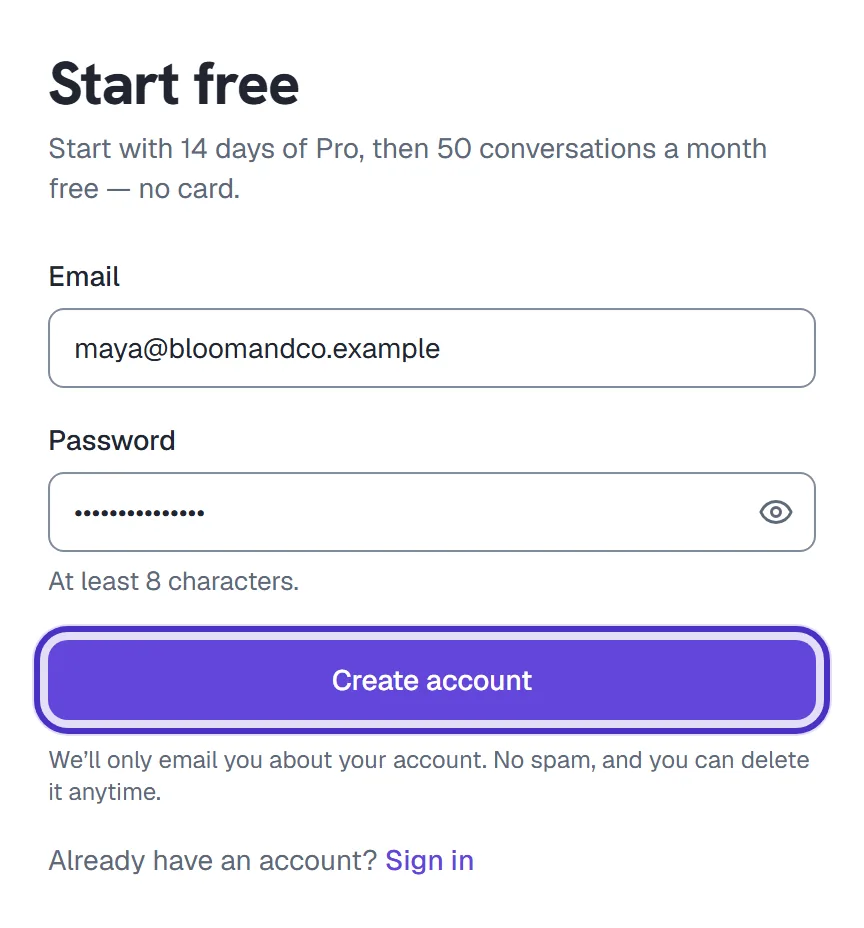
The sign-up form with an email and a password typed in, and Create account
- If you used email, the Check your email screen opens. Open the email from HyperDM and tap the confirmation link. When the screen also offers a code box, you can type the 8-digit code from that same email and press Confirm instead.
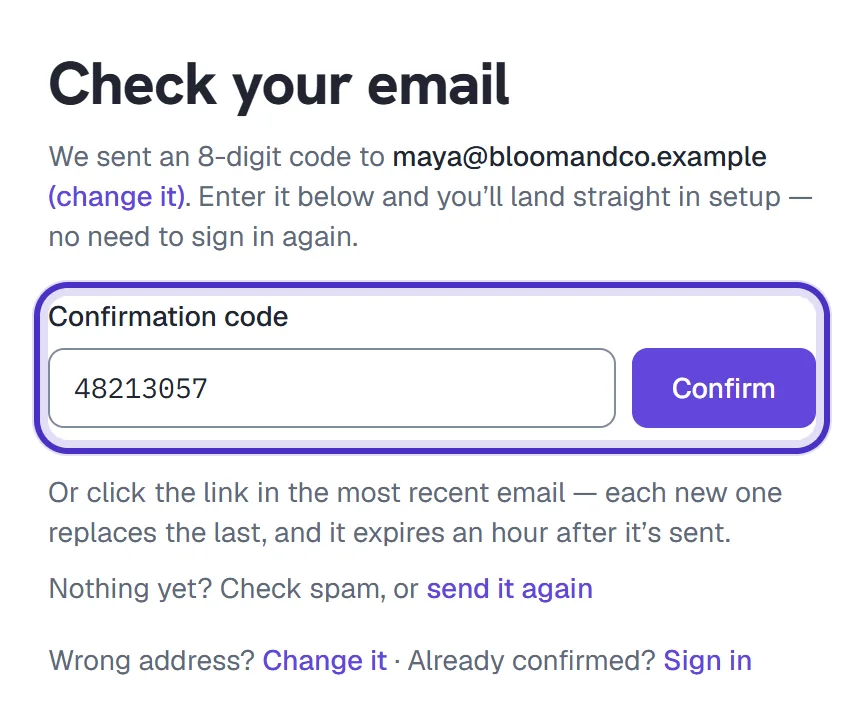
Check your email, with the 8-digit code typed in and Confirm
There's no Apple or Facebook sign-in.
Heads up. The confirmation link expires after an hour, and each new email replaces the last one, so always use the newest. If nothing arrives, check the address shown on the screen (you can change it there), look in spam, then ask for the email again from the same screen. Don't sign up a second time with the same address: it's already registered.
HyperDM creates your first workspace as part of sign-up, and you're its owner.
Your 14-day Pro trial
A new account starts with 14 days of Pro, and you don't add a card. You get everything in Pro, including 6,000 conversations a month, and no overage is billed. The exception is an agency account or a workspace billed through an agency, which doesn't get the trial.
While it runs, a badge such as Pro trial · 12 days left sits in the left sidebar. The owner also gets a Try what Pro adds card on Home. It offers Connect a channel until you've connected one, then three things to set up. Nothing on it turns on until you click.
When the trial ends, the workspace moves to Free by itself and you aren't charged. Nothing you built is deleted: anything Free doesn't include is paused and marked with the plan it needs. To keep a paid plan instead, the owner picks one in Settings → Billing & usage and adds a card there.
When a lesson in this course says a feature needs a plan, it means the plan itself, so during the trial you have whatever Pro has. There's one trial per account and per email address, ever. The full details are in Use your 14-day Pro trial.
What the Free plan includes
After the trial you're on Free, with 50 conversations a month on Instagram. No card required. New automated conversations stop when you reach the Free allowance. Continue when your monthly allowance resets, or upgrade to a paid plan for more conversations.
A conversation is one person in one campaign (an automation, a flow or the AI agent) while it stays active. It opens when HyperDM sends that person an automated DM, even if they never reply, and the messages inside it aren't counted one by one. The full rule is in Plans and billing.
| On Free | What that means |
|---|---|
| 50 conversations a month | Home's Usage this month card shows how many you've used and warns at 80%. |
| 1 DM channel at a time | Instagram. |
| The AI agent | It works on Free. There's no separate AI allowance: the same 50 conversations cover it. |
| Up to 5 flows | The flow builder is on Free. Adding an AI Step or an A/B split needs Growth or higher. |
| 1 knowledge source of your own | The facts the AI answers from. Paid plans have no limit. |
| "Powered by HyperDM" | HyperDM adds a short "Powered by HyperDM" line to the automated DMs it sends. Paid plans send nothing extra. |
When you want more, these are the paid plans, billed monthly in US dollars. Annual billing costs less per month.
| Plan | Per month | Conversations included each month |
|---|---|---|
| Free | $0 | 50 |
| Starter | $19 | 500 |
| Growth | $49 | 2,000 |
| Pro | $99 | 6,000 |
Upgrade plan sits at the bottom of the sidebar, and Settings → Billing & usage has the same picker. Only the workspace owner can change billing.
Two limits are worth knowing before you pay:
- Going past your allowance. On a paid plan, each conversation past your included number costs $0.05, unless you switch on Overage protection, which pauses new conversations at your allowance instead. A Monthly ceiling stops new conversations at a number you choose. Both are in Settings → Billing & usage, and conversations already open carry on.
- Moving to a smaller plan. Anything the new plan doesn't include is paused, never deleted: live rules, flows with an AI Step or an A/B split, flows past Free's 5 (your oldest 5 keep running), live sequences, scheduled broadcasts, AI comment replies and product cards in DMs. Each is marked as paused, with the plan it needs. Channels past the new plan's limit stop answering, and teammates past its seats can't open the workspace. Moving back up to that plan turns everything back on as it was.
The full rules are in Plans and billing.
What happens next
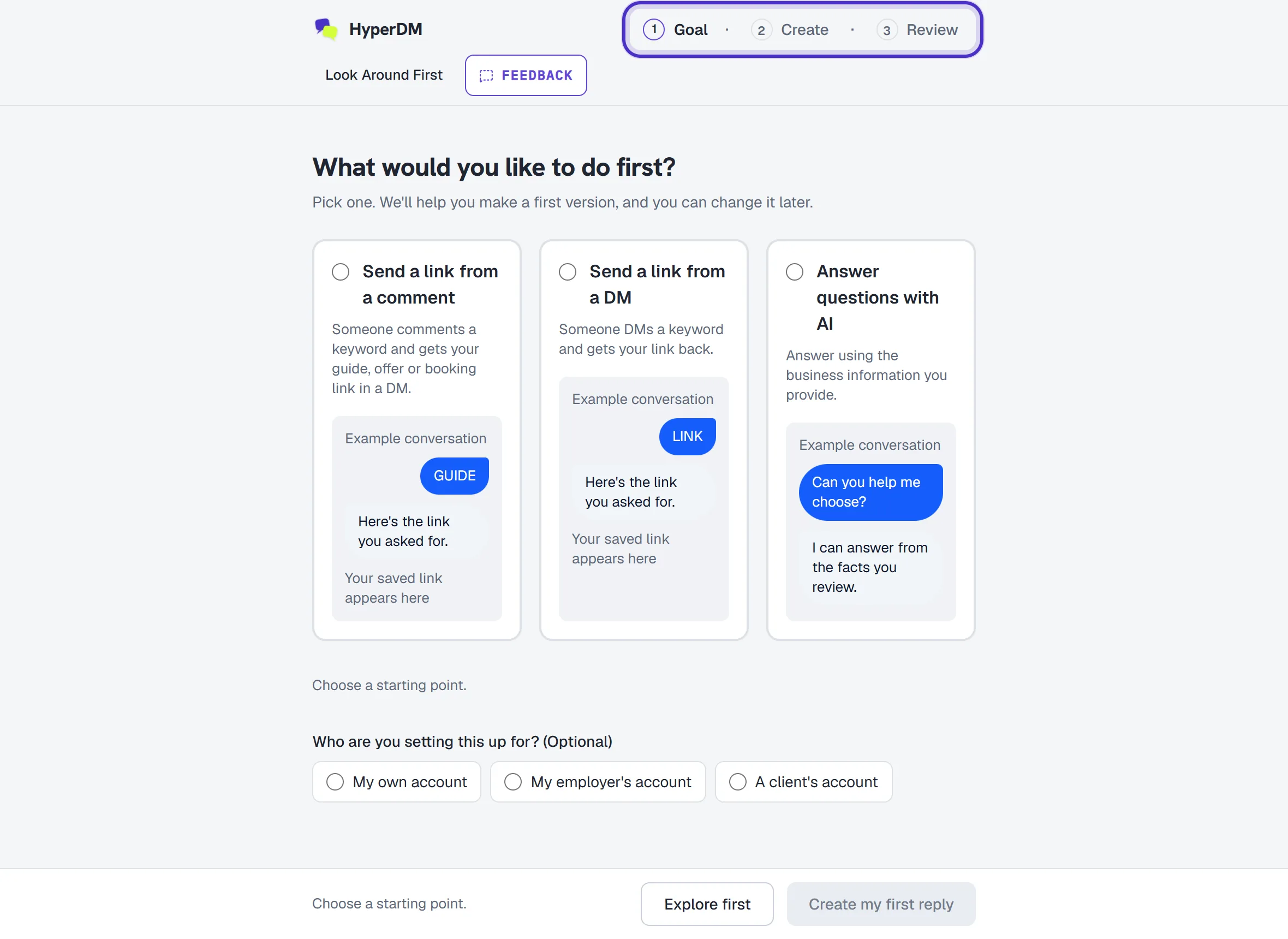
The setup page opens after sign-up, with its three stages along the top:
- Goal asks What would you like to do first?: Send a link from a comment, Send a link from a DM or Answer questions with AI.
- Create is where you write the reply, or paste your business facts for the AI, and preview it. Nothing is sent.
- Review is where you connect Instagram, choose the post for a comment reply and press the button that turns it on. Nothing goes live until you press it.
Once it's on, you test it from a second Instagram account.
Look Around First, in the setup page's header, takes you to the dashboard at any point. What you saved stays saved. Once you've picked a goal, a card on the dashboard offers Continue setup, and the page is always there at /onboarding when you come back. The next step either way is connecting your Instagram account.
FAQ
Do I need a credit card to start?
No. Neither the 14-day Pro trial nor the Free plan after it needs a card. You only add one if you choose a paid plan.
Can I sign up with Apple or Facebook?
No. HyperDM offers email and password, or Google. Signing up with Google skips the confirmation email.
My confirmation email never arrived. What now?
Check the address on the Check your email screen and look in spam, then send the email again from the same screen. The link expires after an hour, and each new email replaces the last one.
What happens when I use all 50 Free conversations?
New automated conversations stop until your allowance resets at the start of the next month (UTC). Nothing past the allowance is billed on Free. To keep going sooner, upgrade to a paid plan.
Can I use HyperDM on my phone?
Yes, in your phone's browser. Use Chrome or Safari rather than the browser inside the Instagram app, because connecting Instagram can't finish there.
What happens to my automations when the trial ends or I move to a smaller plan?
Anything the new plan doesn't include is paused, never deleted. Moving back up to that plan turns it back on as it was. The trial's end moves you to Free by itself, and you aren't charged.