Section 2: Your first automations
Comment-to-DM on Instagram ads and boosted posts
The Comment → DM automation that answers comments on your posts can also answer comments on your Instagram ads: a post you boosted, or an ad you built in Ads Manager. The build is the one from lesson 2.2 with two settings changed. This lesson covers those two, the quirk of boosted posts and what isn't covered yet.
Screenshots show the real HyperDM app with a demo workspace. Names and numbers are examples.
Start with the offer
The comment is the trigger and the DM is the payoff, so decide the payoff first: a guide, a discount code, a waitlist spot, a link to buy. Then pick one easy keyword, like GUIDE, and put the instruction in the ad itself ("Comment GUIDE and I'll send it").
Make the first DM worth answering. Instagram allows one private reply per comment, within 7 days of the comment, and HyperDM can only continue the conversation once the person replies.
Before you build, check that Instagram is connected with a professional (Business or Creator) account and that the ad runs as that same Instagram account. In Ads Manager that's the ad's Instagram account identity; a boost from the Instagram app always uses the account you boosted from. There is nothing to switch on in Ads Manager, and HyperDM doesn't need access to your ad account.
The two settings that matter
Build the automation as usual (Automations → New automation → Someone comments a keyword), then change two things:
- Set Listen on to All posts & reels. An ad has its own media id that the post picker can't see, so Specific posts or reels never covers one, and Your next post or reel only binds to a post.
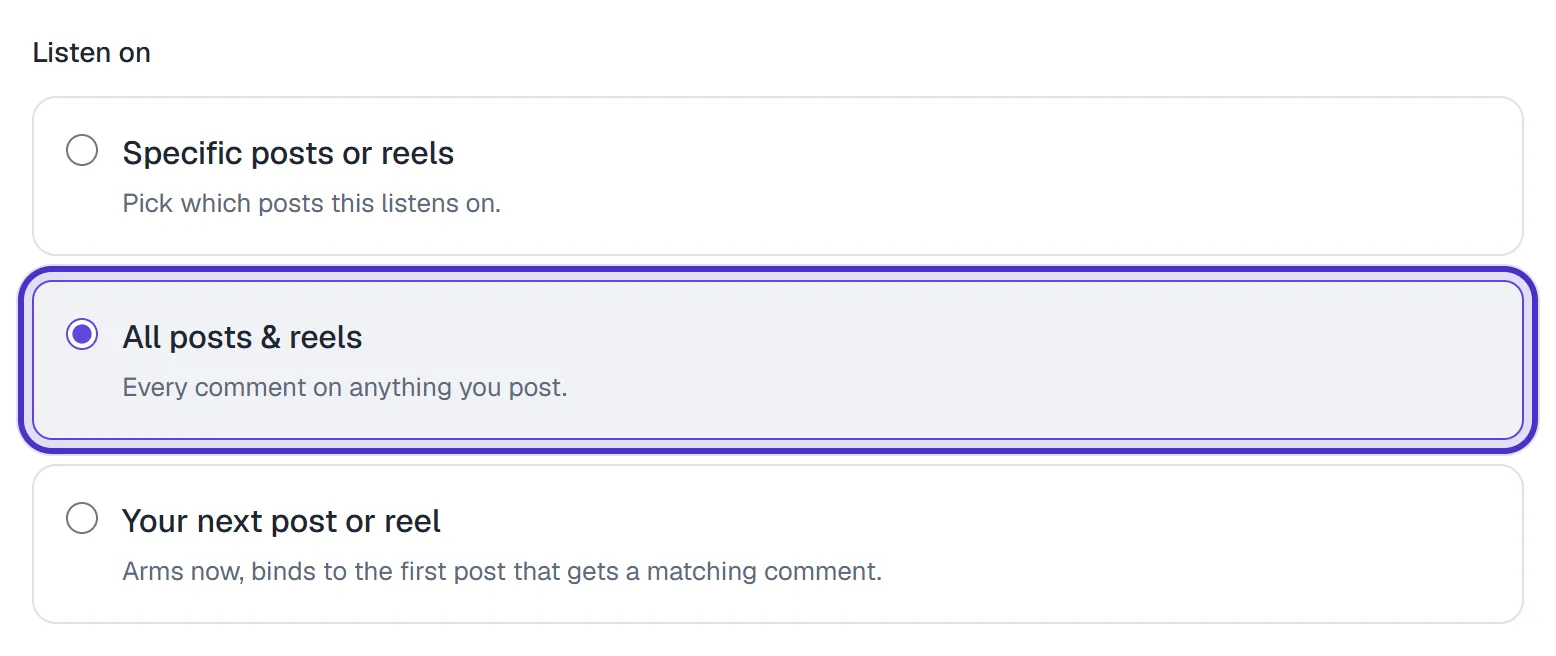
Listen on set to All posts & reels - Open Advanced channel rules, below Listen on, and under Where can the comment happen? choose one of these:
| Choice | Answers |
|---|---|
| Organic posts and reels (the default) | Comments on what you post yourself, never ad comments |
| Instagram ads | Only comments on your ads |
| Both | Organic comments and ad comments |
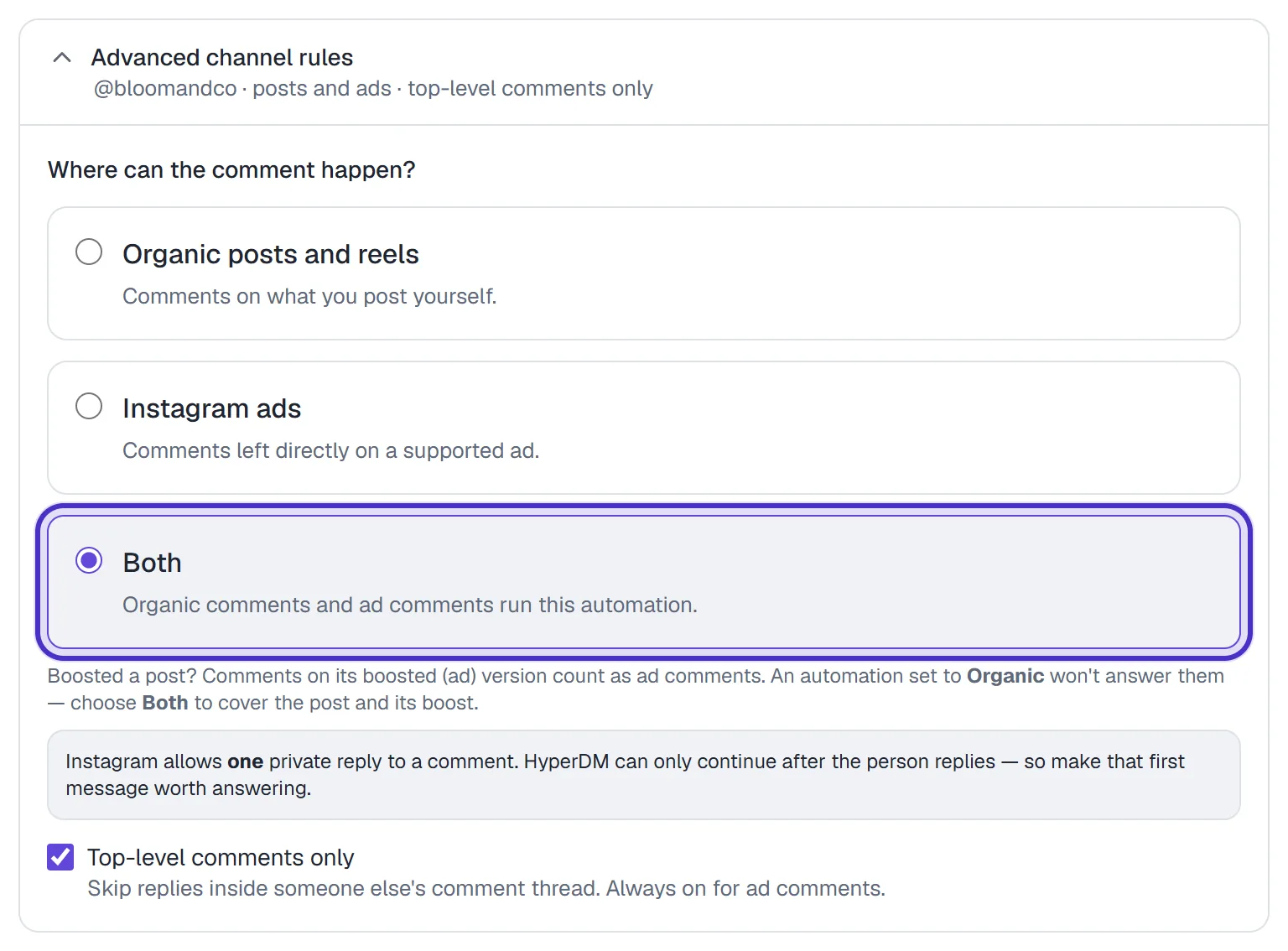
The line under Advanced channel rules says what it's set to, even while it's closed. Top-level comments only stays on for ad comments, so replies inside someone else's comment thread on an ad don't trigger anything.

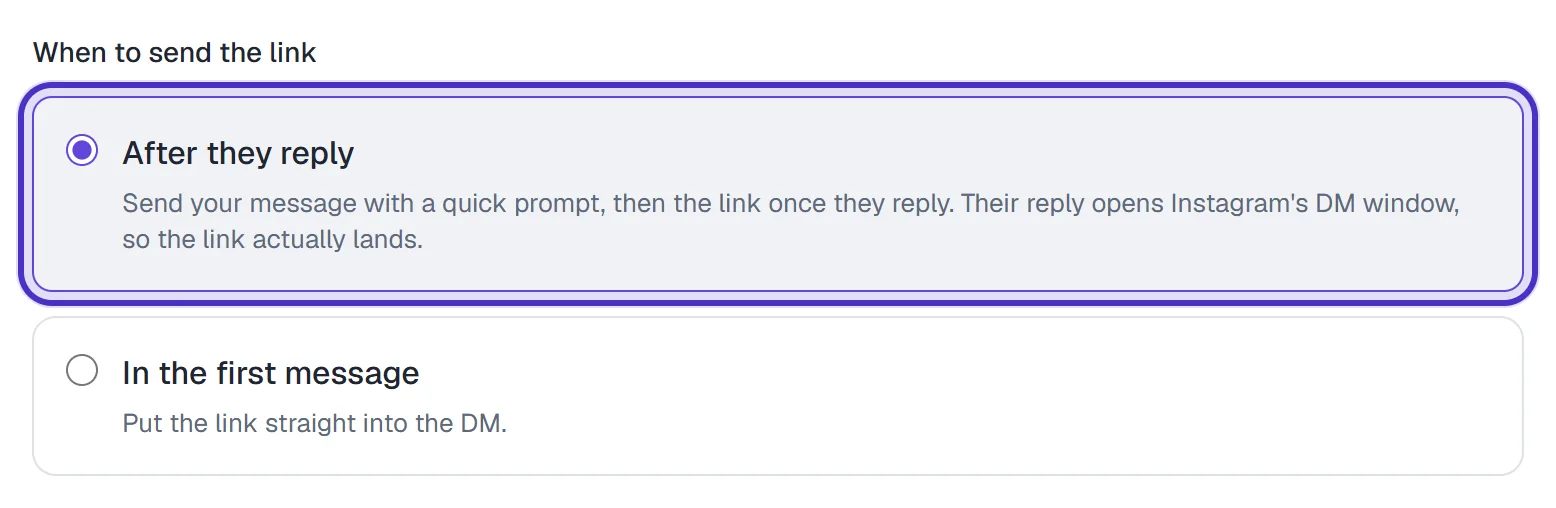
Write the public reply and the DM as normal. Under When to send the link, keep After they reply: a link in the first DM to someone who has never messaged you can land in their Requests folder.
Boosted posts have two comment streams
When you boost a post, Instagram creates a second copy of it as the ad. Comments on that copy are ad comments; comments on the original post stay organic. An automation set to Organic posts and reels answers only the original's comments and won't answer the boosted copy. Choose Both to cover the post and its boost with one automation.
An ad built in Ads Manager isn't a post on your profile at all, so only Instagram ads or Both can answer it.
What happens after someone comments
- HyperDM posts one of your public replies under their comment.
- The DM goes out through a small queue. If your account has reached HyperDM's hourly sending limit, or Instagram is rate-limiting it, the DM waits and retries for up to 7 days from the comment rather than being dropped.
- The conversation appears in your Inbox, where you can reply by hand or Take over.
- When they reply, the rest of the automation runs: the link, the email ask, the nudge.
It's available on every plan, Free included, and each answered comment starts a conversation that counts toward your plan's allowance like any other. HyperDM's AI comment replies stay out of a comment an ad automation answered.
While the automation is paused, nothing goes out; DMs already queued wait, and they still expire at the 7-day limit. Pausing the ad in Ads Manager stops new comments, but DMs already queued still send.
Test it and know the gaps
Set the automation live. In Ads Manager, select the ad, open Preview, then Share → Instagram post with comments: that link is the ad's own post. From a different Instagram account, comment the keyword there. Comments from your own connected account are ignored.
Not covered yet:
- Comments on the Facebook placements of an ad. Those belong to your Facebook Page, so an Instagram automation never sees them, and those commenters get no DM. To keep the ad where the automation can see it, run it on Instagram placements only (Manual placements in Ads Manager, with Facebook unticked).
- Choosing which ads an automation answers. Instagram ads or Both answers every ad that runs as your account and matches the keyword.
- Catalog (Advantage+) ads. HyperDM hasn't verified comments on them, so treat them as not answered.
- Ads running under a different Instagram account, comments made before the automation went live, and comments older than 7 days.
FAQ
Does HyperDM need access to my ad account?
No. It needs your Instagram account connected and the ad running as that account. Nothing is switched on in Ads Manager.
I boosted a post and the ad's comments got no reply. Why?
The automation is set to Organic posts and reels, which only answers the original post. Open Advanced channel rules, choose Both, and make sure Listen on is All posts & reels.
Does it answer comments on the Facebook placements of my ad?
No. Facebook comments belong to your Facebook Page, so an Instagram automation never sees them. Run the ad on Instagram placements only if you want commenters to get the DM.
Does comment-to-DM on ads cost extra?
No. It is on every plan, including Free. Each answered comment starts a conversation that counts toward your plan's allowance like any other.
Can I choose which ads an automation answers?
Not yet. An automation set to Instagram ads or Both answers every ad that runs as your account and matches its keyword.